
Responsive vs Qvidian vs Alternatives: Which RFP Software to Choose
Compare Responsive vs Qvidian on AI, content management, pricing, usability, and enterprise fit. Find out which RFP software is best for your team in 2026.

Robert Dickson
RevOps Manager, AutoRFP.ai··15 min read
Responsive and Qvidian are two of the most recognized names in RFP software, but choosing between them is no longer as simple as picking the more established platform. Proposal teams today need faster workflows, better AI support, easier collaboration, and pricing that makes sense as volume grows.
While both tools have clear strengths, they also come with trade-offs that may not suit every team. This guide compares Responsive, Qvidian, and the leading alternatives to help you choose the right fit.
| Responsive | Qvidian | AutoRFP.ai | |
|---|---|---|---|
| Best for | Cross-functional enterprise teams handling frequent RFPs, DDQs, and security questionnaires with structured workflows. | Large organizations with established, template-led proposal processes and stricter governance needs. | Revenue, proposal, and security teams that want faster AI-led responses, better requirement handling, and clearer pricing. |
| Stand out feature | Mature workflow management with strong collaboration, AI agents, and broad enterprise integrations. | Structured proposal automation built around centralized content libraries and template control. | AI-first response engine with source-backed drafting, strong requirement extraction, and self-improving knowledge reuse. |
| Price | Custom quote only. Public pricing is not available. | Custom quote only. Public pricing is not available. | Public pricing starts at $899/month, with unlimited users and full feature access on public plans. |
| Pros | User-friendly enterprise software, strong support, broad integrations, and solid collaboration features. | Strong governance, structured workflows, Microsoft-friendly environment, and solid proposal standardization. | Transparent pricing, unlimited users, faster time to value, stronger AI context handling, and less manual cleanup. |
| Cons | Pricing is unclear, setup can take time, and AI quality depends heavily on library maintenance. | More complex to use, less flexible, longer implementation, and weaker fit for modern AI-first workflows. | Less suited to buyers issuing RFPs and may be a weaker fit for highly bespoke sectors with very unique responses. |
| Customer support | Hands-on and responsive, with onboarding help and proactive support. | Reliable enterprise support, but often more formal and structured. | Unlimited support included on public plans, plus onboarding and training. |
| Ease of use | Generally easier to adopt, with guided workflows and a more modern interface. | More complex and training-heavy because of its legacy structure and library-led workflow. | Designed for faster adoption, with lower setup friction and intuitive AI-led workflows. |
| Integrations | Broad integration ecosystem across CRM, Slack, Teams, Microsoft tools, APIs, and enterprise auth systems. | Stronger in Microsoft-centric and structured enterprise environments, including Salesforce and Office tools. | Connects across SSO, knowledge bases, communication tools, file storage, help centers, and CRM systems. |
| AI response generation | Uses AI agents and drafting tools, but output quality depends on well-maintained content sources. | Uses AI Assist and AutoFill for drafting, but relies more on templates and stored answers. | Generates first drafts from approved content and company documents, with sources, freshness, and confidence signals. |
| Content library and knowledge management | Strong structured library with governance tools and content health tracking. | Centralized multi-level content library with approvals, expiry controls, and template reuse. | Self-updating library that improves as answers are approved, with AI-assisted organization and semantic search. |
| Project management and collaboration | Strong collaboration, task routing, reminders, and workflow visibility across teams. | Good, structured collaboration with approval of workflows, audit trails, and document-based teamwork. | Central workspace for RFPs, RFIs, DDQs, and security questionnaires with workload, comments, blockers, and progress tracking. |
| Document import and requirement handling | Supports response projects and requirement analysis but is not positioned as the strongest file-handling option. | Handles questionnaires and document parsing well in structured proposal environments. | Strongest option for complex Word, PDF, and Excel files, including nested tables, compliance matrices, and macros. |
| Reporting and analytics | Offers dashboards, ROI reporting, keyword trend analysis, and business intelligence tools. | Strong reporting with many prebuilt reports and a custom report builder. | Tracks automation rate, cost savings, team efficiency, workload, capacity, and response trends in one place. |
Who Is “Responsive” Best For?
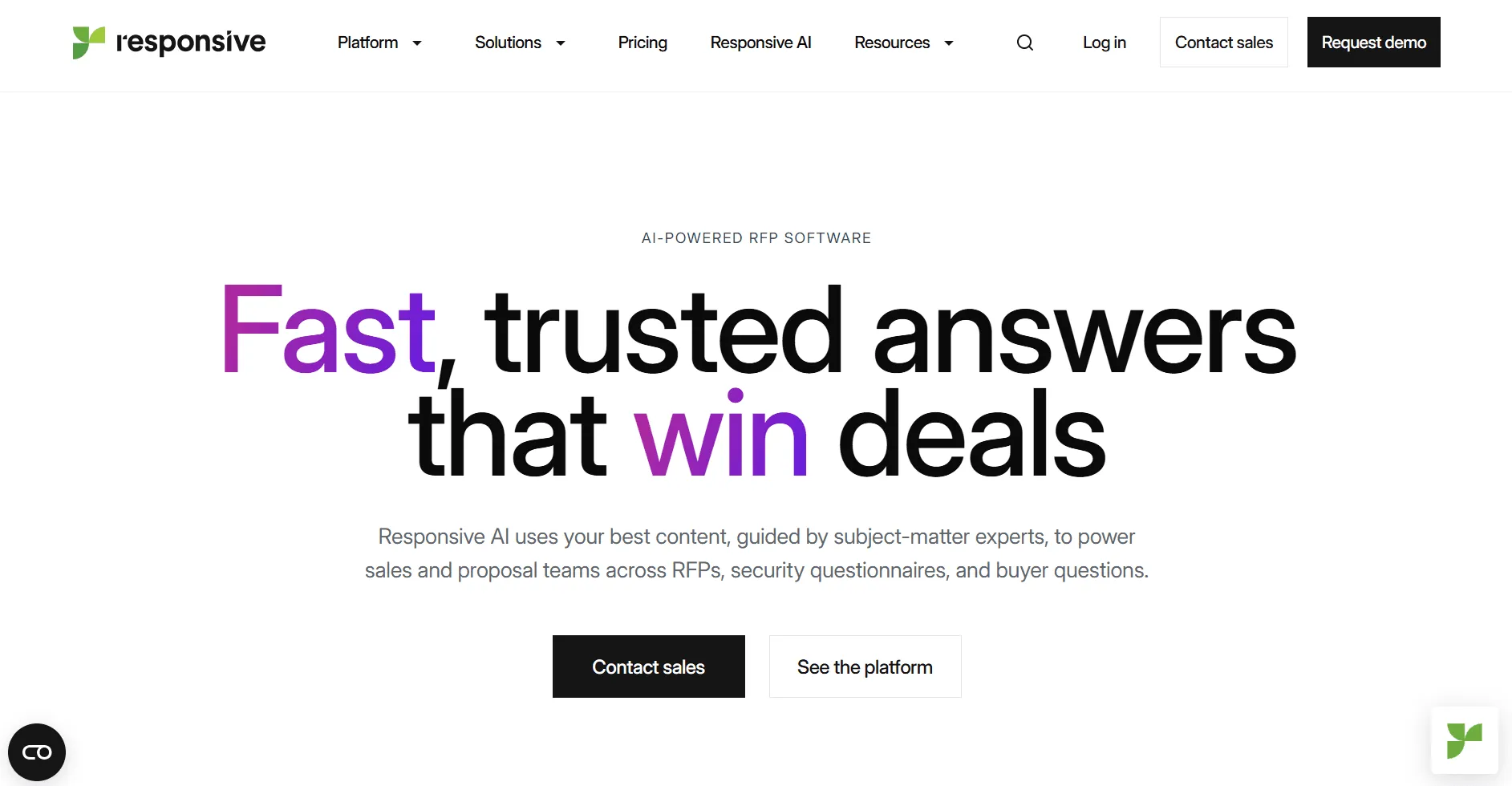
Responsive is ideal for:
Cross-functional response teams: Responsive is built for bid and proposal managers, sales, marketing, InfoSec/IT, executive leadership, investor relations, and even small businesses that need one platform to manage responses across teams.
Teams handling frequent RFPs, DDQs, and security questionnaires: Its platform is designed to manage bids, questionnaires, and assessments end to end, from intake and requirements analysis to drafting and packaging responses.
Organizations that need strong collaboration and reusable content: Responsive combines collaborative workflows with a content library and AI-supported answer generation, which suits teams that want faster, more consistent responses.
Companies that want guided workflows and reporting: Features like guided projects, executive dashboards, and standard reports make it a better fit for teams that want more structure, visibility, and process control.
Businesses that value ease of use and faster adoption: Recent user reviews highlight Responsive’s user-friendly experience, automation, and collaboration features, so it is a good fit for teams that want efficiency without too much friction.
For Whom Is Qvidian Useful?
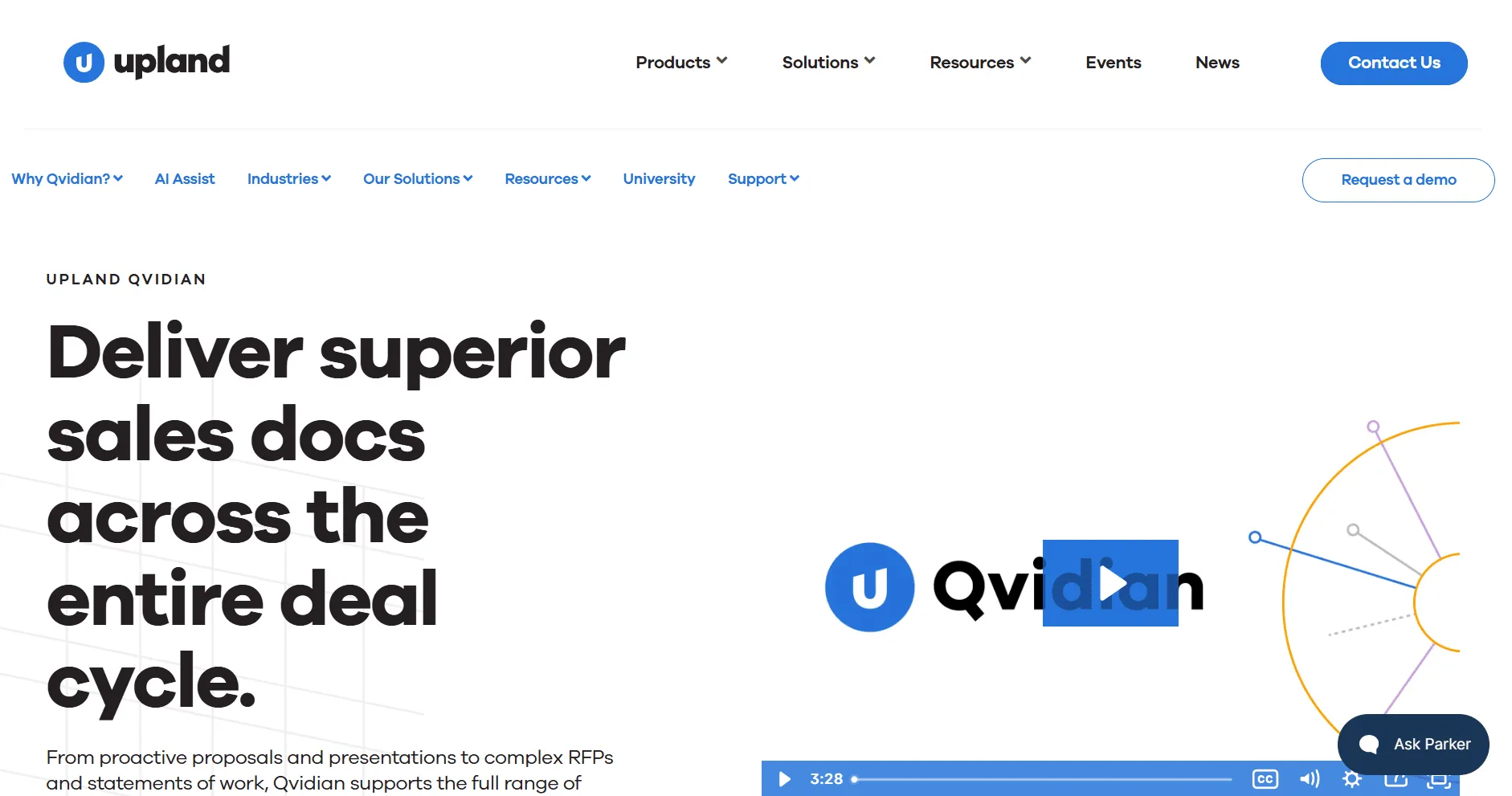
Qvidian is useful for:
Enterprise and mid-market organizations: It is positioned for larger businesses that want proposal automation software to save time and support revenue-generating response work at scale.
Proposal-heavy sales teams: It is a good fit for teams producing frequent proposals, RFPs, RFIs, RFQs, DDQs, and security questionnaires as part of complex sales cycles.
Organizations with stricter controls and compliance needs: It suits teams that need stronger governance, mature content controls, and more structured workflows around approvals and accuracy.
Companies with established enterprise systems: It is better suited to businesses that rely heavily on Microsoft Office, Salesforce, and more traditional enterprise proposal management setups.
AutoRFP.ai: An Alternative
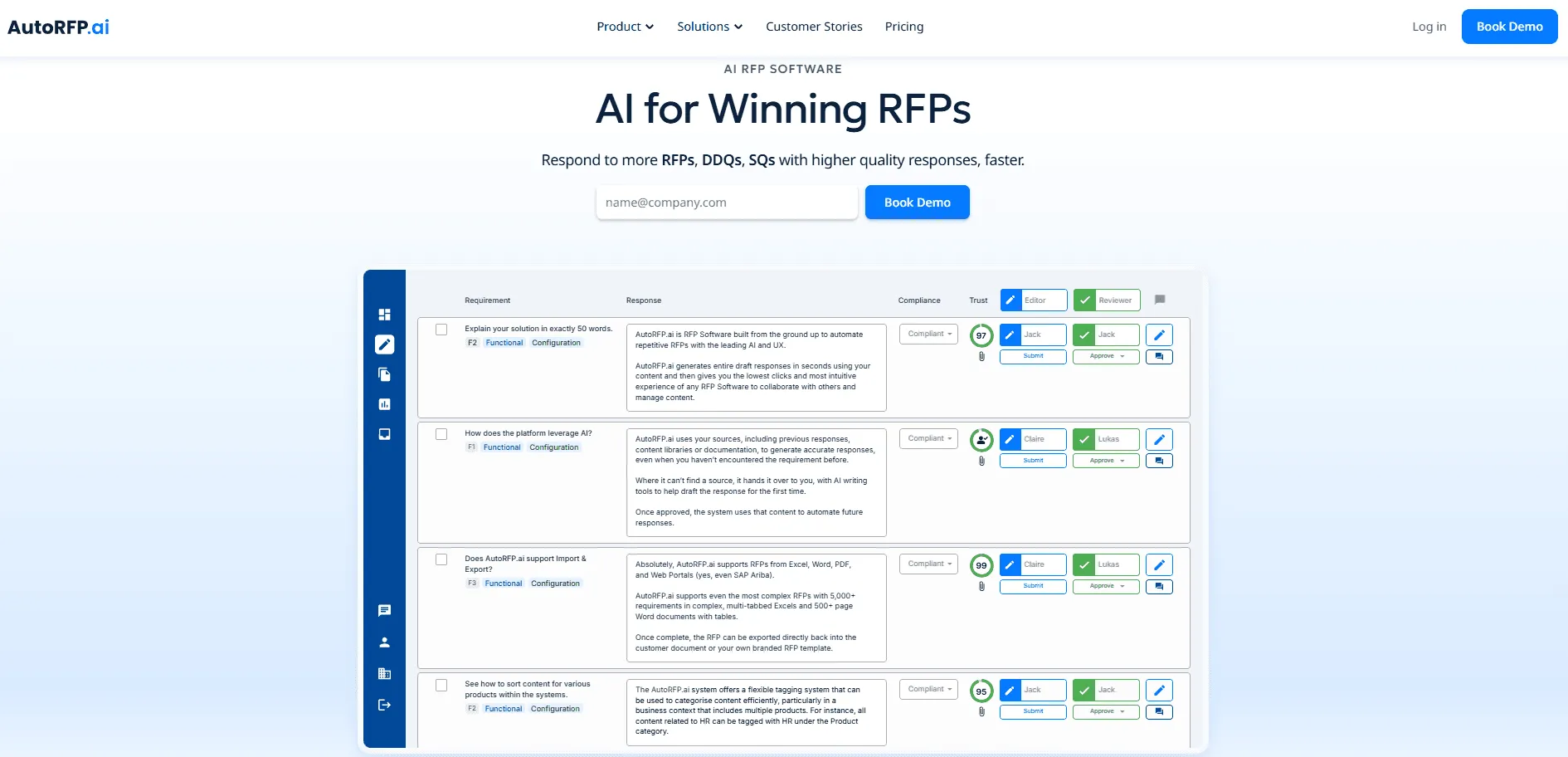
AutoRFP.ai is an AI‑first RFP response platform built from the ground up around generative AI. Instead of relying on static content libraries, its Response Engine learns from every approved answer and produces consistent, on‑brand drafts, while its transparent, project‑based pricing includes unlimited users and all features, so teams know exactly what they’ll pay.
Why AutoRFP.ai Is a Better Alternative Than Responsive and Qvidian
AutoRFP.ai is a compelling alternative to both Responsive and Qvidian for several reasons:
1. Transparent Pricing with Better Value
AutoRFP.ai publishes its pricing publicly, so buyers can see exactly what they will pay before speaking to sales. Its Scale plan starts at $899 per month, and its Accelerate plan starts at $1,299 per month, and both include unlimited users, unlimited AI, all features, SSO, integrations, support, and training.
| Plan | Price (Billed Yearly) | Features |
|---|---|---|
| Scale | $899/month | 24 projects, unlimited users, AI, content, all features, SSO, 18+ integrations, ISO 27001 & SOC 2, support & online training |
| Accelerate | $1,299/month | 50 projects, Everything in Scale, just with more projects per year (same unlimited users/features stack) |
| Enterprise | Custom | Scalable projects, unlimited users, AI & features, plus bespoke implementation and terms |
Responsive and Qvidian do not publish clear public pricing in the same way. Responsive uses a custom quote model and third-party pricing data suggests costs can rise significantly depending on seats, add-ons, and support needs.
Qvidian also follows opaque enterprise pricing, with third-party reports showing base costs often start much higher before implementation and maintenance costs are added.
2. More Accurate and More Contextual AI Responses
AutoRFP.ai is built around AI from the start, not added later onto a legacy system. Its AI Response Engine generates accurate responses, learns your tone of voice and brand, and keeps answers consistent across the full RFP response.
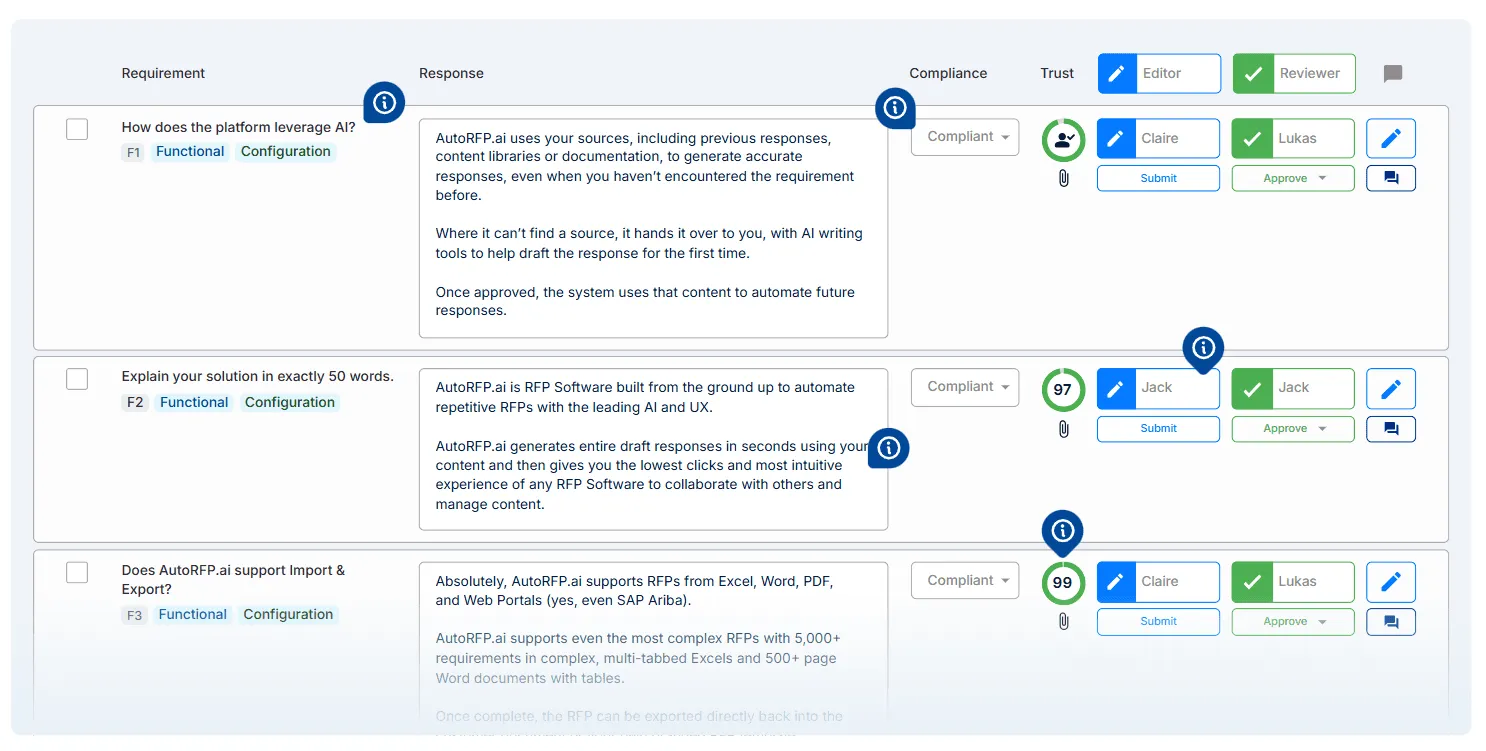
Customer feedback on AutoRFP.ai’s site also says its responses are more tailored and better at understanding how questions are asked than other systems.
Responsive’s AI performance depends heavily on the quality of its maintained library. Third-party comparisons note that its AI can repeat library content instead of truly synthesizing context, which can lead to generic responses on more complex questions.
Qvidian also relies more on template matching and static library retrieval than deep contextual understanding. Reviews and competitor analyses describe it as better suited to structured, repeatable content than nuanced, context-heavy proposal writing.
3. No Heavy Manual Content Maintenance
One of AutoRFP.ai’s biggest advantages is that it does not depend on teams constantly maintaining a large manual content library. The platform learns from every approved response automatically, which reduces admin overhead and helps the system stay aligned with how your business actually responds today.
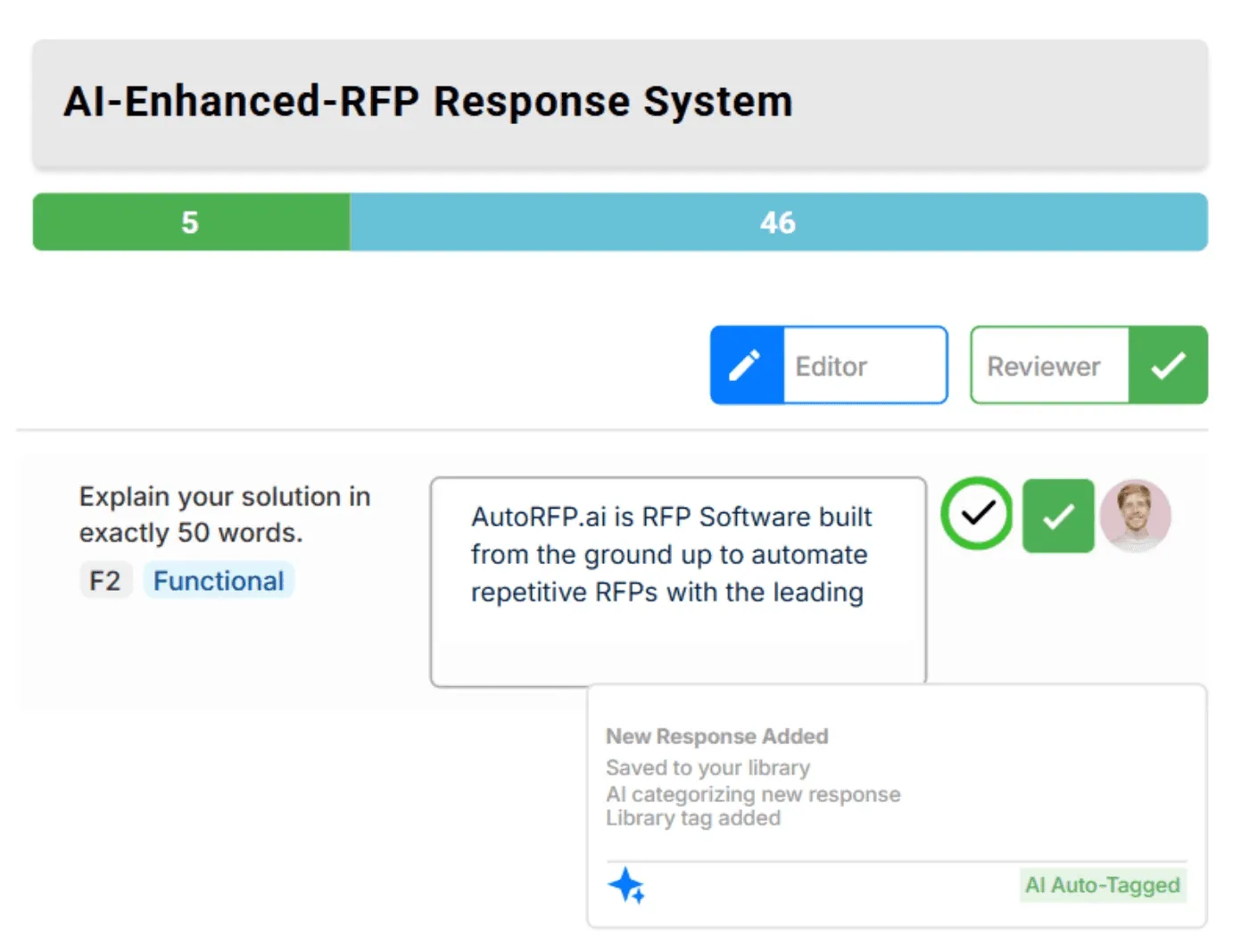
Responsive and Qvidian both rely much more heavily on manual library upkeep. Responsive needs active tagging, governance, and content ownership for the AI to stay useful. Qvidian also requires ongoing admin-led maintenance, and some reports note that organizations may need dedicated content ownership just to keep the system accurate and current.
4. Easier to Adopt and Faster to Get Value From
AutoRFP.ai is designed to be intuitive and collaborative, with unlimited users on all plans and a lower-friction setup model. Its pricing page says teams can get started quickly, with previous responses imported and onboarding included.
Responsive has a steeper learning curve and often takes weeks or months before teams reach strong AI fill rates because the platform needs setup, migration, governance, and library building first.
Qvidian also tends to require longer implementation, more training, and more operational effort because of its legacy structure and content management model.
5. Built For Modern AI-Driven RFP Workflows
AutoRFP.ai was founded for AI rather than retrofitted later. It supports Word, Excel, PDF, and online portals, integrates with tools teams already use, and combines AI response generation with collaboration, trust scoring, and workflow support in one platform.
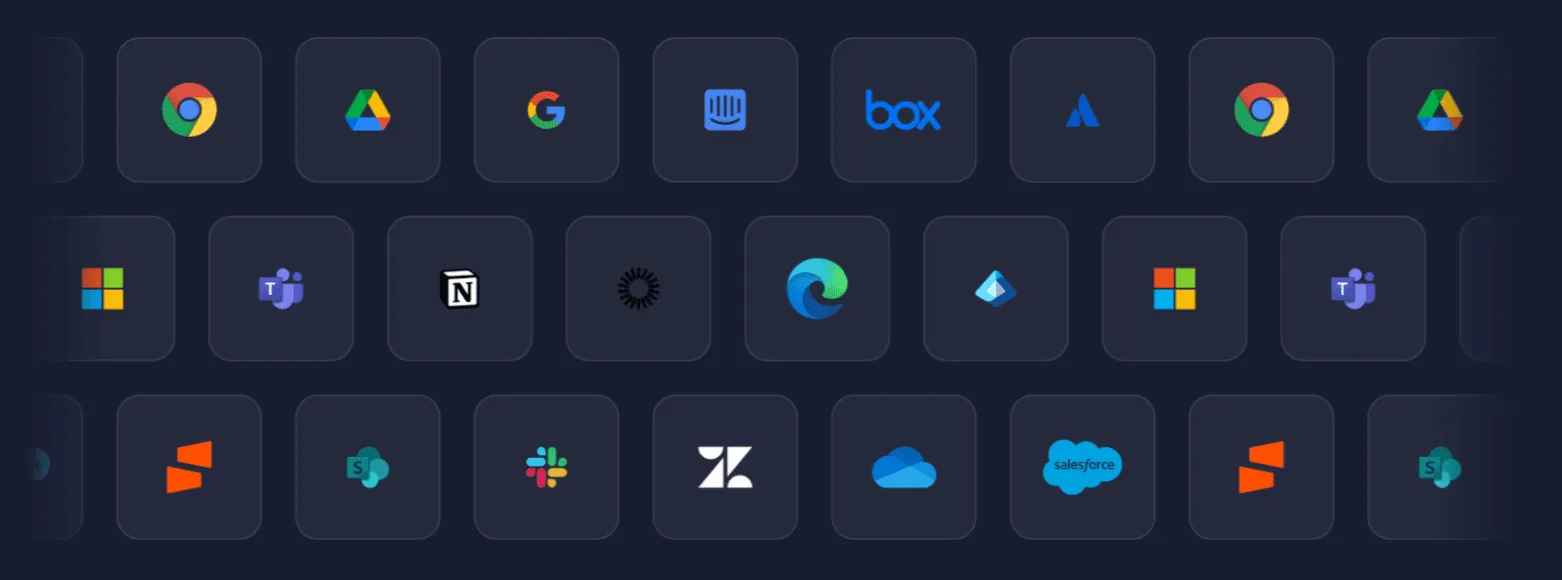
By contrast, Responsive and Qvidian are both more rooted in legacy content-library workflows. That structure can still work for large teams with dedicated proposal operations, but it often creates more friction for teams that want fast setup, less maintenance, and AI that produces stronger first drafts with less rewriting.
Price
Since pricing often plays a major role in the decision, let’s put these two tools next to each other and evaluate which offers more value.
Responsive
Responsive offers four pricing plans: Lite for small businesses, Emerging for growing organizations, Growth for expanding teams up to 500 employees, and Enterprise for larger global businesses.
| Plan | Price | Key features |
|---|---|---|
| Lite edition | Contact sales | - Unlimited projects |
Responsive AI Agents
Ask
TRACE ScoreTM
Content library with unlimited storage
Slack and Teams integration
Templates and export | | Emerging edition | Contact sales | * Response projects
Requirements analysis
Proposal builder
Responsive AI Agents
Content library with unlimited storage
Integration connectors
Single sign-on (SSO) | | Growth edition | Contact sales | - Intake request
Lookup
eSignature
AI Agent Studio
API connector
Custom user roles
SAML-based SSO | | Enterprise edition | Contact sales | * Guided projects
Content translation
Custom report builder
Business units
Sandbox
Premium connectors
Automated account provisioning |
Responsive’s exact pricing is not publicly available, but third-party procurement data gives some insight into what buyers tend to pay.
| Pricing factor | Details (based on data from Vendr and Responsive) |
|---|---|
| Monthly cost (Lowest tier) | Estimated $499/user/month, tiered enterprise pricing with sales quotes required |
| Median annual price | Between $5,287 and $29,781 per year |
| Pricing model | Per-user, per-month subscription; costs climb as you add users, advanced AI, and premium integrations |
Qvidian
Qvidian does not publish exact pricing publicly, so buyers need to contact sales for a custom quote. Third-party sources suggest base pricing may start around $15,000 to $25,000 per year, but Upland does not confirm those figures publicly.
Verdict
Neither Responsive nor Qvidian makes pricing easy to compare upfront, since both rely on sales-led quotes rather than clear public rates. Responsive gives buyers a bit more structure through its named editions and third-party pricing signals, while Qvidian remains less transparent overall.
Ease of Use
Let’s break down both tools to see which one feels easier to use in day-to-day work.
Responsive
Responsive is widely seen as more user-friendly, with a modern interface, guided workflows, and AI-assisted suggestions that reduce manual effort. Teams can onboard quickly, collaborate easily, and navigate the platform without heavy training or setup.
Qvidian
Qvidian offers powerful capabilities, but the interface is more complex and often requires structured training to use effectively. Its reliance on content libraries and detailed workflows can make it feel less intuitive, especially for new or non-technical users.
Verdict
Responsive is the better choice if you want a smoother, faster onboarding experience with minimal learning curve and higher day-to-day usability. Qvidian suits teams that can invest time in training and need a more structured, process-heavy system.
Customer Support
Looking at these support differences can help you judge which platform is more likely to help your team long after sign-up.
Responsive
Responsive is known for strong, hands-on customer support, including onboarding guidance, fast response times, and continuous product updates. Users often highlight proactive assistance and support teams that help with both technical issues and best practices.
Qvidian
Qvidian provides solid enterprise-level support, including onboarding training, webinars, and structured assistance programs. However, support is typically more formal and geared toward larger organisations with established workflows.
Verdict
Responsive stands out for more responsive, accessible, and hands-on support that improves user experience quickly. Qvidian offers reliable enterprise support, but it can feel less agile and more structured in comparison.
Side note: If ongoing support is a priority, AutoRFP.ai is worth a closer look. All public plans include unlimited support, unlimited users, and full feature access, which makes it a stronger option for teams that want predictable help without paying extra as they scale.
Integrations
This comparison can help highlight which platform may fit better within your current setup.
Responsive
Responsive connects with a broad ecosystem of tools to support end-to-end proposal workflows and cross-team collaboration.
CRM integrations: Salesforce and other CRM platforms to centralise deal and proposal data
Communication tools: Slack and Microsoft Teams for real-time collaboration and notifications
Productivity suites: Microsoft Office and document tools for seamless proposal creation and editing
APIs and custom connectors: Flexible integration options for enterprise workflows and automation
Identity and security systems: SSO and enterprise authentication for secure access management
Qvidian
Qvidian focuses on deep integrations within enterprise ecosystems, particularly for structured content management and Microsoft-based workflows.
CRM integrations: Salesforce and enterprise CRM systems for managing sales and proposal pipelines
Microsoft ecosystem tools: Word, Excel, PowerPoint, SharePoint, and Teams for document-heavy workflows
Content and knowledge systems: Centralised libraries for storing, managing, and reusing approved content
Enterprise workflow systems: Governance, compliance, and approval systems for structured processes
Cloud and storage platforms: Integration with enterprise storage and collaboration environments
Verdict
Responsive offers broader and more flexible integrations across modern tools, making it easier to plug into diverse tech stacks. Qvidian is stronger in deeply structured, Microsoft-centric environments where control and consistency matter more than flexibility.
Other Niche-Relevant Feature Comparison
A side-by-side look at the key features makes it easier to spot the differences between the two tools and what each one offers.
Responsive
Project Management & Collaboration
The Responsive platform uses AI-led project management to streamline RFP and proposal workflows. Its “Project management” capability emphasizes moving teams away from manual RFx logistics and toward strategic work by combining AI‑driven collaboration, workflow management and deep insights.
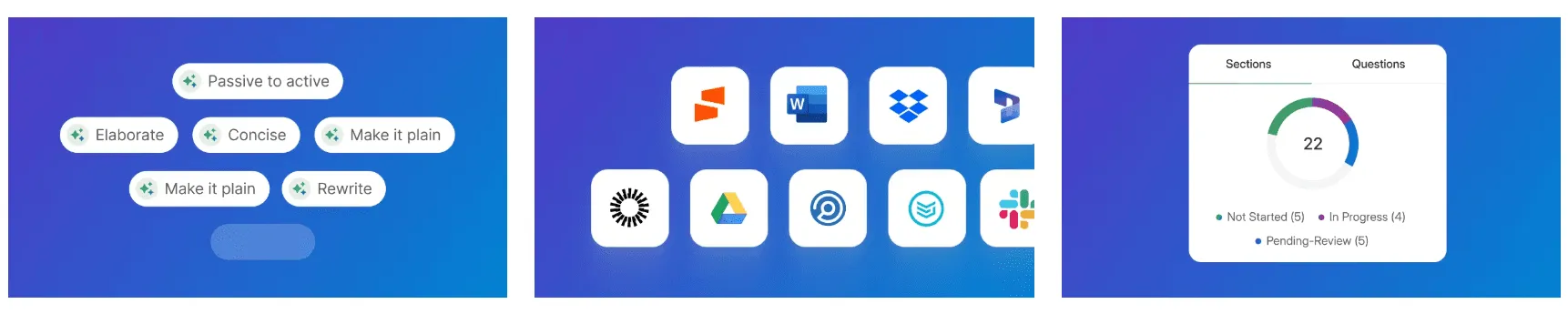
Responsive also manages RFP, RFI, and DDQ projects through its “Response Projects” module, which drafts answers and coordinates collaborative workflows.
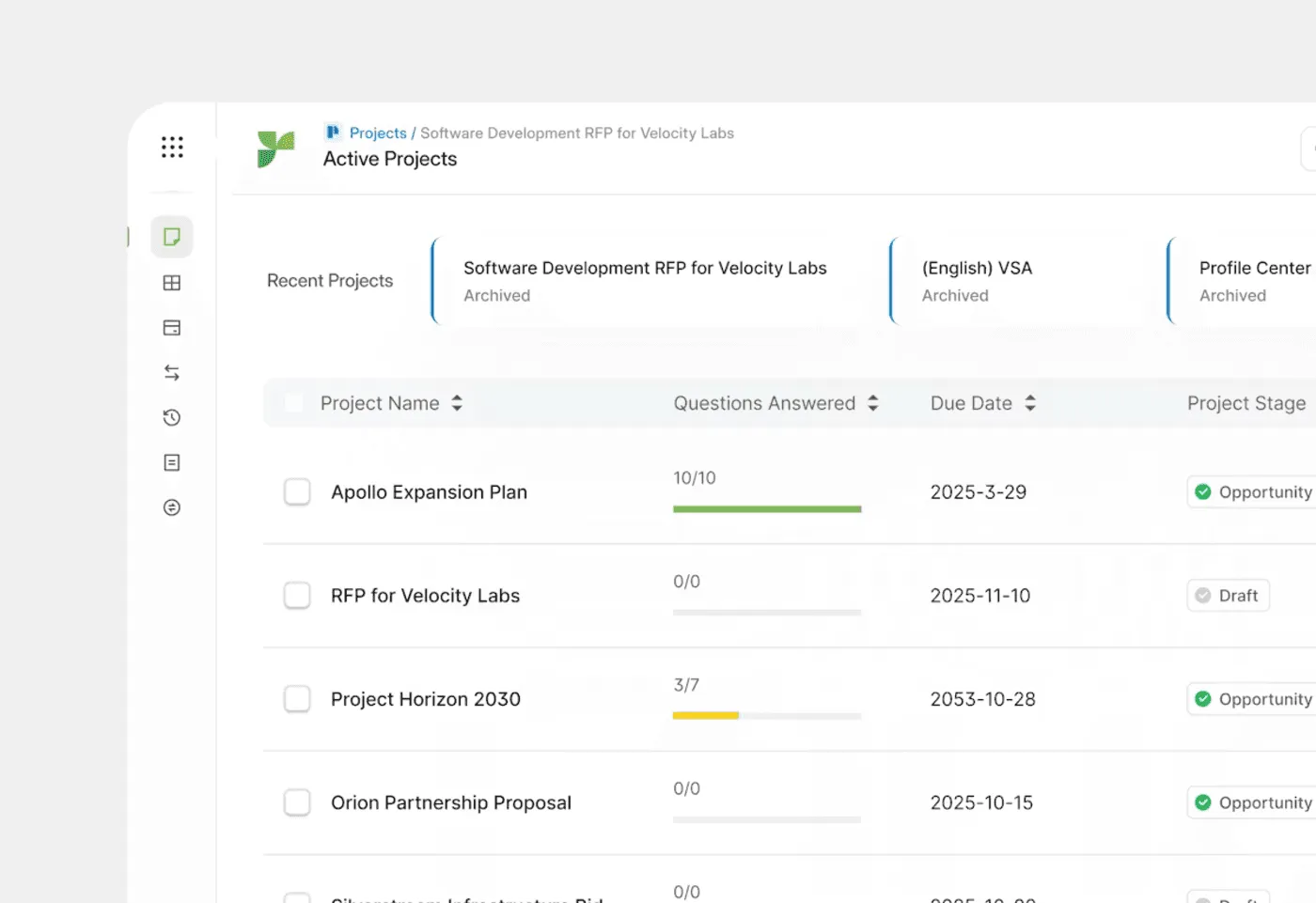
The platform assigns tasks, automates reminders, supports sequential review cycles and integrates with Slack and CRMs like Salesforce to ensure subject‑matter experts can contribute directly within the system.
Knowledge Management & Content Library
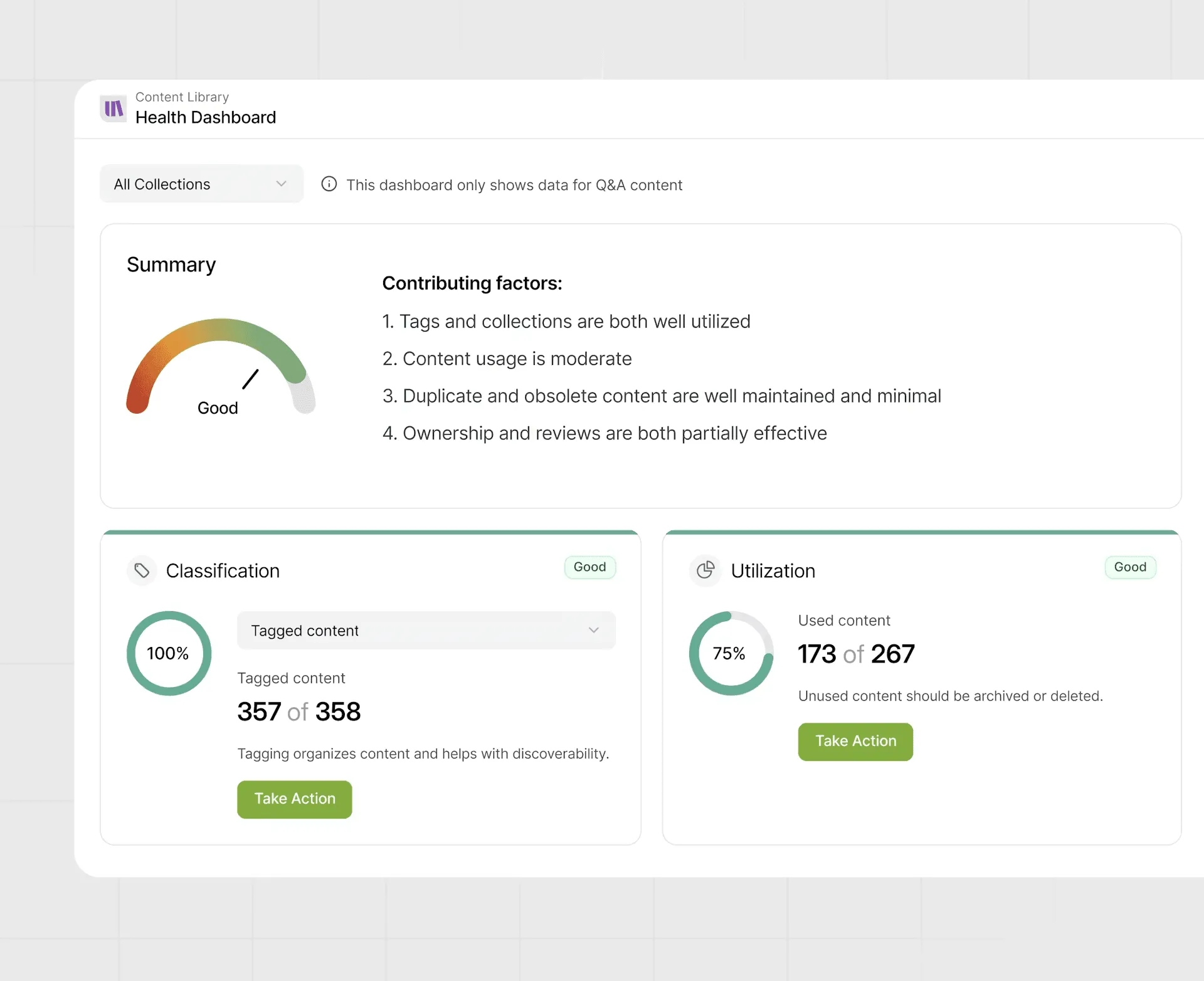
Responsive centralizes organizational knowledge in a structured content library and applies AI-powered governance. The platform’s “Knowledge management” capability allows teams to store all approved responses in one place and use instant search to find answers quickly.

A built-in Content Health Dashboard scores the quality of library content across accuracy, freshness and usage, highlighting duplicates and outdated entries so teams can clean them up.
AI Agents & Automation
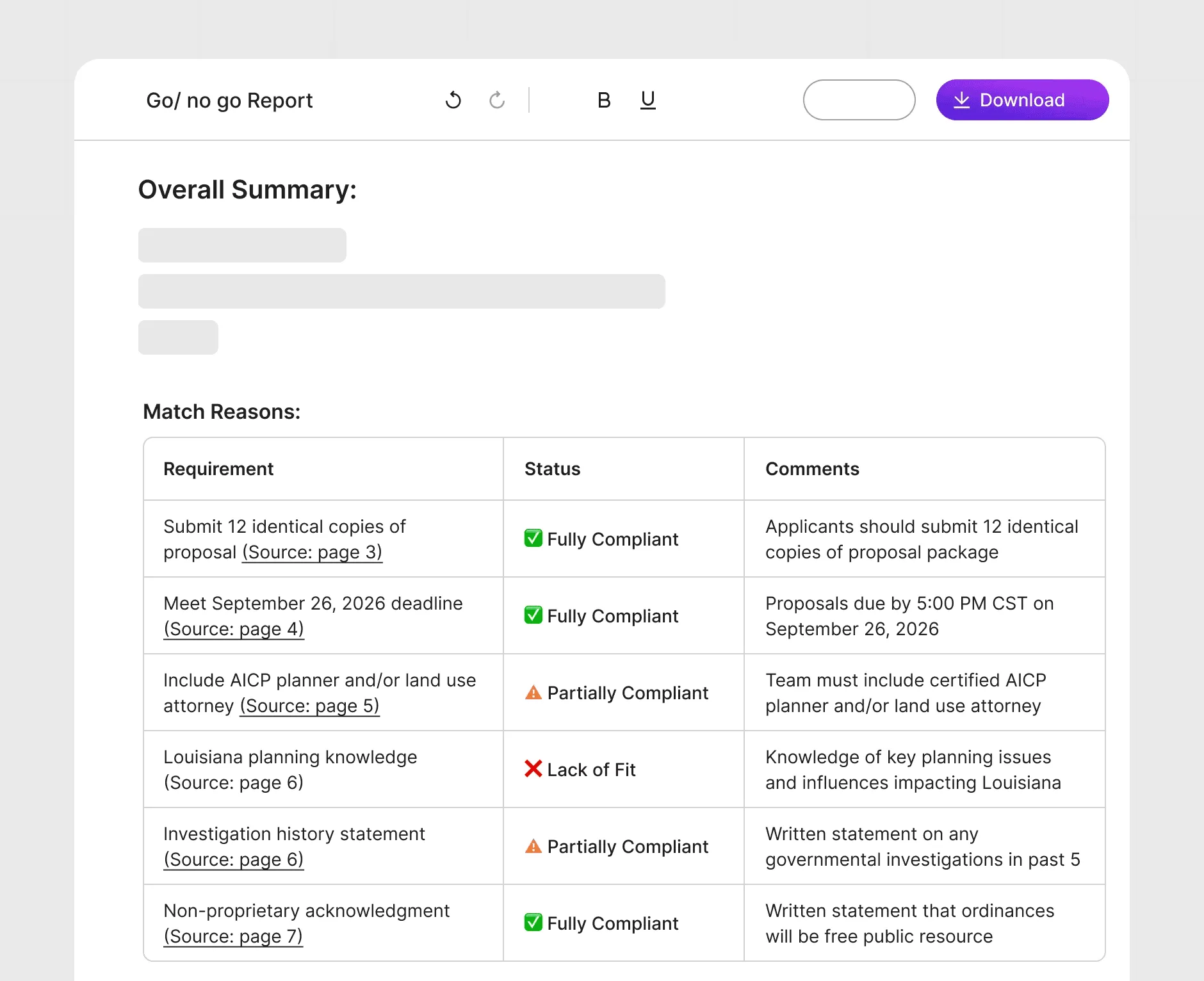
Responsive embeds generative AI agents throughout the proposal process. Agents such as the Fit Analysis Agent review incoming RFPs to surface key requirements, risks and red flags, producing a fit score to help teams focus only on winnable opportunities.
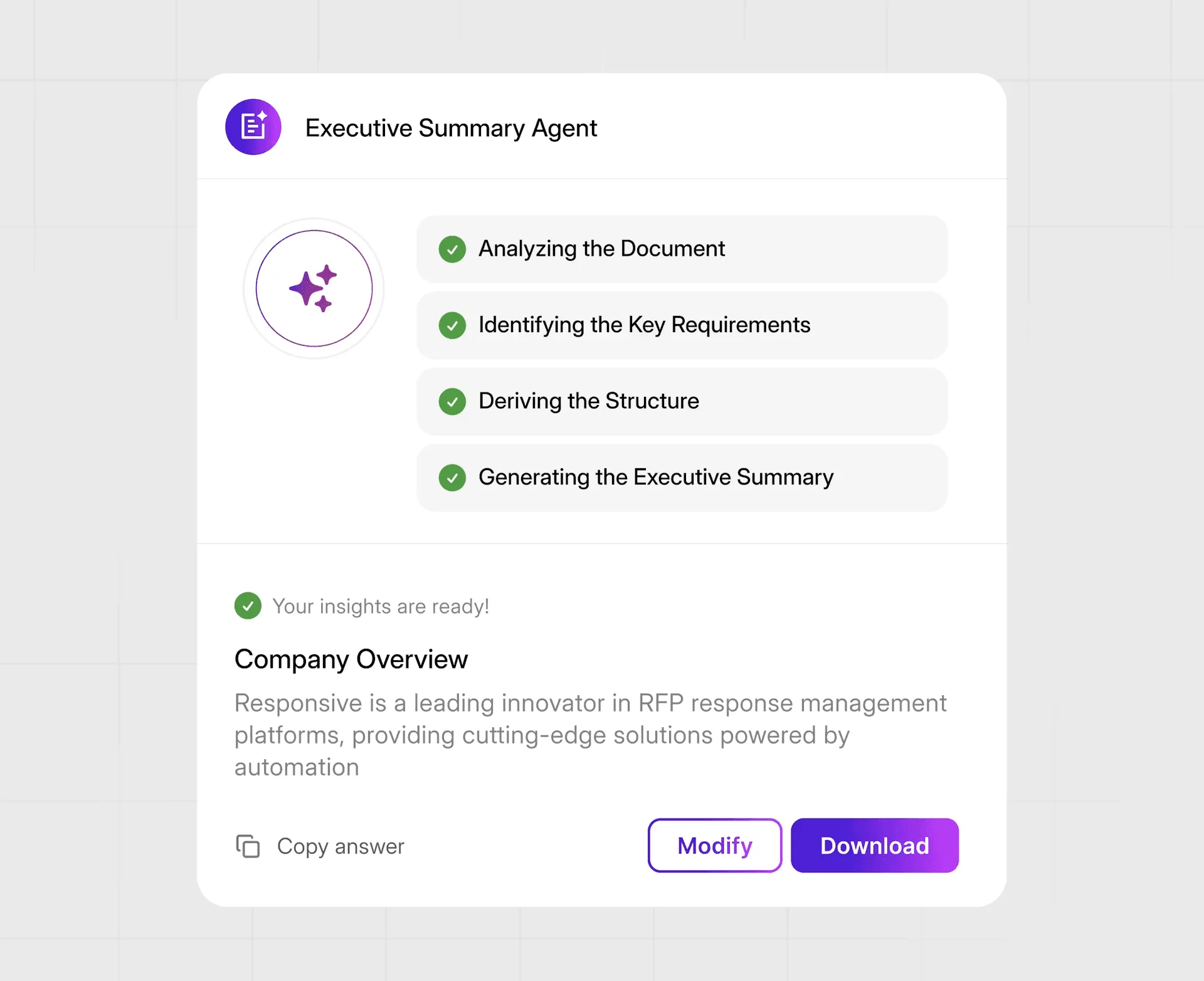
The Executive Summary Agent automatically crafts concise, tailored executive summaries that align proposals with buyer priorities. Ask, Guided Projects and Agent Studio democratize AI by letting users design custom agents that analyze, interpret and share insights.
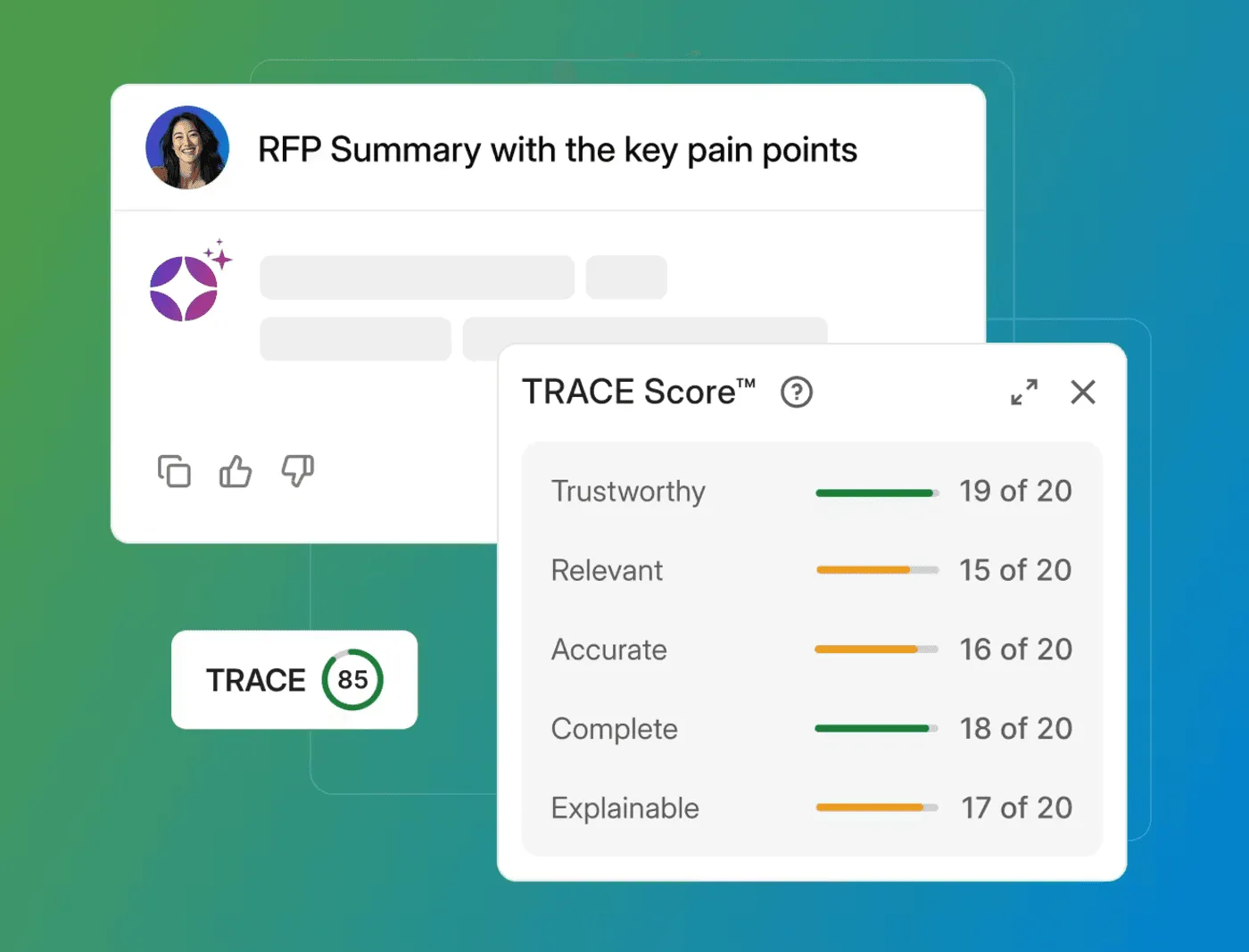
Smart Search and AI Draft tools generate complete draft answers from prompts, while the TRACE Score evaluates AI‑generated content for accuracy, relevance and traceability, reducing compliance risk and cutting down on manual reviews.
Business Intelligence & Analytics
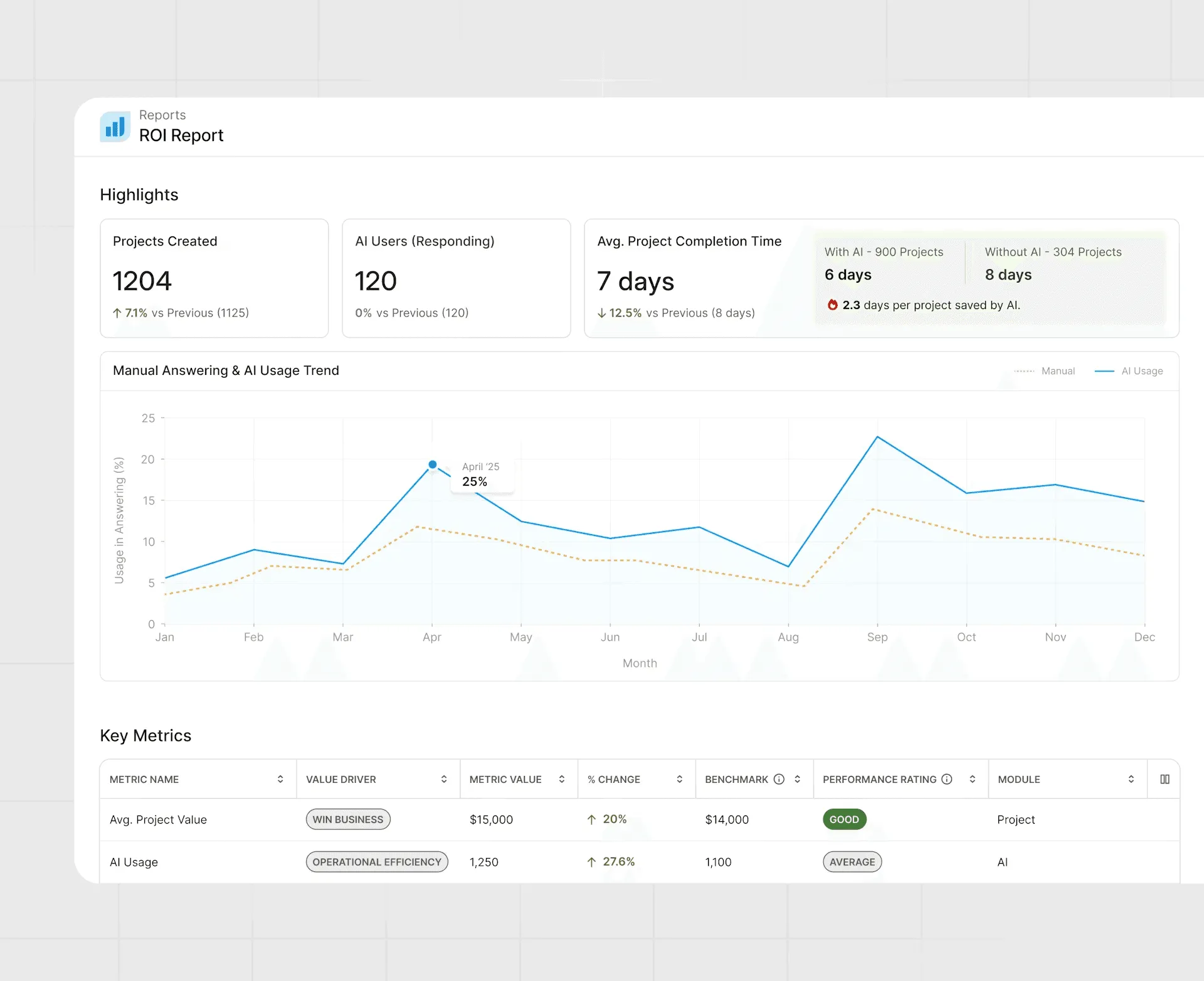
Beyond drafting and content management, Responsive provides analytics tools to measure project viability and return on investment. Its “Business intelligence” capability compiles data across custom and pre‑built dashboards to help teams determine project viability and make smarter decisions.

The platform also offers ROI Reporting, turning response activities into evidence with enhanced dashboards that show time savings and win‑rate improvements. Keyword Trends Analysis scans incoming RFPs and questionnaires to surface emerging buyer priorities and shifting market themes, giving teams market intelligence to refine messaging.
Integrations, Security & Compliance
Responsive is designed to fit seamlessly into existing tech stacks. It connects to CRM systems, productivity tools and cloud storage through more than 20 native integrations and 75 APIs.
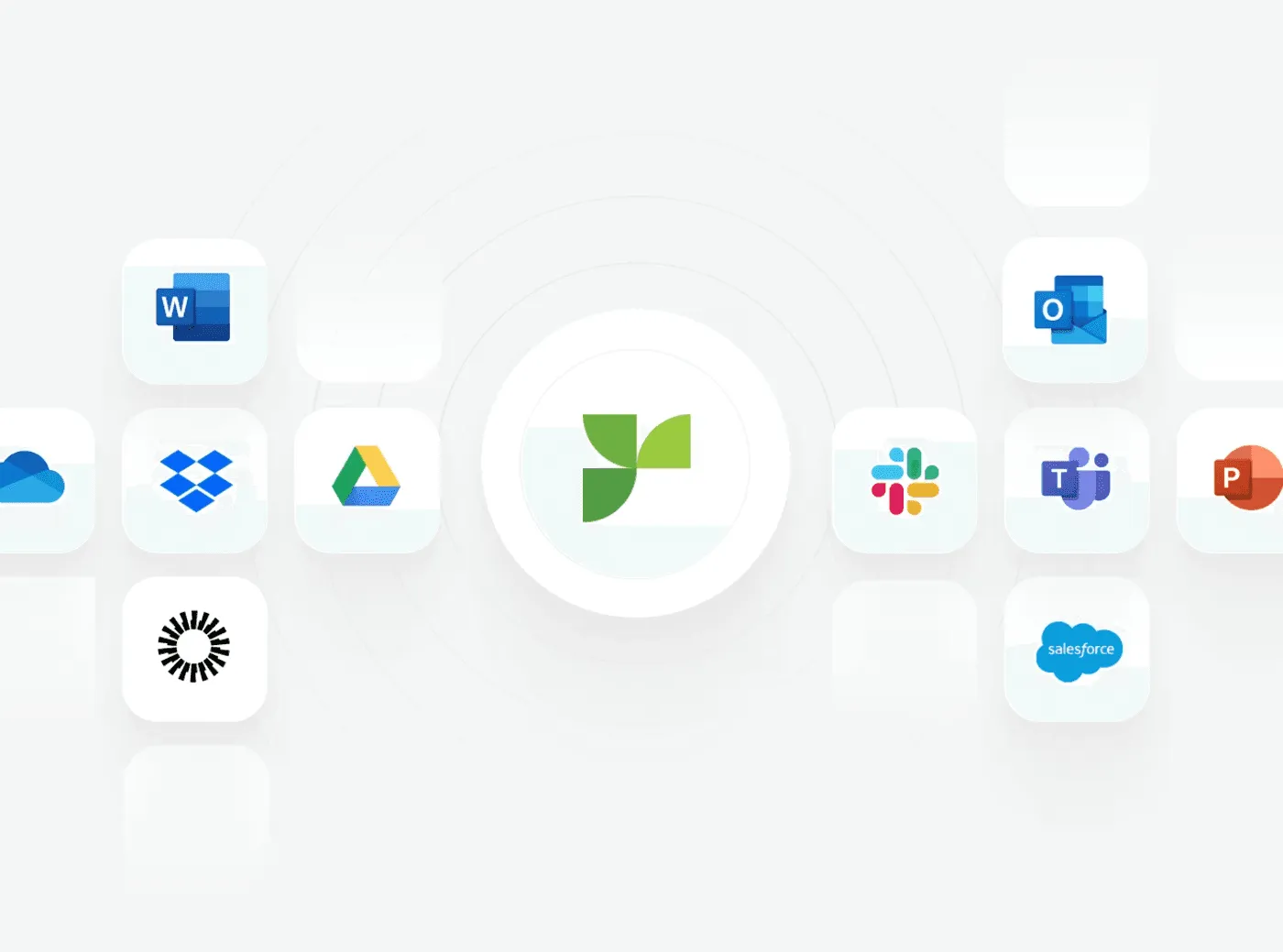
For example, teams can trigger tasks directly from Salesforce and communicate via Slack to capture subject‑matter expert input.
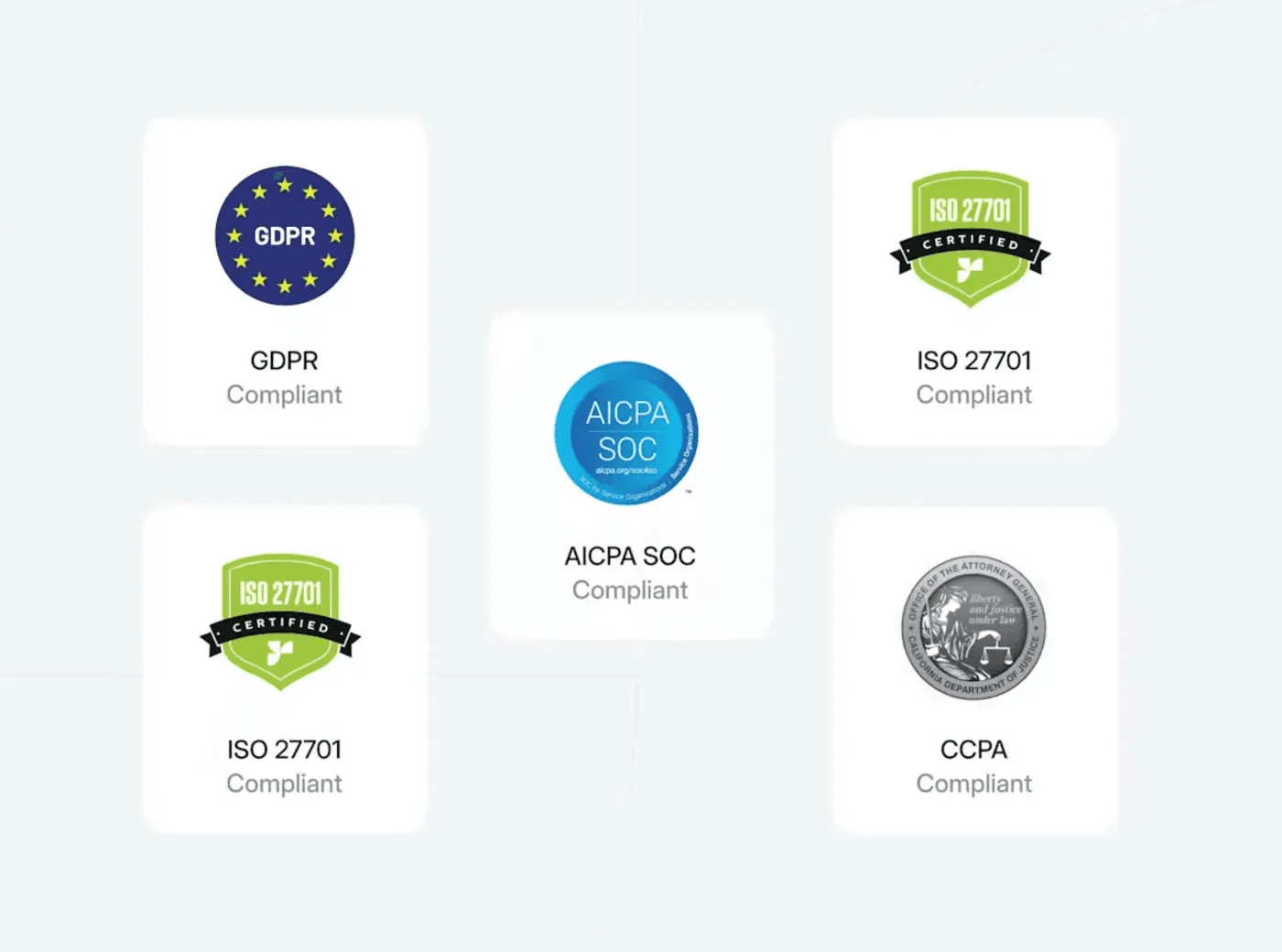
Responsive emphasizes security and compliance; enterprise‑grade security protects sensitive information, while governance features such as TRACE Score and Verbatim ensure AI‑generated content meets regulatory and brand standards.
Qvidian
Automation & Generative AI
Upland’s Qvidian platform focuses on automating proposal creation using AI. It includes industry‑pioneering automation that automatically answers questions and suggests responses, along with Qvidian AI Assist, a generative AI tool for drafting and revising content.
The Automatic Questionnaire feature uses generative AI and document parsing to identify headings, questions and answers within complex questionnaires.
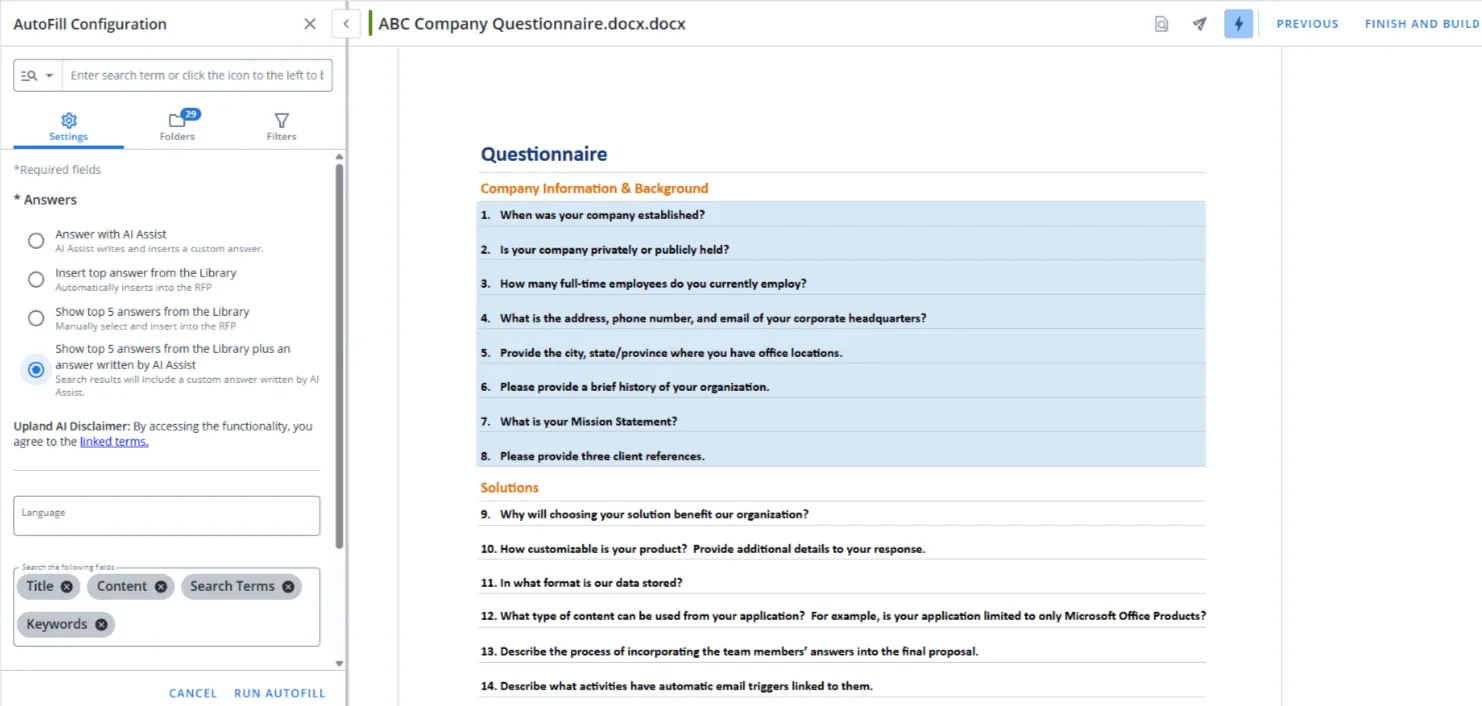
Qvidian’s AutoFill capability matches incoming questions to stored answers using keyword‑based retrieval from its content library. These automation tools help teams produce first drafts quickly and refine tone or length with a few clicks.
Central Content Library & Template Management
A core feature of Qvidian is its centralized, multi‑level content library that stores approved answers, compliance statements and standardized proposal elements. Teams can organize content into hierarchical folders with tags and approval workflows, assign expiration dates and track content usage.
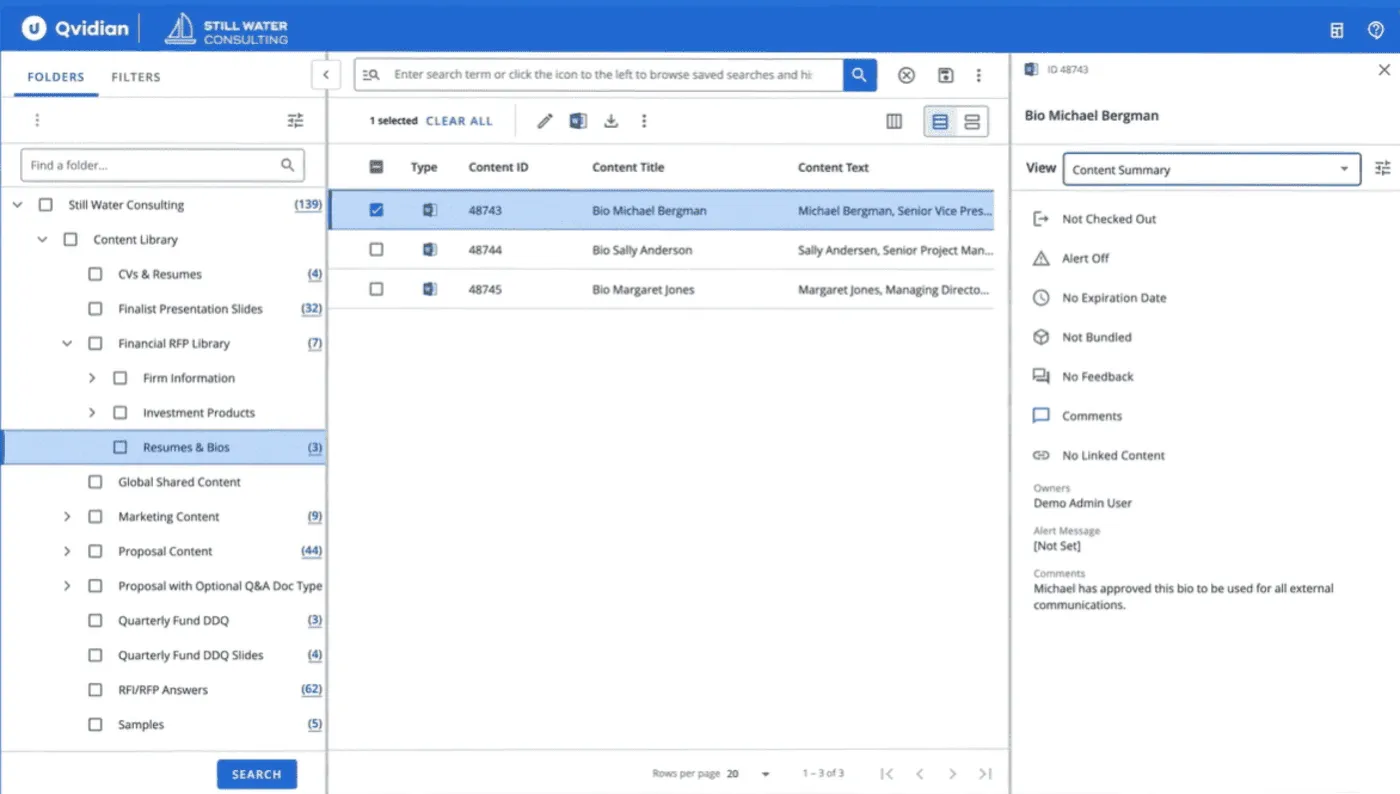
Qvidian provides professional, customizable templates that help enforce brand standards and style rules; users can generate proposals, statements of work or pitch decks using these templates, and AI‑generated responses follow corporate tone and terminology.
Collaboration & Workflows
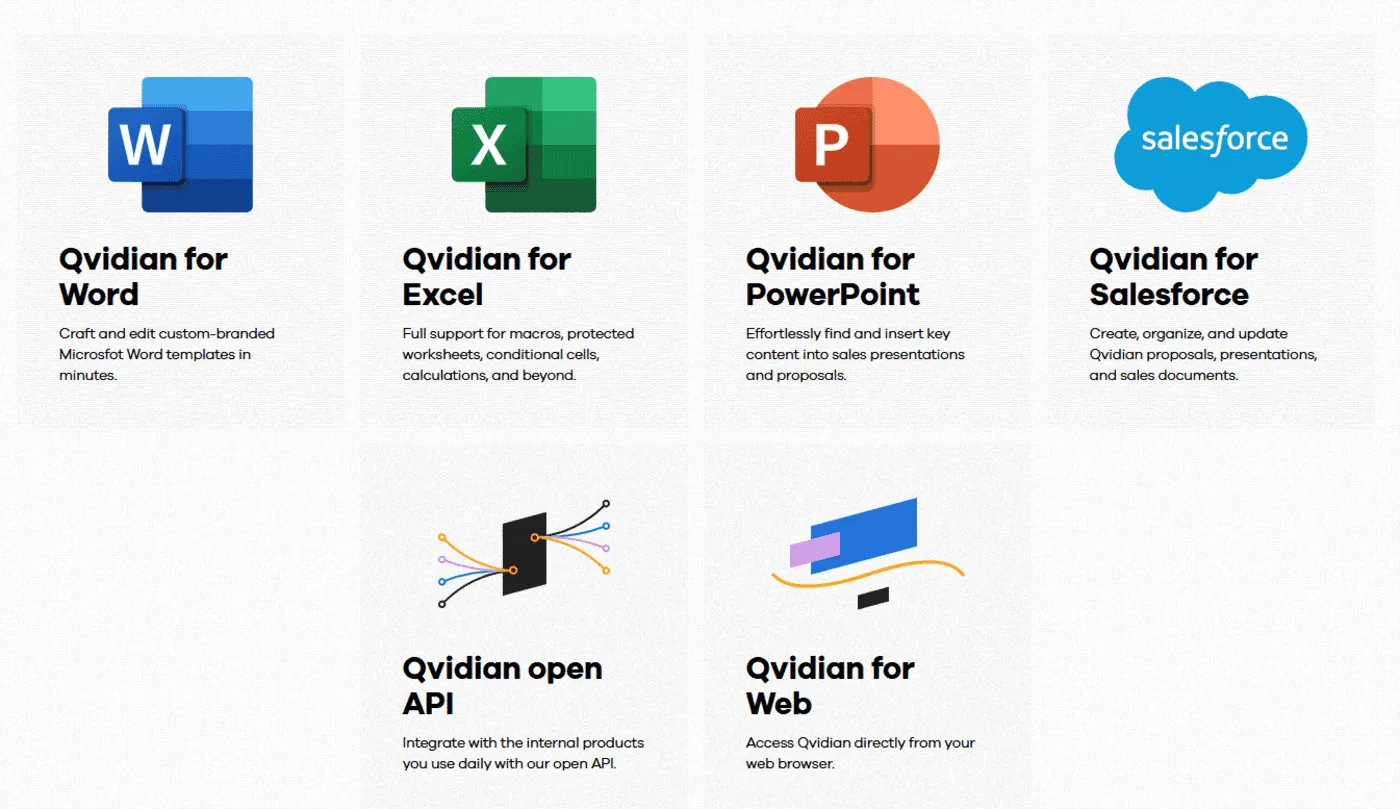
Qvidian offers tools for real‑time collaboration and structured workflows. In‑product messaging threads and integrations with Microsoft Teams, Word, Excel and PowerPoint allow team members to collaborate directly within documents.
Automated review and approval workflows track the status and progress of proposals and ensure that tasks are routed to the right subject‑matter experts.
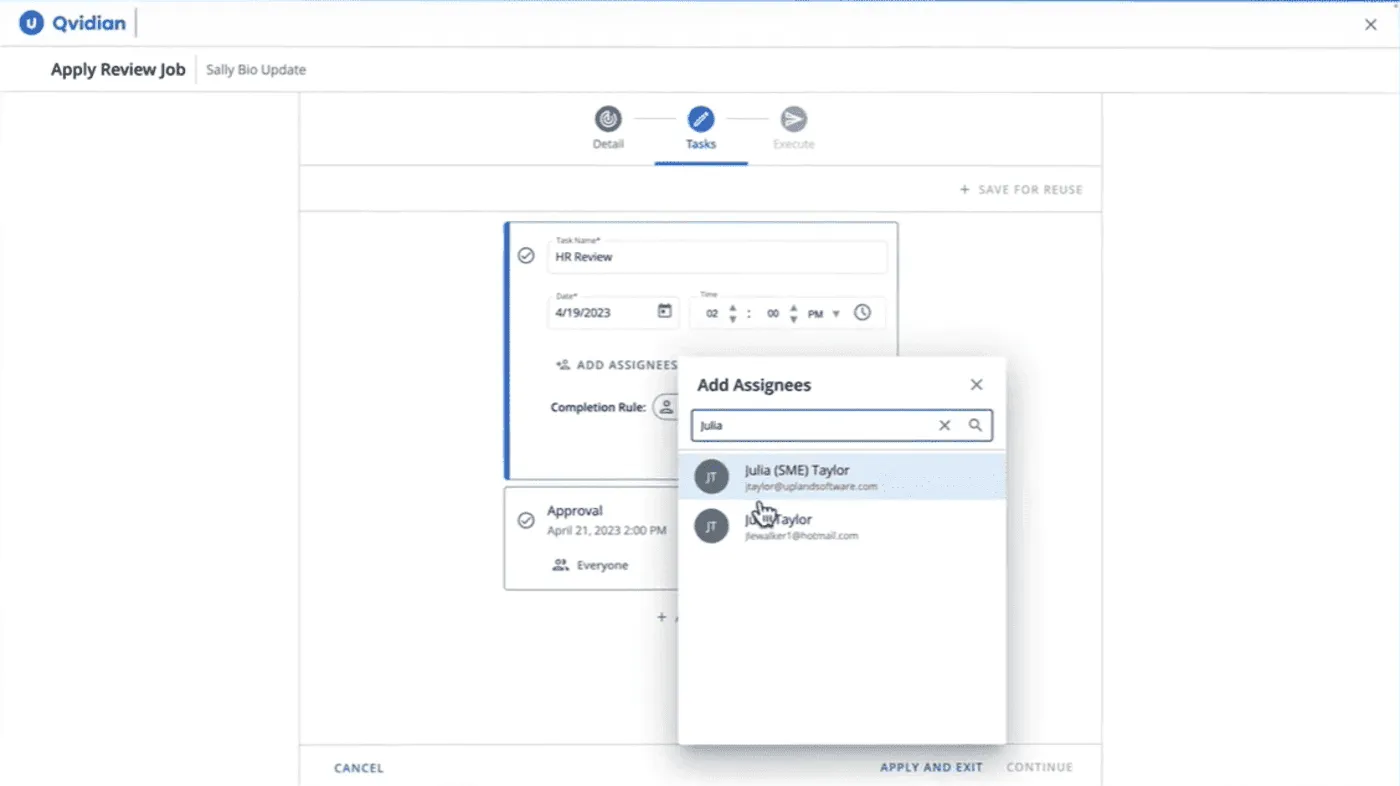
Version control and audit trails log every edit with author and timestamp, supporting compliance requirements. Users can assign tasks, set workflows and collaborate with stakeholders via built-in features.
Analytics & Reporting
The platform includes robust analytics and reporting tools. Users can access more than 70 prebuilt reports and a drag‑and‑drop report builder to monitor proposal performance, content effectiveness and team productivity.
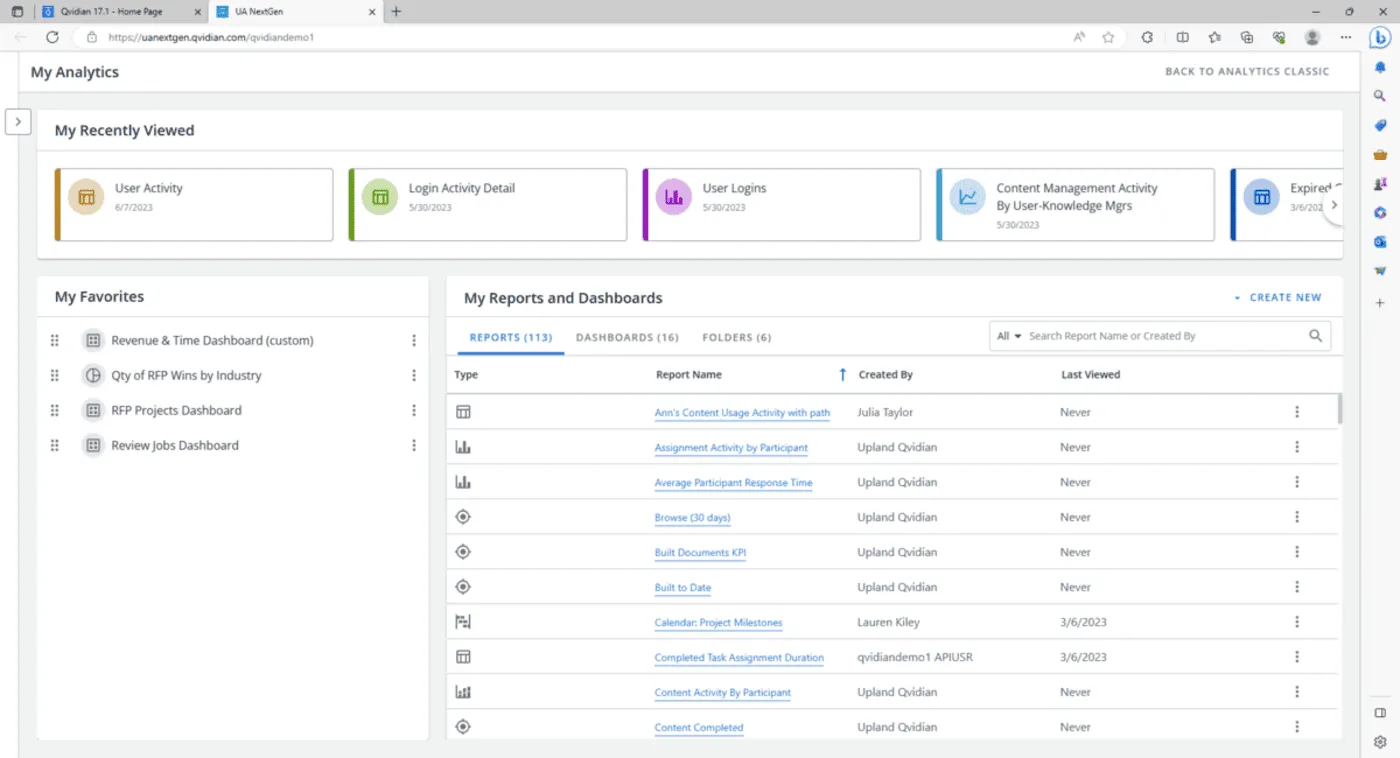
Advanced analytics help marketing teams track success metrics and monitor content usage, while dashboards provide insight into how proposals and templates are performing across different deals and departments.
CRM Integration & Personalization
Qvidian integrates with CRM systems such as Salesforce to create a unified workflow. Sales teams can initiate proposals directly from Salesforce, keeping data synchronized across platforms.
Qvidian AI Assist helps analyze RFPs for critical information, enabling faster go/no‑go decisions and providing powerful personalization; it allows users to adjust existing content for length, tone and voice in seconds. For marketing teams, AI‑generated rules enforce corporate tone and terminology so that all generated answers stay on brand.
How to Choose the Best RFP Software
These are some of the main things to look at when deciding on an RFP tool.
1. Document Import That Can Handle Complex Files
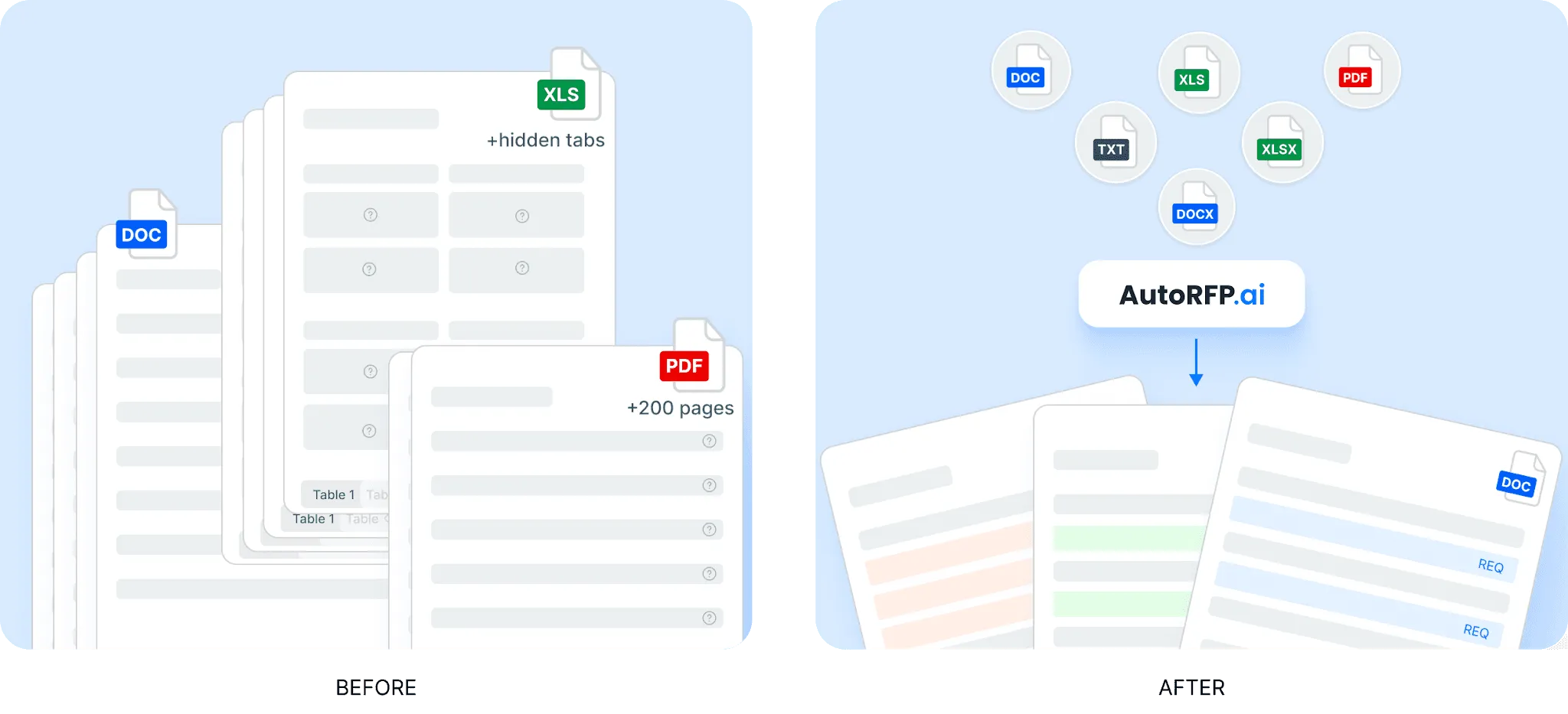
One of the first things to check is how well the platform handles incoming documents. Many RFPs, DDQs, and security questionnaires arrive in messy formats, so weak import tools can create hours of manual cleanup before the real work even starts.
AutoRFP.ai gives teams a much faster starting point. It can ingest Word files, PDFs, and Excel documents, including compliance matrices, macros, and nested tables, then automatically pull out requirements, sections, and supporting context. That helps teams move straight into answering instead of wasting time reformatting files.
2. Project Management That Keeps Responses Moving
Strong project management matters because RFP work rarely sits with one person. Most responses involve multiple reviewers, SMEs, deadlines, comments, and dependencies, so teams need clear visibility into what is finished, what is blocked, and what needs attention next.
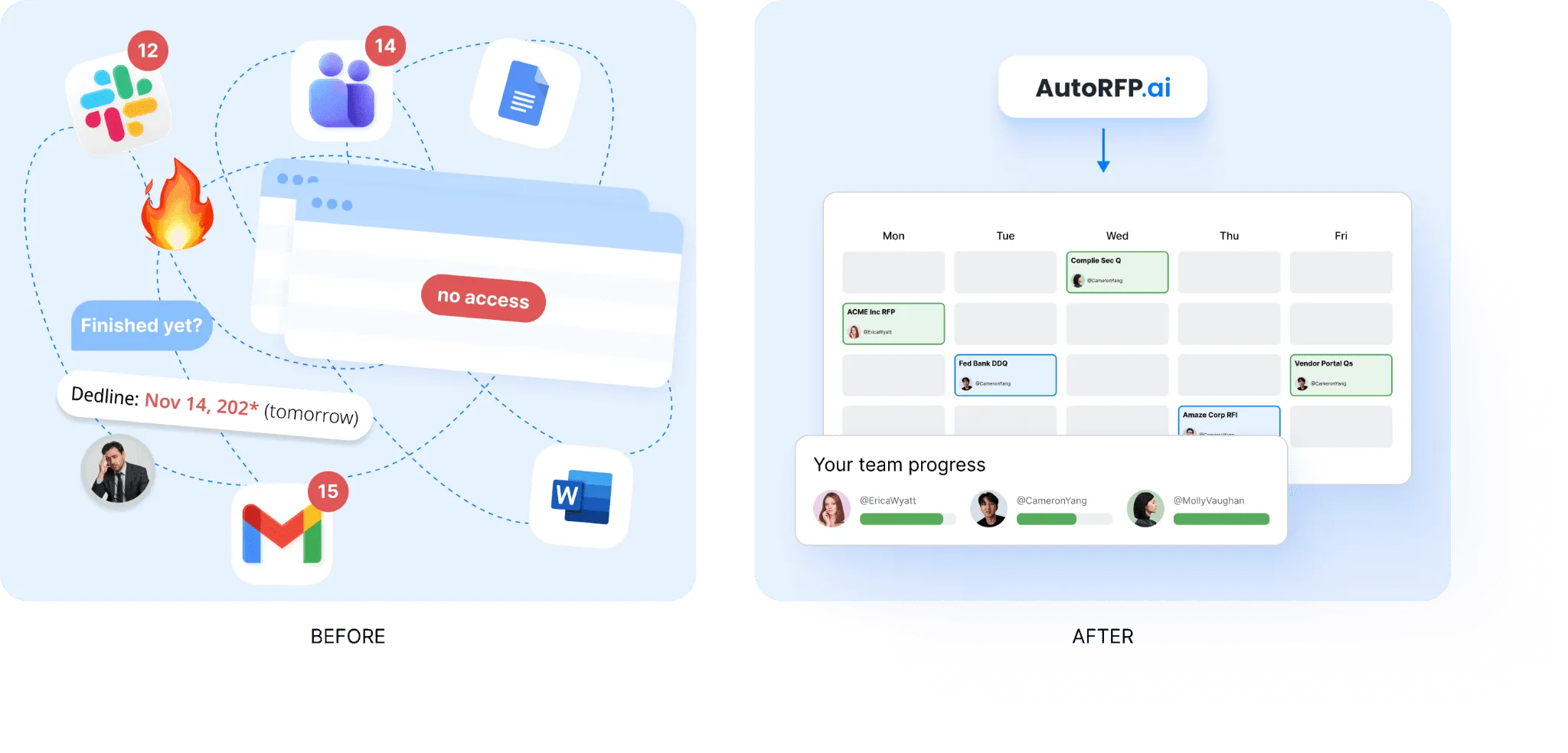
AutoRFP.ai helps teams manage RFPs, RFIs, DDQs, and security questionnaires from one central workspace. It shows due dates, section progress, open comments, blocked items, workloads, and overall completion in real time.
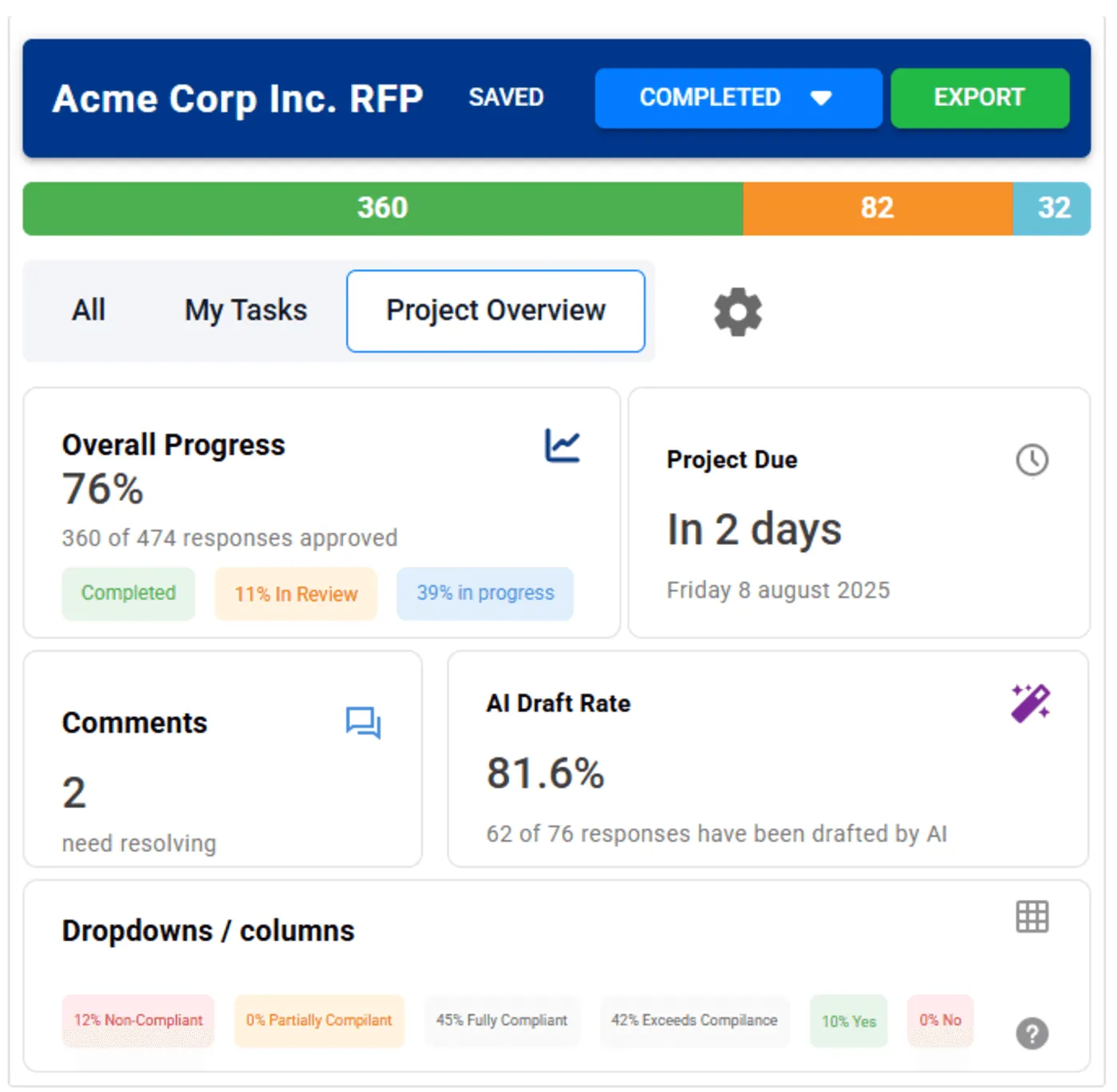
That makes it easier to catch delays early, keep reviewers accountable, and manage the full process without relying on spreadsheets, email chains, or separate check-ins.
3. AI Q&A That Helps Teams Find Trusted Answers Fast
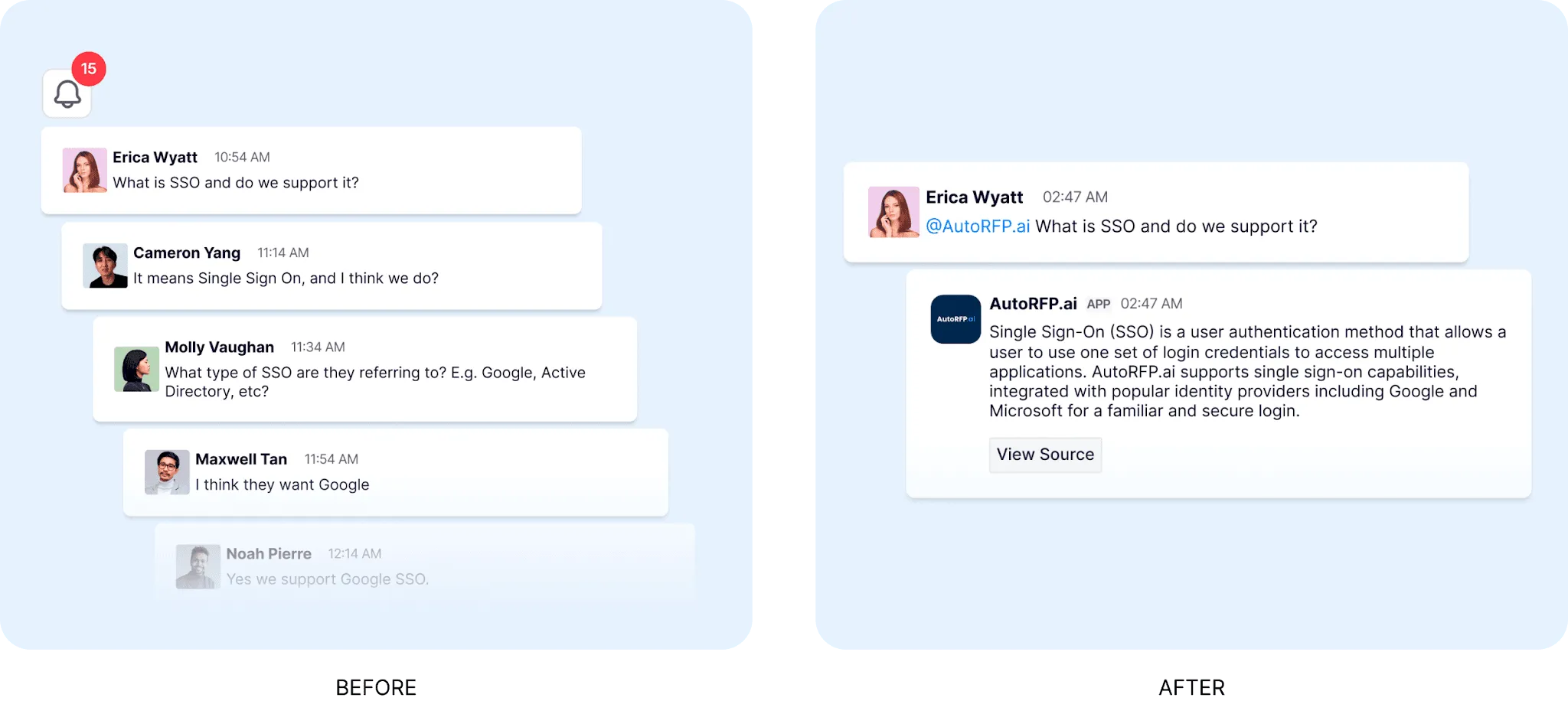
Another key feature to look for is an AI Q&A assistant that helps teams find approved information quickly. In many organisations, people still waste time searching folders, old responses, or chat threads just to confirm one answer.
AutoRFP.ai solves that with a sourced AI bot that gives fast answers from your approved content library. Teams can ask questions like your GDPR approach and get a grounded answer in seconds. It also works inside Slack and Teams, so users can ask from the tools they already use instead of leaving the conversation to search manually.
4. ROI Reporting That Proves the Software Is Worth It
RFP software should not only save time. It should also help you prove that it is creating measurable value. Buyers, finance leaders, and renewal stakeholders often want clear evidence that automation is improving efficiency and supporting better use of team capacity.
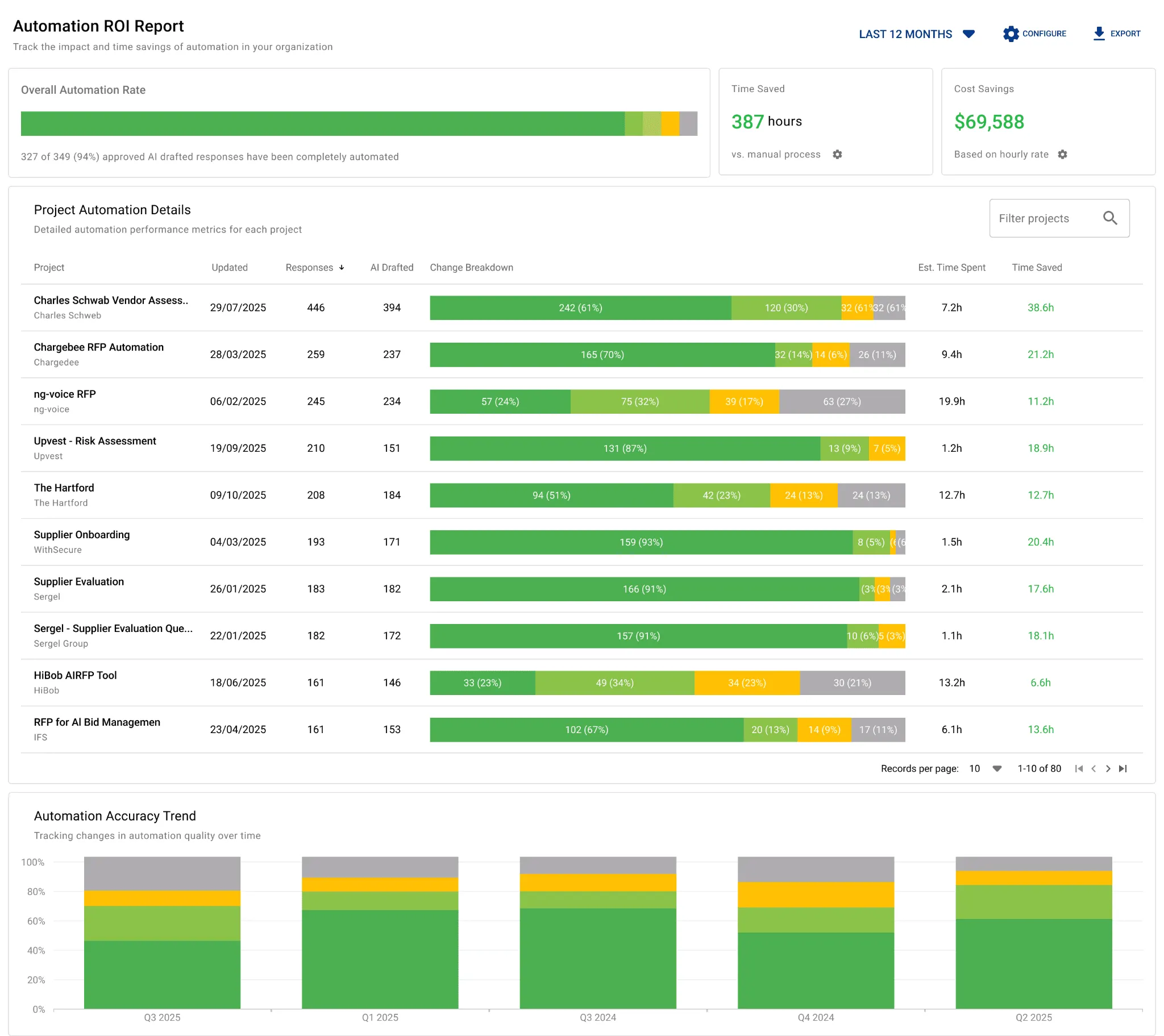
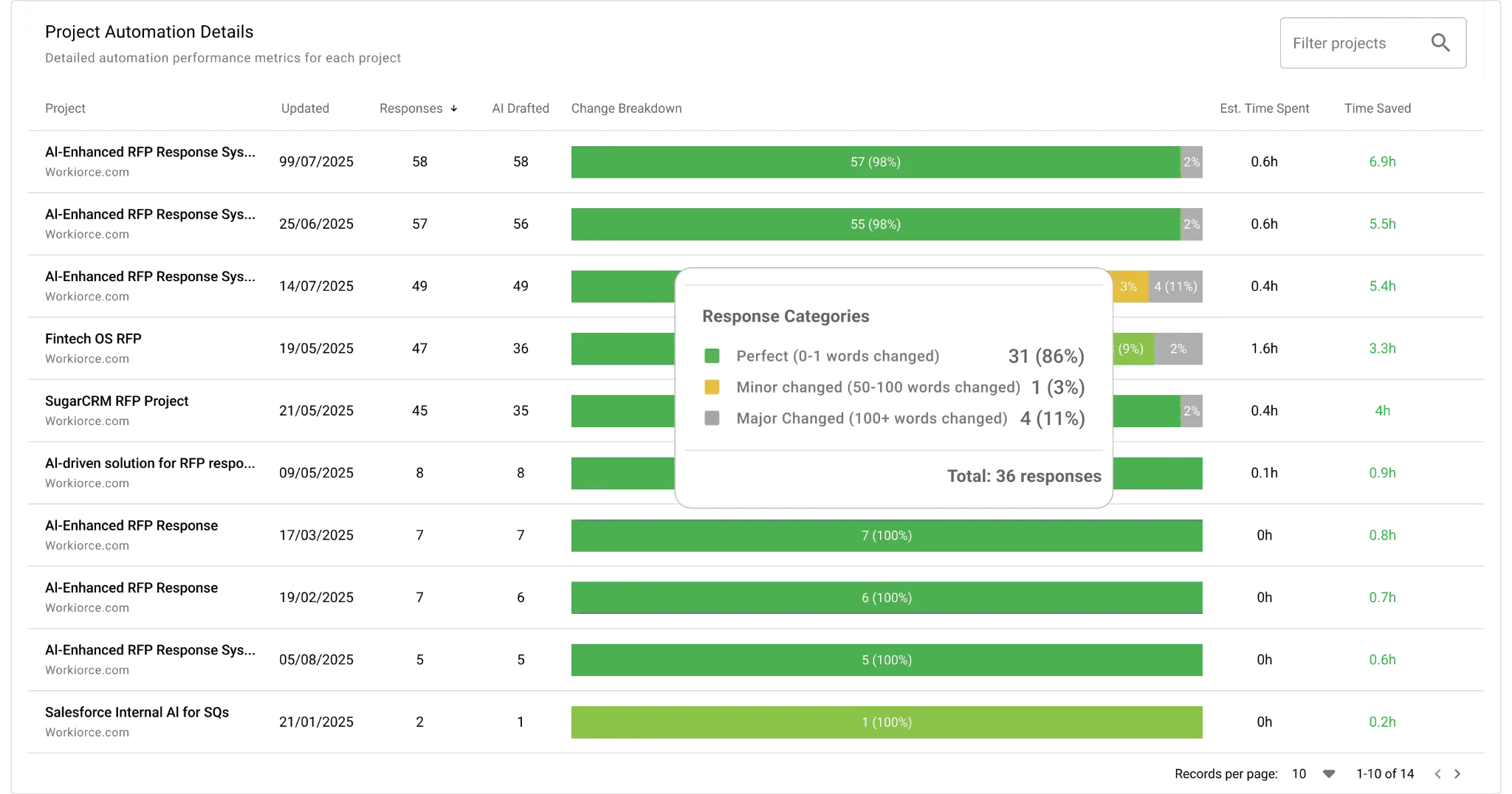
AutoRFP.ai stands out here with ROI reporting built into the platform. It tracks automation rate, cost savings, team efficiency, capacity freed by person, response type breakdowns, and accuracy trends across completed projects. That gives teams real data to support renewals, justify spend, and show that the software is improving more than just speed.
If Neither Responsive Or Qvidian Is What You’re Looking for Consider AutoRFP.ai
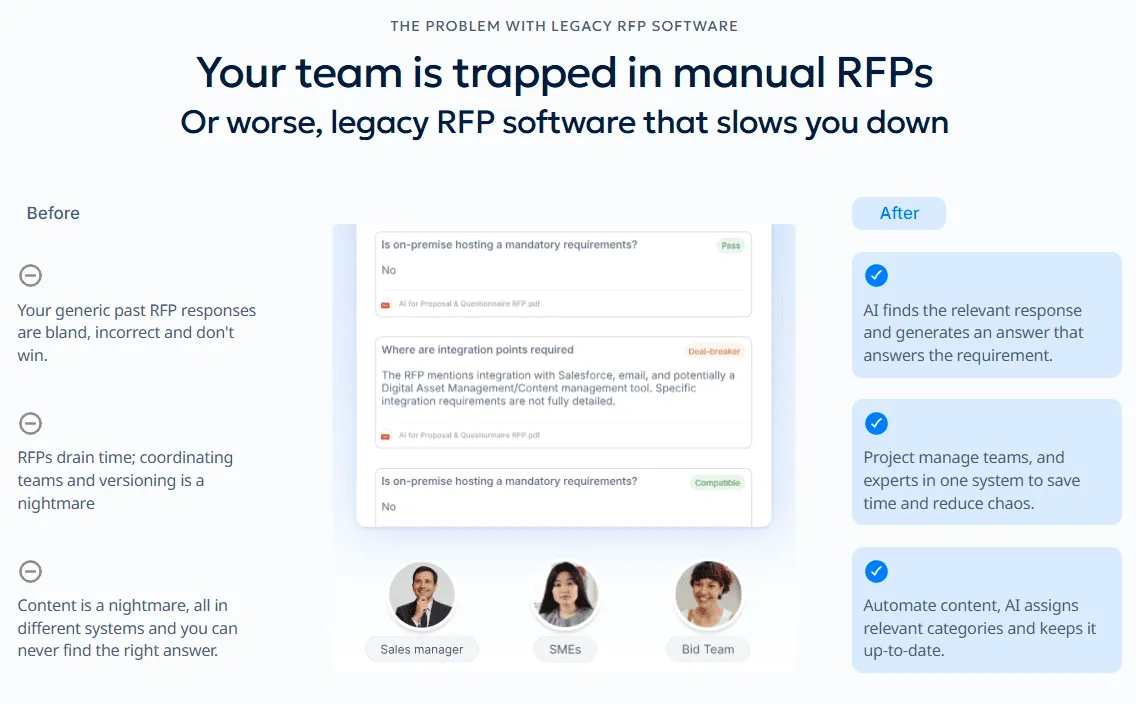
AutoRFP.ai is an AI-native RFP platform built to help teams respond faster, with more structure, accuracy, and visibility across the full bid process. It supports everything from drafting and content reuse to bid qualification, performance tracking, and gap analysis in one system.
1. AI RFP Response Engine
AutoRFP.ai creates full first drafts in seconds using approved past answers, internal content, and company documentation. It pulls from trusted source material first, then writes responses in your company’s terminology and preferred tone, which helps teams produce answers that feel more consistent and review-ready.
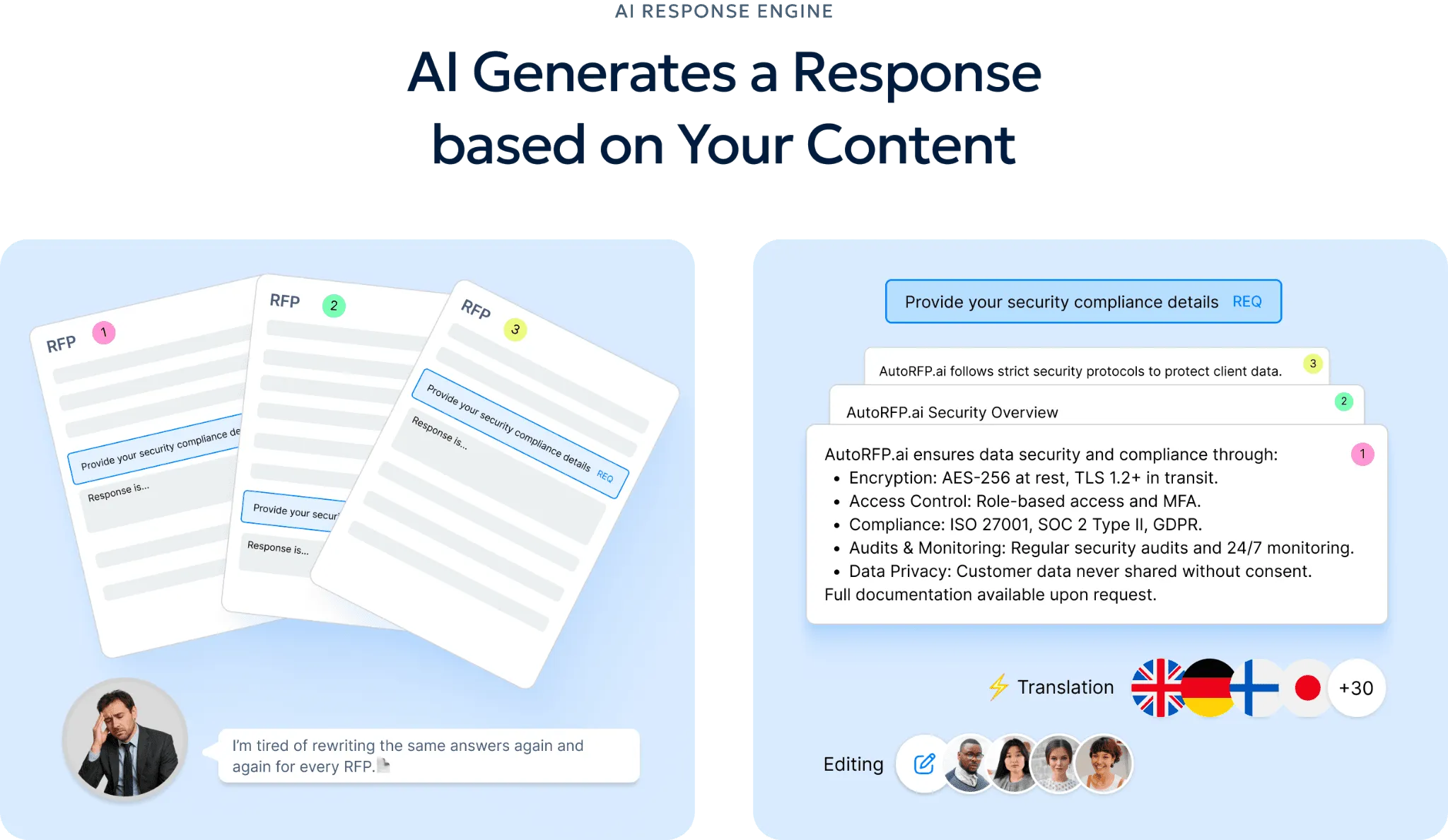
When source support is weak, the platform highlights that for human review instead of guessing. Each response also includes visible sources, content freshness, and confidence scoring, so reviewers can check accuracy more easily and approve with more confidence.
2. Self-Updating RFP Content Library
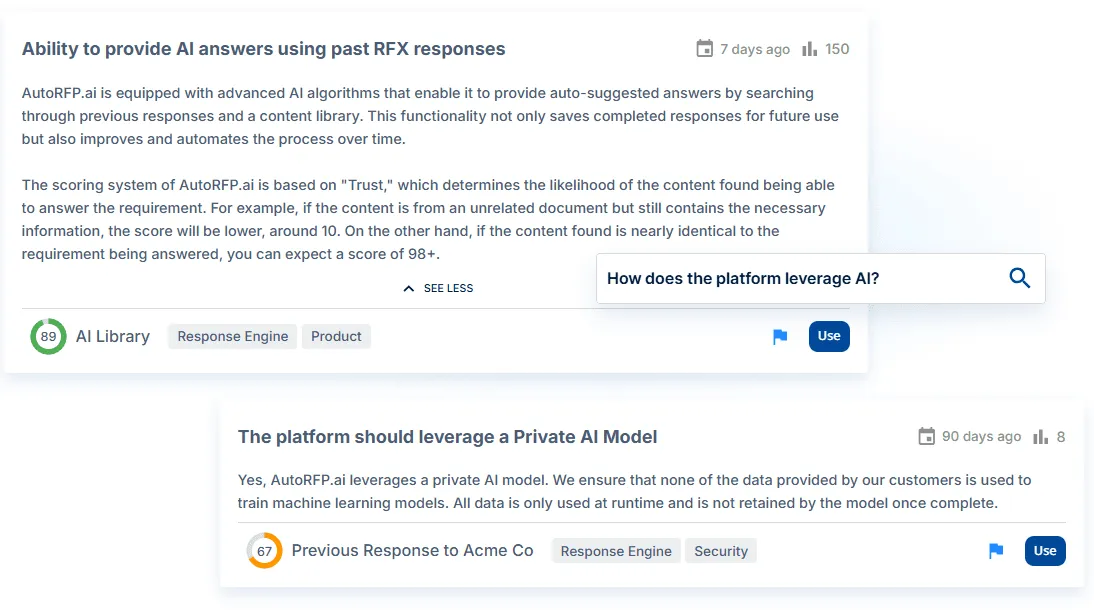
AutoRFP.ai includes a content library that gets stronger as your team uses it. Approved answers can flow back into the library automatically, where AI helps organize and tag them so they are easier to find later.
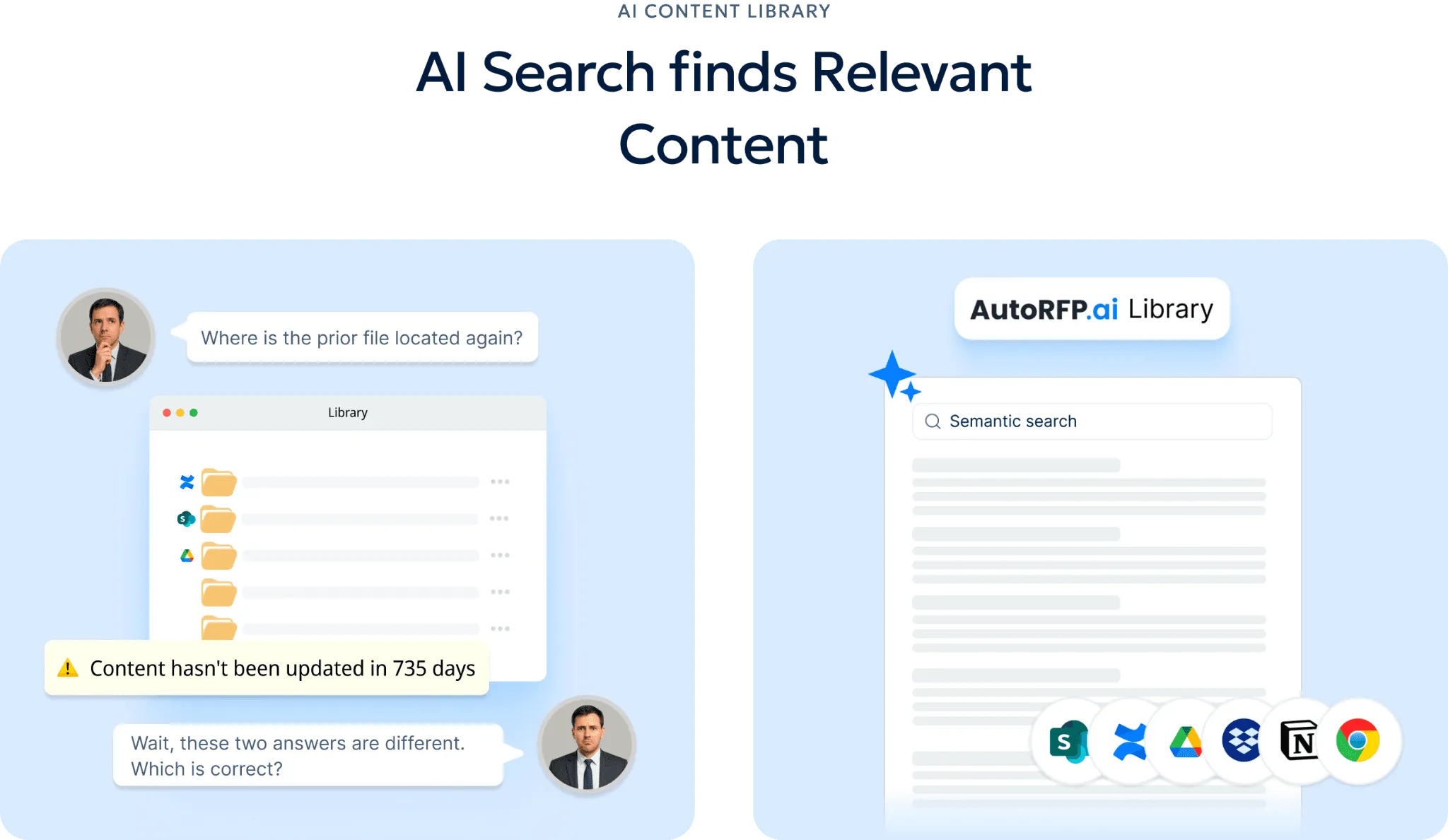
Its search works by meaning, not just exact wording, which helps teams surface relevant content even when phrasing changes across bids. That makes it easier to reuse knowledge from past responses, internal documents, and connected content sources without constant manual cleanup.
3. AI Go/No-Go Risk Screening
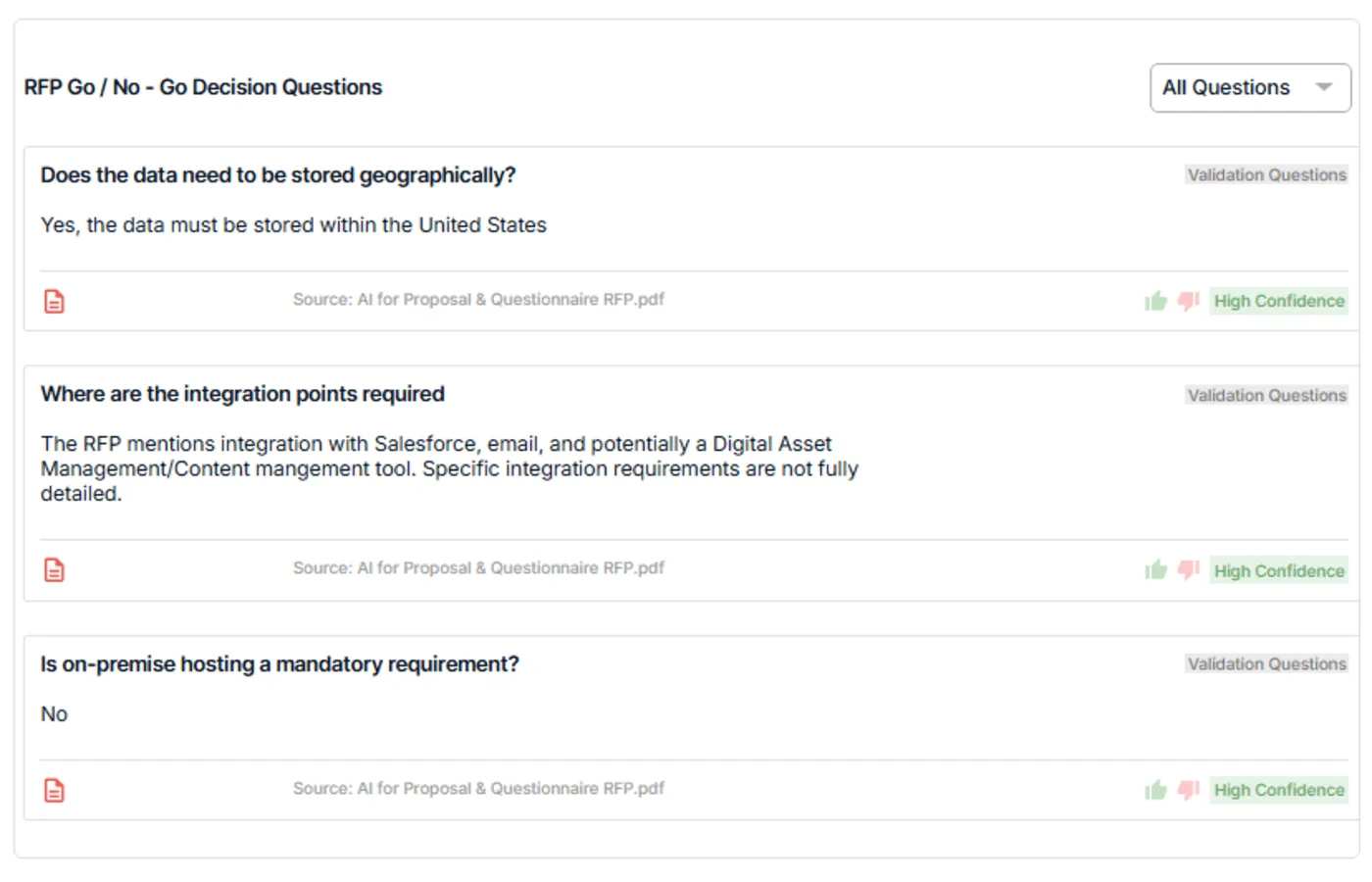
AutoRFP.ai helps teams decide whether an RFP is worth pursuing before too much time is spent on it. Teams can set their own go/no-go criteria across areas such as compliance, deployment, legal terms, support expectations, integrations, and timelines.
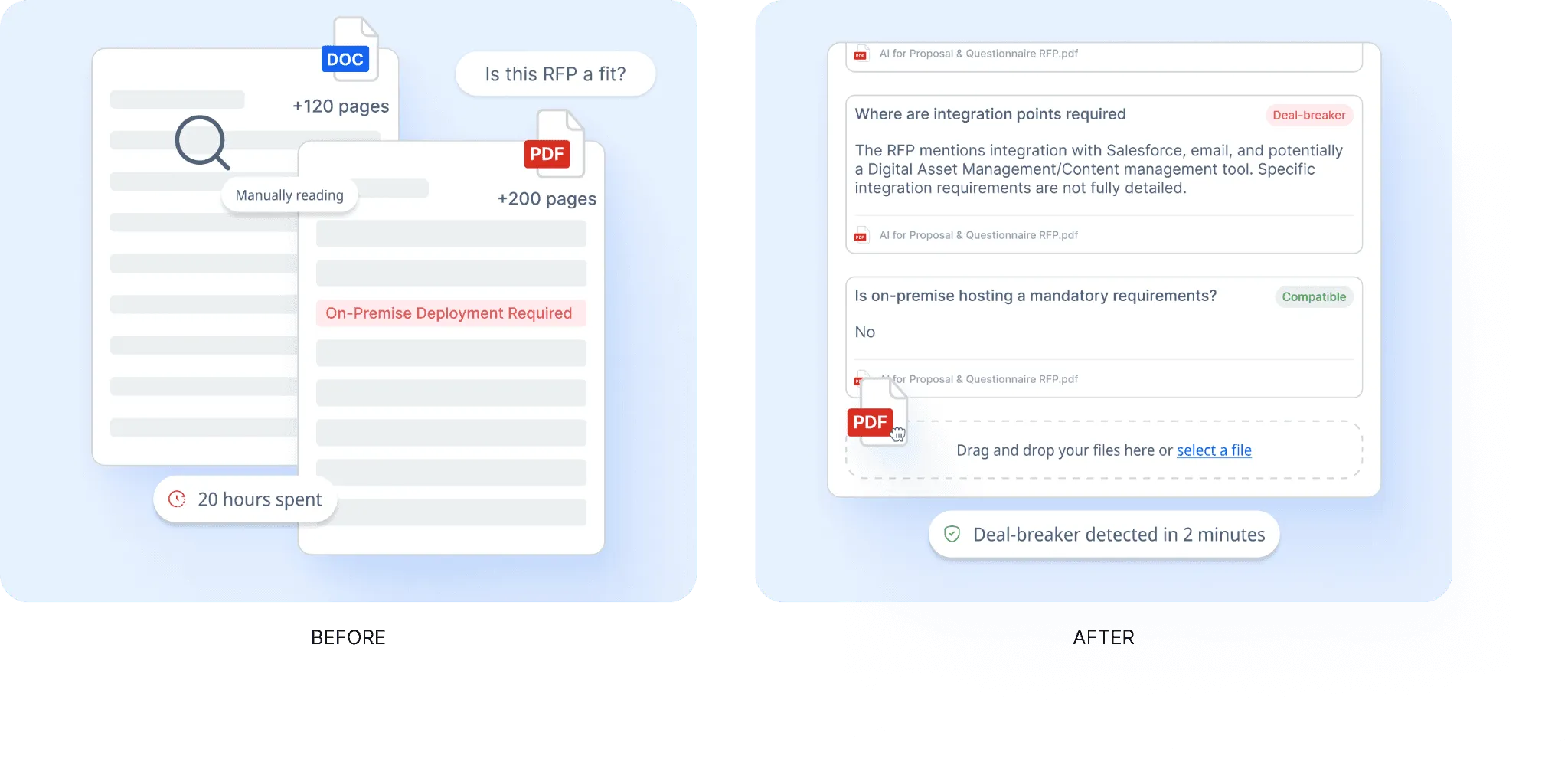
The platform then reviews the document against those criteria and flags possible risks early. With source-backed findings and confidence indicators, teams can evaluate fit faster and avoid spending hours on opportunities that are unlikely to move forward.
4. RFP Reporting And Capacity Planning
AutoRFP.ai gives teams a clearer view of performance and workload across the pipeline. Leaders can track metrics such as win rate, project volume, team capacity, workload, and response speed in one place.
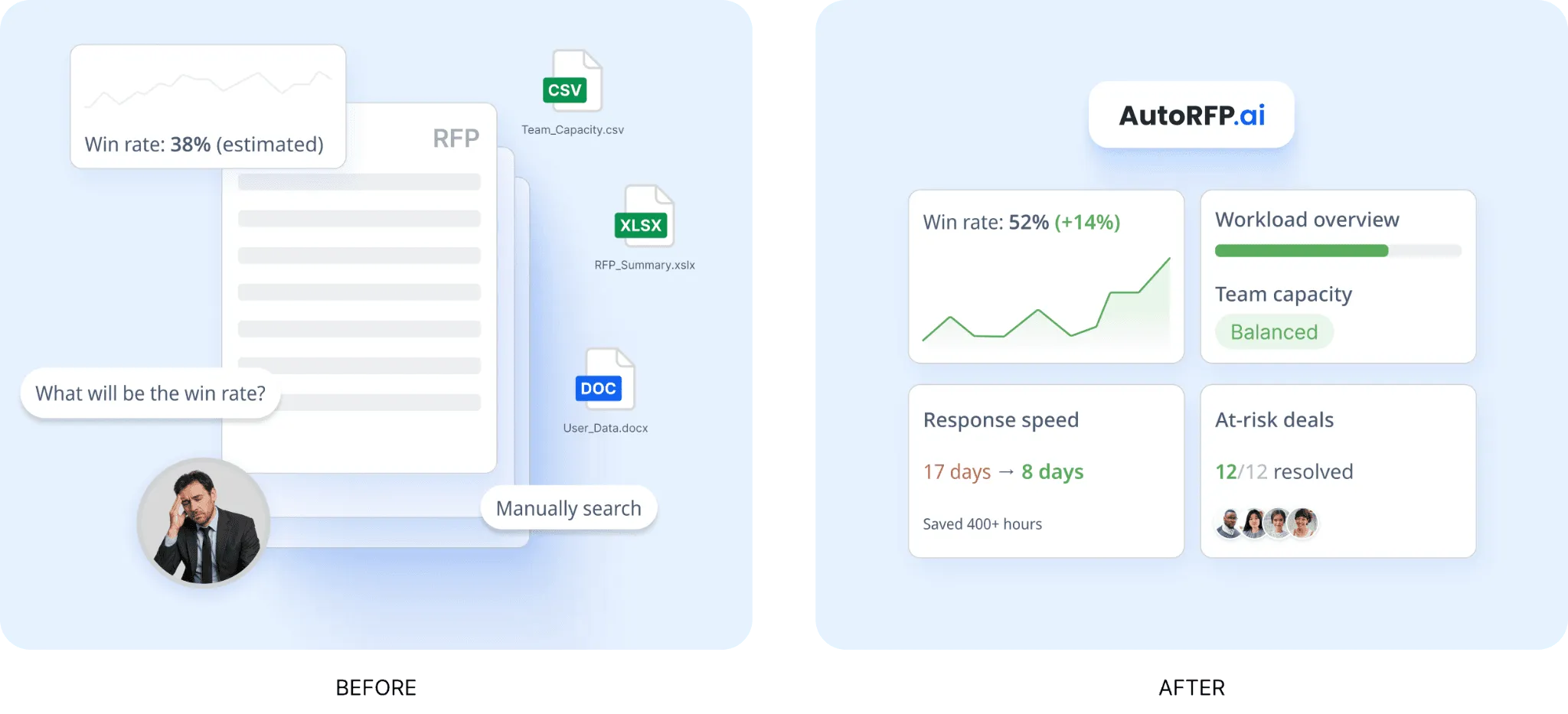
This makes it easier to understand whether the team can take on more bids without overloading resources. Instead of relying on guesswork, teams can use real delivery data to plan ahead and make better decisions about resourcing and prioritization.
5. RFP Gap Analysis
AutoRFP.ai helps teams spot weak answers, recurring compliance issues, and response gaps that may be hurting results over time. It tracks these patterns across past RFP activity automatically, so teams do not have to rely on manual spreadsheet reviews or inconsistent tagging.
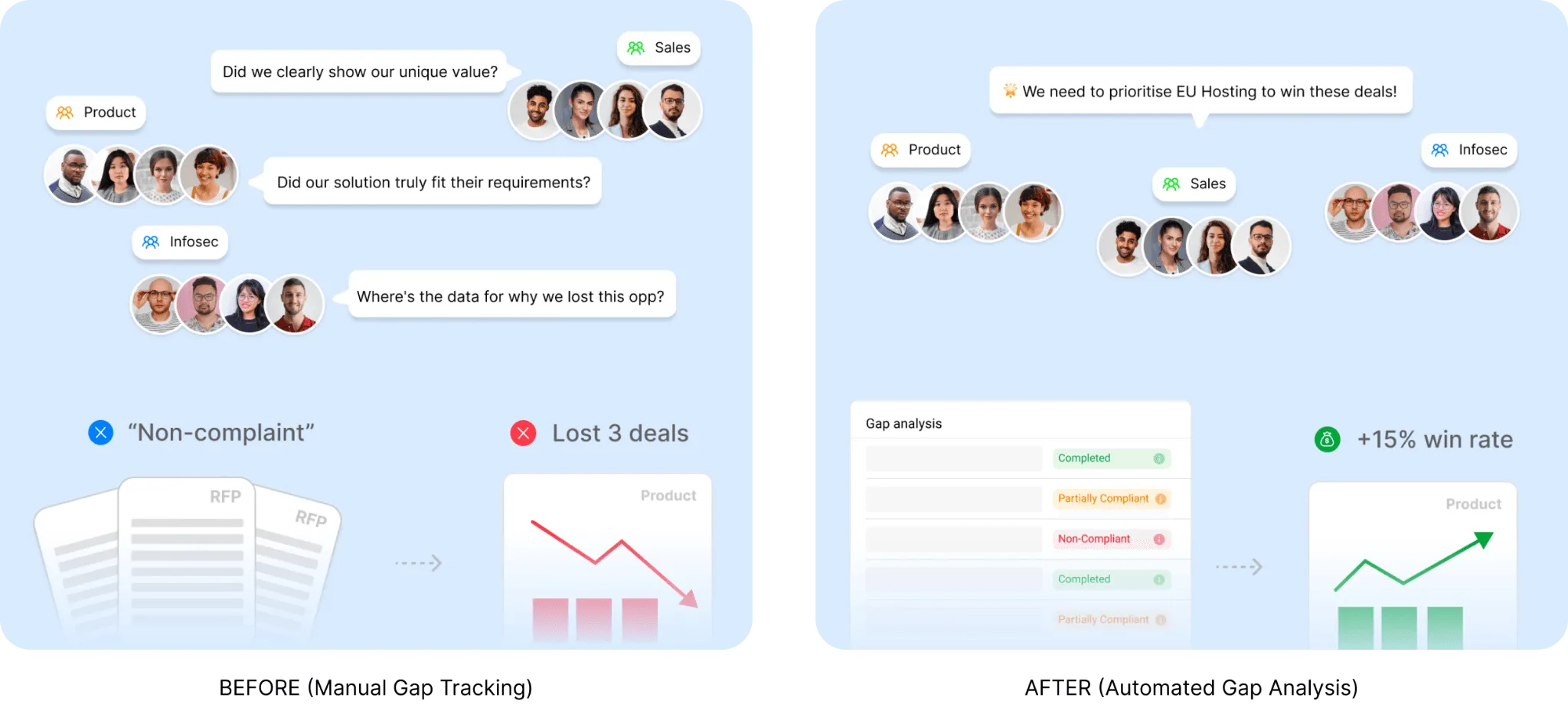
This gives proposal, sales, and product teams better visibility into what keeps coming up and where improvements are needed most. With that insight, teams can strengthen future bids, address common blockers earlier, and focus effort on the fixes that matter most.
Where AutoRFP.ai Shines
Portal questionnaire automation: AutoRFP.ai can pull questions from portals, generate answers, and export them back automatically. It supports platforms such as Ariba, UpGuard, and Jaggaer.
Ask-a-bot answers: Teams can ask a question once and get a sourced answer in seconds. It works directly in Slack and Microsoft Teams, so users do not need to switch between tools.
Wide integrations: AutoRFP.ai connects with around 16 tools across SSO, knowledge bases, communication platforms, help centres, file storage, and CRM systems, helping teams keep workflows connected.
Where AutoRFP.ai Falls Short
- It is not built for buyers issuing RFPs or for teams trying to find the right vendor: It is built for vendors responding to an RFP, such as a cybersecurity company answering a bank’s RFP.
Customer Reviews
Saxon W., Senior Workforce Management Consultant, wrote in a Software Finder review, “AutoRFP is an absolute game-changer for me because, without it, I simply wouldn’t have the time to complete RFPs regularly. It saves an exceptional amount of time. What truly sets it apart is the quality of its responses: they’re far better than other systems on the market because AutoRFP understands context, unlike tools that just regurgitate irrelevant answers from previous RFPs. The initial setup was completely painless, and on top of an excellent product, the team works closely with customers and continues to innovate, making the entire experience fantastic.”
In a Reddit thread on finding the right RFP tool, a user shared that “AutoRFP.ai was a solid option, nice enough UI, easy to project manage, and decent support. It also seemed to be significantly cheaper than competitors like Loopio and Responsive when we were shopping last year”.
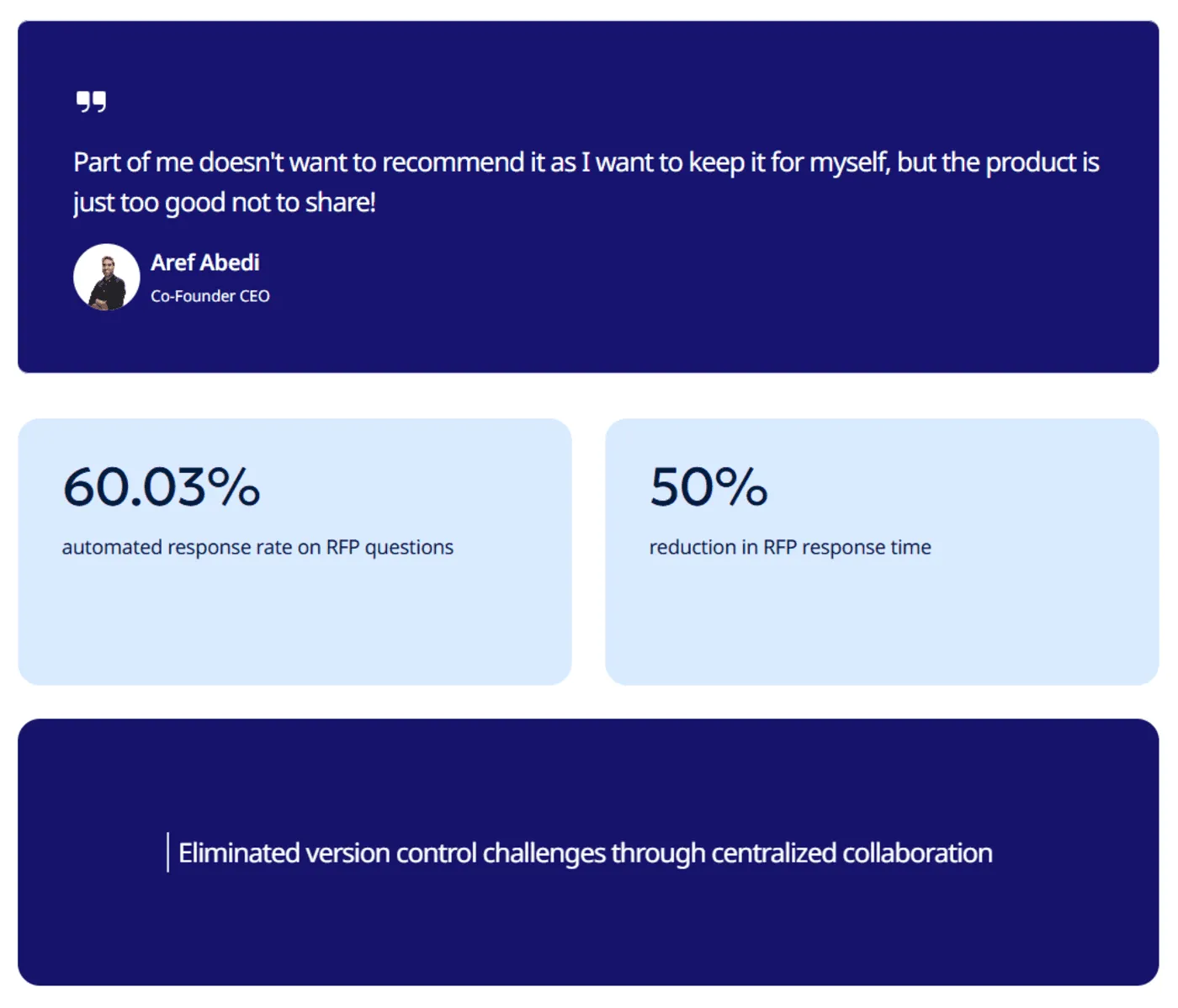
Aref Abedi, Co-Founder and CEO of Jobylon, said, “Part of me doesn’t want to recommend it as I want to keep it for myself, but the product is just too good not to share!”
Who AutoRFP.ai Is Best For:
Mid-to-large B2B SaaS companies: Best for teams handling frequent enterprise RFPs and RFIs that want quicker first drafts, better requirement extraction, and less manual rework than 1up often involves.
Enterprise revenue teams: A strong fit for RFP managers, bid teams, pre-sales engineers, and enterprise AEs who need more visibility into projects, smoother collaboration, and tighter workflow control across complex responses.
Financial services firms: Well-suited to managed funds, insurers, and asset managers that need more precise, context-aware answers and stronger review controls for DDQs, security reviews, and other high-risk submissions.
Regulated industries: A practical choice for healthcare, fintech, and cybersecurity teams that need stronger compliance workflows, deeper requirement handling, and exports that match strict customer formats.
Who AutoRFP.ai Is Not Best For
- Not a strong fit for AEC, US GovCon, or defense, custom software development, or highly bespoke professional services: Responses in these sectors are often too unique to follow repeatable patterns.
Responsive vs Qvidian vs AutoRFP.ai: Which One Should You Choose
Responsive can work for teams that want a mature, established platform, while Qvidian may suit organizations with legacy proposal workflows already built around templates.
But if you want faster first drafts, better requirement extraction, clearer pricing, and a platform built for modern RFP, DDQ, and security questionnaire workflows, AutoRFP.ai is the stronger choice.
It gives teams more practical automation, better visibility into source quality, and faster time to value without the heavy setup or pricing ambiguity of older tools. Book Demo today to see how AutoRFP.ai can fit your team.
