
11 Best RFP Software & Tools to Win More Bids in 2026
Compare leading RFP response platforms including AutoRFP.ai, Loopio, and Responsive.io. Learn how AI-powered features can transform your proposal process and increase win rates by 5-10%.

Jasper Cooper
Co-founder & CEO, AutoRFP.ai··18 min read
Companies that use RFP software report an increase in win rates by up to 10%. But the real impact is productivity gains that compound over time.
This article explains in detail the best RFP software, so you can witness these benefits firsthand. Check out the summary table below or scroll down to read the detailed analysis.
| Platform | Best For | Core Differentiator | AI Capabilities | Deployment Time | Pricing Model | G2 Rating |
|---|---|---|---|---|---|---|
| AutoRFP.ai | Best RFP software for mid-to-large teams that need faster RFP, RFI, DDQ, and security questionnaire responses without losing accuracy or control. | AI-native RFP automation that solves the biggest pain points in proposal work: slow first drafts, weak requirement extraction, outdated content, manual SME follow-ups, and poor ROI visibility. | Advanced AI response drafting, semantic search, source-backed answers, confidence scoring, Go/No-Go screening, Project Agent, self-updating content library, and reporting for automation, compliance gaps, and team capacity. | As little as 48 hours. | Public project-based pricing with unlimited users. Scale starts at $899/month, Accelerate starts at $1,299/month, and Enterprise is custom. | 4.9/5 |
| Loopio | Proposal teams with dedicated content managers who need a strong central library and structured content reuse. | Deep content library management that helps teams organize approved answers and reuse them across recurring RFPs. | Basic AI assistance through Magic recommendations that match questions with stored content, though complex answers may still need manual editing. | 2 to 4 weeks. | Per-seat pricing. Foundations starts at $20,000/year, while Enhanced and Enterprise require sales contact. | 4.7/5 |
| Responsive | Mid-to-large companies with complex tech stacks, multilingual workflows, and internal restrictions on AI use. | Strong workflow automation, analytics, integrations, and enterprise controls for mature proposal operations. | Basic AI features for importing documents, requirement analysis, content search, and response support, though users may still need to refine irrelevant outputs. | 1 to 3 weeks. | Quote-based per-seat pricing. Lite, Emerging, Growth, and Enterprise plans require sales contact. | 4.5/5 |
| Qvidian | Marketing-oriented proposal teams that value structured content management, security, and reporting over newer AI-native automation. | Legacy proposal management platform with strong content organisation, reporting dashboards, and secure enterprise workflows. | Basic generative AI support through AI Assist for drafting, rewriting, and tone control, but complex responses may still need heavier review. | 2 to 6 weeks. | Quote-based pricing. Pricing is not publicly listed and requires sales contact. | 4.3/5 |
| Tribble | Distributed teams that need to collaborate on RFPs across Slack, Google Docs, and multiple time zones. | Chrome extension and workflow support that keep RFP work close to where teams already collaborate. | Advanced AI assistance for importing RFPs, drafting answers with citations, routing questions to SMEs, and improving outputs based on edits. | 2 to 3 days. | Credit-based pricing. Buyers need to contact sales for a quote. | 4.9/5 |
| Arphie | Small and medium-sized businesses that want AI-powered RFP automation without heavy enterprise complexity. | Simple AI-native RFP workflow with source references, confidence scores, and content library clean-up support. | Advanced AI features for first-draft generation, source-backed answers, duplicate content detection, outdated content detection, and secure enterprise controls. | 2 to 3 days. | Quote-based pricing. Pricing is not publicly listed and requires sales contact. | 5/5 |
| 1up | Sales, presales, and RevOps teams that need faster answers for RFPs, DDQs, security questionnaires, and customer questions. | Presales questionnaire automation that brings trusted answers into Slack, Teams, Google Chat, browser plugins, and Salesforce workflows. | AI answers, knowledge connectors, grounded response generation, and workflow support across common sales channels. | Not publicly stated in the article. | Public pricing with a free plan, Starter at $300/month, Plus at $900/month, and Enterprise through sales contact. | 4.9/5 |
| AutogenAI | Teams that need AI proposal writing support for bids, grants, tenders, and long-form proposal drafts. | Proposal writing platform focused on helping teams qualify opportunities, create compliant outlines, and improve submission drafts. | AI writing support for proposal responses, bid qualification, research, review, and draft improvement. | Not publicly stated in the article. | Quote-based pricing. Pricing is not publicly listed, so buyers need to book a demo or contact sales. | 4.4/5 |
| Tendium | Teams focused on public sector tender discovery, tender monitoring, and B2G pipeline management. | Tender discovery and monitoring platform that helps teams find, qualify, and manage public sector opportunities. | AI-powered tender discovery, smart filters, relevant monitoring, notifications, qualification support, and bid management features. | Not publicly stated in the article. | Sales-led pricing. Buyers need to book a tailored demo for pricing details. | 5/5 |
| DeepRFP | Lean proposal teams, consultants, and small businesses that need lightweight AI drafting and review support. | Practical AI RFP drafting platform for teams that want help with analysis, proposal writing, and compliance checks. | RFP analysis, proposal drafting, compliance matrix creation, response review, and gap detection. | Not publicly stated in the article. | Public user-based pricing. Pro starts at $75/user/month and Elite starts at $125/user/month, with a 7-day free trial. | N/A |
| XaitPorter | Teams create large, complex RFP responses that require multiple contributors and strict document control. | Proposal co-authoring and document automation for complex submissions with many writers, reviewers, and sections. | Content management, workflow support, templates, version control, automated formatting, and collaborative proposal production. | Not publicly stated in the article. | Quote-based pricing. Pricing is not publicly listed. | 4.6/5 |

Video transcript
Transcript is auto-generated and may contain minor errors.
Hey, I'm Rob from Auto RFP.ai. We're going to go into the best RFP software in the market. What is RFP software? And jumping into it, looking at some of the different major players, and helping you hopefully decide which ones are worth having a look at. If you are interested in having a look at them, I recommend going to their website. RFP software in the market in 2025, you can break down some of the best players into two main markets or two main camps. You've got your legacy RFP software providers, like Loopio, Responses, Qvidian, which I'm going to go into detail. And then you've got your AI native players, like Auto RFP.ai I'm from. You've got Tribal, HeyRFP, Shift Hub, and and plenty of others as well. So, what are the difference between the two? Your legacy RFP software, they have generally been around since early 2000s. They brought software to the RFP process. RFP software providers
effectively built an ability for a company to store all their documentation and information and kind of questions and answers. So, it's like a question and answer bank. They built these big banks of answers and questions for companies. Then when they would get a new response or new RFP, it would use keyword search to copy and paste from the Q&A bank into that new RFP uh that they just received. So, that's what a legacy RFP software is. Then you have your AI native players who have launched since the huge uptick in AI with ChatGPT in uh what was that? 2021. So, Auto RFP.ai, we actually launched a couple of weeks just before ChatGPT came out. I've been building the product over the last three or four years with hundreds of customers. And effectively, your native AI players don't have all that legacy tech debts. They're built with a basis of being a vector database, which is a specific term with AI. They then use AI semantic
search, which effectively takes in the context of responses. And when you get a blank RFP, it'll pull in not just information from your Q&A bank, but from your website, from your case studies, from your integrations and different knowledge sources, and eventually use that to answer the RFP. So, that's kind of the nuts and bolts of it. You've got your legacy players who some do actually have AI now as well. And then you've got your AI native players. As I mentioned, you have all your content. That is generally your Q&A banks, your past responses, it might be your Google Docs, your SharePoint, Confluence, Notion, all your different information that you think holds relevant content for an RFP response. You upload that to the system or you integrate great and pull it through automatically. Then, when you have an RFP, you upload the RFP, create a new project. The AI, generally speaking, your AI native players, this is how it works.
It's going to automatically start drafting the responses or using a powerful AI semantic search to use to find relevant verbatim responses and effectively draft responses. It's going to allow your team to collaborate, set project deadlines, bring in subject matter experts to help answer that RFP. The really big thing about AI RFP software is it uses reinforcement learning to continually improve. And from your new responses, as you approve them, it gets better and better as time goes by. That's your RFP software in a nutshell. Now, how you can help determine what are the best RFP software. I would really recommend jumping on G2 or Gartner, having a look through actual verified user reviews. They'll have lots of different information regarding the RFP software. You can kind of click into each of those and understand it a bit better, the pros and cons, and so on. The RFP software is a pretty fast-moving
market, so I'd definitely recommend looking at a number of tools. Most of the providers here that you'll that I'll go into, you can book in for, you know, a 30-minute, 45-minute online demo just from their website. Hopefully, they don't have to do too many discovery questions. They jump on that call and they show you through the platform. So, your RFP software, like I said, you've got your Responsive, your Loopio. So, when you're looking at G2, you can look at, you know, the number of responses, but also you want to focus on the quality of responses, so what the actual total score is. And I would say anyone who has more than 50 or so reviews, as you can see, that's kind of how I made the short list today, is generally kind of worth a consideration to have a look at as well. Then you have Gartner. So, Gartner for your best RFP software has all the relevant information in relation to those different providers. Again, the reviews. You can understand more about each of those providers and what people are actually saying about those software. So, we've had a look at the review slides. Let's jump into some of the RFP software market's providers for 2025.
Loopio is an RFP software provider, one of those what you might classify as a legacy provider. They have a lot of really great large logos. They have been in the market for quite a long time now. Effectively, the basis of that product is kind of a question and answer bank using your past responses to then copy and paste when you bring in a new empty RFP. It's kind of the general gist of the product, and you can find out more information about Loopio from their websites. You can book in for a demo to chat to their team to understand more about them, and so on. Under plans, they have some information about their pricing. They don't have public pricing, but you can request a quote and get more information regarding their pricing. I believe their pricing plan has add-ons, so you can take that into account in relation to finding the right package that meets your requirements for what you're looking at. Responsive or responsive.io, they are also acquired a company called RFP360. If someone's referencing RFP360, that also is responsive.io or responsive.
Responsive is an RFP software. Again, one of those legacy providers that have been around for quite a while, have a lot of really large customers, and you can kind of get to know more about their product by going to their website. So, you can see here like I said, you effectively have a question and answer bank of your past responses, and then you can upload documents, your blank RFPs, and it helps answering those and has your different reporting and project management capabilities, and so on. If you want to chat to their team, you can request a demo, get to know them better. Or, in their pricing, the yeah, their pricing isn't available on the website, but you can obviously get a quote from their team, and I believe they also have paid add-ons as well in some ways. There you go, paid add-ons as well to find a plan that meets your your business's requirements as well. So, that's responsive.io. Now, jumping onto the next best RFP software, we have Qvidian. So, Qvidian is part of a much larger
family called Upland. They have a lot of products across their entire suite. Qvidian is one of those legacy RFP software providers that is a Q&A bank and uses your past RFP answers to help answer RFPs. You can, of course, find out more information on their websites. You can request a demo, and so on. What we found is that Qvidian generally has a lot of financial services customers, so those in managed investment funds, and so on. Next you have order rfp.ai. So that's where I'm from. Order RFP, we were one of the first AI native RFP software. So like I mentioned, that means our entire premise of product is based on effectively a vector database which is all your relevant context that might be used to answer an RFP. Then when you have a blank RFP, it comes in and then our system uses AI to generate responses, provide trust scores to see if you can trust the responses, has AI
actions to iterate and improve on the responses as you go and kind of work through your RFP. Then you then export that RFP back into the exact same format, translate it if necessary to different languages and so on. You can of course find out more about order to our team. If you'd like to book a demo with our team across the globe, we have global offices. You can find out more about some of our customers on our website as well. And then in our pricing, we do show our pricing in relation to some of our different plans there as well. So you can kind of see what makes sense for you. Our pricing is based off projects per year. Oh, I didn't mention about Loopio and Responsive. As far as I'm aware, their pricing is based off like seats. So number of team members that you might have used the tool. So you might actually come across different pricing models across some of the RFP software in a list of top best RFP software. You can find out more about order rfp.ai and chat to our team if you'd like. Go Jumping on to next, you've got Hey Iris. So Hey Iris is another AI RFP native
software provider. Again, one of the newer ones. They've got a video there that kind of showcases and goes through parts of their product, some of their customers as well if those are relevant customers to yourself. I don't believe they have pricing on their websites, but if you'd like to get in touch with their team, you can of course book a demo to understand more about them as well. Then you've got another one which I wanted to throw in is Shift Hub. Shift Hub is a little bit different to some of the others where they just focus on security questionnaire automation. Although all the RFP software I mentioned, whether it's Loopio, Auto RFP, Hey Iris, they all can do security automation questionnaire automation. Shift Hub just focus just on that. And you can find out more about their site by going there. And again, similar to Auto RFP and Hey Iris, you know, using AI to help answer those security questionnaires and so on. And you can kind of I don't believe they have pricing on their website, but you can understand more about them by obviously booking a demo and chatting to their team as well.
Next, you have Tribble. So, Tribble or tribble.ai is a little bit different to the other ones as well. Tribble, as far as I'm aware, isn't necessarily a product you log into, but it's a Chrome extension that then works in where you work. So, that might be Google Docs, Google Spreadsheets, you know, kind of completing RFPs in G Suite. It then comes in and answers different questions within those documents for you. So, that's Tribble. Yeah, they they again still integrate with like your knowledge base and support docs and those different information just like Auto RFP does. And you know, pulls in different information to help to help answer that as well. Don't believe they have pricing on the their website, but I'm sure there's some more information here as well so you can understand you can get to know them better. And you of course can book a demo as well and chat to their team if you'd like to learn more. So, that was our comprehensive list of best RFP software for 2025. So, we've got your legacy players, like I mentioned, your Loopio, Responsive, Qvidian. And then you've got your AI
native players or kind of like disruptors in the space, you know, your Auto RFP, Hey Iris, Tribble, Shift Hub, and so on. If you'd like to find out more about Auto RFP, obviously get in touch or any of the others, you can obviously visit their website and book in for a demo. So, that was the best RFP software for 2025. Thank you.
The 4 Main RFP Tools In The Market
These RFP software solutions are among the most recognized in the market. Below is a side-by-side comparison to help you see how each stacks up.
| Feature | AutoRFP.ai | Loopio | Responsive.io | Qvidian |
|---|---|---|---|---|
| AI Response Generation | ★★★★★ | ★★★☆☆ | ★★★☆☆ | ★★☆☆☆ |
| Content Library | ★★★★☆ | ★★★★★ | ★★★★★ | ★★★★☆ |
| Collaboration Tools | ★★★★★ | ★★★★☆ | ★★★★☆ | ★★★☆☆ |
| Security & Compliance | ★★★★★ | ★★★★☆ | ★★★★★ | ★★★★★ |
| Ease of Use | ★★★★★2nd Easiest to Use on G2 | ★★★★☆4th Easiest to Use on G2 | ★★★☆☆5th Easiest to Use on G2 | ★★☆☆☆8th Easiest to Use on G2 |
| Integrations | ★★★★☆ | ★★★★★ | ★★★★★ | ★★★★☆ |
| Analytics | ★★★★☆ | ★★★★☆ | ★★★★★ | ★★★☆☆ |
| Multilingual Support | ★★★★★ | ★★★☆☆ | ★★★★★ | ★★☆☆☆ |
1. AutoRFP.ai: Best AI RFP Software for High-Volume RFP Teams
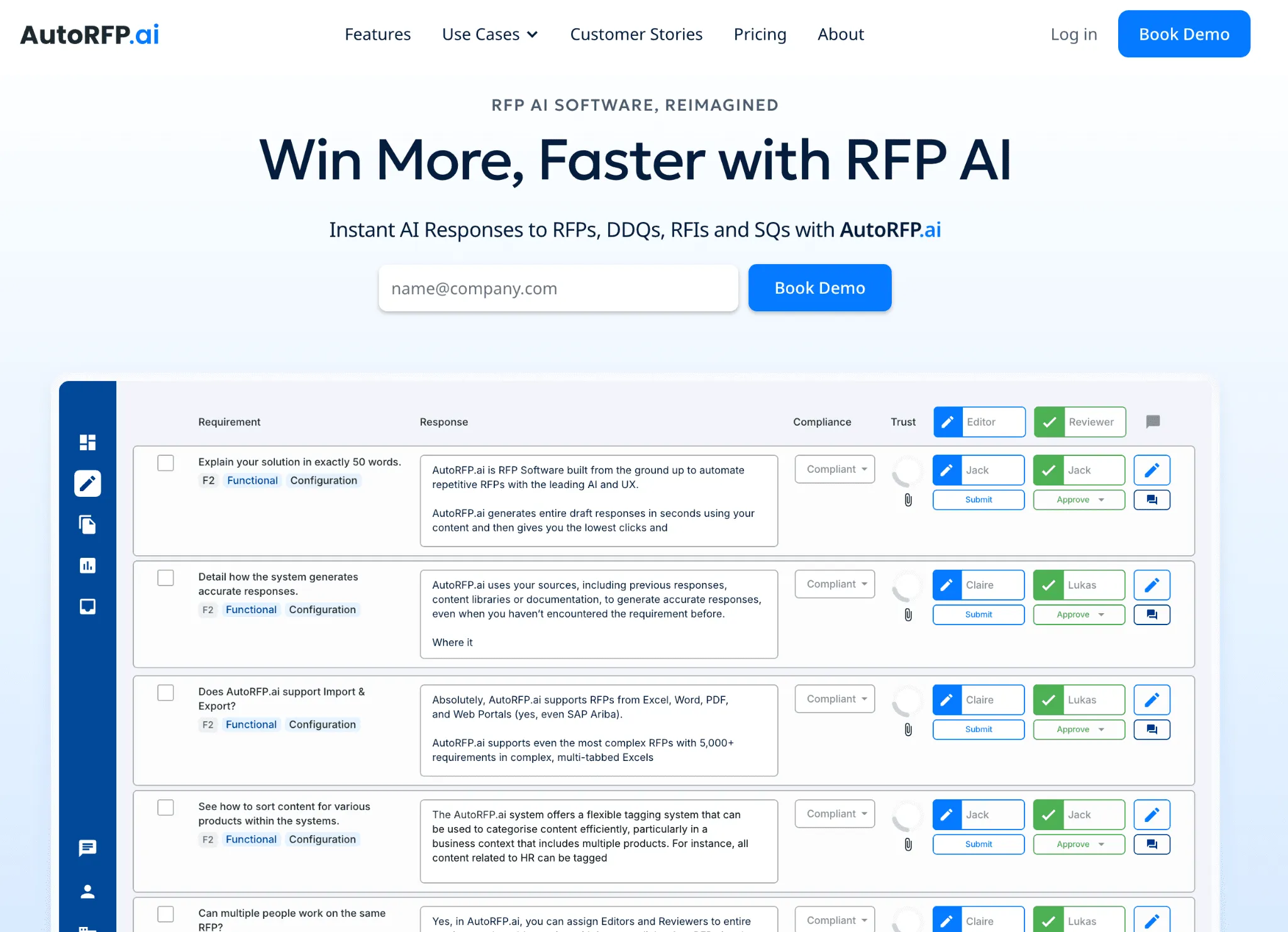
AutoRFP.ai is an AI native RFP platform built to be the best RFP software for teams that need to automate responses to RFPs, DDQs, and security questionnaires. It helps proposal, sales, security, and compliance teams generate accurate responses from approved content, past submissions, and internal knowledge sources.
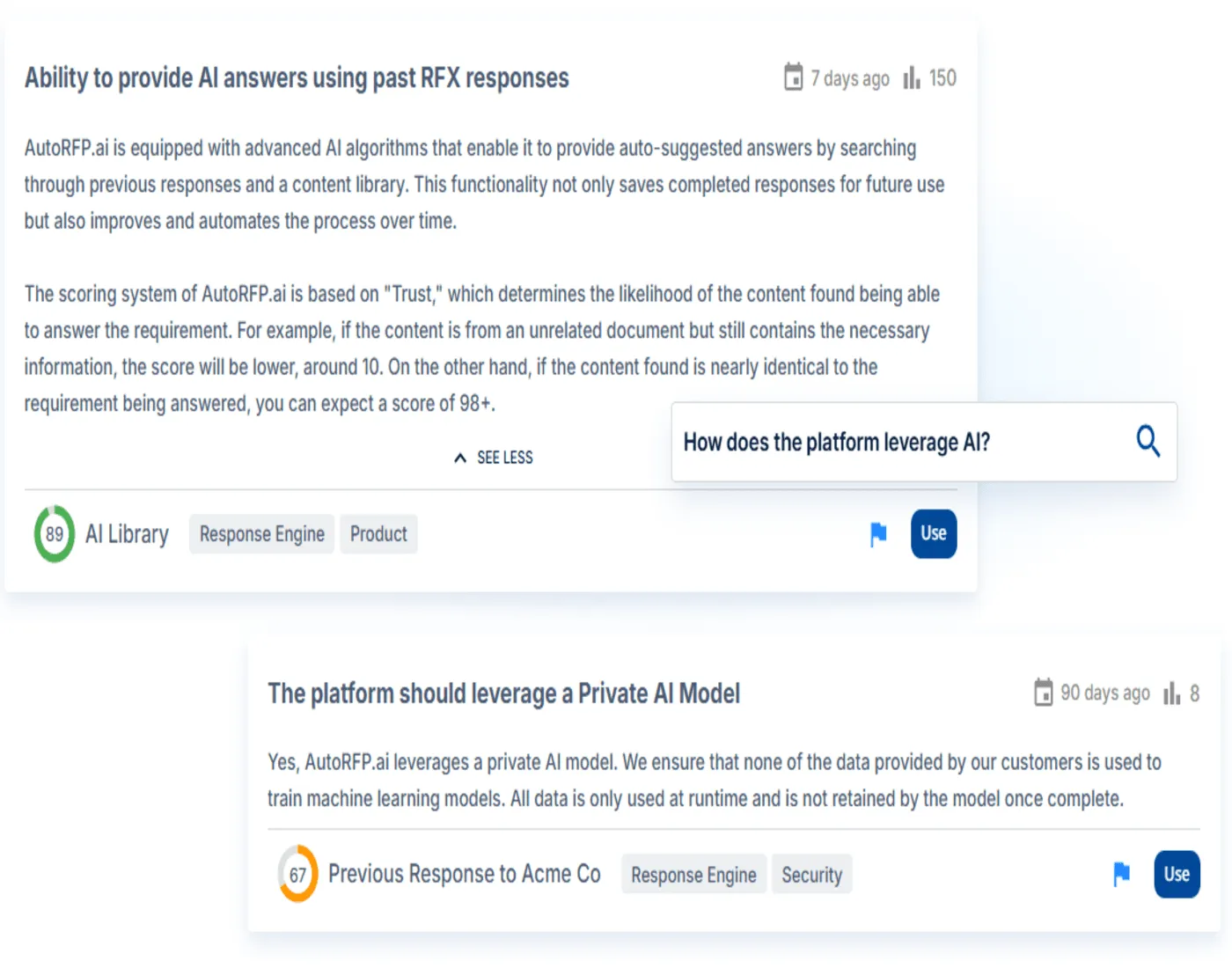
Unlike legacy RFP software that relies heavily on keyword matching, AutoRFP.ai uses semantic search to understand the context behind each question. This allows teams to produce more accurate, relevant, and consistent answers instead of wasting time fixing generic responses.
Used by Fortune 500 companies and Silicon Valley unicorns, AutoRFP.ai supports more than 80 automated responders across complex response workflows. Teams can manage answer generation, structured reviews, governance controls, and final approvals in one platform.
This makes AutoRFP.ai especially useful for organizations handling complex, high-volume RFPs that require accuracy, consistency, and stronger control across every submission.

Video transcript
Did you know the average RFP can take thirty-two hours of manual grueling work? Now, in this video, in under ten minutes, I'm gonna show you how you can use AI RFP automation to drastically reduce the amount of time it takes to get to a first draft for your RFP, DDQ or security questionnaire using AutoRFP.ai. Sick. Let's jump into it. So at AutoRFP, we're an AI RFP software automation platform, across the globe with hundreds of customers using our software every day, battle-tested AI to help you automate RFPs. First, what's the problem? So an RFP or request for proposal or due diligence questionnaire or security questionnaire is a pain felt across all industries, whether it's construction, software, technology, finance, healthcare, anyone selling
to government or private businesses. And these glorified question and answers take hours and hours for people to complete, for them to win new business. It's a crucial part for your business to win enterprise and government contracts, which really help you grow sustainably and quickly. But when you go to bid on one, you are met with the RFP. Average response times are thirty to forty hours, usually involve five to eight people, seventy percent of content is reused but hard to find, and the average win rate across all industries is only forty-three percent. So you're spending hours with uncertainty that you may win, which is where efficiency and writing better responses, leveraging AI helps you win more faster. Now, looking into RFP automation, you have a number of options.
You can pick up a legacy RFP software. They've been around since the late nineties. They brought software to the RFP problem. Effectively, a glorified question and answer bank, like a database. You upload Q&A pairs, and then they try to use keyword matching to find the most relevant to then help you answer questions that you get in your new RFPs and tenders. You can also do AI builds yourself. So you might use ChatGPT or Claude, and you can see our other videos about how you can potentially use them. But effectively, you hit a ceiling where it's hallucinating, it's taking more time now to fix things than it should, and just doesn't have enough context to find the right answer most of the time. Or you can choose an actual AI native leader like AutoRFP.ai. Built from AI from the get go and have built the engine around zero
hallucination, multimodal architecture to leverage the latest models across all your major providers, library-less approach, so it doesn't take a lot of time to maintain the system, really high automation rates and enterprise security built in from day dot. So why do teams choose AutoRFP.ai? The reason is your knowledge is always current. We integrate with over twenty different systems, and we pull in from all your various file management and different software to make sure that your data is always up to date, and you don't have to maintain it across multiple different places. We're most accurate in the category because we leverage the different models, including specialized re-ranker models, embedding models, search models, and your large language models where they're best. And our team of over fifteen software engineers and AI engineers make sure that this is battle-tested, evals are correct, and it produces the correct answer based off your source context. And it's one platform for every stage of the RFP journey, from intake to new RFP
to AI-powered go/no-go to drafting to reviewing and using agents to review and update your RFP response, translation to collaboration across SMEs and different team members, ensuring that they can easily collaborate in an easy-to-use platform, and then exporting as well. Let's start with the AI native auto library. This is the core of the platform where your different content sources and past projects and up- and web scraping all live in the one place and- Any question that comes up, whether it's in an RFP or a team member asking the question, can be automatically answered with trust-based scores, specific semantic search, and ensures that the correct answer is found and used to then answer and generate an appropriate response. Then effectively, you upload a blank RFP.
The AI-powered response engine then automatically generates responses, translates it and everything to have the correct answers. Then your team can very easily edit, review, integrates with Slack and Teams, and everyone's notified on project deadlines. Now, I've spoken enough. Let's jump into the actual product, and you can see AI RFP automation from the start. We start by creating a project, which is a new RFP. We've got our portal agent that can scrape your requirements from web portals like SAP, Ariba and others, automatically ingesting those answers into your AutoRFP.ai instance, and then automatically drafting responses for you to easily enter back into the portal. Or you can upload a zip that contains a PDF, Excel, Word doc of your RFP and import that into the platform.
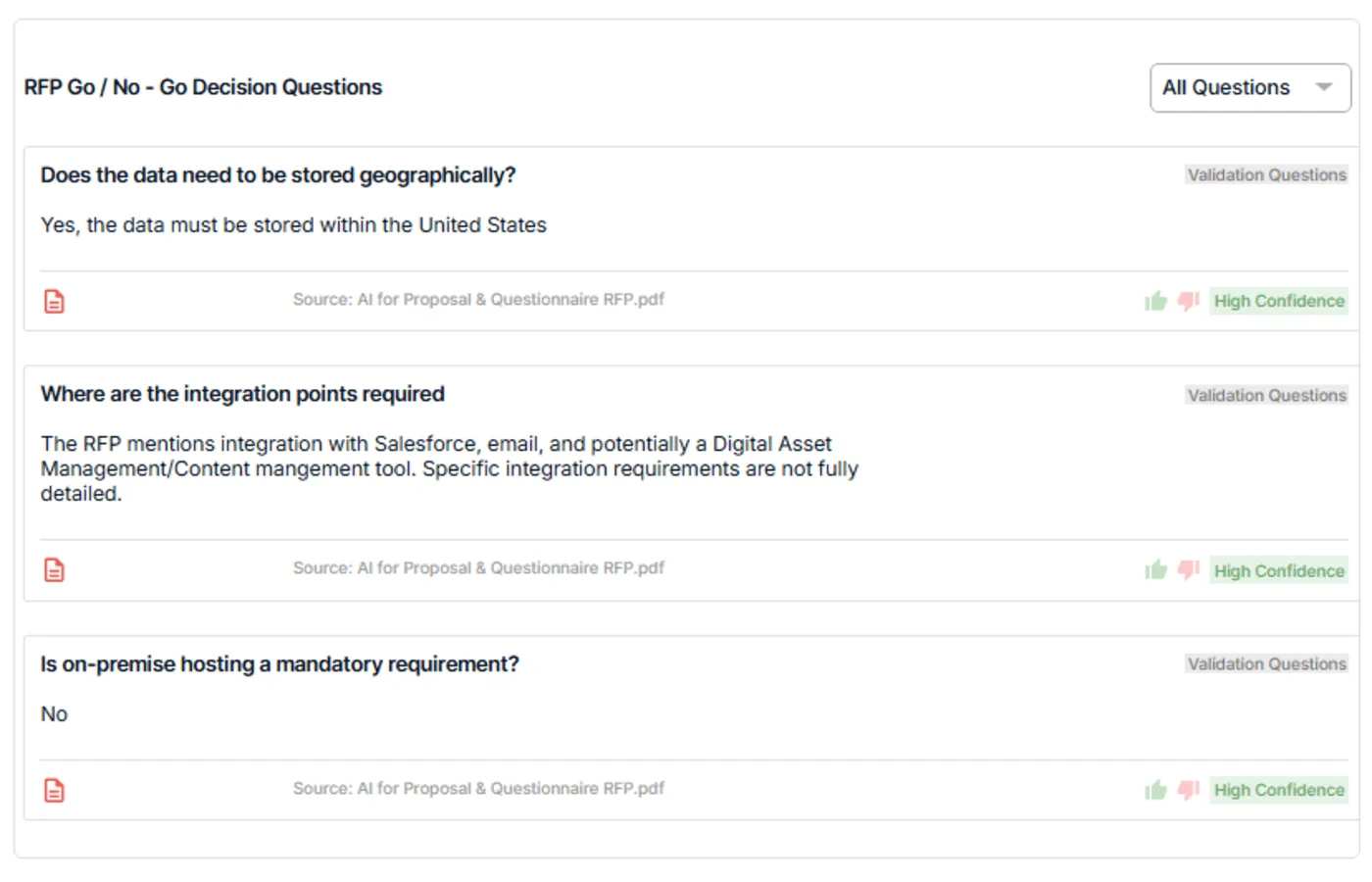
First we have our AI go, no-go. This ask different questions of your RFP based on your company context to ensure that should we actually bid on this RFP before we start it. It'll automatically grab out key details and link it to our CRM via our integration with Salesforce and so on. And here it's answered each question, and you can see it has confidence levels, it has trust built in, and you can then look back and see where the original source and what, for instance, table or other information. Our AI importer automatically selects every requirement, child requirements, dropdown pick lists response cells, everything else that's required for that RFP. We can manually change it if needed, but it automatically pulls that in. Then we can choose what content from our library or just choose every content, and our intelligent tagging and hierarchy system will make sure that the most relevant content is used for that response. And then I can create my project.
Next, the AI response engine then automatically starts sourcing the correct content from your auto library, re-ranking and finding the most relevant information, using that to then draft, redraft, and edit responses vi- with AI, and then provide those responses back to you in matter of seconds. And you can see here my thirty or so requirements automatically being filled out across the entire project. It's chosen the relevant pick lists, and each one of these have trust scores that I can understand further where this came from. It also has our AI-powered feedback score, and this is where AutoRFP is different to other systems. We don't wanna just help you source the correct answers. We wanna help you write better responses. And this goes into our feedback loop, where as you use the platform and write better responses, the AutoRFP system learns from those responses, and continually, your responses get better to help you win more faster.
Here we can do inline comments, so I can notify my team and so they can jump in, get notifications. I can submit, approve, add attachments, and everything else I can do in this platform. Finally, we have our project overview, which is our project management HQ for this particular RFP, making sure everyone understands deadlines. You can send reminders out to team members and just know when something needs to be completed by and when completed by and who is completing it, making sure that your RFP response is submitted on time and you're not faced with five PM Friday deadlines, calling someone to make sure you can get the correct answer to the correct question that's our short introduction to AutoRFP.ai. There's a lot more in RFP automation and AI RFP software that you can learn but feel free to reach out to our team. We'd love to provide a detailed demonstration to you so you can understand if this is a good fit for your business Already, AutoRFP.ai is in forty-four-plus countries across the globe with hundreds
of customers across different industries like technology, finance, and healthcare, and our customers are winning more faster. One of our customers like Shana Sweeney from SugarCRM won fifteen of their top twenty-five enterprise customers using AutoRFP.ai. They're using AI RFP automation to win more today, and it's a competitive advantage for their businesses. Our pricing is incredibly transparent. You can find more information on our website, to get in touch with our team, head over to our website, AutoRFP.ai. Book in a demo today and learn more and see if we can help you win more faster.
Key Features
Across 44 Countries, AutoRFP.ai has earned a loyal following as the best RFP software for helping teams manage complex RFPs faster and more accurately, especially with features built around requirement extraction, self-updating content, enterprise controls, and team collaboration.
1. AI RFP Response Engine
AutoRFP.ai helps teams create full first drafts in seconds using approved past answers, internal content, and company documentation. As one of the best RFP software options for teams managing complex responses, it pulls from trusted source material first, then writes answers using your company’s terminology and preferred tone.
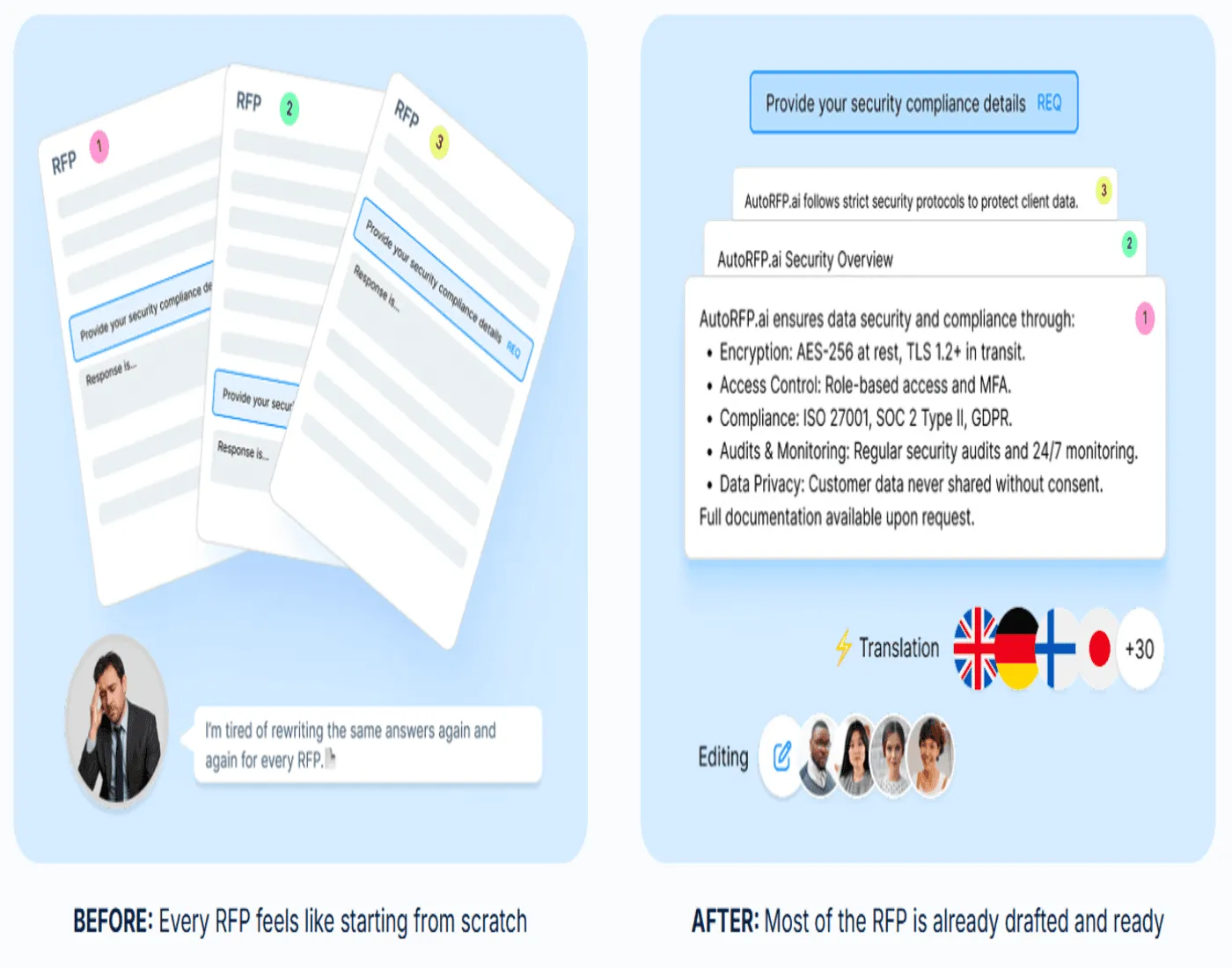
This helps teams produce responses that feel more accurate, consistent, and review-ready. When source support is weak, the platform flags it for human review instead of guessing. Each response also includes visible sources, content freshness, and confidence scoring, so reviewers can check accuracy more easily and approve with greater confidence.
2. Self-Updating RFP Content Library
AutoRFP.ai includes a self-updating content library that gets stronger as your team uses it. Approved answers can flow back into the library automatically, where AI helps organize and tag them so they are easier to find later.
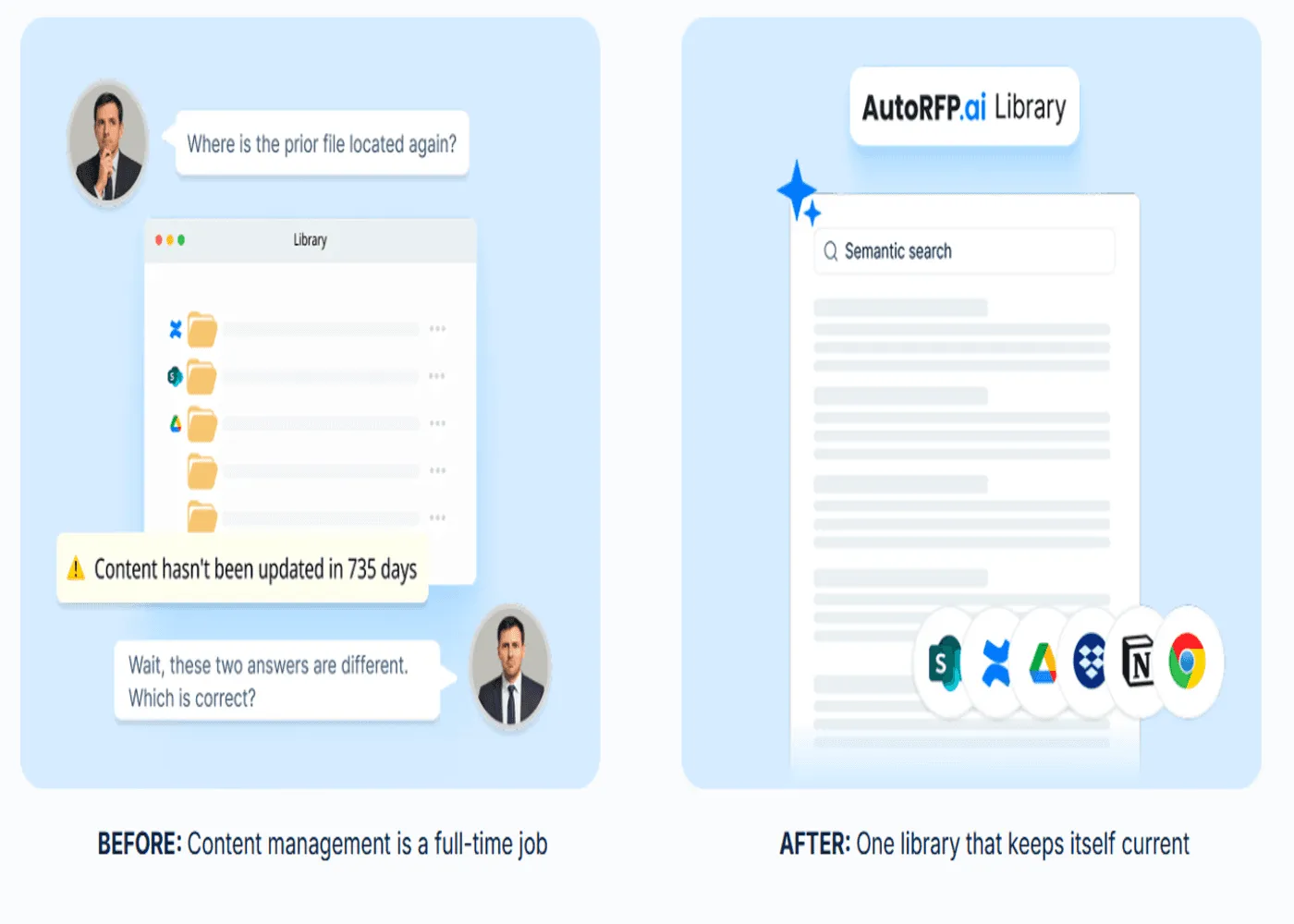
Unlike legacy RFP tools that rely heavily on keyword matching, AutoRFP.ai uses semantic search to understand meaning and context.
This helps teams find relevant content even when questions are phrased differently across RFPs, DDQs, and security questionnaires. For teams comparing top RFP software, this makes AutoRFP.ai especially useful for reusing knowledge without constant manual cleanup.
3. AI Go/No-Go Risk Screening
AutoRFP.ai helps teams decide whether an RFP is worth pursuing before too much time is spent on it. Teams can set their own go/no-go criteria across areas such as compliance, deployment, legal terms, support expectations, integrations, and timelines.
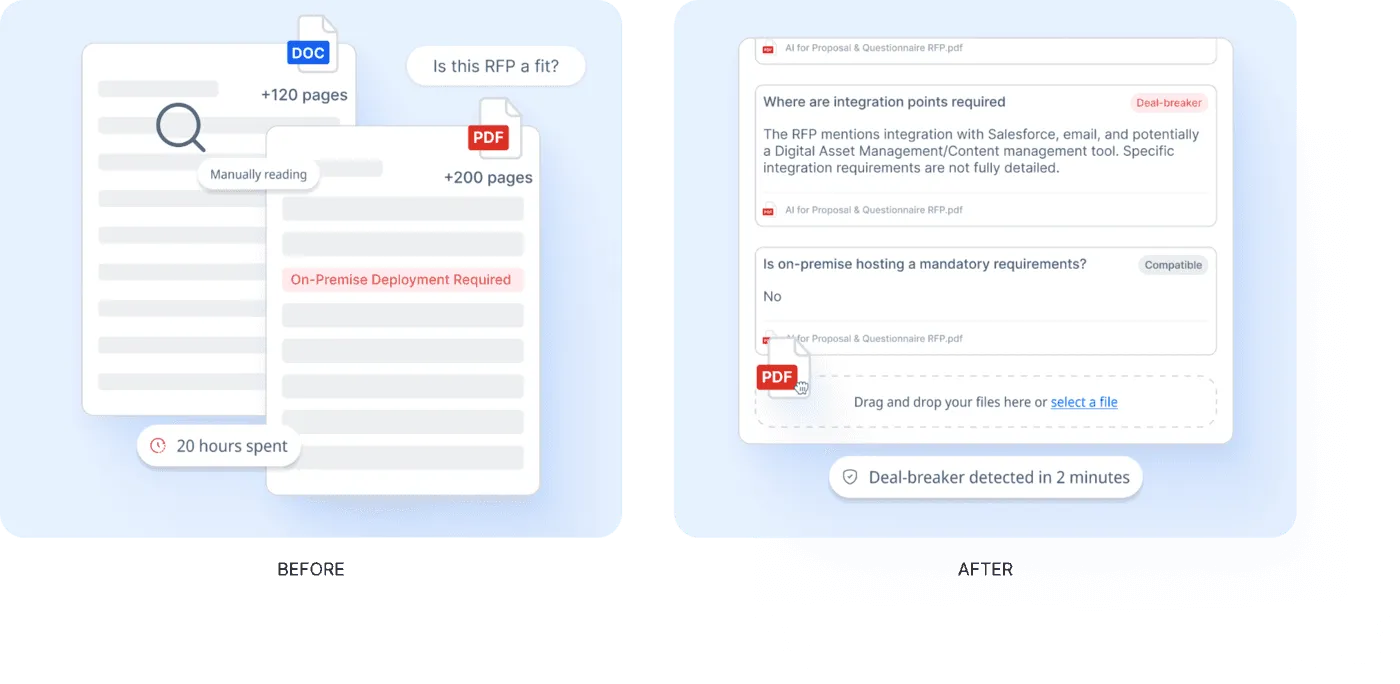
The platform reviews the document against those criteria and flags possible risks early. With source-backed findings and confidence indicators, teams can evaluate fit faster, avoid low-value opportunities, and focus their time on bids with a stronger chance of success.
4. RFP Reporting And Capacity Planning
AutoRFP.ai gives teams a clearer view of performance and workload across the RFP pipeline. Leaders can track win rate, project volume, team capacity, workload, and response speed in one place.
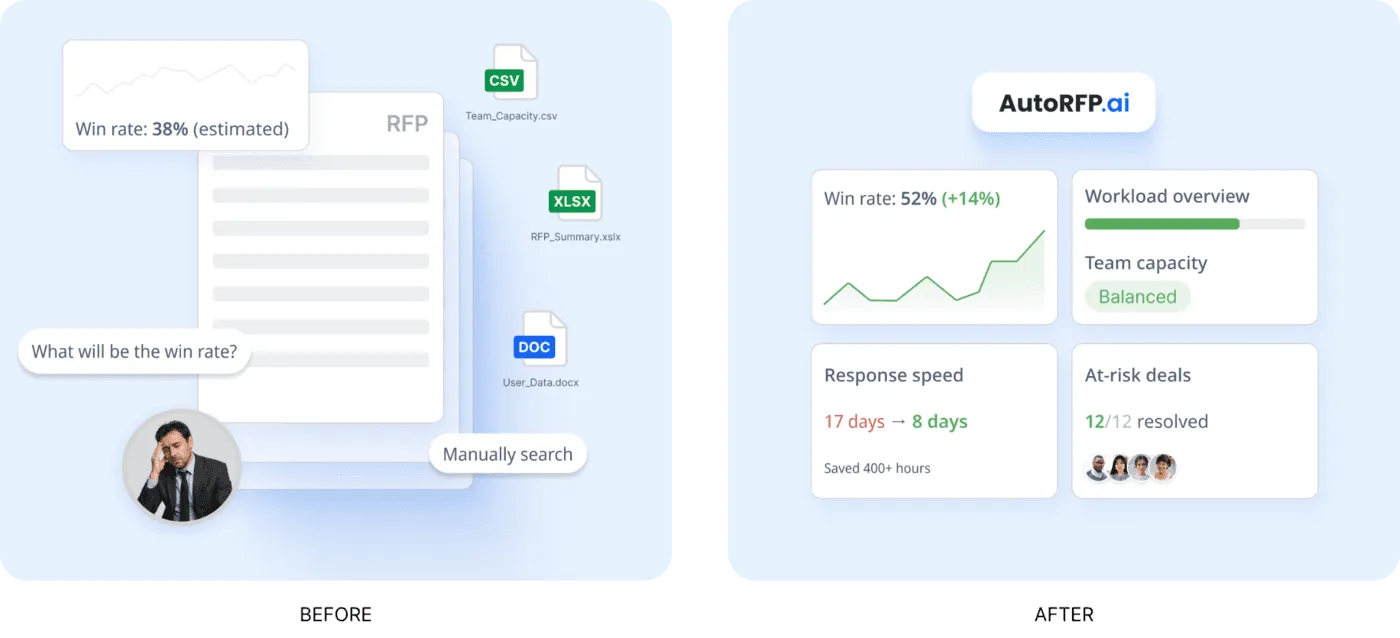
This makes it easier to understand whether the team can take on more bids without overloading resources. Instead of relying on guesswork, teams can use real delivery data to plan resourcing, prioritize high-value opportunities, and improve response performance over time.
5. RFP Project Management Software
AutoRFP.ai helps teams manage complex RFPs, RFIs, DDQs, and security questionnaires from one central dashboard. For teams comparing top RFP software, this matters because strong answer generation is only useful if the full response process stays organized.
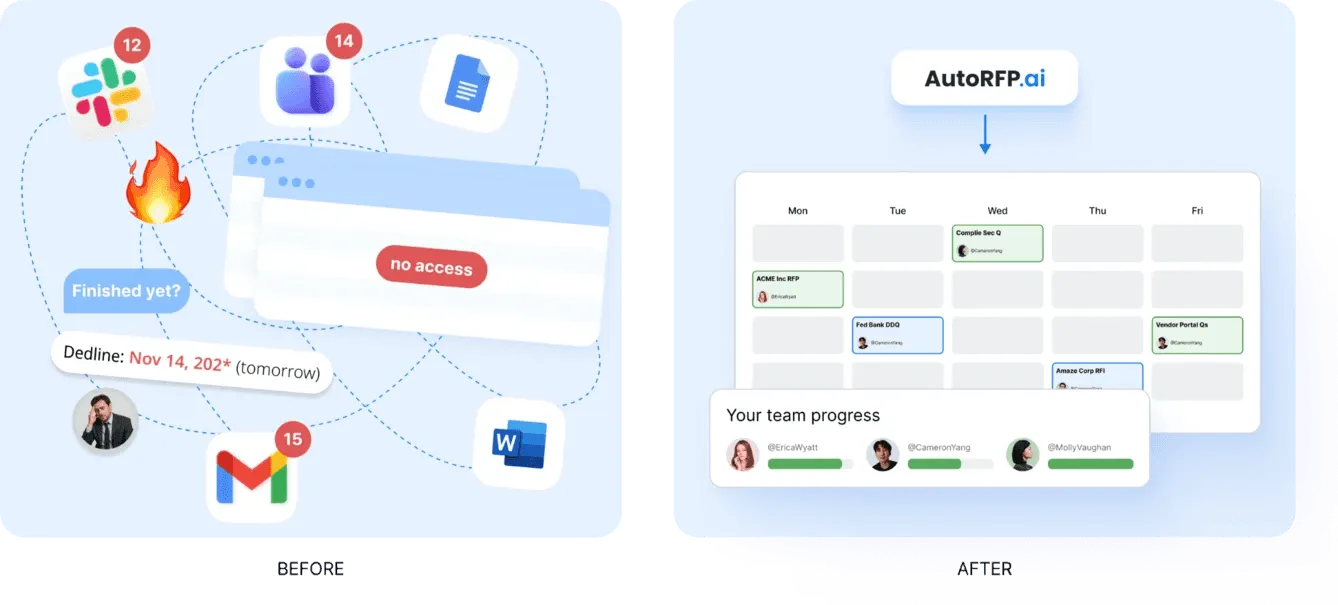
The platform gives teams real-time visibility into workloads, blocked responses, open comments, due dates, section progress, and overall completion.
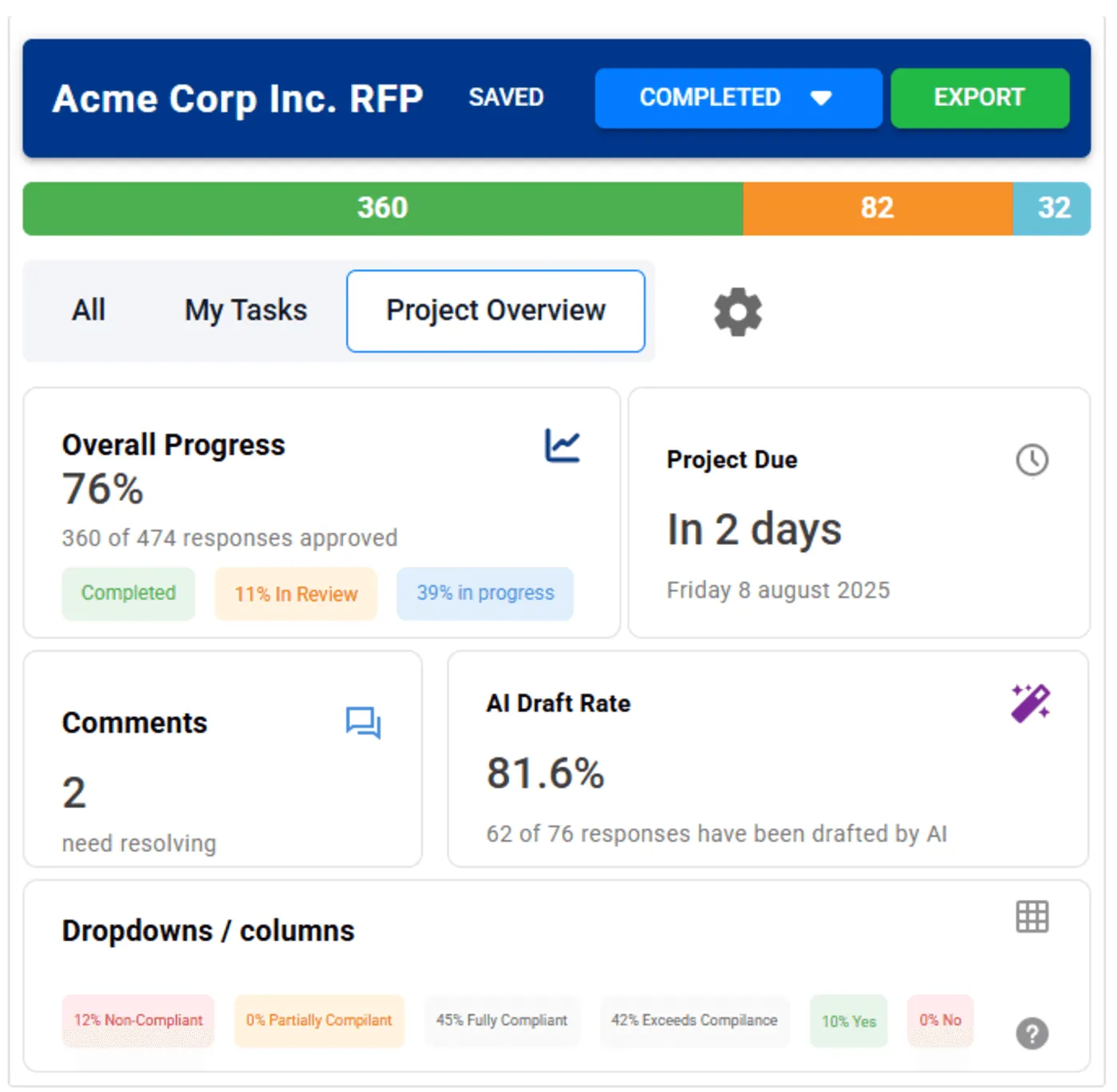
Instead of managing responses through spreadsheets, email threads, and manual check-ins, teams can spot delays early, send reminders, and keep SMEs and reviewers accountable in one workspace. Comments, @mentions, and notifications through email, Slack, or Teams also help keep every discussion tied to the right response.
6. Project Agent
AutoRFP.ai’s Project Agent helps teams manage editing, document creation, content discovery, and live research from one place. It supports the full response workflow by helping teams find the right information, improve responses, and create supporting materials without switching between multiple tools.
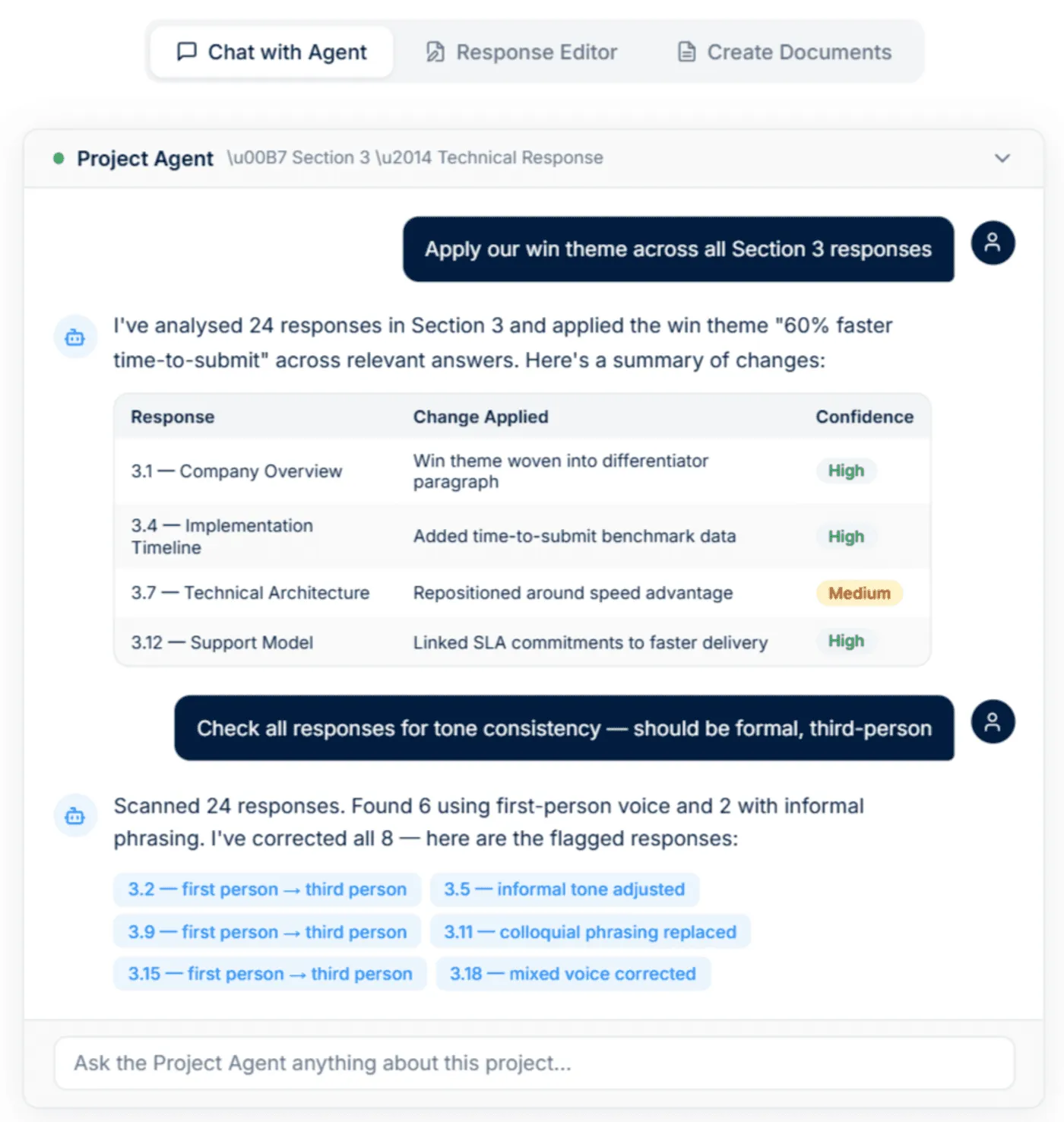
The agent searches across your content library, previous projects, and uploaded documents to find approved content that fits each requirement. This makes it easier to reuse accurate information from past work while keeping responses aligned with current company messaging.
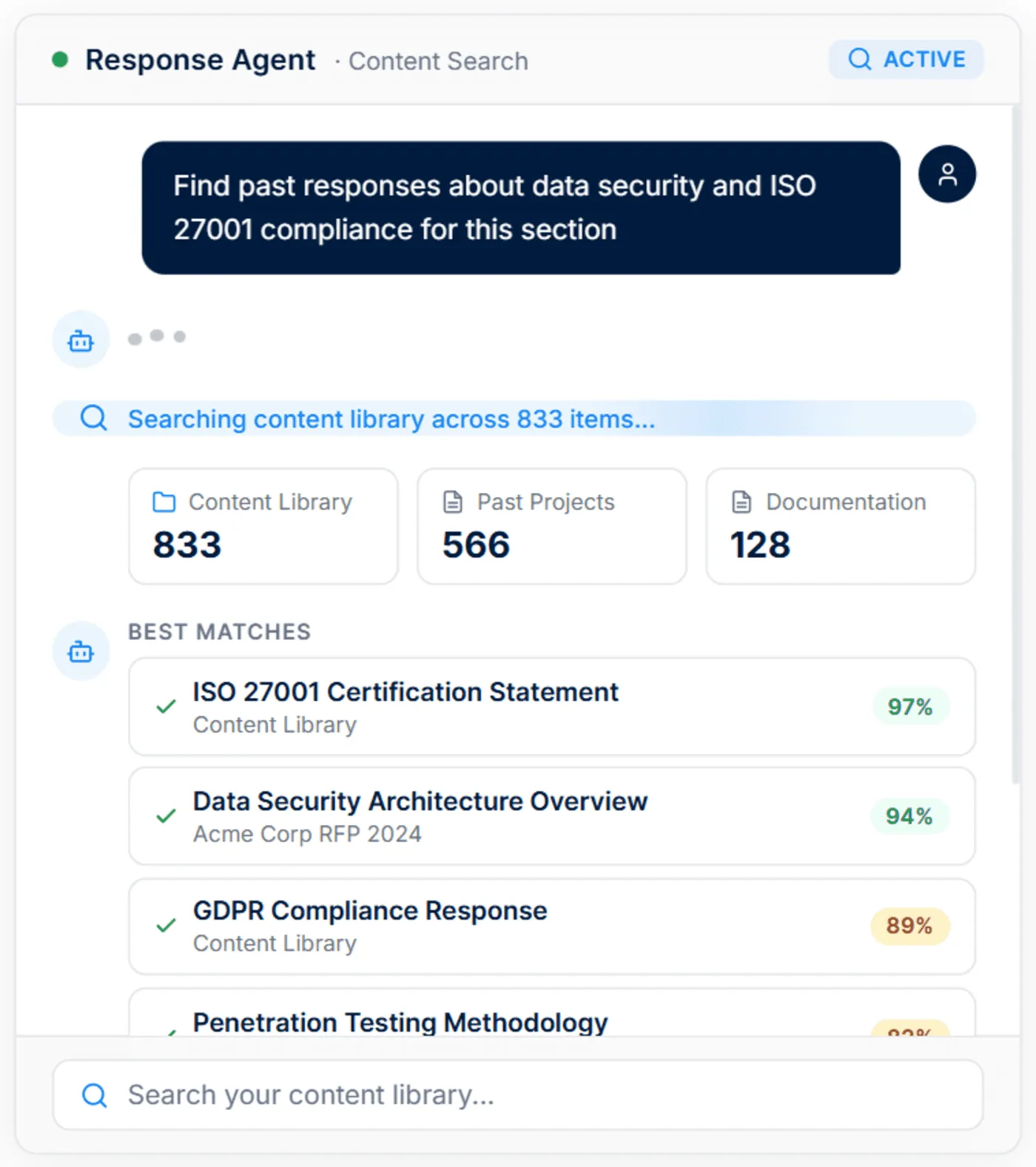
It can also create supporting documents such as executive summaries, implementation plans, and cover letters based on the project context. This helps teams move faster when an RFP requires additional materials beyond standard question-and-answer responses.
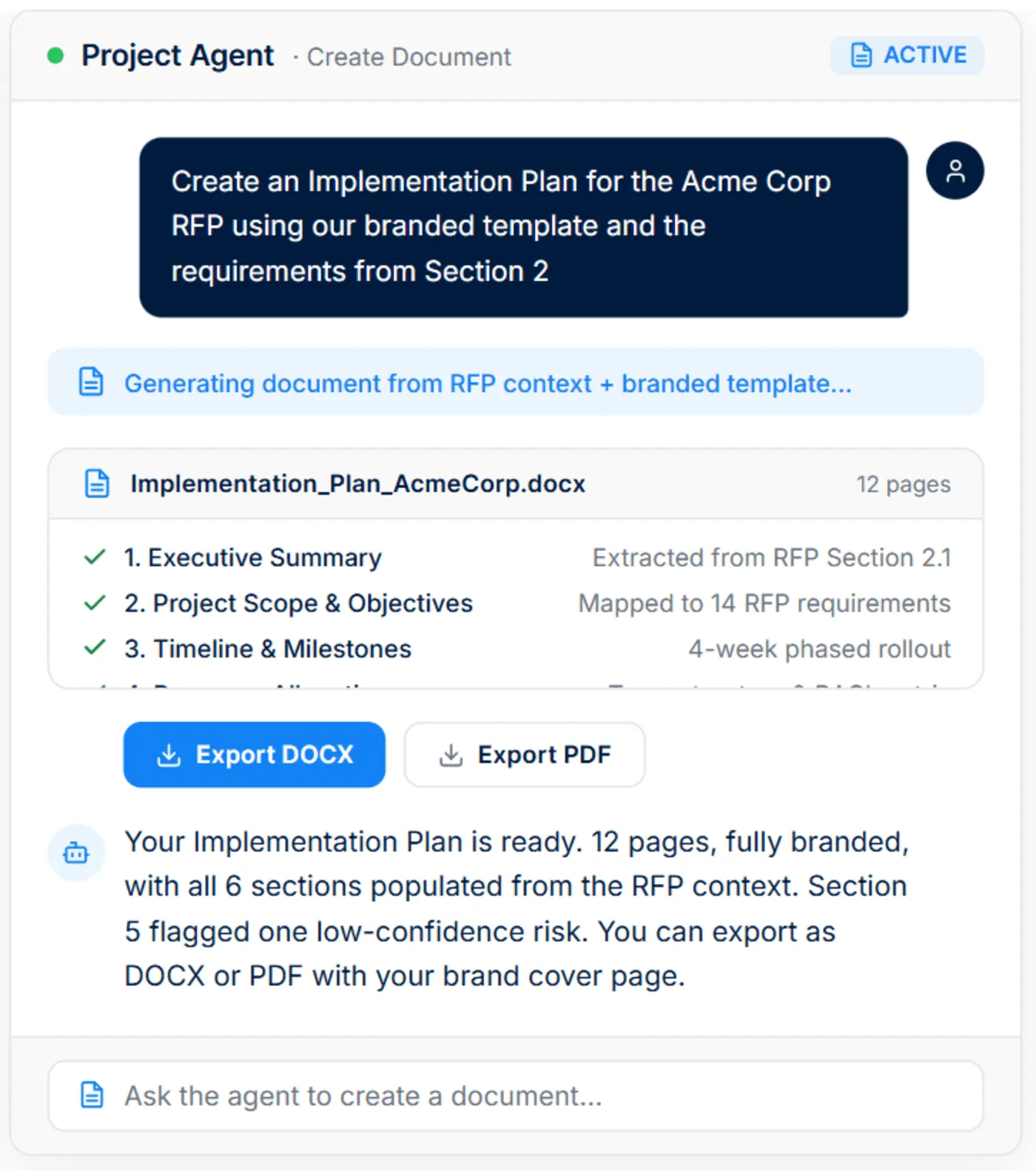
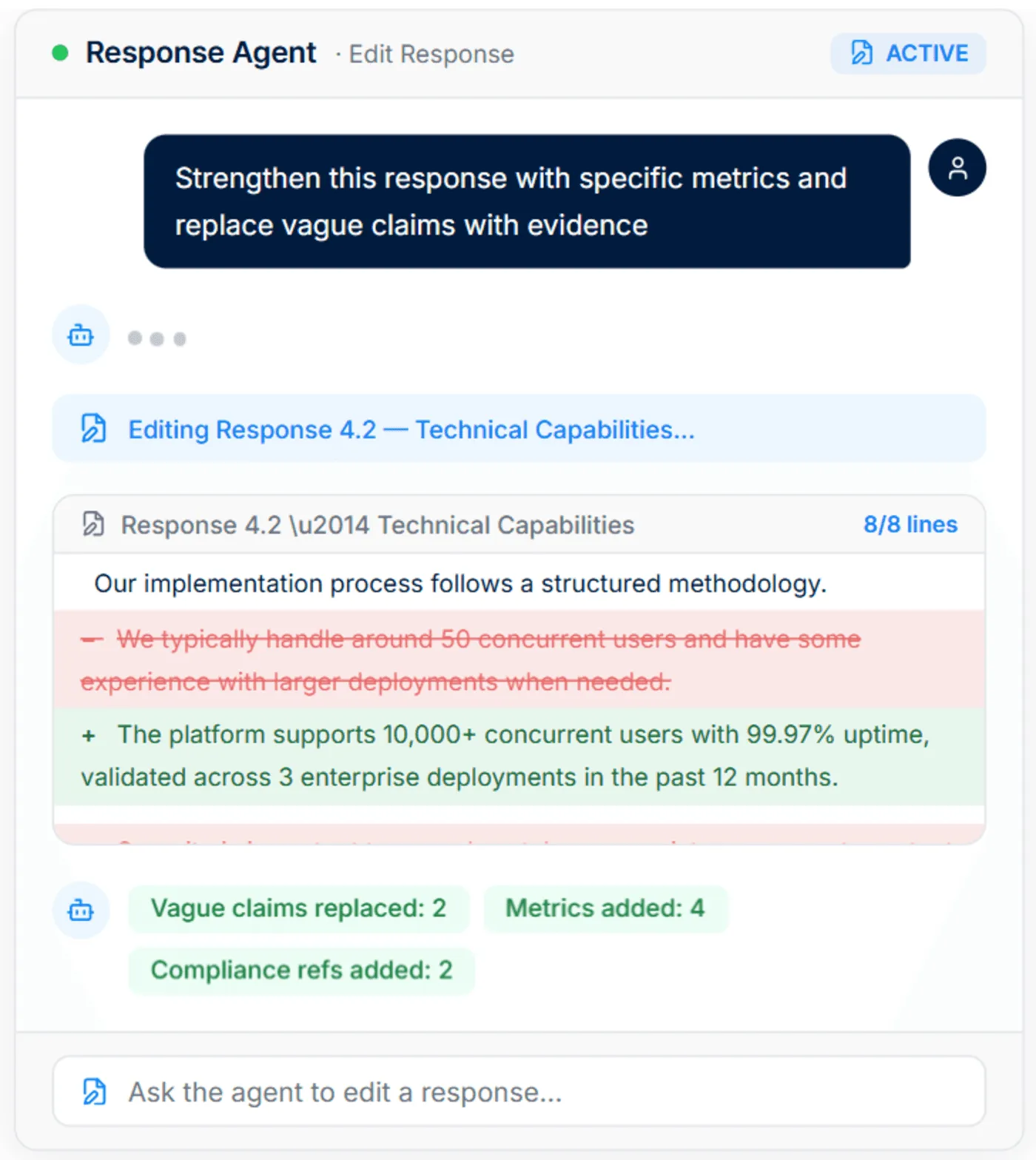
Project Agent also revises responses directly in the workflow. Teams can use it to improve wording, strengthen evidence, sharpen positioning, and keep messaging consistent across different sections.
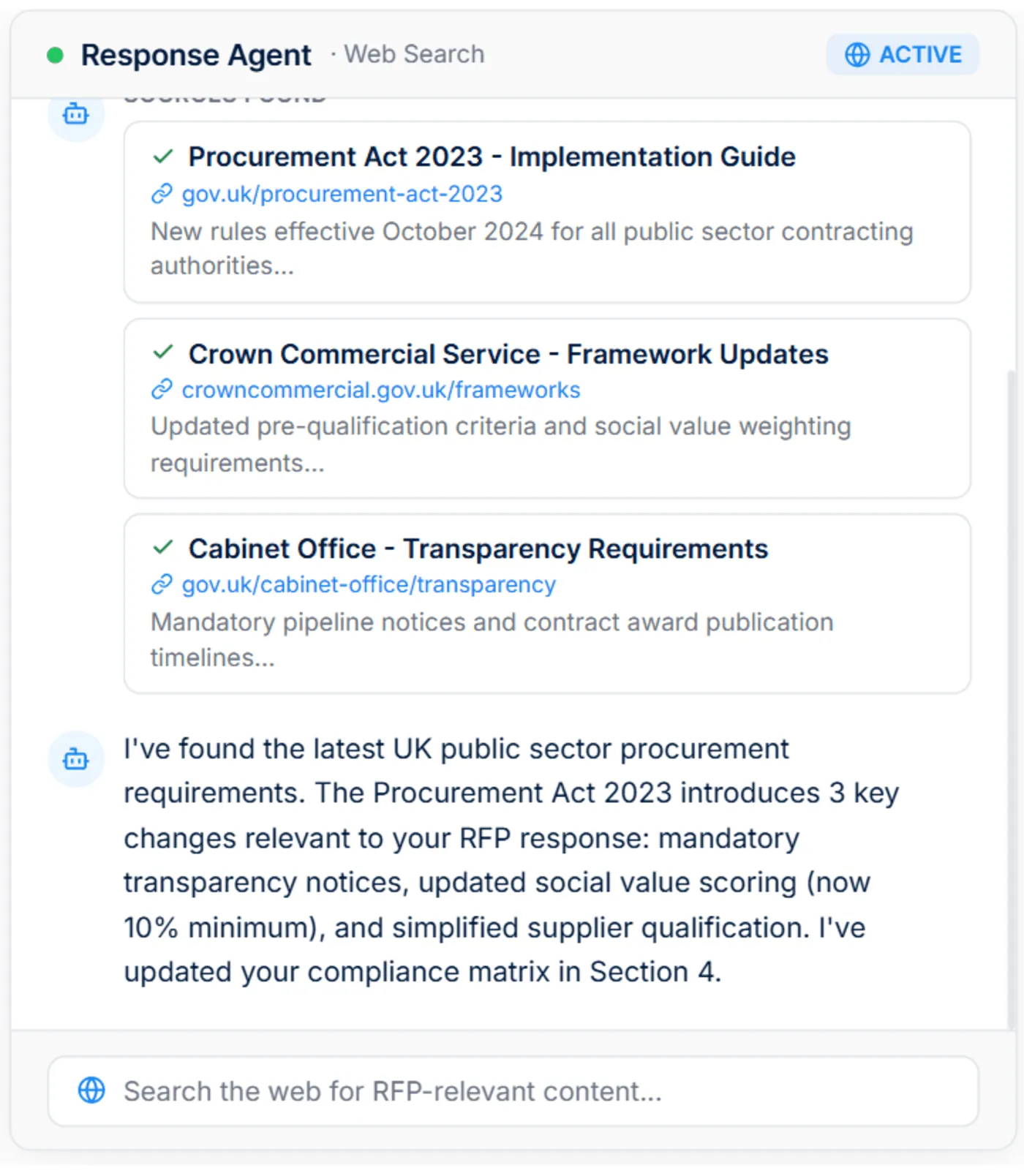
The agent can also pull in live web information, such as regulatory updates, industry data, and prospect-specific details. This gives teams stronger context when they need to support responses with current information.
Pricing
| Plan | Monthly Cost | Key Inclusions |
|---|---|---|
| Scale | $899 | Unlimited AI responses, users, content, and integrations |
| Accelerate | $1,299 | Everything in Scale, plus advanced analytics and priority support |
| Enterprise | Custom | Custom integrations, a dedicated success manager, and tailored security and compliance features with SSO |
Side note: AutoRFP.ai provides a 30 day money-back guarantee, so you can test out the platform before committing to it.
Where AutoRFP.ai Shines
Portal questionnaire automation: AutoRFP.ai helps teams handle portal-based RFPs by pulling questions from platforms, preparing responses, and exporting them back. This is useful for teams working across systems like Ariba, UpGuard, and Jaggaer.
Ask-a-bot answers: Teams can ask a question and get a sourced answer quickly without digging through documents. It also works inside Slack and Microsoft Teams, so users can stay in their normal workflow.
AI document importer for RFPs: AutoRFP.ai can process RFP files in Word, Excel, or PDF format. It extracts requirements, sections, and context automatically, so teams can start responding faster.
Consistent client-ready responses: For IMTC, AutoRFP.ai’s AI-powered importer and AI RFP response engine automatically populated up to 90% of answers, reducing manual work and removing the need for a traditional RFP content library while helping the team maintain faster, more consistent responses across submissions.
Where AutoRFP.ai Falls Short
Not a great fit for highly bespoke sectors: AutoRFP.ai may not be the best fit for AEC, US GovCon or defence, custom software development, or highly bespoke professional services. Responses in these sectors are often too unique, technical, or project-specific to follow repeatable patterns.
Not built for those issuing RFPs: AutoRFP.ai is designed for vendors responding to RFPs.
Customer Reviews
Pete W. shares, “The use of AI to parse through the zillion questions in our database and find the closest match saves so much time.”
Chris D. says, “AutoRFP.ai is distinguished from legacy solutions that make you manage the Q&A pairs directly. Instead, AutoRFP.ai uses context clues like recency to understand how well a previous answer applies to a new question, removing the overhead of intensive library management.”
Saxon W., Senior Workforce Management Consultant, wrote in a Software Finder review, “AutoRFP.ai is an absolute game-changer for me because, without it, I simply wouldn’t have the time to complete RFPs regularly. It saves an exceptional amount of time. What truly sets it apart is the quality of its responses: they’re far better than other systems on the market because AutoRFP.ai understands context, unlike tools that just regurgitate irrelevant answers from previous RFPs. The initial setup was completely painless, and on top of an excellent product, the team works closely with customers and continues to innovate, making the entire experience fantastic.”
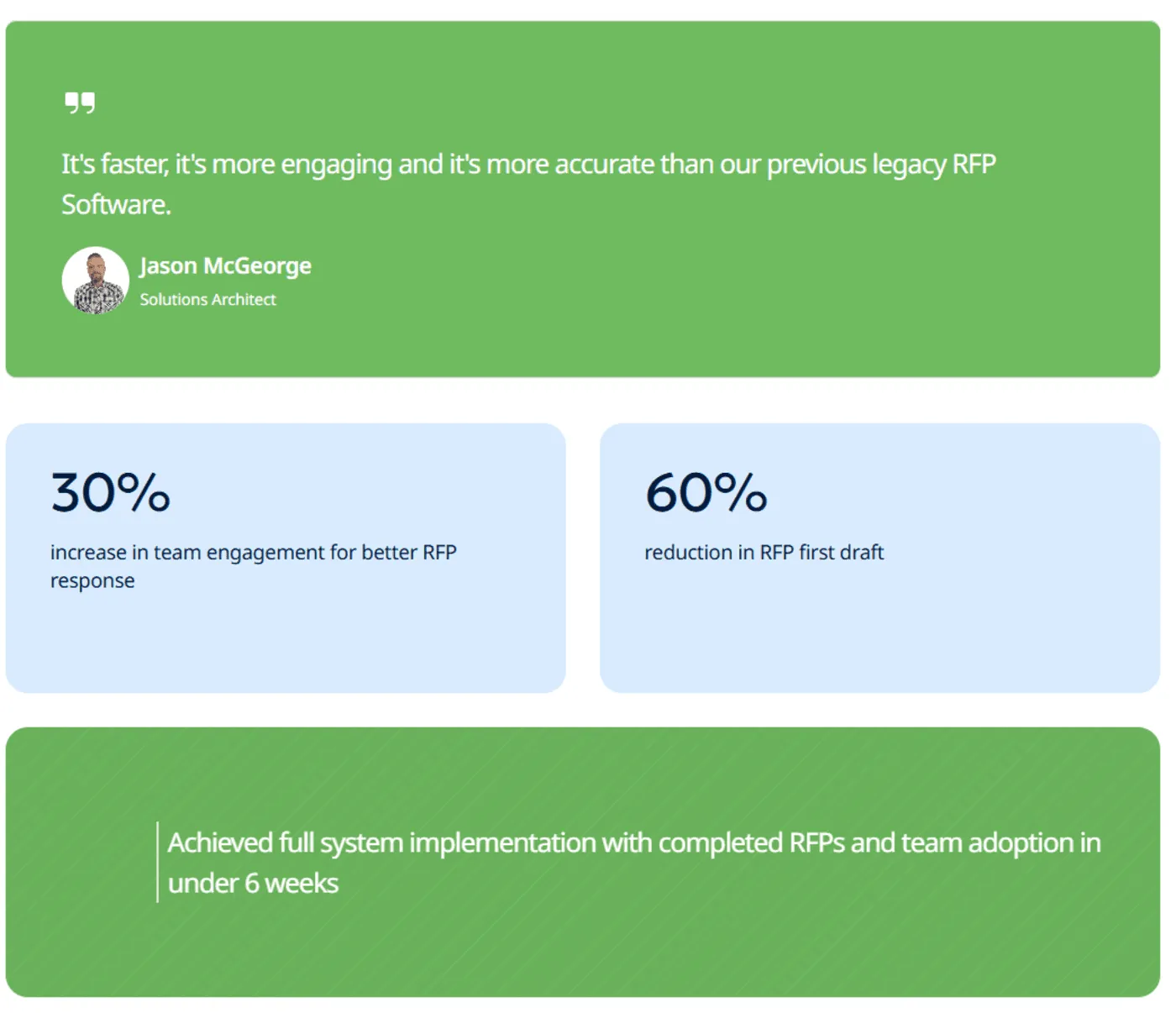
Jason McGeorge, Solutions Architect at ecoPortal said, “ AutoRFP.ai is faster, more engaging and more accurate than our previous legacy RFP Software.”
Who AutoRFP.ai Is Best For
Mid-to-large B2B SaaS teams: AutoRFP.ai is a strong fit for teams managing frequent enterprise RFPs, RFIs, and security questionnaires. It helps them generate faster first drafts, extract requirements more accurately, and reduce the manual cleanup often needed with lighter AI response tools.
Enterprise deal teams: RFP managers, bid writers, pre-sales engineers, and enterprise AEs can use AutoRFP.ai to manage SME-heavy responses under tight deadlines. It gives teams clearer project tracking, stronger workflow visibility, and more structured collaboration across complex deals.
Financial services firms: Managed funds, insurance providers, and asset managers can use AutoRFP.ai for high-stakes DDQs, compliance reviews, and security questionnaires. The platform supports more context-aware answers, stricter approval workflows, and better reporting for regulated proposal work.
Regulated enterprises: Healthcare, fintech, and cybersecurity teams can use AutoRFP.ai to manage compliance-heavy DDQs and security questionnaires. It is especially useful when teams need deeper requirement shredding, Go/No-Go risk screening, and exact-format exports.

Video transcript
Transcript is auto-generated and may contain minor errors.
Hey, I'm Rob from autoRFP.ai. What is autoRFP.ai? Well, autoRFP.ai is an AI software as a service or SaaS application that does AI for proposal or RFP responses. That includes RFIs, like request for informations, includes due diligence questionnaires or DDQs, and includes security questionnaires. So, you can find all about us at autoRFP.ai. So, we're a technology company. We have offices all across the globe including Brisbane, Australia, Vancouver as well. And effectively, our tool allows, whether it be bid managers, sales people, proposal writers, RevOps team members, sales leadership, answer complicated request for proposals. So, what is a request for proposal? You can see one of our other videos below in the description. But effectively, our system
looks something like this. And it lets team members, and you can have unlimited number of people log in to autoRFP.ai, good product, allows people to go in, create projects, which would be for instance an RFP. I can go in here, create my information from my zip file, and that includes, you know, like an Excel spreadsheet, PDF, Word doc. We can run an AI go no go project analysis on the RFP. And then effectively from that, we can bring in all the information in terms of what are the questions, where our AI automatically scans the documents and figures out what is being asked of the RFP, whether it's multiple tabs in an Excel spreadsheet and everything else, whether it's drop-downs. And that all happens automatically through the power of AI. Then, we generate our response, and we can do it in in 40 plus different languages and adding languages all the time. Once you've imported your RFP into order rfp.ai,
you can collaborate with your team members assigning different people to answer the questions, review the questions, looking at an overview of the entire project and project managing due dates. Now AI effectively starts automatically answering those different questions based on your knowledge documentation. So that might be your website, your help docs, your technical documentation, your past RFP answers or security questionnaires, your security policies. But effectively all that different company information you import into order RFP and then our AI leverages that to create an AI first draft of an RFP response. Once we're happy with all those requests, we can approve it. That goes into the model to learn from and add to. So your current responses are automatically used for new responses and then you can export that as well. And then the final cool thing about order RFP is you have a lot of different
integrations that you can pull in, whether it's knowledge documentation from places like Notion, Google Drive and so on. So that's order RFP. We're an AI SaaS app. Uh you can host globally. We do not use customer data for training purposes or to send it back to LLMs. So we're secure and private. We have our ISO 2701 certificate and our SOC 2 certificate and then you can find up-to-date pricing and information on our website. Or if you came to learn more, you can book a demo and schedule time with our team. Thanks.
2. Loopio: Best for Teams With Dedicated Content Managers
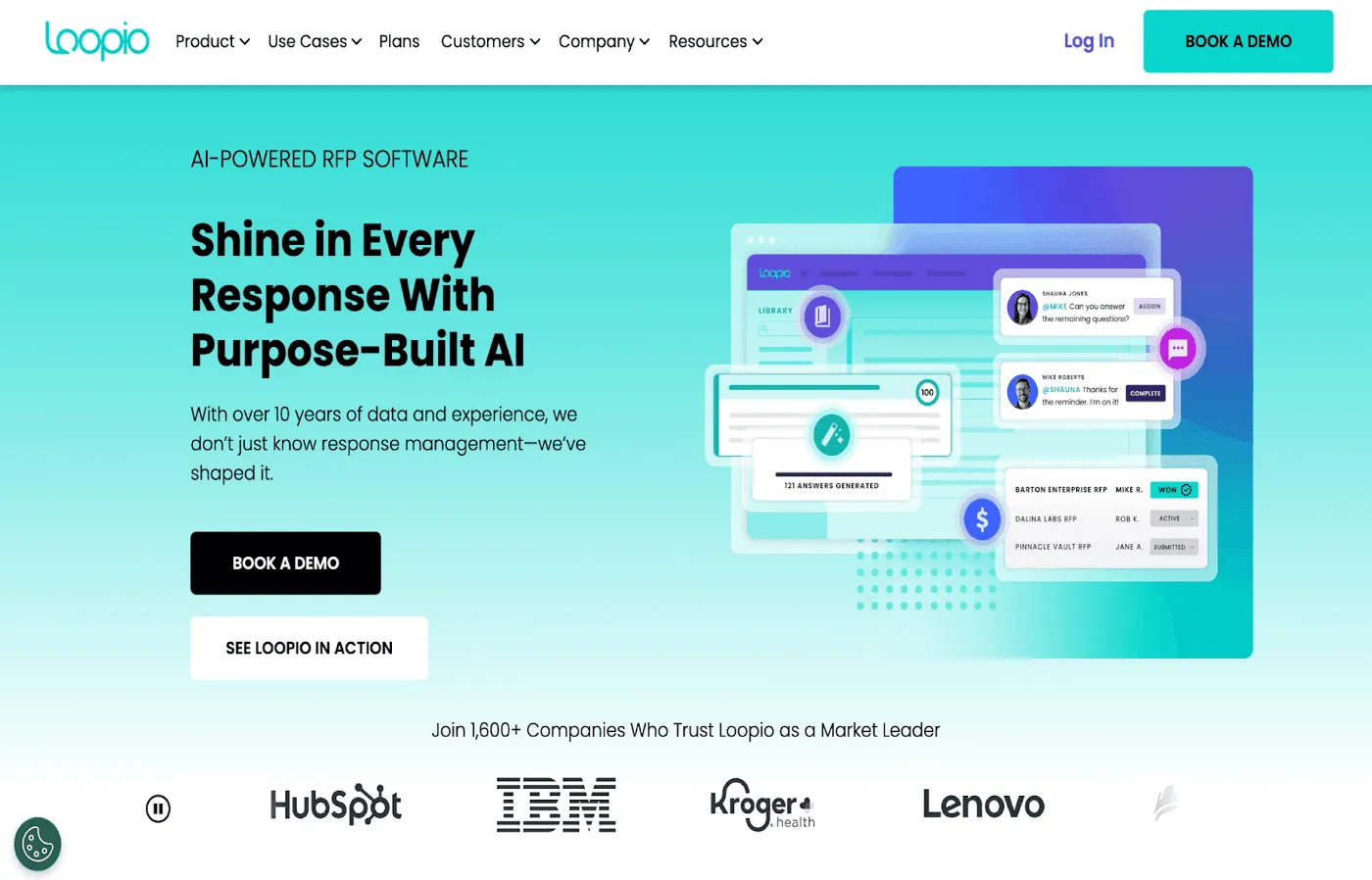
Loopio has been a mainstay in the RFP software market for years, known for its robust content library and project management capabilities.
Key Features
Centralized content library: Loopio stores all important company content in one place and categorizes them to make information accessible.
Magic recommendations: The Magic feature generates responses by matching RFP requirements with the information stored in the content library. You can choose to accept these suggestions or tag a user to review it.
Project management: Loopio gives teams full visibility into ongoing RFPs. Admins can monitor task status, track team workloads, and oversee project completion through a real-time dashboard.
Pricing
| Plan Name | Plan Cost |
|---|---|
| Foundations | $20,000/year |
| Enhanced | Contact sales |
| Enterprise | Contact sales |
Where Loopio Shines
Easy-to-use interface: First-time RFP software users report that Loopio is user-friendly, easy to navigate, and doesn’t require a long learning curve.
Strong customer support: Loopio’s customer support team is fast and proactive, helping its users resolve bottlenecks smoothly. No wonder Loopio earns a 9.7/10 G2 rating in the customer support field.
Where Loopio Falls Short
- Overpromised “Magic” feature: The answers Magic populates are surface-level at best. The feature fails to generate responses for complex RFP requirements and often needs a lot of manual editing.
Side note: Loopio competitor AutoRFP.ai does a far better job in finding answers to complex requirements. Its AI-powered semantic search goes beyond basic keyword research to understand the context behind questions.
- Complex integrations: While Loopio offers strong integrations, they are usually hard to follow through and need workarounds to properly connect with a company’s tech stack.
Customer Reviews
Ben L. shares, “Loopio enables us to draft and respond to new solicitations much faster than we did before we adopted it. We love being able to access and revise our content library quickly and easily.”
Andrea P. says, “It would be super nice to have more integrations with other applications and would like to be able to dive deeper into the data without a restriction. Currently, only if you’re setting up your own API can you take the data out of Loopio.”
Who Loopio Is Best For
Loopio is best for mid-to-large companies with established proposal teams and dedicated content managers who can take on the task of maintaining the content library.
3. Responsive: Best for Teams With Restrictions on AI-Use
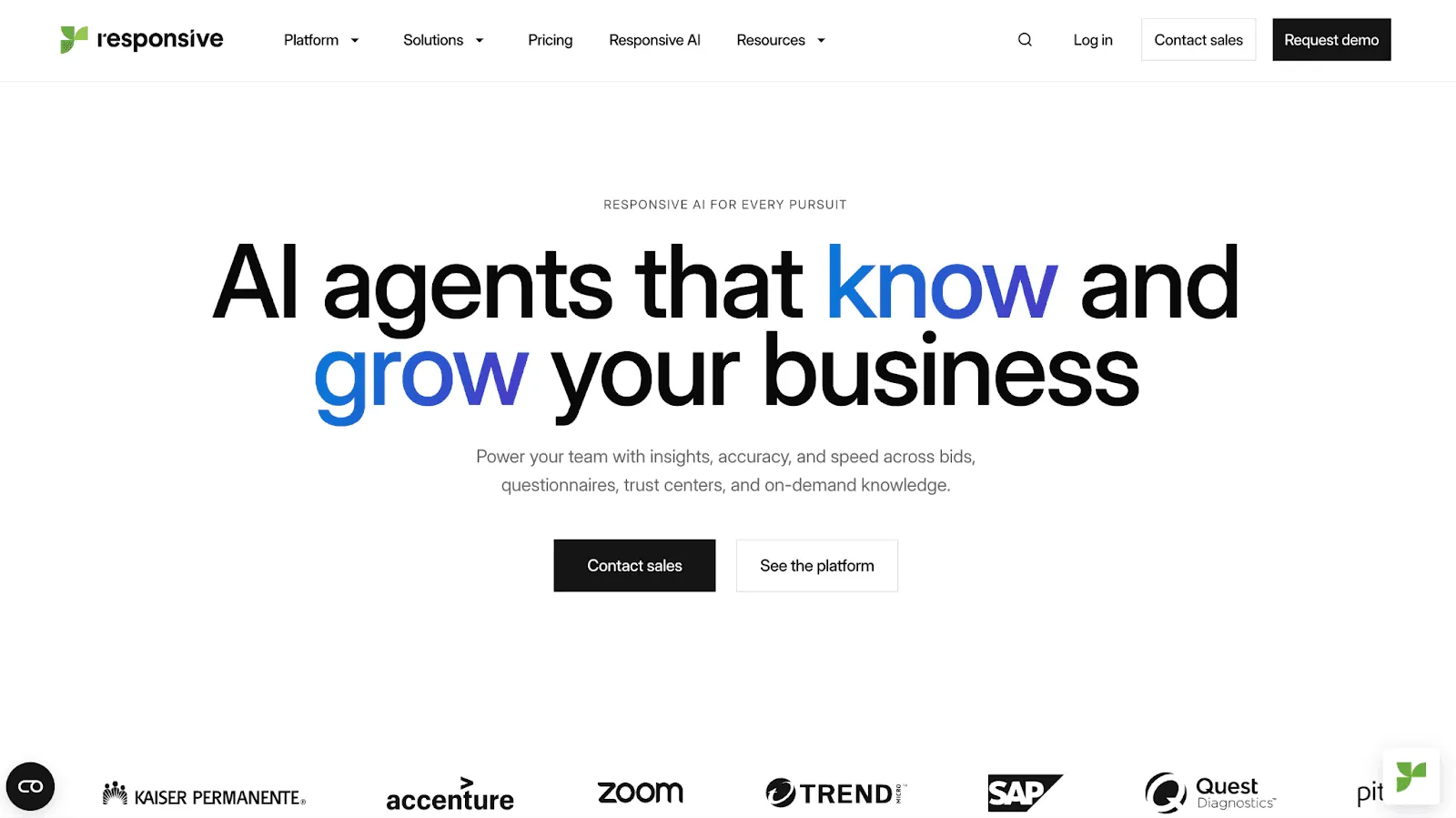
Rebranded from RFPIO to Responsive.io, this platform has evolved significantly to maintain its market position in the competitive RFP systems in management software industry.
Key Features
Automatic import: Responsive enables its clients to upload Word, Excel, and PDF RFPs using its patented import technology, and lets its AI automatically detect and map every section and requirement.
Integration network: With 20+ native integrations and 75+ API connections, Responsive integrates smoothly with complex tech environments.
Requirement analysis: Responsive streamlines the bid/no-bid process as its AI reviews a document, highlights key requirements, and shows how well the project fits your strategic goals.
Pricing
| Plan Name | Plan Cost |
|---|---|
| Lite Edition | Contact sales |
| Emerging Edition | Contact sales |
| Growth Edition | Contact sales |
| Enterprise Edition | Contact sales |
Where Responsive Shines
Robust analytics: With 10 built-in report templates, Responsive helps teams uncover trends, measure efficiency, and identify bottlenecks across the RFP response process.
Multi-lingual support: Responsive manages global RFPs by translating proposals into 23+ languages. Each translation stays linked to the original version to avoid confusions.
Where Responsive Falls Short
AI limitations: The AI assistant that generates RFP responses isn’t always reliable. Users say it often repeats content from the library instead of creating accurate, tailored answers.
Complex pricing: Responsive doesn’t share full pricing details publicly, and many of its premium features are hidden behind paywalls.
Side note: Responsive competitor AutoRFP.ai has a simple pricing model that makes it easy for customers to forecast expenses and ROI. Price plans are listed publicly, a pay-per-outcome model is used, and there are no hidden fees.
Customer Reviews
Christianna M. says, “I love the easy way to search and the use of filters ensures I find exactly what I need without having to sort through tons of results. I also like the tabs at the top to toggle between documents, questions and answers, etc.”
Tim R. shares, “The search function within knowledge search could be better. I would like it to be more specific, I find that even when I include ""s it still picks up answers that are irrelevant.”
Who Responsive Is Best For
Responsive is best for mid to large companies that
Prioritize project management over AI automation
Face restrictions on AI usage from top management
Need a software that integrates with their complex tech stack
4. Qvidian: Best for Marketing-Oriented Teams
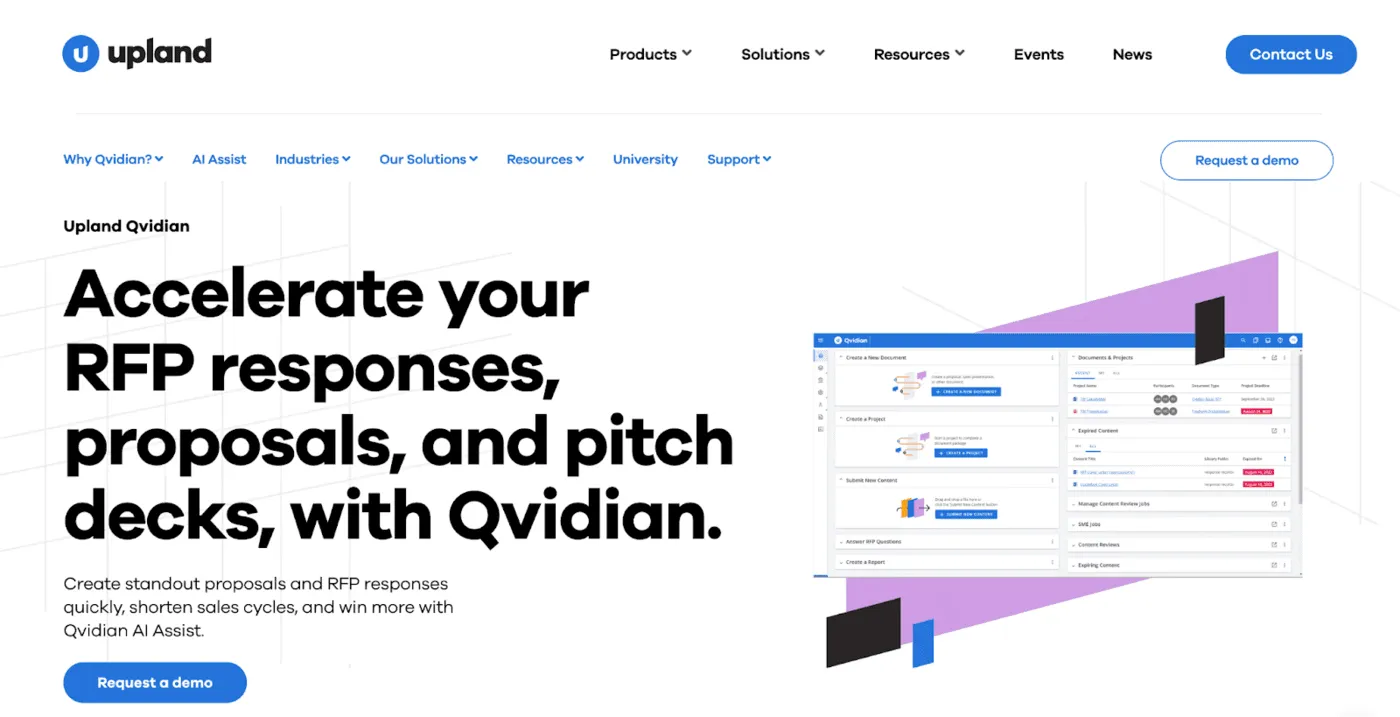
Like Loopio and Responsive, Qvidian is another legacy RFP software. Part of the Upland Software family, Qvidian helps teams manage proposals more efficiently by bringing content management and team collaboration together in one automated platform.
Key Features
Content library: Teams can store all of their approved information in one central library, which is to be used later for response generation. The library features custom folder structures, metadata fields, and tagging systems to make content scannable.
AI Assist: Qvidian uses generative AI to draft responses and rewrite existing content using the content library. It also lets teams set custom rules for tone and language to ensure that every generated response is aligned with the company’s voice.
Qvidian analytics: Teams can use 70+ dashboards to find valuable insights about their content library usage, RFP process, and team productivity. They can also use a drag-and-drop editor to build custom reports better suited for their reporting needs.
Pricing
Qvidian doesn’t disclose its pricing online. You need to reach out to their sales team to get a quote.
Where Qvidian Shines
Affordable pricing: Qvidian’s pricing may not be publicly listed, but its users have reported it to be cost-effective compared to the rest of the list of the best RFP response tools.
Trustworthy platform: Qvidian is GDPR compliant and is SSAE 118 and ISAE 3402 certified, making it a secure choice for companies. It also has a dedicated security team that monitors for any threats.
Where Qvidian Falls Short
Overpromised AI features: Users have reported disappointment when using Qvidian’s AI assist feature as it performs well on simple questions but struggles with complex requests. Increasing the manual effort as a result.
Difficult to use: Qvidian’s clunky workflows and recurring bugs makes it difficult for teams to benefit from its features. No wonder it has been rated eighth easiest to use by G2 in the RFP software category.
Side note: AutoRFP.ai, a Qvidian competitor, has been rated second easiest to use by G2. Users often highlight how intuitive the platform is and how quick the setup was.
Customer Reviews
Raeann J. says, “Being able to have a database full of our most common proposal answers - as well as stats that are most commonly used has been incredibly helpful!”
Lee-Anne A. shares, “Sometimes the features in Qvidian can feel limited in their application. I submit a lot of enhancement requests to increase scope of usability for certain areas. Some of this though I think is that the legacy software was limited.”
Who Qvidian Is Best For
Qvidian is best for marketing teams that prefer platform security over AI efficiency.
7 Additional RFP Tools Worth Checking Out
While the above are the key players, there are a few emerging tools that stand out for specific use cases.
5. Tribble: Best for Distributed Teams
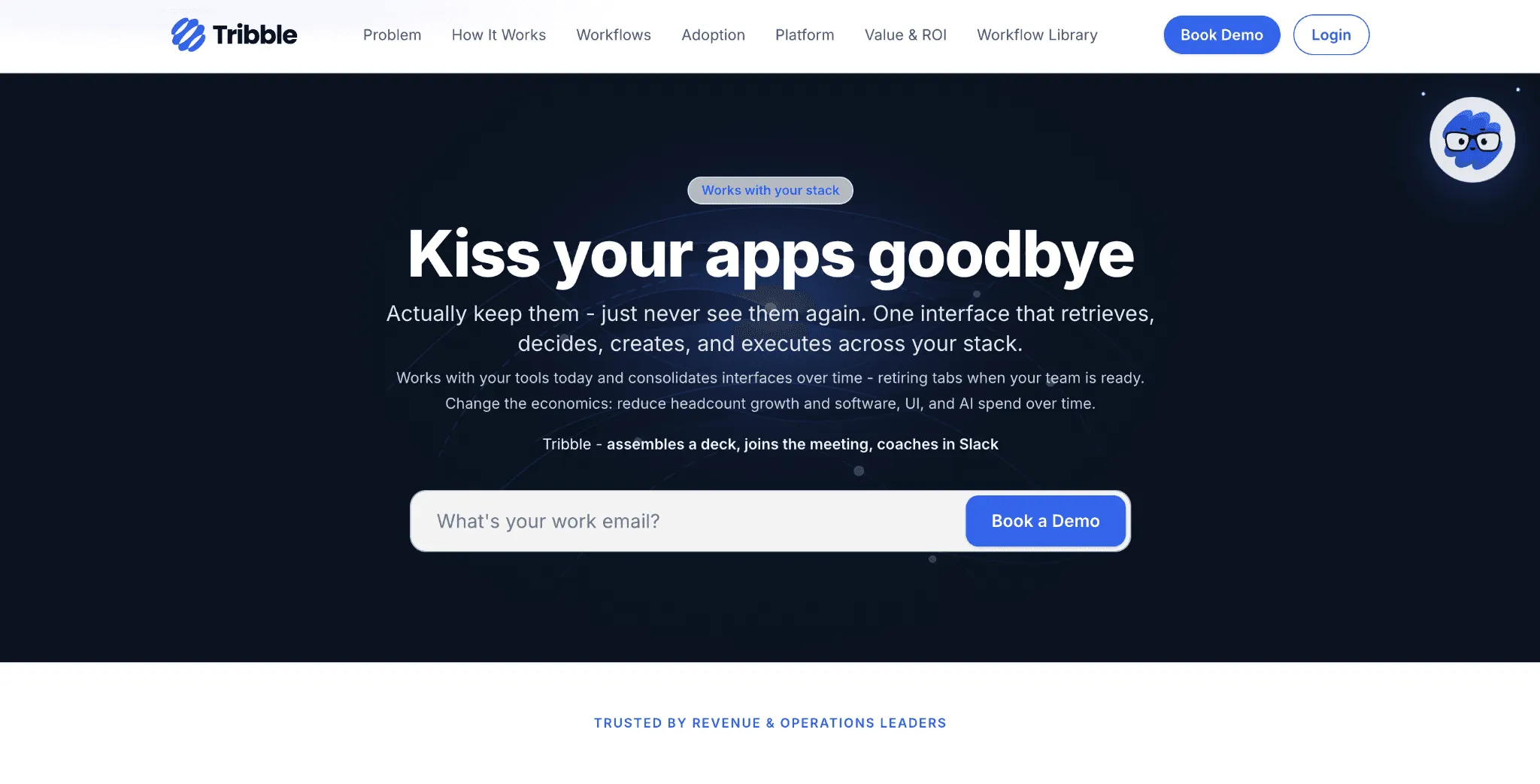
Tribble is an RFP collaboration platform designed for distributed teams working across multiple time zones. It emphasizes real-time collaboration and transparent workflows.
Here are three main features of Tribble:
It imports your RFP in any format and drafts responses with citations pulled from your content.
It routes questions to subject matter experts via Slack (or similar tools).
It gets smarter over time. All edits train Tribble to improve its responses, making each RFP faster and more accurate.
Tribble follows credit-based pricing, not per‑seat costs. It’s best to speak with their sales team for a quote.
6. Arphie: Best for Small-Medium Businesses
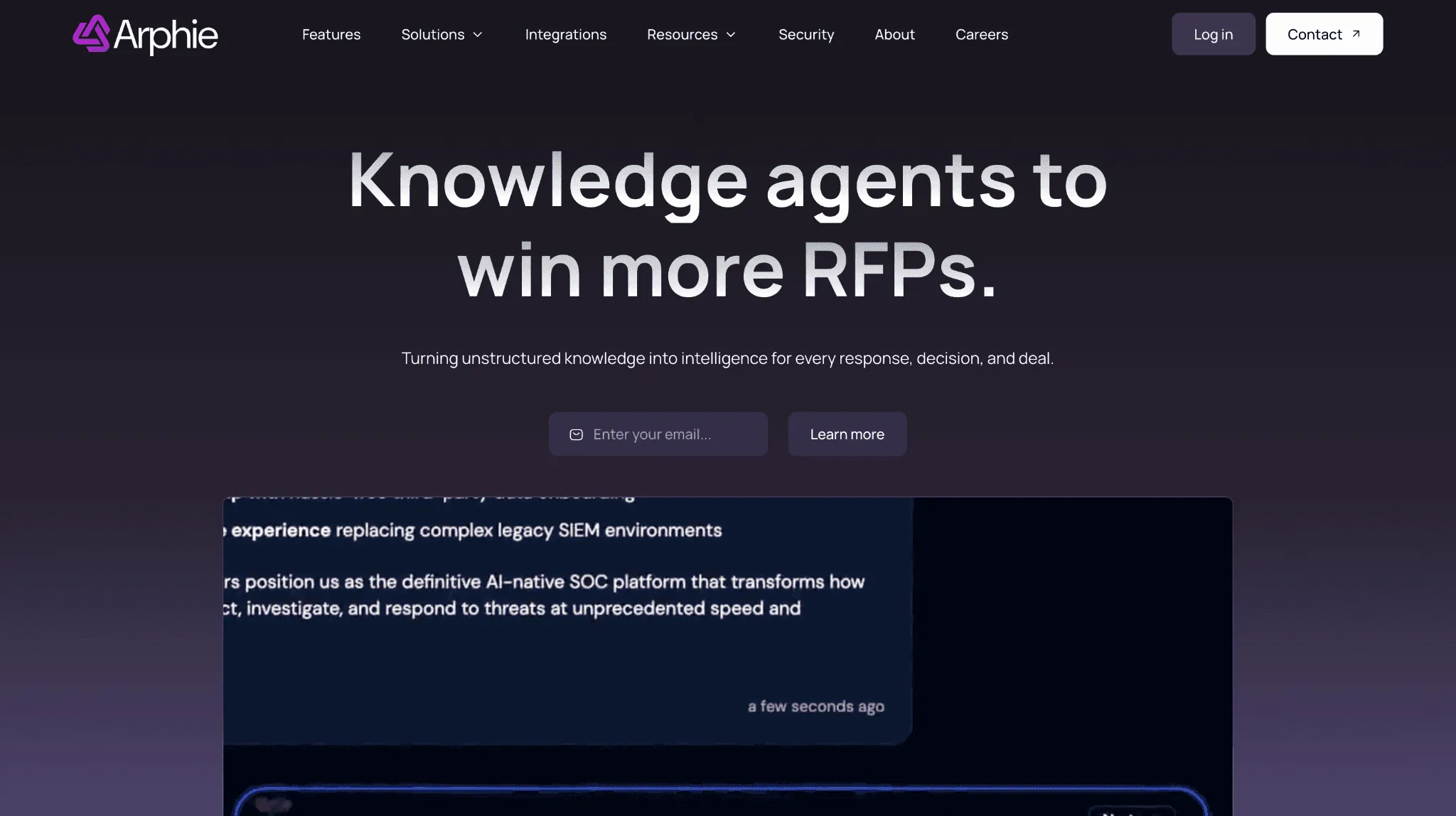
Arphie is an AI-powered platform that helps companies automate their RFP process without the enterprise complexity. It claims to speed up the RFP first draft response time by 80%.
Arphie uses generative AI to create first drafts for RFPs. Each answer is accompanied by source references and confidence scores.
It automatically detects outdated or duplicate content in your content library, lowering the manual work involved with updating knowledge bases.
It offers enterprise-grade security with features like encryption, SSO, and SOC 2 Type 2 compliance.
Arphie’s pricing isn’t publicly listed on its website. You would need to contact their sales team for a quote.
7. 1up: Best for Presales Questionnaire Automation
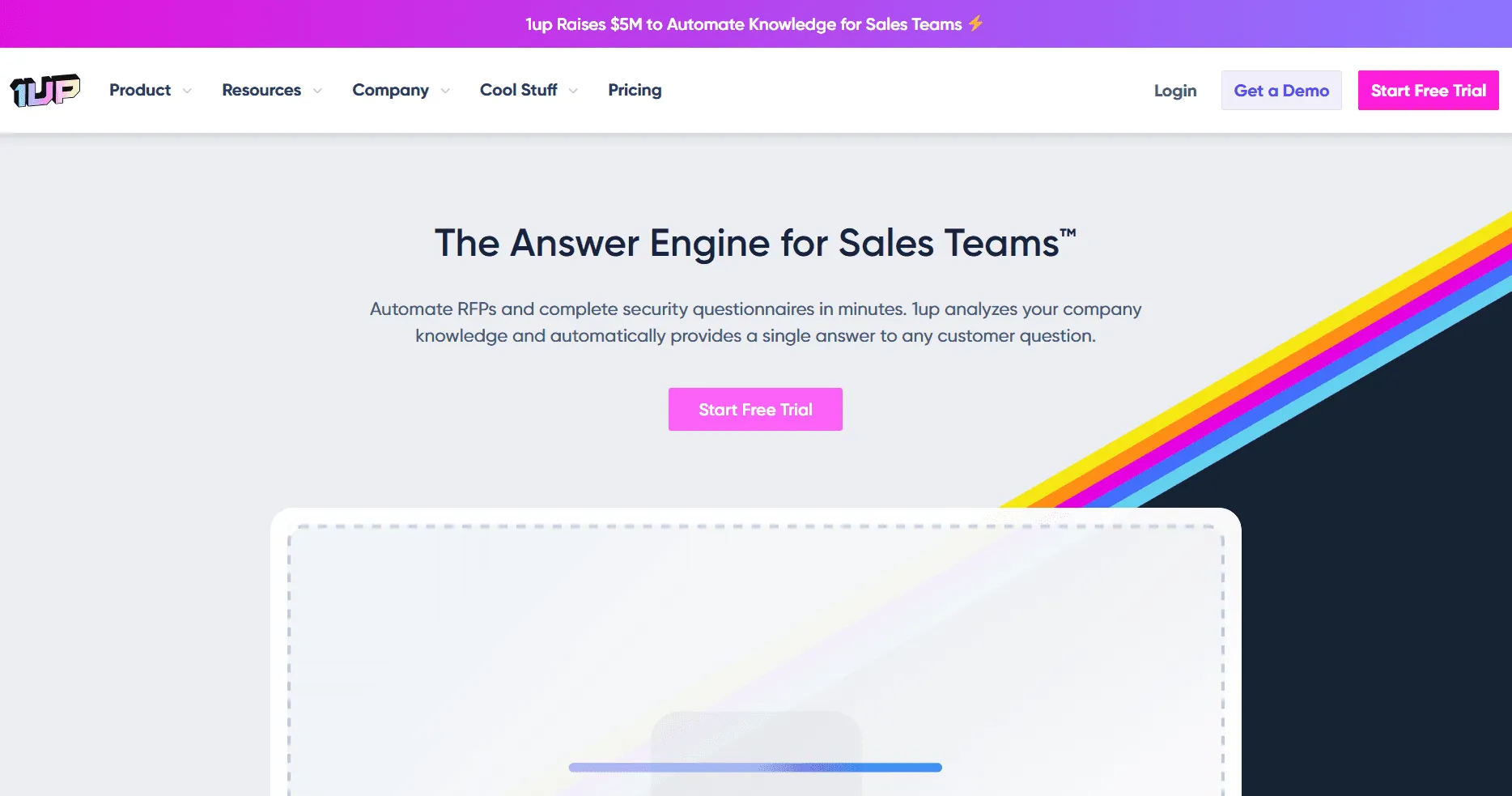
1up is an AI RFP and questionnaire automation tool for sales, presales, and RevOps teams that need faster answers from trusted company knowledge.
AI answers generate responses for RFPs, DDQs, security questionnaires, and customer questions.
Knowledge connectors pull from approved sources, files, and knowledge bases so answers stay grounded.
Sales workflow support helps teams answer questions through Slack, Teams, Google Chat, browser plugins, and Salesforce-connected workflows.
Pricing is publicly listed, with a free plan, Starter at $300/month, Plus at $900/month, and Enterprise available through contact sales.
For a complete look at how these platforms fit into the broader landscape of presales tools, you can explore our comprehensive breakdown.
8. AutogenAI: Best for AI Proposal Writing
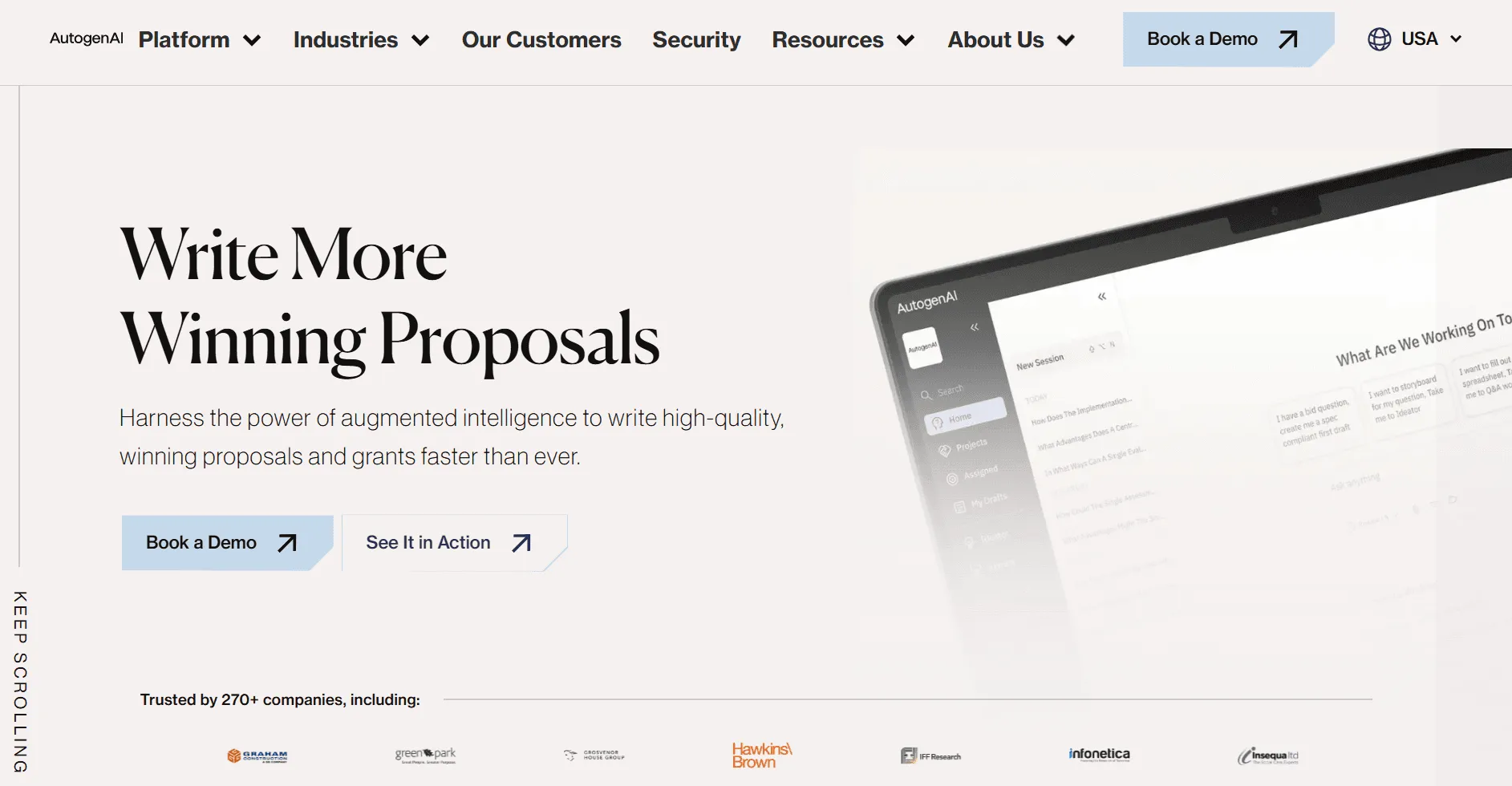
AutogenAI is an AI proposal writing platform for teams that need to create bids, proposals, grants, and tender responses faster.
Qualification tools help teams assess bid opportunities before committing time to a full response.
AI writing support helps generate compliant outlines, proposal responses, and stronger submission drafts.
Review and research tools support validation, improvement, and workflow integration across proposal projects.
Pricing is not publicly listed on its official site, so buyers need to book a demo or contact the team for details.
9. Tendium: Best for Public Sector Tender Discovery
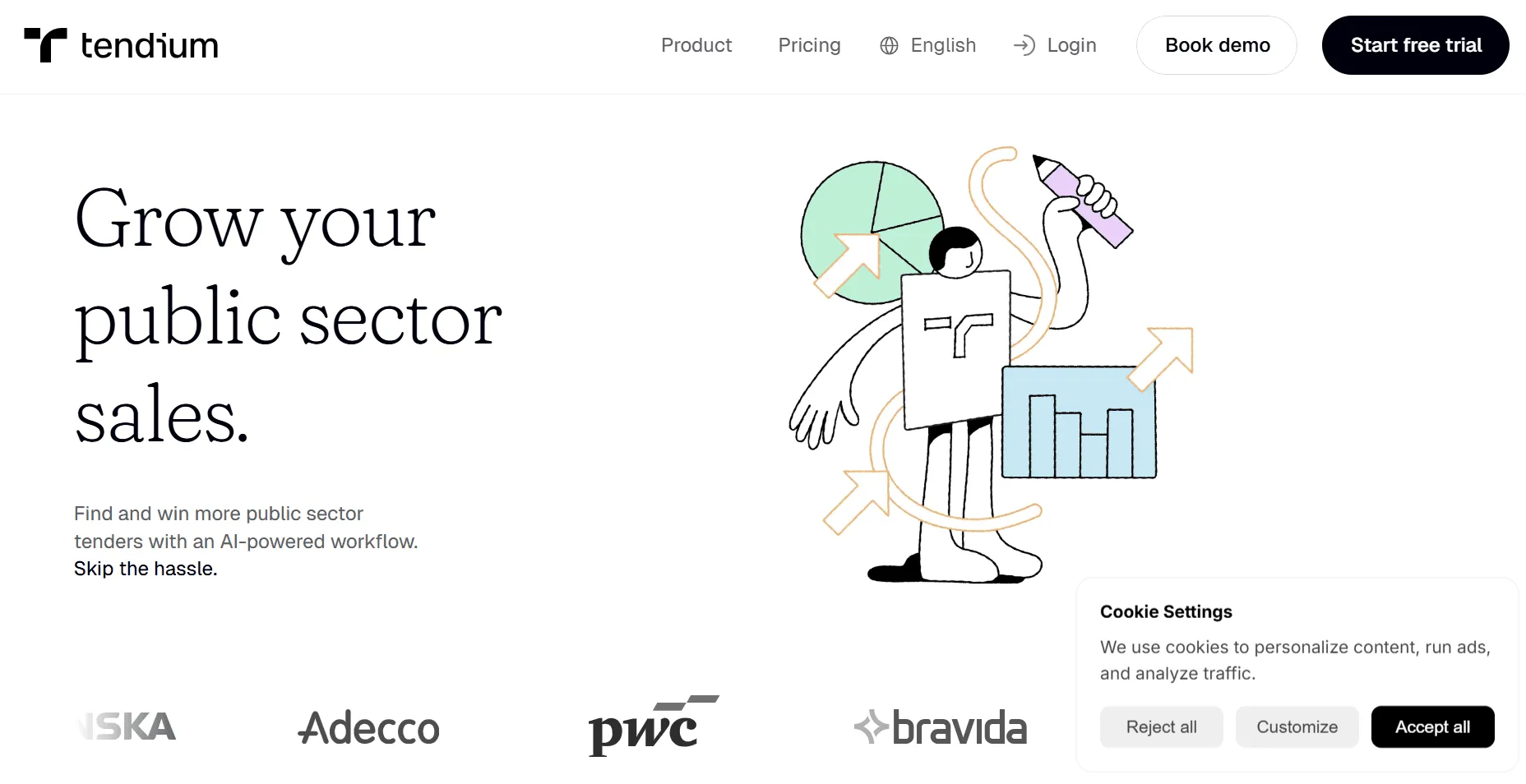
Tendium is an AI-powered platform for teams that want to find, qualify, and manage public sector tenders more efficiently.
Tender discovery helps teams find public sector opportunities they are more likely to win.
Tender monitoring uses smart filters, relevant monitoring, and notifications to surface important opportunities.
B2G pipeline support helps teams qualify tenders, create bids, and manage public sector sales activity.
Pricing is sales-led, with Tendium’s pricing page directing buyers to book a tailored demo.
10. DeepRFP: Best for Lightweight AI RFP Drafting
DeepRFP is an AI RFP software platform for lean proposal teams, consultants, and small businesses that need practical drafting and review support.
RFP analysis helps teams review documents and support bid or no-bid decisions.
Proposal drafting helps teams generate full narrative responses and improve existing drafts.
Compliance support helps create compliance matrices and review proposal responses for gaps.
Pricing starts with the Pro plan at $75/user/month and Elite at $125/user/month, plus a 7-day free trial.
11. XaitPorter: Best for Complex Proposal Co-Authoring
XaitPorter is proposal co-authoring and document automation software for teams creating large, complex RFP responses with multiple contributors.
Real-time co-authoring helps teams work together on large proposal documents with clearer control.
Automated formatting helps keep complex proposals consistent without heavy manual formatting work.
Content and workflow management supports content libraries, templates, version control, tasks, and proposal workflows.
Pricing is not publicly listed, and TrustRadius notes that XaitPorter does not currently show pricing plans.
How to Choose the Right RFP Software

Video transcript
Transcript is auto-generated and may contain minor errors.
Have you ever wanted to know how AI can answer RFPs? That's what I'm going to show you today using the power of AutoRFP.AI and how you can use AI to automate up to 80% of your RFPs. My name is Rob from AutoRFP.AI. Let's jump into it. AutoRFP.AI, we're a software product leveraging the latest models from OpenAI, Anthropic, and Google to automate our customers, whether that's technology companies, finance companies, healthcare businesses in 44 plus countries across the globe automating their RFPs. But, our goal is not just to automate, but to help them win. So, let's look at the RFP response market in 2025. We have our legacy RFP software players.
That's your Responsive.AIs, your Loopios, Qvidians, have been around for, you know, 10 plus years and really brought software to the RFP process in managing your subject matter experts and team members, project management, in having a question and answer bank, and using keyword search to automatically copy and paste answers from your content. Then, you have a lot of really new Silicon Valley based AI RFP software. It seems like every week there's a new AI RFP software. Probably no surprise to you watching this video. AI is a great use case for RFPs. There's a lot of new startups in the space. AutoRFP, we're actually in a nice position having launched 3 years ago before chat GPT released and building
our product since then with hundreds of customers all across the globe from Fortune 500 companies to Silicon Valley tech unicorns using our software every day to automate the mundane. That is what an RFP is, isn't it? It's a bit mundane. What kind of challenges do businesses and team members have when they search for an RFP software? You might be spending like Amanda here, who is one of our customers before she picked up Order RFP, spending a lot of time just answering RFPs. That raw horsepower needed to complete thousands of questions across these large documents, whether it's Word documents, PDFs, Excel spreadsheets, supplier portals like SAP Ariba. Amanda, actually their COO at that company, would spend an entire weekend
just answering an RFP. We've all been there. I have as well. Or you might be like one of our customers, Jason, before he picked up Order RFP, using a lot of time to maintain his legacy RFP software. He had this big content library of questions and answers and constantly was having to spend time just maintaining that, where he was now spending more time stuck in content nightmare land than actually answering RFPs. It was really challenging. Or you might be like one of our customers, Katie, before she picked up Order RFP, was spending a lot of time just trying to version control, wrangle subject matter experts to answer questions, and just the speed of collaboration and project management deadlines was really tough.
So, what AI workflow then automates this entire RFP process? First, people would upload their requirements, those RFP tender documents that you receive from your prospects in any format they come, whether that's PDF, Word, Excel, zip file. Upload all that relevant information into the system, and then it'll begin answering with AI those different responses in 40 plus different languages, whether you receive an RFP in German but write answers in English and have it translate back. It uses your data lake of content and AI to find the relevant information to then automate an RFP response to every single requirement and every single question. Then, once that's done, you have that
highly automated AI first draft, you get your team in there, project manage deadlines, ensure that there's proper oversight on responses from legal, security, pricing, commercials, whoever it is, they're engaging in the product and using it to collaborate and get that winning RFP response. You don't want to just automate, you want to win. And that's where Auto RFP really shines, because as you're writing those winning responses, it just gets better and better over time, constantly learning from your work. Awesome. Let's jump into the product. This is AutoRFP.ai. You can see I have all my different projects. I'm going to create a project. And here is my blank RFP documents. I've got a zip folder that contains three different documents in here. Really interesting what's happening right now is we're using Gemini Flash
2.5 to automatically answer any questions in relation to that document. So for instance, I want to know if data needs to be stored in specific geography and provided my answer there. So it's doing an AI go no go analysis. Then here we have our document. It's got multiple tabs in Excel spreadsheet. Automatically the AI has scanned the entire document and picked up every functional and non-functional requirement, everything that's relevant for my cover letter that I'm going to produce in my PDF. And then this appendix B has some information as well. Then we have our data lake of content in AutoRFP.ai. That might be your web pages, your integrations, 15 plus integrations that AutoRFP can pull in and sync automatically. And the AI is going to use specialized re-ranker models to then ensure that there's the
most relevant answer for that specific question. It's much better than just creating something in ChatGPT. I'm not going to do a translation today, but here I would translate if needed and I create my project. This is where we see the magic really happen. So we have our data lake of information, which is all our content from our business, the context, past RFP responses, and then we have the AI sourcing the relevant information, then the AI from that information drafts relevant answers, and we have multiple LLMs that then ensure that answer is the best it can be for that response in the entire context of our business and the entire context of the RFP. You can see that it's quickly answering those different RFPs. We can jump to different sections and see cool, RFP workflow, it's answered. Oh, there's a
few questions there that have a lower trust score. Let's jump into to understand why. So, that content there is relevant to the search query, but it's 7 months old. I want to make sure that a person reviews and actually submits a new answer for that. So, everything in my RFP workflow, I'm going to then assign George to be the editor for that response. George will be at receive a notification in Slack, in Microsoft Teams, or via email. George will be able to jump in, answer those, and then submit them for my review. So, that's how I collaborate seamlessly across OrderRFP.ai. Then, across my trust scores, I want to look down and find those that are still generating and any that are at lower trust scores, and again, further answer those questions and assign to different team members as relevant. We've got our drop-downs that are in the RFP were automatically assigned by the AI depending on the answer. Our
responses automatically generate and bring across tables, so I have my service level agreement, my SLA here, answered in a table and generated into the response. Images that you might have in your RFP response will also come through automatically with your content with the AI generating as well. I want to jump over to my project overview. I understand when this project is due, what the AI draft rate was, what my compliance levels are, who is involved in this RFP process, how many do they have to review, do I need to send any reminders? If I want to add any attachments to include in my submission. So, I'm going to uh include my ROI report, my integrating with Notion doc, and all the different information that I want to include in that submission, I can do so. Then I have my AI assistant. So, in
answering these responses, I can prompt and write custom prompts to improve that response. I can use my quick writing actions to fix up any spelling or grammar, check for inconsistencies, and so on. I can find and search with my AI semantic search to find any relevant content and use those answers as well. Then I can improve that response. Then in my comments, I can discuss with my team. Please review this specific part. So, then I can comment and collaborate with my team. Once I have my edited response from the AI, I can accept and see where those revisions are, and quickly accept that new response. I have a full audit trail of any AI actions as well as people actions over my responses. I can restore to previous versions. So, you never have a collaboration and versioning issue.
Everyone, multiple people at once, are working in OrderRFP. And then what I think's one of the coolest things is the AI assistant. With the relevant content and context, I can just chat to the AI regarding my business, regarding this RFP, regarding these requirements, and it can provide answers to help me improve my responses as I work through the RFP. Next, I'm going to approve all my responses because this one is ready to submit. So, now all I have to do is export that RFP. Now, all I have to do is export that RFP. So, I click export all and the power of AutoRFP and the AI involved here, I'm not fiddling around with those original source documents, inserting or copy and pasting answers. Instead, it is
automatically populating those answers in there. We've downloaded our files in those original format with AI having answered and automated our RFP process. I'm going to jump into We have two things here. We've got our customer files, which are the original documents that required answers, and we can jump in here and see all those answers and where they've gone. So, across my multiple tabs, we have all of my responses and the drop-down that's come through for every one of those responses with me not having to do a single thing, and then I'm ready to submit that Excel spreadsheet with those requirements. I've got my docx as well with the relevant information filled out, and one of the coolest thing is I have my cover letter or my proposal that I can include in that pro- process, and this includes all
relevant information and additional information on my RFP response. So, my export template that I created in Word doc and uploaded to AutoRFP as a template, the AI has then automatically generated answers and responses for my executive summary, for my transmittal letter, and for everything that I want to upload additionally, whether it's a solution overview, whether it's more information about our AI security and privacy, and all that information has come through, and the AI has filled this out. For instance, there's my SLA table that we saw the AI generate earlier, and it's filled that information out ready for me to then submit and add, includes any images like reviews across Gartner, and all that information has come through ready to export to the customer. And that's the end-to-end workflow of
AutoRFP.ai, from uploading my blank RFP, leveraging my data lake of organizational context and past RFP answers, for the AI then to automatically generate and respond to and automate the RFP process, to collaborating with team members across the entire RFP process, and then exporting to the original customer format and submitting my RFP. There's one really important thing I want to make sure to convey when you're thinking about AI and RFP software. And that is what might be the boring, but incredibly important security, privacy, and transparency. At AutoRFP.ai, we pride ourselves on getting security, privacy, and transparency right from day one.
Our customers, as I mentioned, in over 44 plus countries, hundreds of businesses from Fortune 500 to Silicon Valley unicorns using AutoRFP daily, have global hosting options across the US, across Europe in Germany, and in Australia for APAC. Everywhere we have global offices, an office in Vancouver, in Stockholm in Sweden, in Brisbane, Australia, providing 24 six support across the globe. There is zero training, and I want to make sure this is absolutely clear, zero training on customer data for models. We are not sending any customer data back to the OpenAIs, the Anthropic's, or the Google's of the world. Your data, customer data, is your data. The outputs that the AI generates is clearly stated
in our service agreement that those are your outputs. You control this data. It's not AutoRFP. We're not secretly building some sort of AI model ourselves for based off customer data. We're not secretly trying to hurt our customers in the long term. We build for our customers. AutoRFP is a bootstrap company, profitable, growing 15% month-on-month, headcount doubling every six months across the demand we have for our solution, and we build it for you, for our for our customers. We don't build it for venture capital to one day uh try to sell the company. We don't build it for private equity that are trying to lay off and you know, squeeze every penny from the business. We do it for our customers. That's why we built. And you can find out all that
information in our trust center and our legal center as well. If you're interested in jumping on long and learning more about AutoRFP.ai, head over to our website. We've got a lot of information there about the business, uh the product, about our pricing as well. Uh you've got our annual plans across scale, accelerate, and enterprise. We have customers with as little as 24 projects a year, so 24 RFPs a year, to as much as over 1,000 RFPs done every year. The scale uh all the way in between. You can book a demo and spend time with our team, and they can provide a much more uh You can spend time with our team, and they can provide You can spend with time with our team, and they can provide a much more detailed breakdown and a customized demo for you and your business about AutoRFP. So, head over to AutoRFP.ai today and learn more about it. Thanks. See you.
So, head over to AutoRFP today. That I'm Rob from AutoRFP.ai, and we just covered off AI and how to automate your RFP process with AutoRFP.ai.
Budget matters, but it should not be the only reason you choose an RFP software platform. The right tool should help your team produce accurate responses faster, collaborate across departments, protect sensitive information, and prove measurable ROI over time. Consider the factors below to ensure the platform you end up choosing is built for your needs.
1. Accurate, On-Brand Responses
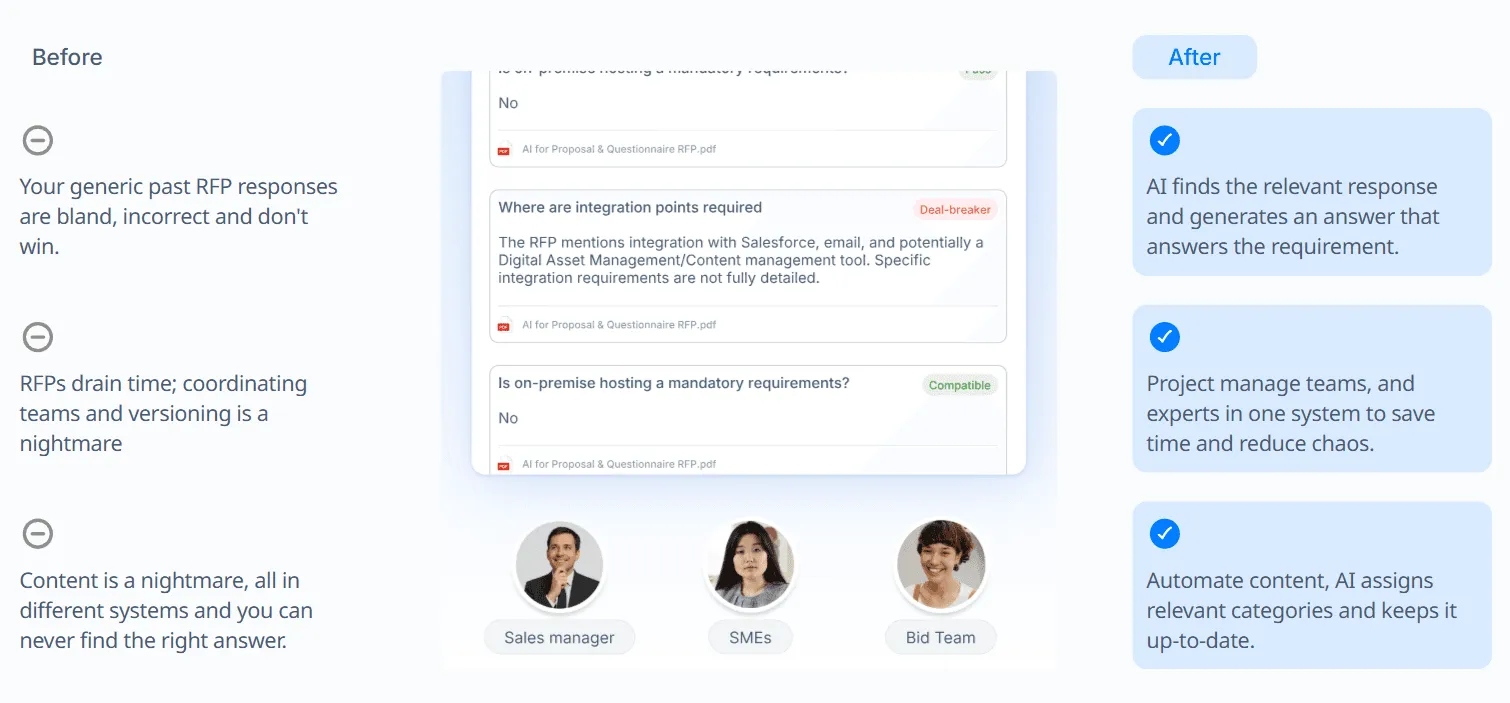
Any RFP response tool can generate answers, but not every tool can produce accurate responses that reflect your approved content, customer context, and brand voice. If your team still has to rewrite most AI-generated answers, the software may save less time than expected.
Choose a platform that pulls from your content library, past winning responses, and approved company language. This helps your team spend less time fixing generic answers and more time improving strategy, pricing, compliance, and win themes.
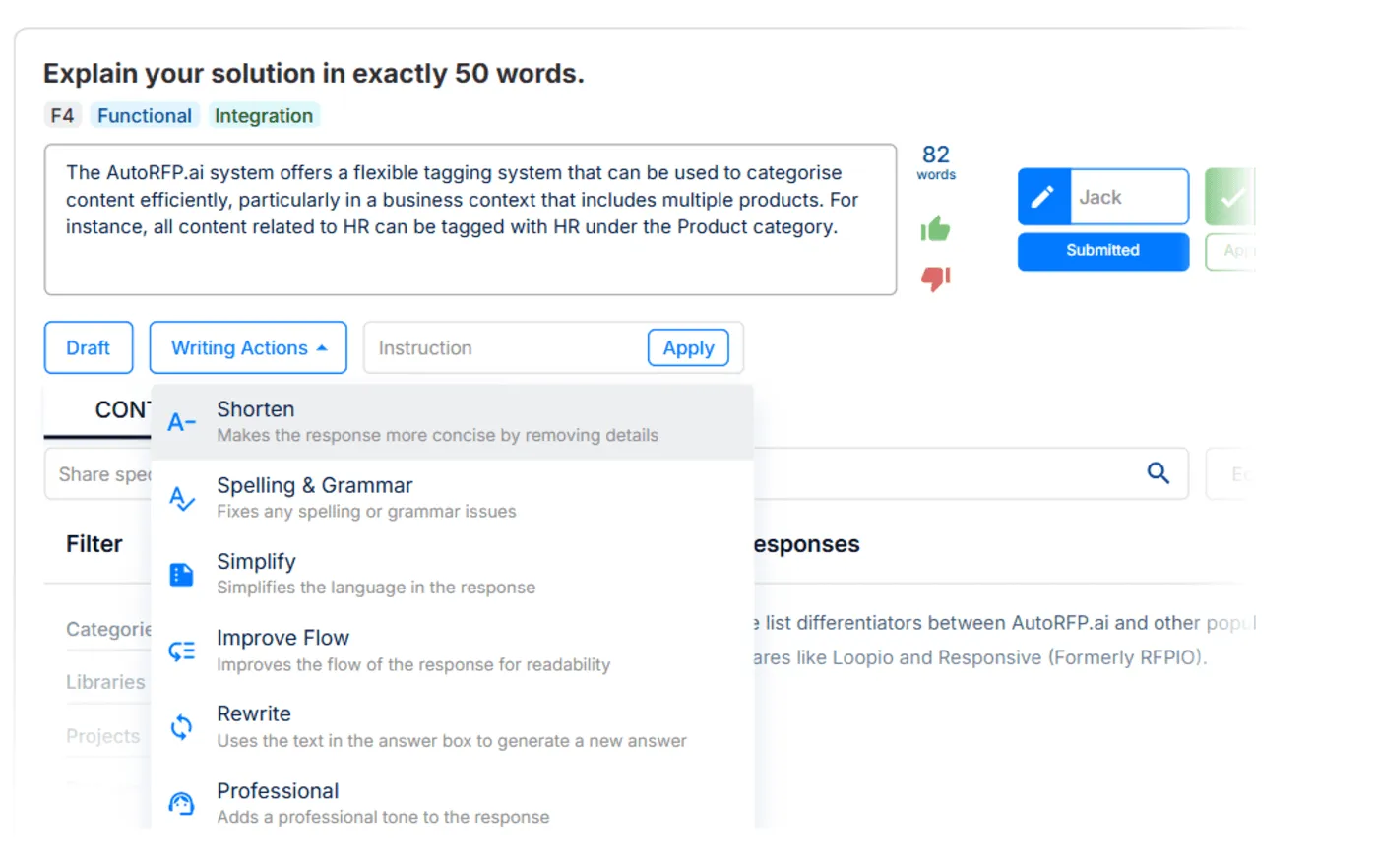
AutoRFP.ai supports this through AI-generated responses based on your content library and past wins. It also includes one-click AI edits, so users can shorten, simplify, rewrite, or polish responses before submission.
2. Volume and Complexity of RFPs
Your RFP volume should guide the type of software you choose. If your team handles a high number of similar RFPs, AI-driven automation can save significant time by reducing repetitive manual work.
For complex, highly customized RFPs, collaboration becomes just as important as automation. You need a platform where sales, security, legal, product, and subject matter experts can review sections quickly without slowing down the entire response process.
Side note: AutoRFP.ai is a strong fit for both needs. It has proven useful for high-volume RFP teams, with 63% of its AI-generated answers requiring no edits. For complex RFPs, its unlimited users model makes it easier to bring the right people into the workflow without adding seat-based costs.
3. Integration Requirements
The best RFP software should fit into your existing tech stack. Before choosing a platform, check whether it connects with your CRM, document management system, knowledge base, help center, and communication tools.
Native integrations with tools like CRM systems, Google Drive, SharePoint, and internal knowledge bases can make RFP response workflows much easier to manage. They help teams access approved content without constantly switching tools or manually uploading the same documents.
Side note: AutoRFP.ai offers integrations with CRMs, knowledge bases, help centers, file storage, and communication platforms. This makes it easier for teams to connect their existing content sources and keep responses grounded in approved information.
4. Security and Compliance Needs
RFPs often include sensitive company, customer, legal, security, and pricing information. If your organization operates in a regulated industry, security should be a major factor in your software decision.
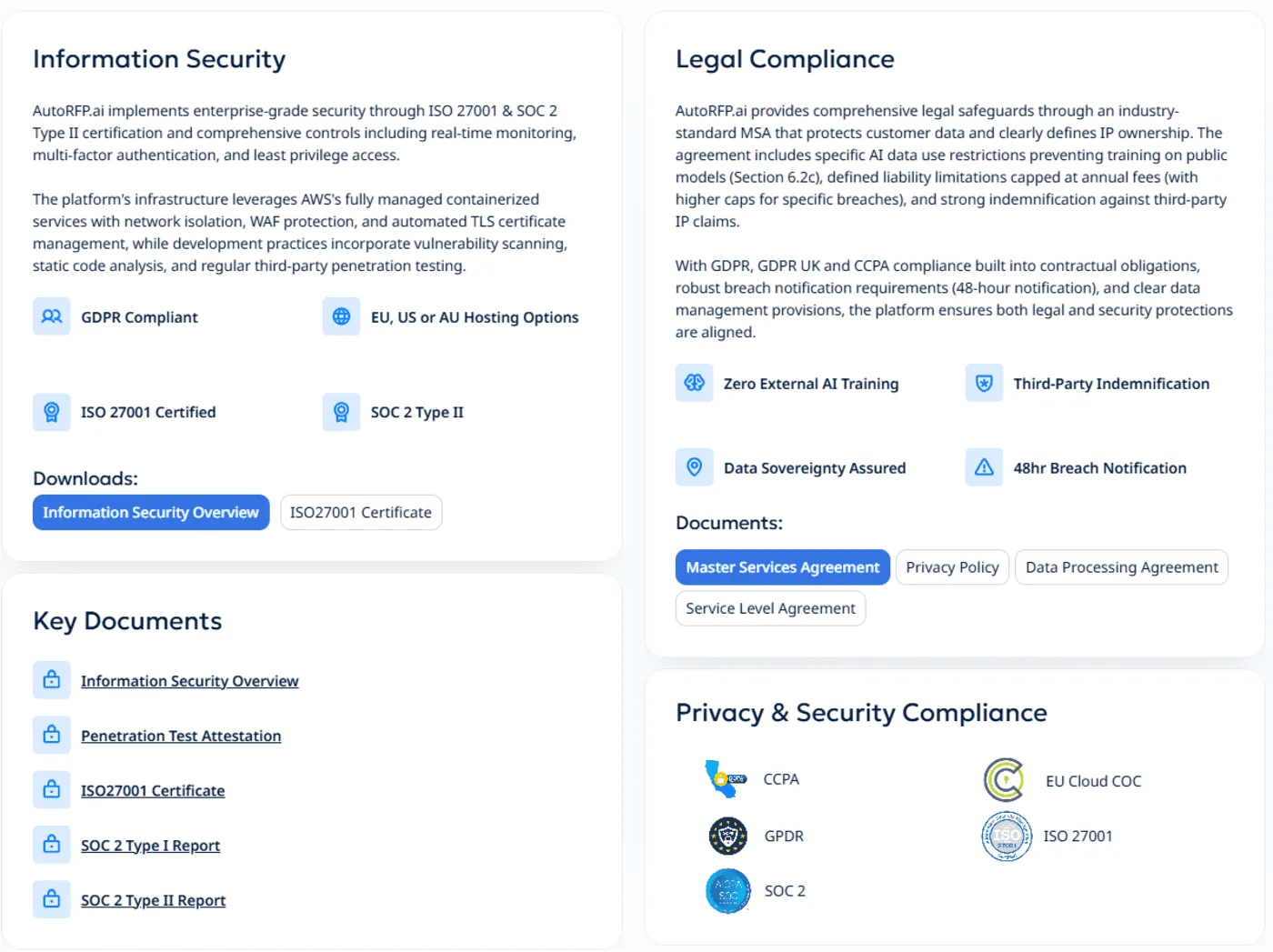
Look for platforms with recognized security credentials, clear data handling policies, and strong enterprise controls. Certifications such as ISO 27001 and SOC 2 can help show that the vendor takes information security seriously.
AutoRFP.ai is ISO 27001 and SOC 2 certified. Customer data is not used to train public machine-learning models, and information is only used at runtime. The platform also supports data sovereignty commitments and 48-hour breach notification.
5. Pricing Model
Pricing can affect adoption more than teams expect. A tool may look affordable at first, but costs can rise quickly if every reviewer, stakeholder, or subject matter expert needs a paid seat.
If your RFP process depends on collaboration across multiple departments, unlimited users or project-based pricing may offer stronger value. This lets the full team contribute without forcing you to limit access.
The below table can help you decide which pricing model is ideal for your business.
| Pricing Model | Example Range | Best For | Pros | Cons |
|---|---|---|---|---|
| Per-Seat (Legacy) | $150-400/user/month | Small teams | Simple budgeting | Limits value from platform and collaboration |
| Per-Project (Usage-based) | $100-300/project | Teams winning RFPs | Only pay more when you get more RFPs | Budget to increased volume |
| Hybrid | Base + usage tiers | Growing organizations | Flexibility | Multi-tiered complexity |
| Per-Credit (Usage-based) | $X per ‘credit’ | Limited usage and small RFP size | Tied to vendor’s cost base | High variability, you can’t control size of RFPs you receive |
| Per Add-on | $XXX per feature or ‘add-on’ | Limited scope | Limits you to a set of features | Growing cost as vendor brings out new features |
Side note: AutoRFP.ai provides stronger value for collaborative teams. Every plan includes unlimited users, so entire teams can work together seamlessly. Its pay-per-outcome model ensures you only pay when your RFP submissions succeed.
6. Automation and ROI Reporting
Your RFP software should not only help your team work faster. It should also show whether automation is actually improving performance.
Your CFO may want ROI numbers before renewal. Your VP may want proof that AI is saving time. Your proposal team may want to know where automation is freeing them from repetitive work, so they can focus on stronger responses.
AutoRFP.ai tracks automation rates, cost savings, and team efficiency across completed projects. It helps teams see which projects required the most manual work, how AI supports top writers, and where the software is creating measurable value.
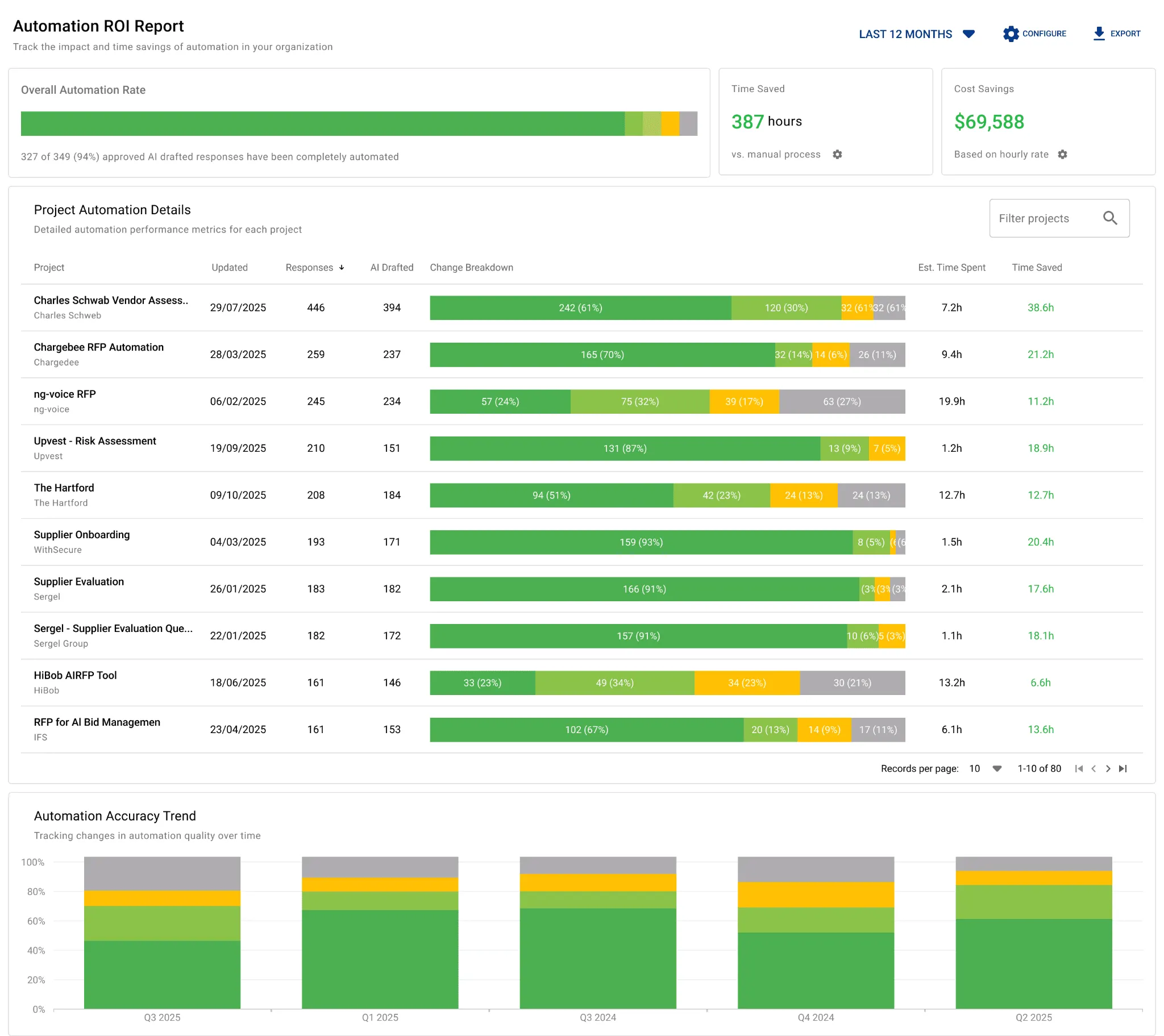
Why it works:
It calculates ROI based on approved responses.
It breaks work down by automation level, including Perfect Match, Minor Edits, Major Edits, and Manual.
It shows quarterly trends in AI effectiveness.
It filters by time period to support renewal, budgeting, and leadership reporting.
7. Compliance Gap Visibility
The right RFP software should also help you understand where your team is losing deals. If the same requirements keep appearing across RFPs and your team keeps marking them as non-compliant or partially compliant, that is a strategic gap worth fixing.
Without reporting, these patterns often stay hidden inside old spreadsheets, documents, or individual projects. A stronger platform should show which requirements create the most friction, how often they appear, and what deal value they affect.
AutoRFP.ai helps teams see compliance patterns across all RFPs. It tracks non-compliant, partially compliant, and exceeds responses automatically, then groups them by requirement type such as security, hosting, compliance, and product features.
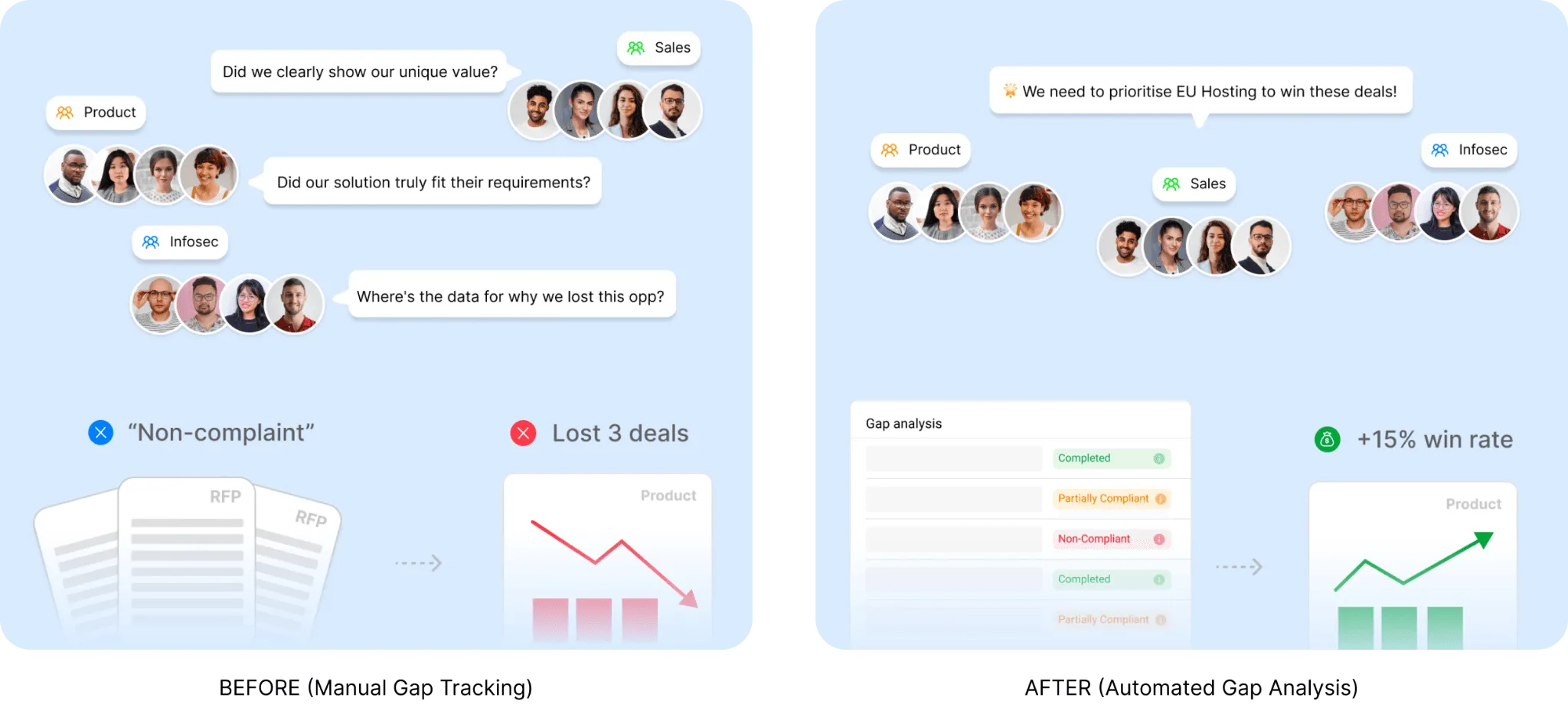
Why it works:
It tracks compliance results across every completed RFP.
It groups recurring gaps by requirement category.
It shows frequency, affected deal value, and trends over time.
It exports data to CSV for leadership discussions and strategic planning.
Benefits of Using an RFP Software
Responding manually to RFPs is time-consuming and error prone. Using a specialized software improves RFP responses and speeds up the process.
Consistent and Accurate Responses
RFP software centralizes approved content in one library, making it easier for teams to respond with accurate and up-to-date information. Instead of searching through old documents, emails, or spreadsheets, users can pull from a single source of truth.
This improves consistency across every proposal and reduces the risk of outdated claims, compliance errors, or conflicting answers. For regulated industries, that consistency is especially important because even small mistakes can create legal, security, or reputational risks.
An updated content library also shortens review cycles. When reviewers trust the accuracy of the content, they spend less time correcting basic information and more time improving the quality of the final response.
Improved Team Productivity
AI automation in RFP management reduces the repetitive work that teams usually handle manually. This includes searching for answers, copying previous responses, formatting documents, and chasing updates from different stakeholders.
By removing these time-consuming tasks, proposal teams can focus more on strategy, win themes, customer pain points, and response quality. This makes the team more productive without forcing them to work longer hours.
Modern RFP software also improves collaboration by keeping tasks, comments, approvals, and deadlines in one place. Instead of relying on long email threads or constant follow-ups with subject matter experts, teams can manage the response process more clearly and efficiently.
Increased win rates
When teams uses AI to automate manual tasks and standardize the RFP process, they can respond faster and with stronger submissions. In fact, 65% of top-performing teams use AI proposal technology.
A structured workflow helps reduce last-minute work, missed requirements, and inconsistent messaging.
With more time saved, teams can focus on tailoring each response to the client’s needs, industry, goals, and pain points. This makes the proposal feel more relevant and persuasive instead of sounding like a generic template.
Many RFP platforms also include go/no-go evaluation features. These help teams decide which bids are worth pursuing, so they can focus their time on opportunities with the strongest chance of success. This can improve both win rates and team efficiency.
Gives Teams More Time for Strategy
RFP software does not remove the need for customization, customer understanding, or strategic thinking. It removes repetitive work that slows teams down.
When teams spend less time searching, copying, and rewriting basic content, they can focus more on win themes, customer priorities, and stronger positioning. That is where proposal quality usually improves.
_“In working with over 200 companies moving to an AI First Approach, we’ve learned that the real advantage isn’t simply automating content. It’s what teams do with the time they get back. The winners use it to invest in their processes and provide more insightful responses” _– Jasper Cooper, Co-Founder and CEO of AutoRFP.ai
Helps Teams Capture Customer Insight Earlier
Strong RFP responses are not built from reusable content alone. Teams also need to understand the customer, the competition, the buying criteria, and the reason their solution is the best fit.
RFP software can help centralize customer notes, past interactions, win themes, and capture inputs. This makes it easier to connect approved content with the specific context of each opportunity.
Improves Governance and Qualification
Not every RFP is worth pursuing. Without a clear qualification process, teams can waste time on low-fit opportunities and overload already stretched proposal resources.
RFP software helps teams enforce Go/No-Go decisions, assign owners, track review stages, and manage approvals. This creates better visibility and reduces the risk of rushed, poorly governed submissions.
Helps Teams Scale Volume Without Losing Quality
More RFPs do not automatically mean more wins. If volume grows faster than team capacity, response quality can drop quickly.
RFP software helps teams manage higher volume with more control. With reusable content, clearer ownership, automated workflows, and better visibility, teams can respond to more opportunities without relying on last-minute heroics.
Start Automating Your RFP Bids Today with AutoRFP.ai
Choosing the right RFP software is a significant decision that can transform your proposal process. The ideal platform balances powerful features with usability, offering tangible efficiency gains without overwhelming complexity.
Teams with established processes and complex content management needs might find traditional leaders like Loopio or Responsive.io suitable.
For organizations prioritizing cutting-edge AI capabilities and ease of use, newer platforms like AutoRFP.ai offer compelling advantages.
AutoRFP.ai offers a 30-day money-back guarantee, so you can test its AI-driven efficiencies yourself. Book Demo today to increase your proposal win rates.
Frequently asked questions
How can teams produce high-quality RFP responses without increasing workload?
Teams can maintain quality while easing the burden by putting a repeatable process and smart tools in place. Start by building a central library of approved answers, case studies and compliance language so contributors aren’t rewriting the same content. Use a go/no‑go framework to qualify opportunities and focus resources on proposals with the highest win potential. Clearly document each phase of the process and assign roles such as an RFP manager, subject‑matter experts, writers/editors and reviewers to prevent duplicated effort.
How does AutoRFP.ai’s library 'self-build' and categorize new responses?
When a response is approved in an active RFP project, AutoRFP.ai's AI automatically categorizes and tags it based on its content and context before adding it to the library. This 'self-building' capability means your library grows and organizes itself organically as your team completes more RFPs.
Can I use Go/No-Go analysis for Security Questionnaires as well as RFPs?
Absolutely. The Go/No-Go analysis works across various document types, including RFPs, DDQs, and Security Questionnaires. It can quickly scan for 'deal-breaker' security requirements, such as specific encryption standards or data residency rules, before your security team spends hours on a detailed response.
Why is 'app fatigue' a major problem for modern proposal teams?
App fatigue occurs when teams have to constantly switch between dozens of different tools like shared drives, wikis, and CRMs to find information. This fragmented workflow is a major productivity drain and increases the risk of using outdated or inconsistent data in RFP responses.
How does AutoRFP.ai’s platform help me identify 'at-risk' projects before they miss a deadline?
The real-time dashboard flags projects that are falling behind their expected completion velocity based on the due date and remaining question count. This early warning system allows bid managers to reallocate resources and resolve issues before they become critical.
How does AutoRFP.ai calculate the revenue impact of specific product gaps?
The platform aggregates the deal value of every RFP where you've marked a specific requirement as 'non-compliant' or 'partially compliant.' This allows you to see the total 'stalled pipeline' or 'lost revenue' associated with each gap, providing a clear financial justification for product improvements.
Why is it so difficult for teams to prove the 'real-world' value of AI tools to leadership?
Without automated tracking, proving AI value often relies on anecdotal 'feeling' or manually compiled spreadsheets that are prone to error. Leadership needs quantified, objective data on time and cost savings to justify continued investment in new technology.
