
Best Security Questionnaire Software 2026: Complete Buyer's Guide
Comprehensive guide to choosing security questionnaire software in 2025. Compare AI-powered automation tools, implementation strategies, and ROI analysis for streamlined vendor risk management.

Robert Dickson
RevOps Manager, AutoRFP.ai··6 min read
You know that sinking feeling when a customer sends over a 300-question security questionnaire with just 10-14 days to respond.
Ten days later, you’re knee-deep in spreadsheets, half your team’s still waiting on inputs, and the deadline’s closing in.
When you finally hit “submit,” your team’s drained, and you’re still unsure if something slipped through.
Security questionnaires were meant to build trust, but for most teams, they’ve become a time drain and a constant source of stress. However, the right security questionnaire software automates responses and provides accurate answers instantly, rather than waiting days.
In this article, you’ll learn how to choose the right security questionnaire automation software and how to roll it out successfully. We’ll also cover how automation helps you cut repetitive work, stay consistent across responses, and meet client deadlines with ease.
What is Security Questionnaire Automation Software?
Security questionnaire automation software is an AI-powered tool that automates how vendors respond to clients’ security questionnaires, making the process faster and more accurate. Selecting a dedicated AI agent for security questionnaire automation allows teams to scale this process effortlessly.
Instead of manually copying answers from past documents or scrambling for approvals, these tools help your team automate repetitive steps, centralize information, and speed up the entire response process, ensuring your responses are always current and compliant.
They make it easier to:
Auto-fill responses using AI trained on your approved documentation.
Maintain a single content library where verified answers and policies are stored.
Collaborate in real time across security, legal, and compliance teams.
Ensure consistency and accuracy when responding to multiple clients or partners.
What used to take days of back-and-forth emails now becomes a structured and automated workflow that saves hours while improving response quality.
Key Features to Look for in Security Questionnaire Response Tools
Here are some key features to consider when evaluating security questionnaire tools for efficiency, collaboration, and compliance:
AI-Powered Response Generation
The best security questionnaire software can analyze complex security questions and generate contextually appropriate responses that align with your organization’s specific security posture.
This capability can reduce response time from days to hours while maintaining accuracy and consistency.
Leading platforms today achieve this using generative AI that drafts responses based on your organization’s existing security documentation, policies, and previous questionnaire completions.
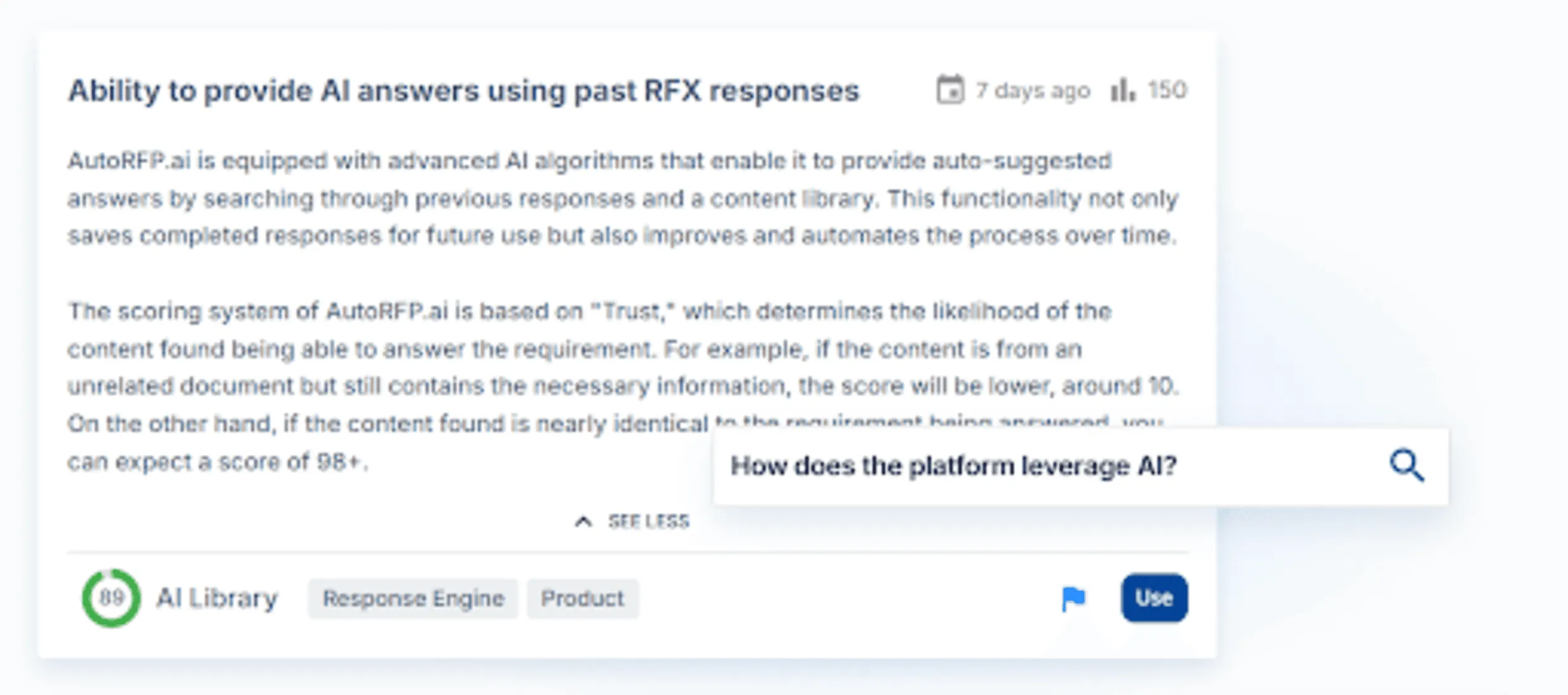
Side note: Advanced AI RFP software like AutoRFP.ai understand context based on meaning, beyond simple keyword matching, unlike older RFP software such as Loopio, for more nuanced and appropriate responses, reducing the need for manual editing.
Centralized Content Management
Every strong security questionnaire tool needs a single source of truth for all your approved responses, documents, and compliance records. A centralized library keeps everything organized so your infosec team can respond faster and stay consistent across every client questionnaire.
When new questionnaires come in, the system automatically suggests accurate, pre-approved answers based on your past responses. This not only saves time but also prevents conflicting details as your policies evolve.
Pro tip: Look for platforms with features like automatic content updates, version control, and role-based access to keep your information current and secure.
Collaboration and Workflow Management
Security questionnaire completion typically involves multiple stakeholders across IT, legal, compliance, and security teams. Proven security questionnaire automation tools offer structured workflows that automatically route questions to the relevant subject matter experts, enabling them to review and approve responses while maintaining visibility into progress and deadlines.
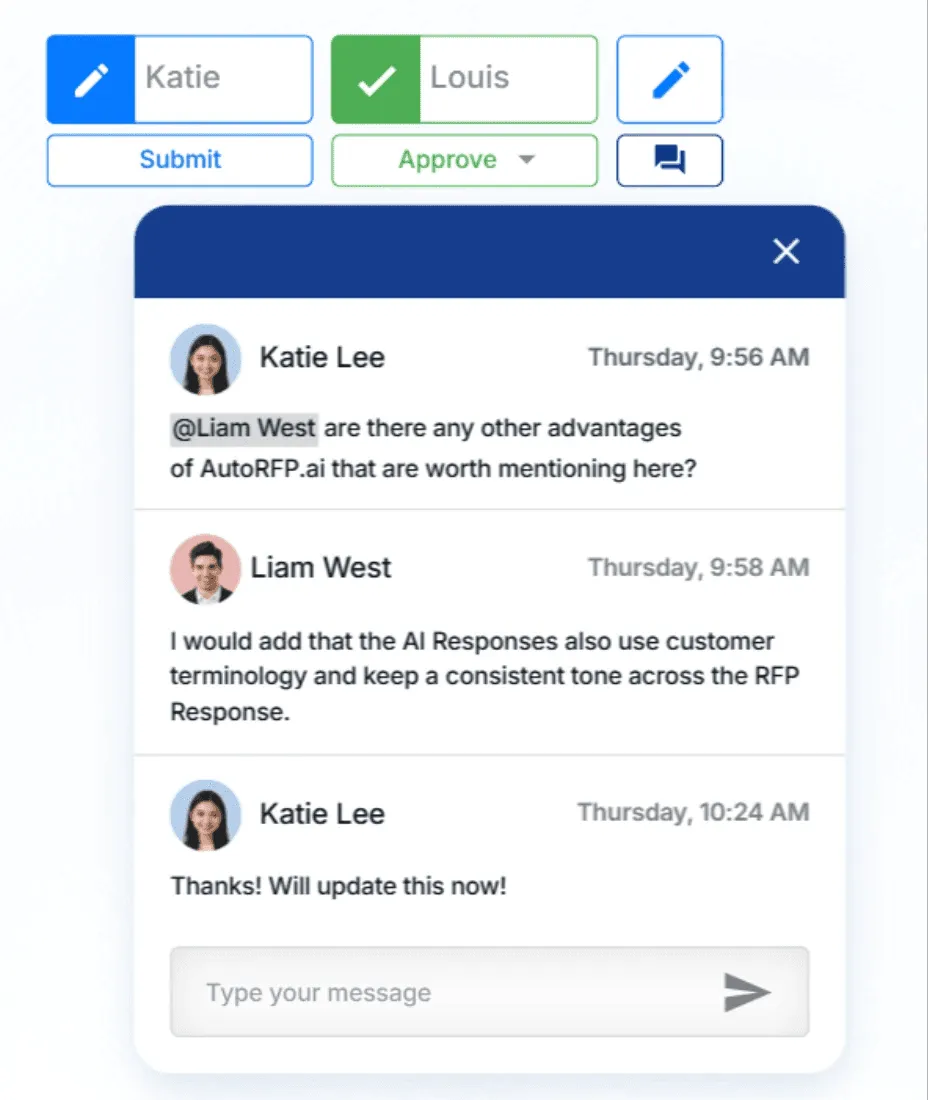
Pro tip: Opt for tools with dashboards, such as AutoRFP.ai, that display question status (e.g., submitted, approved) for enhanced team visibility.
Intake of Various Formats and Integration with Online Portals
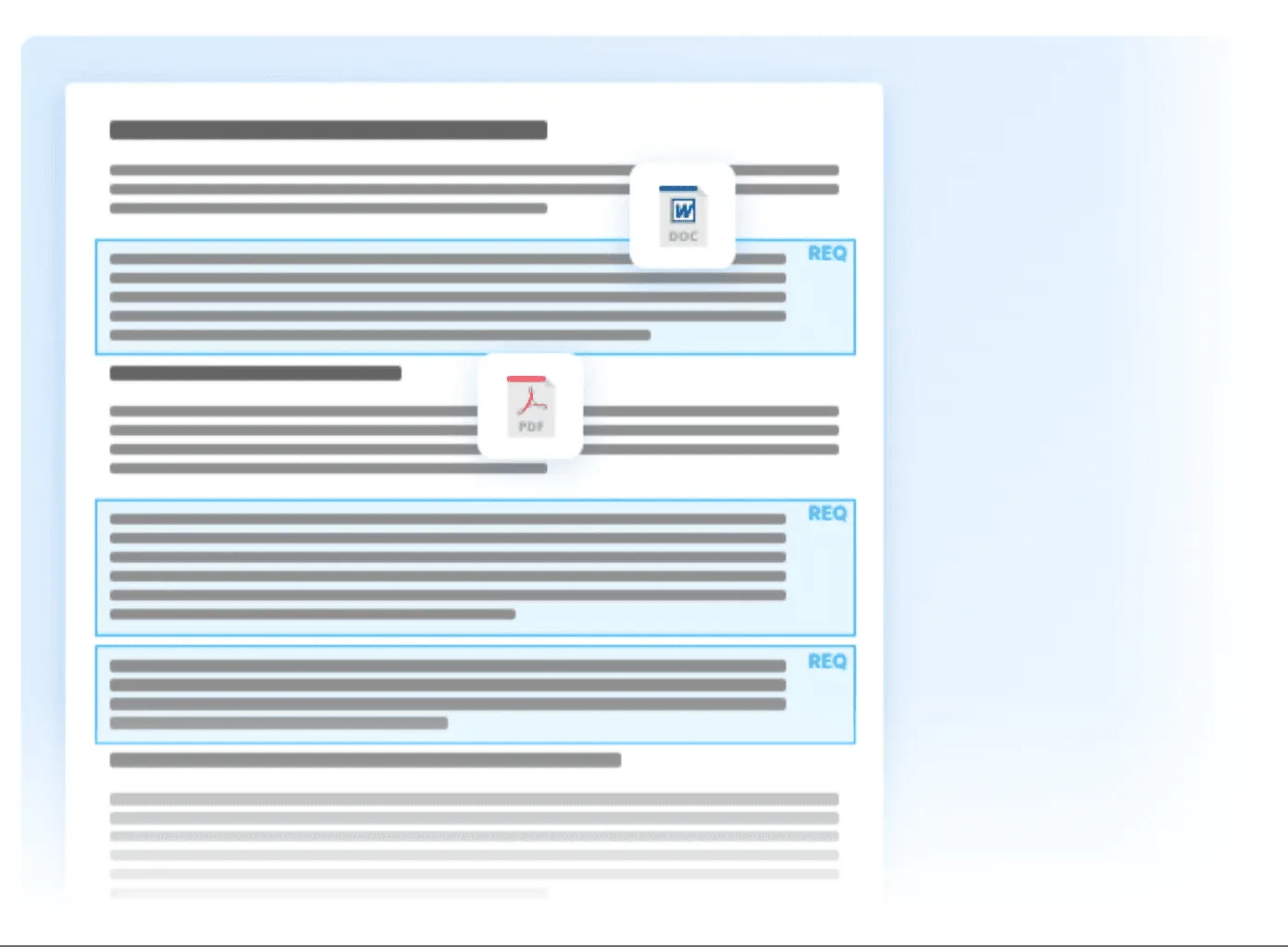
Security questionnaires come in various formats, such as Word, PDF, Excel, or through online platforms.
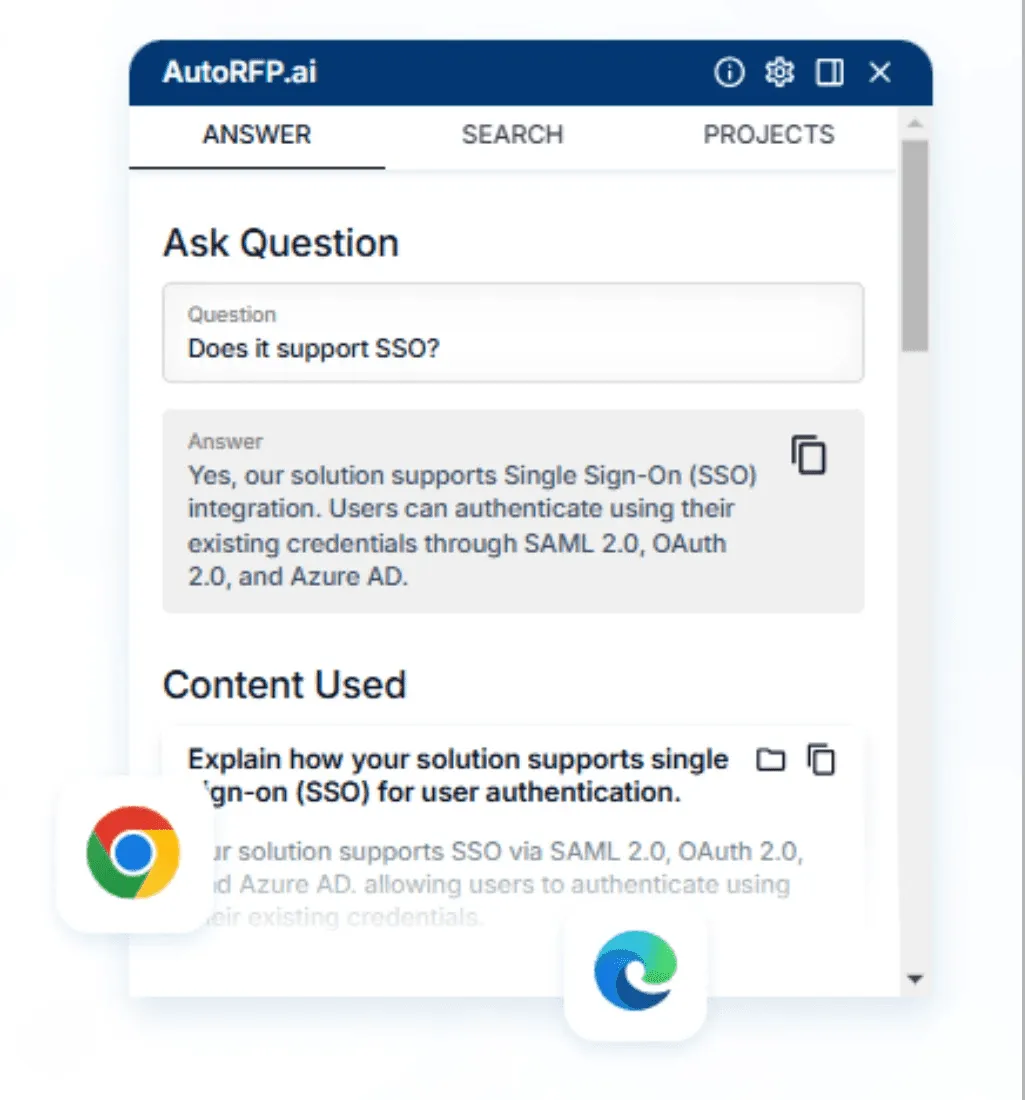
The tool you choose should easily import and process these different formats, allowing your team to respond directly within the system, regardless of how clients send them.
This flexibility ensures automation actually works in real-world conditions, where every customer uses a different template or portal.

Video transcript
Okay, I just got a portal that I have to jump into, complete a security questionnaire, pretty stock standard. I help out all our team at AutoRFP.ai completing security questionnaires and so on. It's kinda like the same old questions. Luckily, I got our tool, I'm gonna show you how to use an agent to automatically answer and extract all the different kinda security questionnaires from this portal. So in my example, I'm using UpGuard. There's heaps of different portals out there. Good thing about this agent, it actually works in any portal. It uses AI computer vision to automatically scan the page and then to pull in all the information.. So you can see it now working across this portal. It's looking at the page, and it's using effectively an agentic workflow to figure out the HTML and page structure of the page, and that's how it can work in any single portal. Then it looks and tries to understand and learn the page structure, and then once it has the page structure, you'll see it interacting with the page.
It's effectively taken over my browser, and that's one of the cool things about kind of browser agents, and that's what this is. This is AutoRFP.ai's portal agent that works via Chrome extension in your web browser. You've got other agents out there Claude's Chrome extension, ChatGPT's Chrome extension, and so on or the ChatGPT browser. Where I find they really fall down for security questionnaires, and I have tried them, is they're very slow. They actually just try to kinda move around their mouse very slowly, constantly taking screenshots, and it just doesn't actually do the thing. Whereas this portal agent is purposely built for web portals that have questionnaires in them. So that could be, like, SAP Ariba vendor port-- that could be, like, SAP Ariba, Unimarket UpGuard, RiskLedger any web portal that has that. It could be DDQ portals like Deseti, Diligence Vault, and so on. And effectively, it's built for that, and still using its AI computer vision,
it then scrapes the portal automatically and pulls in all the information. Let's see. So it actually completed that very quickly while I was talking. It's grabbed the questionnaires, understood the page structure, and then gone through, and for this one, there was one hundred and forty-one requirements. You can see them all here, and it's pulled that, all that information in. And that's the first step. Let's automatically grab all of the different requirements that's in my portal. But then I wanna go further. I wanna use AI to start automatically answering my security questionnaires. So looking at my imported questions, I can see they work. Then I can view that in my project. So here is AutoRFP.ai. AutoRFP.ai is used across the globe in forty-four plus different countries by hundreds and hundreds of businesses everyone from SaaS, unicorns in Silicon Valley to startups to India's largest law firm use us for security questionnaires and automating that tedious response. And here are my requirements.
AI has actually automatically answered all of the requirements here while I was talking and pulled that information in. You can see it couldn't find the answers for some of them. It's provided our AI trust score. Why you need a trust score when you're looking at AI content, especially something just as important as security questionnaires, is you need to know is, can I trust this response? Looking at this is scope stored. I can jump in here, and I can understand specifically what information is being used, like past responses and which it used to answer that requirement I can look further. I can add attachments, which is really common here. So I can add our data processing agreement, and then that will be included in the export. And then I can just look through in response. I can easily select a bunch of responses. So if I wanna go to everything in the section for application security take those two requirements, they haven't been filled out yet, assign them to the solutions team, and they are gonna be the editor, and I'll tick myself, keep myself as the approver in the security team, and then I can easily
wait for them to answer those questions. They'll get like a Slack or Microsoft Teams notification to answer that, and then they'll come back in and fill it out. then I have my project overview, so I can see everyone who's involved in the response for the security portal, what they have left to submit, and what attachments and what the AI draft rate and everything else was. And then once I complete it, I can just kinda jump back into the portal, look at the answers, easily grab this answer, and just chuck it back in there and easily answer as needed with my examples and so on. That was a really short overview of AutoRFP.ai and the portal agent and how you can use agents to automatically respond to your security questionnaires that you get. The really great thing about AutoRFP.ai is it is a purpose-built RFP software. We're not a GRC platform. We're not trying to do a hundred different things. It's built for things like security questionnaires, RFPs. That way, it's not just using policies to answer questions and your certifications. It's actually looking at past responses.
It continually learns from your work as you use it. It has the full collaboration suite, and it has a really robust importer. Look at my next video and you can see how I import a SIG questionnaire automatically in a matter of seconds with AutoRFP.ai that I've received from a prospect, and the AI automatically detects requirements and every answer block and response cell that I need to respond to and automatically starts generating those responses. If you're keen to learn more about AutoRFP.ai and how we can help you automate security questionnaires via the portal agent, then what you want to do is jump to our website AutoRFP.ai. Jump to Book a demo, and you'll be able to grab a time with our team where they can help tailor the solution to your specific use cases. So jump online, book a demo if you're keen to understand how the portal agent can be used to automate your security questionnaires. Thanks.
Pro tip: Look for tools that also support seamless export in required formats to simplify submission and avoid manual rework.
Industry Standard Questionnaire Frameworks (CAIQ & SIG)
Many clients and partners use standardized security questionnaires such as CAIQ (Consensus Assessments Initiative Questionnaire) and SIG (Standardized Information Gathering) to assess vendors like you. So, understanding these frameworks is key to ensuring your automation tool can manage them efficiently.
CAIQ Framework
Created by the Cloud Security Alliance, the CAIQ is widely used to evaluate the security practices of cloud providers. CAIQ v4.1 covers 18 domains with over 300 questions designed to evaluate compliance with the Cloud Controls Matrix (CCM).
SIG Framework
The Shared Assessments SIG questionnaire helps organizations respond to detailed third-party risk assessments. It includes two main versions: SIG Lite, with 128 questions, and SIG Core, with 627.
A strong security questionnaire automation platform supports both frameworks natively, enabling complete security questionnaire automation with minimal manual effort.

Video transcript
You're just about to win that mega contract. You've gone through procurement, you've been working with your champion, the economic buyer, everyone is hooked in, and then they tell you that timelines are tight and they wanna get it through this quarter. You've got a month left, and what do you get is 1,000-question security questionnaire from their IT department. You're scrambling, you're looking for context. Where did Jimmy put the last security questionnaire responses? You're looping in your engineers, your CTO your customer success team, and you're trying to answer this questionnaire. at I'm gonna show you in 15 minutes or less, how you can use Claude Cowork to automate your security questionnaire process. The questionnaire you just got is the CAIQ or Cloud Alliance in- questionnaire. This is a really common one, otherwise you might also get the SIG questionnaire, and it's great to have a couple of these actually already filled out and
ready to go based off your content and your company in case it comes up, and you can use them as grounds to answer future questionnaires. But let's look into the CAIQ and how we can automate that with Claude Cowork. So here I have it in front of me. It's a pretty common one. You can see there's quite a few questions. What do we have? About 314 questions all about my company, whether we meet it or not, different criteria, requirements regarding our security posture, regarding data sovereignty, privacy risk. And that's what it boils down to is risk. That's what the security team are attempting to do, is understand your business and whether it meets into their requirements and their guidelines for their business. And it's an important step. You can't mess it up, and you have to go through it, and the security team are doing their job, giving you this questionnaire, which is good. But it doesn't have to be a headache, and that's where AI can help you.
So I'm gonna jump into Claude Cowork. I've already created a mock company, Talent Flow, HR software. The kind of document I have in my Claude Cowork project are my project instructions, which you're gonna be able to download in the link below, and then you've also have my past RFP and past example documents that are all on my- that are all in my-- And then you have all your past project and context, and anything that you would have in a content library or Google Drive or Microsoft SharePoint folder with all the content that you would normally look at when answering a security questionnaire, have that ready and in your project file. Hey, there's actually something really important I didn't mention here. You wanna make sure using paid Claude subscription and AI data training is turned off before you're ever putting your company documents and documentation into Claude. You don't wanna be sharing all that information into the kind
of training AI models that is proprietary to your company. And yeah, it's really important to make sure that is safe and secure So you put that on your computer, have Claude Cowork access it. Great thing about Claude Cowork in this example is you can also share it with your team, so then they can use your project as well, and then have it answer their questionnaires that they get throughout their sales process. Great. So now jumping into this, I'm gonna grab my CAIQ questionnaire 'cause I have so much information already in the project, my prompt can actually be really simple. Please fill out this CAIQ in the original format and provide to me in X-XLSX. So it's gonna go through and start answering that questionnaire. It has the necessary context in my project. It has the project instructions. You can even create skills, which I have a few of, which you can see in future videos on this channel. And using those skills, using that project context and everything, and information about my company, it's then going to be answering this CAIQ questionnaire for me.
You can see Claude is going to work, looking at the resulting files, because that's in the project instructions. I have a lot of prompting in my project instructions around making sure to not hallucinate or not make up information. If it's not sure and here, Claude Cowork, when it's trying to automate this security questionnaire, is gonna ask me questions. Yeah, full draft, one process. So here it's asking whether the questions should be strict, so absolutely. Wanna make sure it's correct. And shall prioritize previously completed? Yes, of course. So it's got-- it's already found a previously completed CAIQ questionnaire, and it can use that as the basis for this CAIQ questionnaire. Isn't that great? It's got this one from a new customer, and it's gonna go through and answer that based off its prior context. And even, I've even told it what prior context to prioritize, which is incredibly important when you're building out a content library. In this case my past questionnaires, my policies, my BCP plan, and everything that's answering the security questionnaires. And as it's running, I actually wanna touch on that, and that's where a lot
of security questionnaire automation tools go wrong, is they only focus on things like your policies. So your BCP plan, your disaster recovery plan, your ISMS framework that you have for your ISO27001 certificate, or that you have for your SOC 2 as well, or SOC 2 Type II, and so on. Where they go wrong is they only rely on those policies to answer questionnaires, and it doesn't take into account your tone of voice your other relevant information. That could be tools like, Vanta, Drata, and those kinda like trust portal software. The important thing of using your AI for your security questionnaire automation, not just based off your policies, but using your past answers, is that just takes in so much more context and will pick up on things like tone of voice and how you reply and how you would normally structure these responses in how you would normally structure these responses for that security questionnaire, helping further automate more of that with AI. I wanted to point out something that's really cool what Claude Cowork does
when you provide it something with a structure, and that is it uses sub-agents to create a task list. So now, when I look at the progress of Claude Cowork, I can see what it's working on and how it's going to progress through the prompt or the task that I assigned it, and as it's working through, I can see how it progresses, and I can of course look at the task list and make notes, be like, "Hey, I would actually tackle it by doing this or that," instead of how you've planned to approach the problem. And that's one of the great things about Claude Cowork and other kind of agentic frameworks that are built on top of the large language model is it's not... you're not merely chatting to the API or the large language model. It's actually using sub-agents and agentic framework to get better results, in this case, better results for our security questionnaire automation. And here's something interesting. So as it's working through, it's actually using some of my skills, my RFP AI skills, which you can also download in the link below, and using my contradiction checker skill. And why that's important is because you can see here that my North Park
SIG Lite, which is a past SIG that I've completed and provided to Claude in my project, it's now looking and vetting those answers to its known context based off other information it has. And one of the issues there is With AI is often figuring out what is the most relevant answer. Our platform, AutoRFP.ai, we use a bunch of different things built into our trust score around recency bias, around the freshness of and the usage of content when it was last reviewed, does it have an owner, and what type of content it is, as well as tagging and hierarchy and categorization of content. Now, all of that you can't necessarily do in Claude Cowork, but you can give it tools and smarts to help it check for inconsistencies and give it guardrails when to choose the appropriate answer based on that information, which is what the contradictor skill does. Okay, so it did take a while. I paused the video, but it took about fifteen to twenty
minutes to that run through. And as you can see, it's also gone past my plan usage. So now I'm using additional usage and kinda chewed through a lot of my daily limit of Claude Cowork that I have on, the twenty dollar a month plan. And that's probably one of the trickier things is Claude Cowork does have limitations in security questionnaire automation. For instance, the time it took I would actually say it's quite slow. Taking twenty minutes to answer three hundred questions, I know that's a lot faster than a human but for AI security questionnaire automation, that's actually quite slow. And then, just the additional usage and kind of the inefficiencies that it has. There's a lot more efficient ways to do this by grabbing like a actual AI RFP software or AI security questionnaire automation software and so on. But overall, it did quite well. So seventy one percent is a yes, one, one no, and then eighteen N/A, so it understands my company enough to mark when something is not applicable. For instance, IAS and hypervisor questions, that's not really applicable to a SaaS offering, which is what my fake company is in this example.
And then twenty-two point three it's a gap, so it didn't have an answer. And that was how I set up the settings. I didn't want to try to fake things, because that's half the problem with AI and security questionnaire automation, is it gives an answer, and if it's not the right answer, it actually takes more time to go back, check it did it get it right or wrong? Did it just guess something? Did it provide an overly generic response that actually doesn't help you win the deal? And therefore it just takes more time. So I prefer when it's not confident on a response, just give no response which is what it's did here. So overall, about a, I don't know, a seventy-six percent or seventy-eight percent kind of automation rate, which is pretty cool for my security questionnaire automation here. And then it talks about the different questions and gap classes and who to talk about and so on. It's just trying to provide additional information, which isn't super useful. But I can look at my completed CAIQ. Here it is. It's actually used its XLS Python skill, which is an inbuilt thing within Claude Cowork, to then enter back that information in the Excel questionnaire for me. So I can go through... And I guess my workflow from here would be what's
tricky is I can't get other team members to collaborate directly in here, so they can't necessarily see my prior prompting and Claude's information. But I guess I would upload this to Google Sheets or SharePoint, and then I would tag in people in to come help me out a-and so on. So it's done pretty good. It's made some annoying things like source Blue Ridge cake. Yeah, so it's gone a little bit off, like telling me exactly the source in the text, so there's obviously a couple of little things to clean up. Overall, I think it's done pretty well. It's selected the-- It's put a yes there where required. And overall, for the CAIQ questionnaire yeah, it's done pretty well in answering those questions, and it's definitely a big time saver. So all up, that took, what? Thirty minutes to talk to Claude, get the response back, do three hundred and forty questions. . Overall pre-pretty, pretty good for security questionnaire automation. So recapping, what we did and what we looked into was how to use Claude Cowork for your security questionnaire automation. I have in the link below the some useful materials to help
you go further with this. So I'll include the project instructions that I have. So what you wanna do is set up your Claude project. You wanna make sure that you have your correct instructions and upload all relevant kind of past projects your help technical documentation, different like URLs and links and contexts, everything that's relevant to... And your policies, of course, that are relevant to answer the questionnaire Then yeah, you can give it a go uploading blank questionnaires. Yeah, if you wanna give it a g- if you wanna test it out download the kind of free template for Cake. You can find it from their website. Have a look or if you have any other kinda past security questionnaires that you wanna try out with it. Where this falls short, which is such a common one, is vendor portals. As in if you have a security questionnaire in a portal and you can't export out, the questions, this, you could, of course, just copy and paste, but that would take a long time. And I actually have tried Claude kinda browser on it, and it doesn't work at all. So that's definitely a big gap, is those kind of vendor questions.
AutoRFP.ai we're an AI RFP and security questionnaire automation software. We have a portal agent that is purpose-built for those kind of questionnaires, like for instance, SAP, Ariba, OneTrust, UpGuard all the kinda major ones, as well as it works on any of them 'cause it uses like an agentic computer vision framework to find the requirements for the portal questionnaires. But yeah, that's really useful. That's what we use, and I actually use day-to-day. I don't use Claude CoWork for security questionnaires day-to-day. But yeah, that's what I use there, and that can be, yeah, incredibly valuable. So that's probably the, one of the other gaps. So overall, I hope you found that useful. Yeah, if you're keen to learn more about AI and RFP and security questionnaire, have a look at some of the other videos on this channel or subscribe for more. All right. Thanks. See ya.
Benefits of Security Questionnaire Automation Software
Let’s take a closer look at the key benefits that make security questionnaire automation software essential for your team:
Dramatic Time Savings
With automation, organizations report up to an 87% reduction in completion time. A process that once took several weeks can now be finished in just hours, freeing teams from weekend work while maintaining strong focus on customization and quality assurance.
Improved Accuracy and Consistency
By drawing from a centralized, approved content library, automation ensures your responses stay accurate and up to date. It reduces the risk of errors or outdated answers when multiple team members contribute.
Because each answer is generated quickly and correctly, your infosec team has the time to review every question thoroughly and provide complete, thoughtful responses, not just fast ones.
One CRM software company, SugarCRM, used AI-driven security questionnaire automation to complete 100% of a 2,000-question security questionnaire, directly leading to winning a $2M+ ARR customer.
“We won the deal because they had faith in our security posture — and that trust came from our ability to answer all the questions. We were the only company that took the time to fully respond to every security question.” Said, Shana Sweeney, Executive Leader at SugarCRM
Enhanced Scalability
As your company grows and more clients request detailed security information, manual processes become unsustainable. Automation lets your team manage rising volumes of questionnaires without expanding headcount, maintaining speed and quality at scale.
How AI is Transforming Security Questionnaire Responses?
These are how AI has transformed automation, introducing capabilities that were once impossible with traditional methods.
Contextual Understanding
Advanced AI systems analyze the intent behind security questions rather than relying on simple keyword matching. This contextual awareness enables more accurate response generation and reduces the need for manual editing.
Video transcript
Okay, I just got a portal that I have to jump into, complete a security questionnaire, pretty stock standard. I help out all our team at AutoRFP.ai completing security questionnaires and so on. It's kinda like the same old questions. Luckily, I got our tool, I'm gonna show you how to use an agent to automatically answer and extract all the different kinda security questionnaires from this portal. So in my example, I'm using UpGuard. There's heaps of different portals out there. Good thing about this agent, it actually works in any portal. It uses AI computer vision to automatically scan the page and then to pull in all the information.. So you can see it now working across this portal. It's looking at the page, and it's using effectively an agentic workflow to figure out the HTML and page structure of the page, and that's how it can work in any single portal. Then it looks and tries to understand and learn the page structure, and then once it has the page structure, you'll see it interacting with the page.
It's effectively taken over my browser, and that's one of the cool things about kind of browser agents, and that's what this is. This is AutoRFP.ai's portal agent that works via Chrome extension in your web browser. You've got other agents out there Claude's Chrome extension, ChatGPT's Chrome extension, and so on or the ChatGPT browser. Where I find they really fall down for security questionnaires, and I have tried them, is they're very slow. They actually just try to kinda move around their mouse very slowly, constantly taking screenshots, and it just doesn't actually do the thing. Whereas this portal agent is purposely built for web portals that have questionnaires in them. So that could be, like, SAP Ariba vendor port-- that could be, like, SAP Ariba, Unimarket UpGuard, RiskLedger any web portal that has that. It could be DDQ portals like Deseti, Diligence Vault, and so on. And effectively, it's built for that, and still using its AI computer vision,
it then scrapes the portal automatically and pulls in all the information. Let's see. So it actually completed that very quickly while I was talking. It's grabbed the questionnaires, understood the page structure, and then gone through, and for this one, there was one hundred and forty-one requirements. You can see them all here, and it's pulled that, all that information in. And that's the first step. Let's automatically grab all of the different requirements that's in my portal. But then I wanna go further. I wanna use AI to start automatically answering my security questionnaires. So looking at my imported questions, I can see they work. Then I can view that in my project. So here is AutoRFP.ai. AutoRFP.ai is used across the globe in forty-four plus different countries by hundreds and hundreds of businesses everyone from SaaS, unicorns in Silicon Valley to startups to India's largest law firm use us for security questionnaires and automating that tedious response. And here are my requirements.
AI has actually automatically answered all of the requirements here while I was talking and pulled that information in. You can see it couldn't find the answers for some of them. It's provided our AI trust score. Why you need a trust score when you're looking at AI content, especially something just as important as security questionnaires, is you need to know is, can I trust this response? Looking at this is scope stored. I can jump in here, and I can understand specifically what information is being used, like past responses and which it used to answer that requirement I can look further. I can add attachments, which is really common here. So I can add our data processing agreement, and then that will be included in the export. And then I can just look through in response. I can easily select a bunch of responses. So if I wanna go to everything in the section for application security take those two requirements, they haven't been filled out yet, assign them to the solutions team, and they are gonna be the editor, and I'll tick myself, keep myself as the approver in the security team, and then I can easily
wait for them to answer those questions. They'll get like a Slack or Microsoft Teams notification to answer that, and then they'll come back in and fill it out. then I have my project overview, so I can see everyone who's involved in the response for the security portal, what they have left to submit, and what attachments and what the AI draft rate and everything else was. And then once I complete it, I can just kinda jump back into the portal, look at the answers, easily grab this answer, and just chuck it back in there and easily answer as needed with my examples and so on. That was a really short overview of AutoRFP.ai and the portal agent and how you can use agents to automatically respond to your security questionnaires that you get. The really great thing about AutoRFP.ai is it is a purpose-built RFP software. We're not a GRC platform. We're not trying to do a hundred different things. It's built for things like security questionnaires, RFPs. That way, it's not just using policies to answer questions and your certifications. It's actually looking at past responses.
It continually learns from your work as you use it. It has the full collaboration suite, and it has a really robust importer. Look at my next video and you can see how I import a SIG questionnaire automatically in a matter of seconds with AutoRFP.ai that I've received from a prospect, and the AI automatically detects requirements and every answer block and response cell that I need to respond to and automatically starts generating those responses. If you're keen to learn more about AutoRFP.ai and how we can help you automate security questionnaires via the portal agent, then what you want to do is jump to our website AutoRFP.ai. Jump to Book a demo, and you'll be able to grab a time with our team where they can help tailor the solution to your specific use cases. So jump online, book a demo if you're keen to understand how the portal agent can be used to automate your security questionnaires. Thanks.
Continuous Learning
Machine learning algorithms improve response quality over time by analyzing feedback and approved edits. This continuous improvement cycle ensures that automated responses become increasingly accurate and aligned with organizational preferences.
Side note: Platforms like AutoRFP.ai continue to learn from every response you approve or edit. Over time, they deliver even more accurate and consistent answers across all future questionnaires.
Integration Capabilities
Modern AI-powered platforms integrate with existing security tools, documentation systems, and compliance frameworks. This integration capability enables seamless workflows that leverage existing investments while adding intelligent automation layers.
Best Security Questionnaire Automation Software Platforms 2026
If your team handles endless security questionnaires, the right automation platform can save hundreds of hours.
These security questionnaire software stand out for their proven results and intelligent automation.
Here’s a quick comparison table for each of the tools:
| Tool | Best For | Standout Feature | Starting Price |
|---|---|---|---|
| AutoRFP.ai | Instant AI drafts for high-volume questionnaires | AI Response Engine with TrustScore and unlimited collaboration | $899/month (Scale) |
| Vanta | Audit-ready responses anchored to policies and evidence | Policy-anchored workflow, any-format intake | Quote-based |
| Drata | AI answers synced to live controls and risks | AIQA with live control links | Quote-based |
| Loopio | Library-driven answers for repeat questionnaires | Magic + project tracking | $20,000/year (Foundations) |
| Conveyor | Auto-completing portal questionnaires and mixed file types | Portal auto-complete, universal files | Free; Pro $9,600/year |
AutoRFP.ai
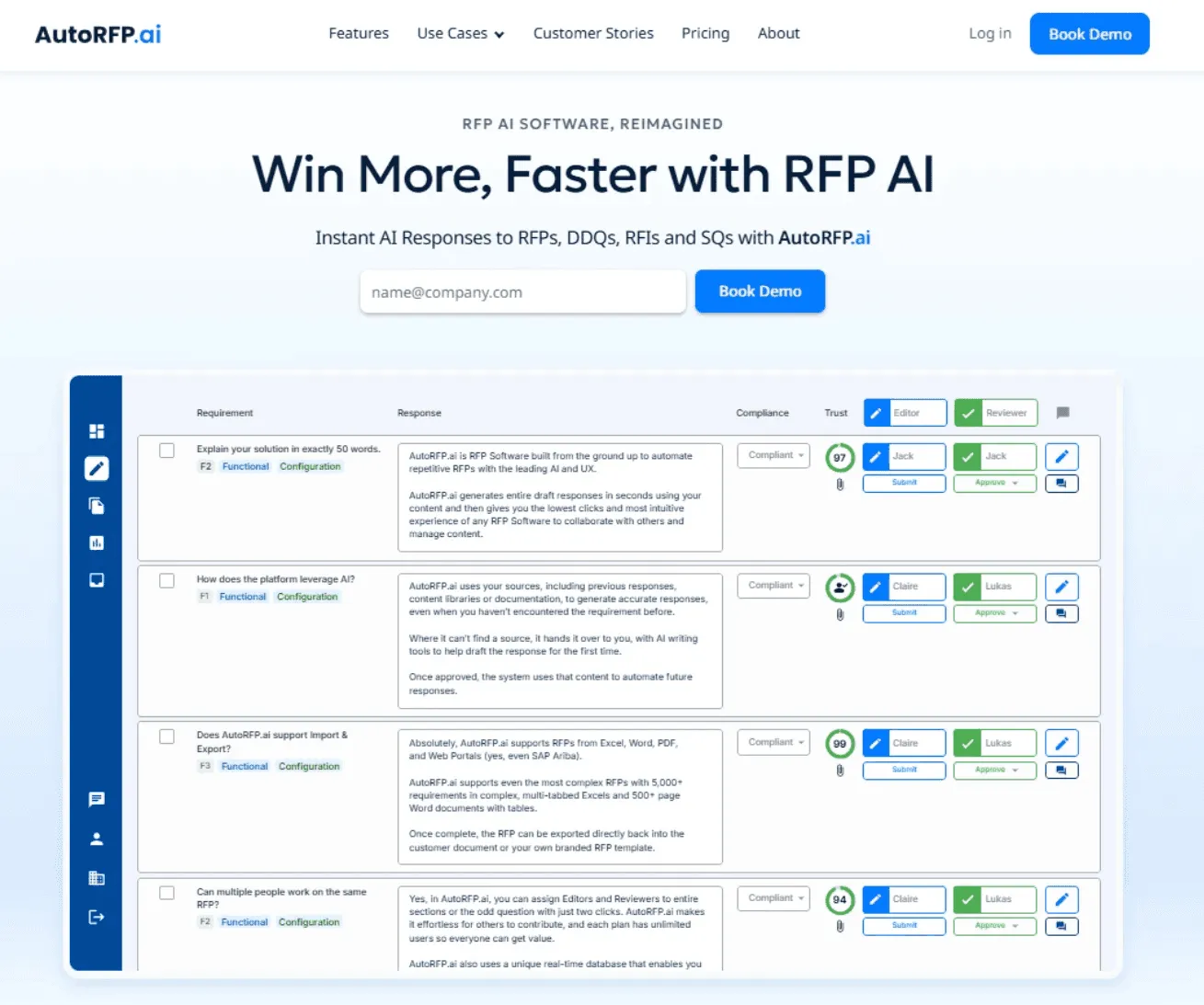
AutoRFP.ai is built to automate and simplify security questionnaire responses using advanced AI algorithms.
It scans your previous answers and centralized content library to auto-suggest accurate, context-based responses aligned with your organization’s security documentation and policies.
Teams can assign specific questions, collaborate with unlimited users, and track reviews, approvals, and due dates in one shared workspace.
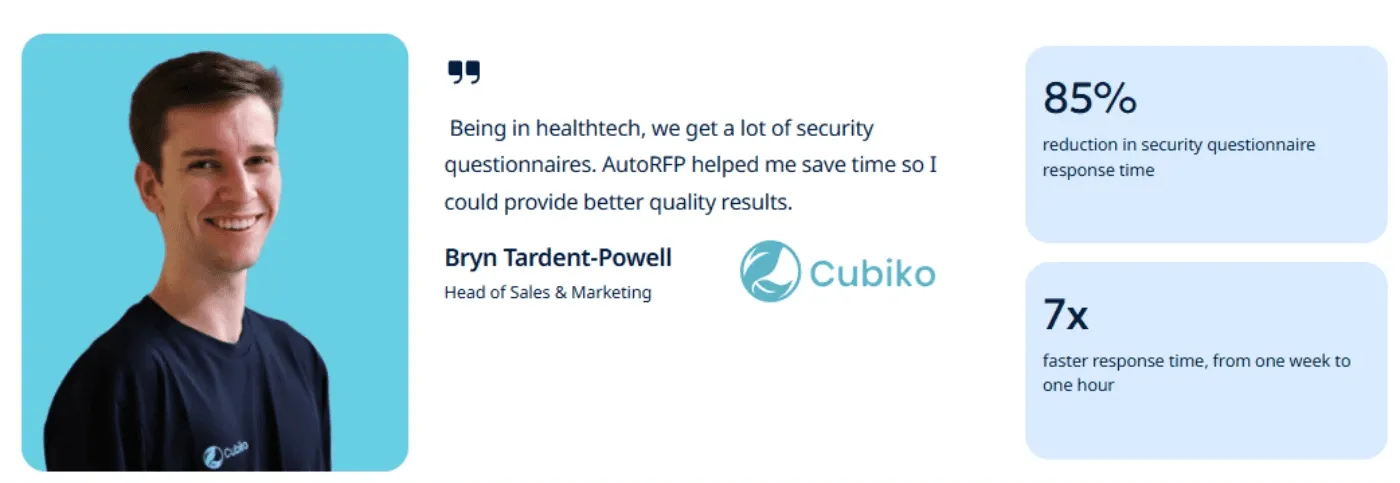
Their expertise speaks for itself. One of their clients, Cubiko, slashed security questionnaire response time by 85% using AI-powered Security Questionnaire Automation.
Key features
Let’s take a quick look at some of AutoRFP.ai’s features that make handling security questionnaires faster, simpler, and a lot less stressful.
1. Content Library
You can keep all your approved policies, controls, and past responses in one centralized repository within the tool. When a new questionnaire comes in, the system instantly suggests accurate answers from your own content.
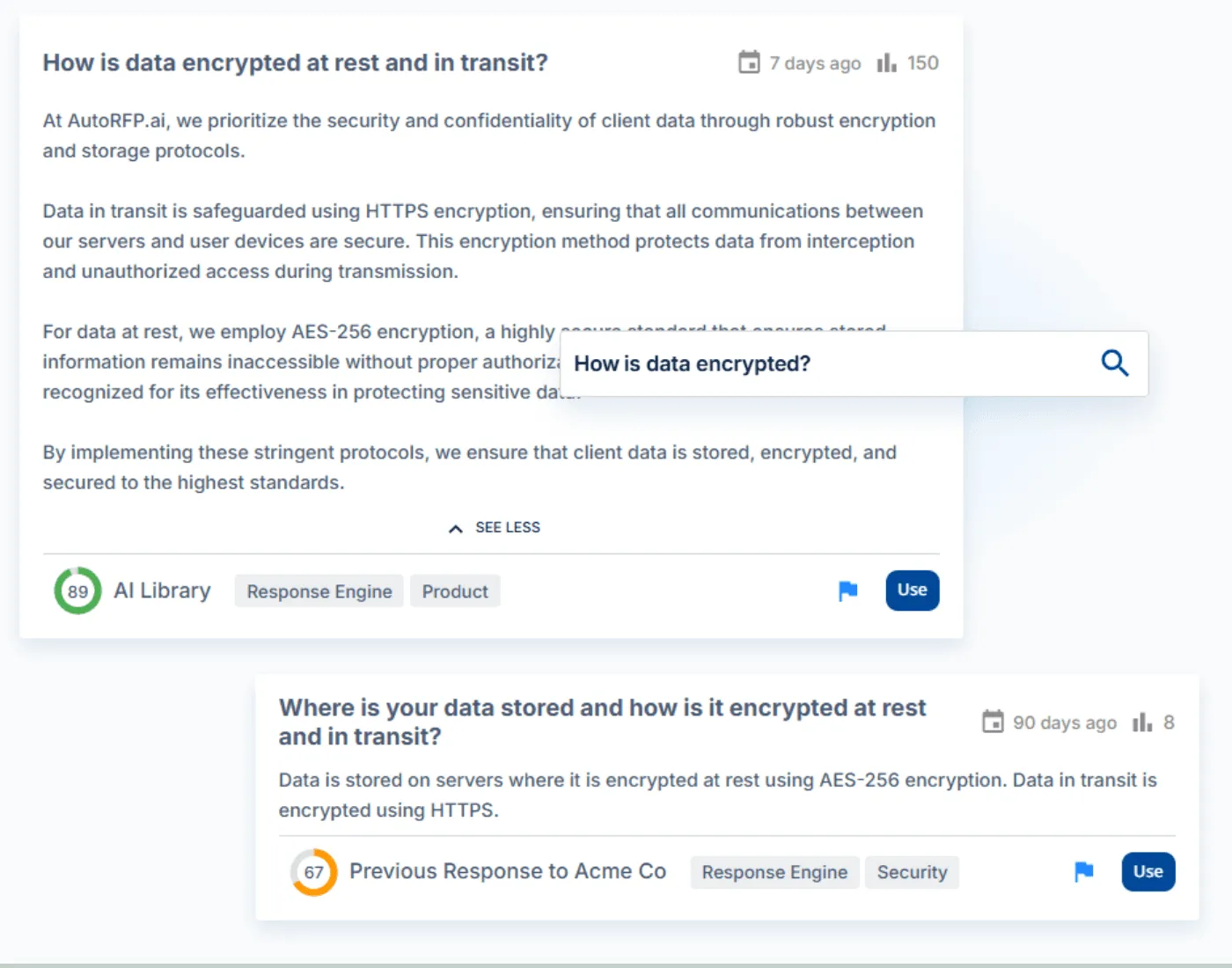
AI Response Engine with Trust Score
You’ll get AI-generated answers that actually understand the question’s intent, not just the keywords. Each one comes with a trust score, so you know exactly how reliable it is before hitting submit.
3. Work with Unlimited Collaborators
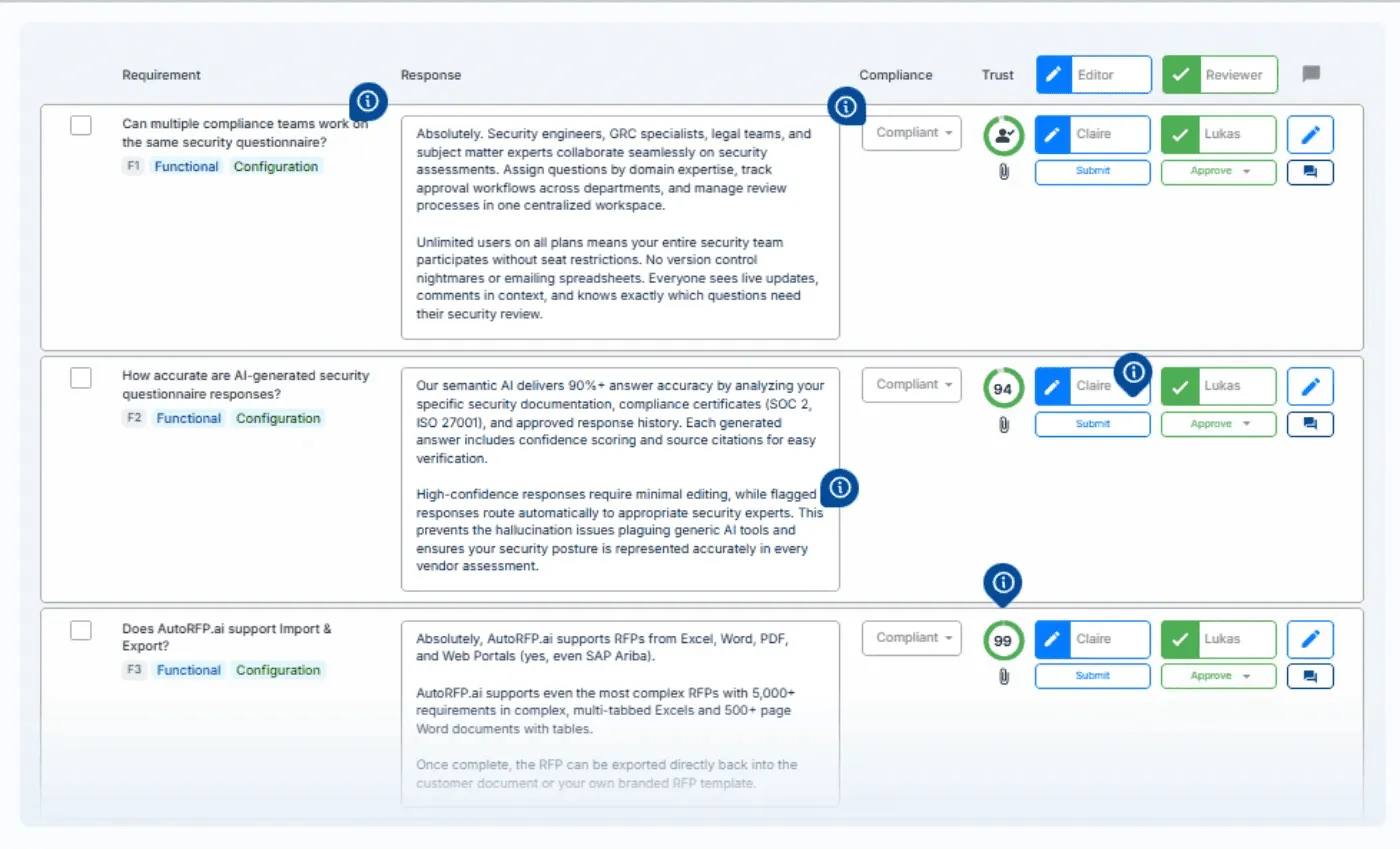
Allow security, compliance, and legal teams to collaborate in one workspace with unlimited users. Assign reviewers, track approvals, and stay synced via Email, Slack, and Teams.
Pricing
| Plan | Monthly Cost | Key Inclusions |
|---|---|---|
| Scale | $899 | Unlimited AI responses, users, content, and integrations |
| Accelerate | $1,299 | Everything in Scale, plus advanced analytics and priority support |
| Enterprise | Custom | Custom integrations, a dedicated success manager, and tailored security and compliance features with SSO |
Where it shines
Automated learning from responses: You don’t have to manually maintain your content library because the system automatically captures approved answers and keeps improving over time.
Works with online security portals: You can use AutoRFP.ai’s Web Extension to answer questionnaires directly on platforms like OneTrust, Vanta, and Drata.
Handles internal security questions: It is not just for client questionnaires, since your team can also use it to answer internal security questions instantly.
Where it falls short
Fewer native integrations: Although it connects with key tools like Google Docs, Salesforce, Slack, Confluence, and more, the list of native integrations is smaller compared to some legacy platforms.
Newer player with less brand recognition: As a growing platform, AutoRFP.ai is still building its visibility compared to long-established competitors.
Customer reviews
A [G2 reviewer](https://www.g2.com/products/autorfp-ai/reviews?page=5#reviews:~:text=Source%3A%20Seller%20invite-,Verified%20User%20in%20Information%20Technology%20and%20Services,-Mid%2DMarket%20(51) shared that, “I like that you can build your own library (with previous projects, websites, and other documentation), which is then used to generate a response. The responses generated through the Slack integration also provide a detailed overview of where the content is sourced, making it easy to identify outdated or inaccurate content. It also will refuse to generate responses on topics it doesn’t have enough information on, which makes me trust the output more.”
[One more reviewer](https://www.g2.com/products/autorfp-ai/reviews?page=3#reviews:~:text=Source%3A%20Seller%20invite-,Verified%20User%20in%20Computer%20Software,-Mid%2DMarket%20(51) noted that, “ AutoRFP is easy to use, sleek in design, and very effective. In only one short month, we’ve used it to answer 4 extremely disparate questionnaires, and it has performed very admirably each time. What we love most about AutoRFP is its ability to drastically reduce our time to draft for each questionnaire and RFP response - no more endless CTRL+F, CTRL+C, CTRL+V, only to wind up with an answer that doesn’t seem quite right. Now, we get tailored responses in a fraction of the time it used to take, and even better, we can easily tweak those answers with AutoRFP’s powerful editing tools. We also love that it seamlessly centralizes all review and approvals, meaning we don’t have to chase folks across messy spreadsheets to understand our progress toward completion.”
Who it’s best for
Mid-to-large B2B SaaS vendors: High questionnaire volume, strict buyer formats, and the need for fast, accurate replies.
Vendors with many SMEs: Unlimited collaboration, reliable AI answers, and clean export back to buyer templates.
Security and compliance teams: Frequent buyer security questionnaires across portals and files with audit-ready reviews.
Financial services providers: Regulated requirements, evidence-backed responses, and consistent governance across assessments.

Video transcript
Transcript is auto-generated and may contain minor errors.
Hey, I'm Rob from autoRFP.ai. What is autoRFP.ai? Well, autoRFP.ai is an AI software as a service or SaaS application that does AI for proposal or RFP responses. That includes RFIs, like request for informations, includes due diligence questionnaires or DDQs, and includes security questionnaires. So, you can find all about us at autoRFP.ai. So, we're a technology company. We have offices all across the globe including Brisbane, Australia, Vancouver as well. And effectively, our tool allows, whether it be bid managers, sales people, proposal writers, RevOps team members, sales leadership, answer complicated request for proposals. So, what is a request for proposal? You can see one of our other videos below in the description. But effectively, our system
looks something like this. And it lets team members, and you can have unlimited number of people log in to autoRFP.ai, good product, allows people to go in, create projects, which would be for instance an RFP. I can go in here, create my information from my zip file, and that includes, you know, like an Excel spreadsheet, PDF, Word doc. We can run an AI go no go project analysis on the RFP. And then effectively from that, we can bring in all the information in terms of what are the questions, where our AI automatically scans the documents and figures out what is being asked of the RFP, whether it's multiple tabs in an Excel spreadsheet and everything else, whether it's drop-downs. And that all happens automatically through the power of AI. Then, we generate our response, and we can do it in in 40 plus different languages and adding languages all the time. Once you've imported your RFP into order rfp.ai,
you can collaborate with your team members assigning different people to answer the questions, review the questions, looking at an overview of the entire project and project managing due dates. Now AI effectively starts automatically answering those different questions based on your knowledge documentation. So that might be your website, your help docs, your technical documentation, your past RFP answers or security questionnaires, your security policies. But effectively all that different company information you import into order RFP and then our AI leverages that to create an AI first draft of an RFP response. Once we're happy with all those requests, we can approve it. That goes into the model to learn from and add to. So your current responses are automatically used for new responses and then you can export that as well. And then the final cool thing about order RFP is you have a lot of different
integrations that you can pull in, whether it's knowledge documentation from places like Notion, Google Drive and so on. So that's order RFP. We're an AI SaaS app. Uh you can host globally. We do not use customer data for training purposes or to send it back to LLMs. So we're secure and private. We have our ISO 2701 certificate and our SOC 2 certificate and then you can find up-to-date pricing and information on our website. Or if you came to learn more, you can book a demo and schedule time with our team. Thanks.
2. Vanta
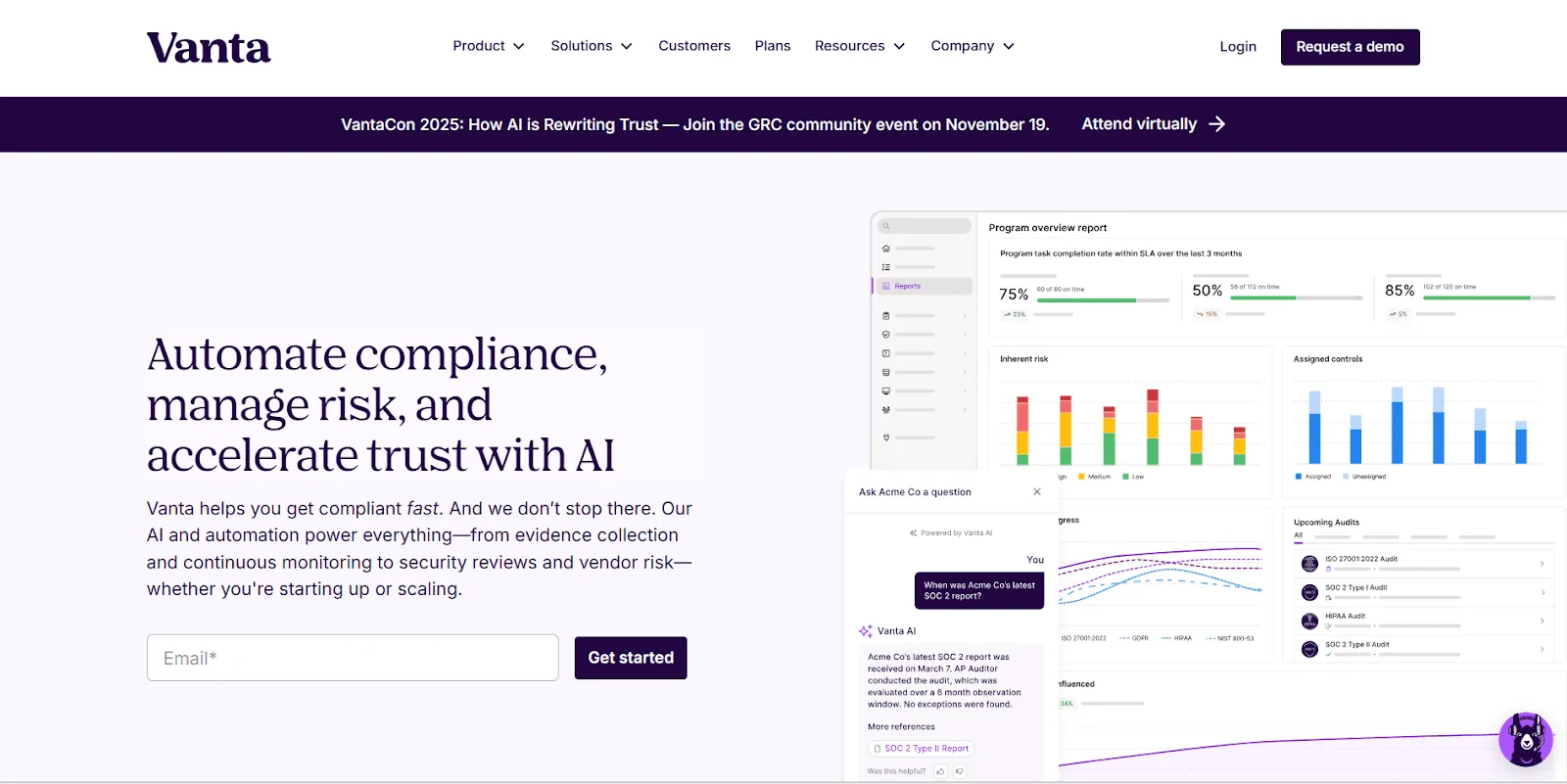
Vanta transforms scattered security questionnaires into an auditable, policy-anchored workflow tied to your current controls and evidence. It drafts answers from your security documents and past responses, and routes work to SMEs with alerts.
Key features
AI-generated responses: Searches prior questionnaires and policies; drafts cited, tone/length-controlled answers, including multi-language.
Any-format intake & export: Import from portals, XLSX, DOCX, PDF; return in the buyer’s format.
Pricing
Pricing is quote-based and tailored to team size, questionnaire volume, and required integrations rather than a public list price.
Where it shines
Speed & coverage: Automates first-pass answers and prioritizes work, cutting weeks from security reviews.
Tailoring at scale: Tag by product, region, or industry to deliver customer-specific, well-organized responses.
Where it falls short
Expensive: Users frequently mention that Vanta’s cost can be prohibitive for startups or small businesses with limited budgets.
Feature limitations: A few essential compliance features are unavailable or less flexible than expected, which affects usability.
Customer reviews
A verified user at G2 said, “Vanta simplifies security compliance by automating evidence collection, integrating seamlessly with our tech stack, and providing real-time monitoring across systems. The user-friendly dashboards and automated alerts make it easy to stay audit-ready. Their customer support is also responsive and knowledgeable.”
Another user at G2 also noted, “My main complaint is that certain features, such as detailed role and permission management, are only available in the higher-priced plans.”
Who it’s best for
SaaS security/compliance & GRC teams responding to recurring customer questionnaires.
Sales engineering & presales that need fast, consistent, multi-stakeholder answers with clear approvals.
3. Drata
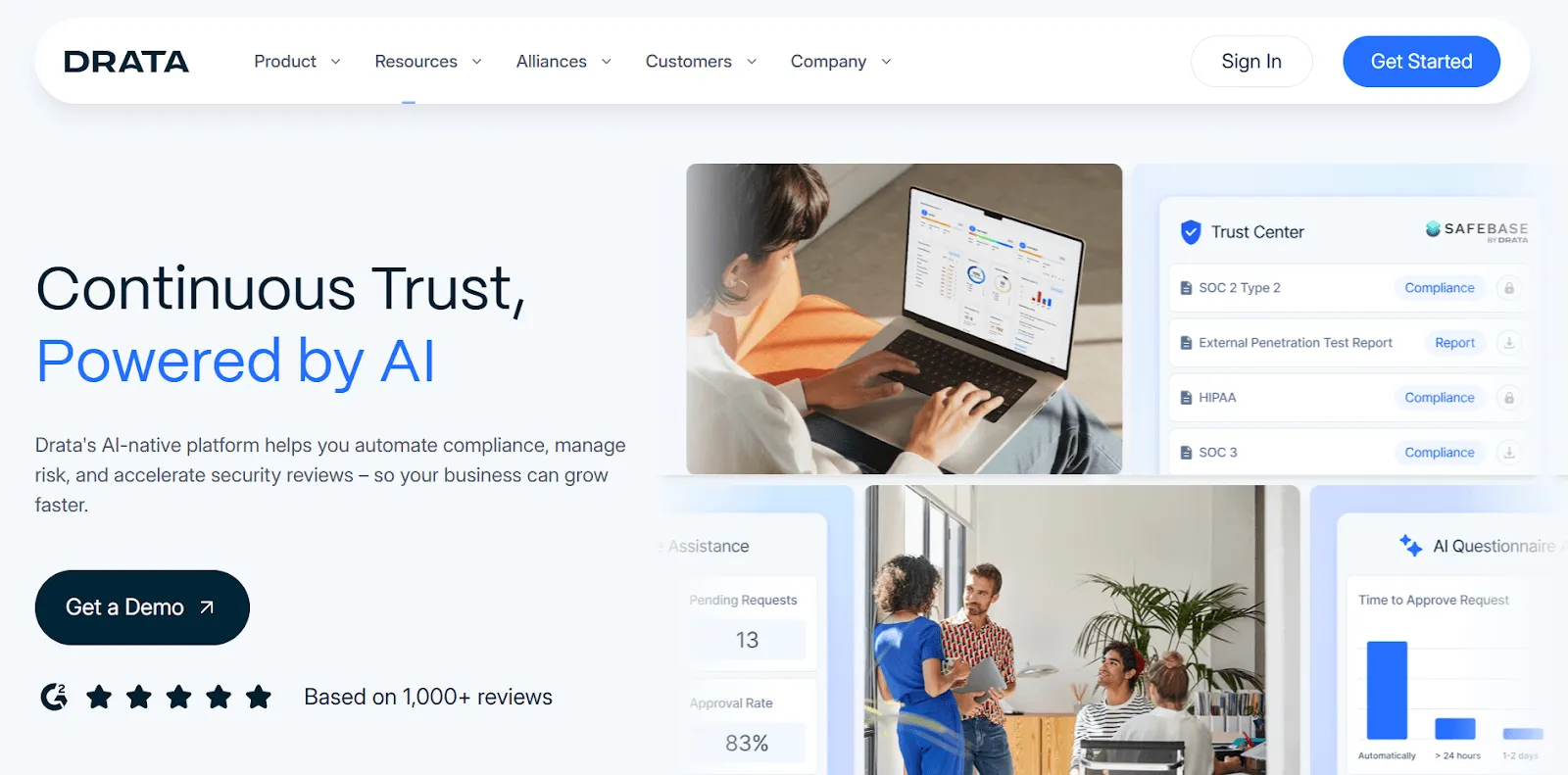
Drata helps vendors complete security questionnaires with AI while linking every answer to live controls, evidence, and risks. It sits on top of continuous compliance automation, ensuring responses remain accurate and audit-ready as your program evolves.
Key features
AI Questionnaire Assistance: Drafts and cites answers from your policies, evidence, and past questionnaires.
End-to-end Risk Management: Flags, scores, and tracks risks so questionnaire answers align with real mitigations.
Pricing
Pricing is quote-based. They offer two bundles: Drata Trust Management Platform (GRC program) and SafeBase Trust Center + AI Questionnaire Assistance (AIQA) (trust center + AI questionnaires).
Where it shines
Speed with governance: AI drafting plus live evidence cuts turnaround time without losing auditability.
Unified workspace: Questionnaires, controls, and risks live together, which means less switching and stronger answer consistency.
Where it falls short
Integrations & APIs: Users report gaps and unclear options, limiting connectivity to some tools.
Usability & cost: Feedback mentions UI clarity issues and higher pricing pressure for startups.
Customer reviews
A verified user at G2 pointed out that, “I love the automation of it all and how i can access several different frameworks that are already mapped to controls my environment is already following. The assistance i received was not only quick but the 2 that i dealt with were very knowledgeable which made the process easy.”
Another user said, “When reaching out to support, the response time can feel too long, which slows down momentum when you’re trying to resolve an issue quickly. Faster turnaround on support and more intuitive guidance in the platform would make the experience even better.”
Pro tip: Meanwhile, AutoRFP.ai offers unlimited support and online training, with users praising the exceptional customer support, earning user praise for its responsiveness and proactive problem-solving.
Who it’s best for
SaaS security/compliance teams that need AI help on buyer questionnaires tied to real-time controls.
Growth-stage vendors running multiple audits who want questionnaires, evidence, and risk in one place.
4. Loopio
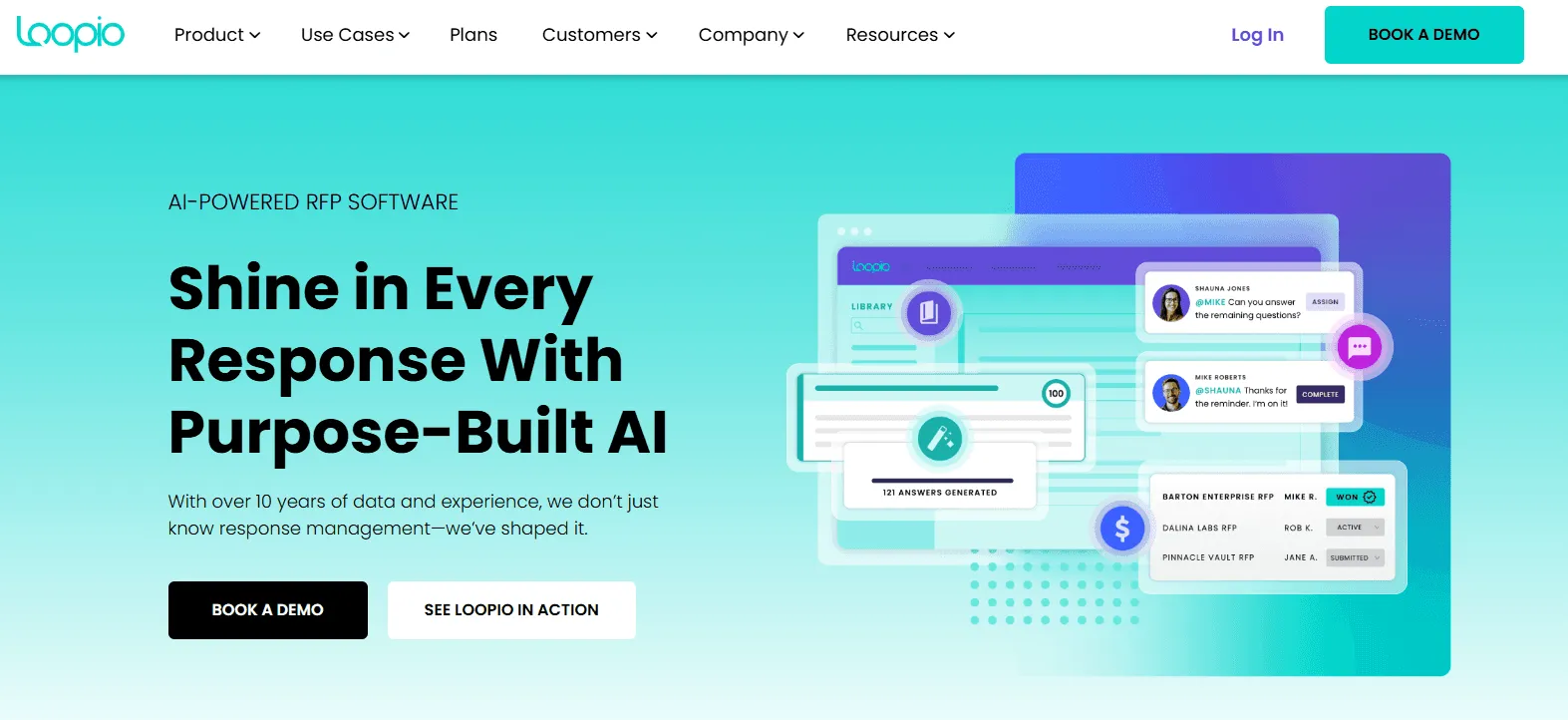
Loopio helps vendors complete security questionnaires by detecting questions, suggesting answers from an approved library, and exporting back to the buyer’s format. Non-technical users can answer confidently using compliant, up-to-date content.
Key features
Intelligent answer automation: Auto-detects questions and suggests the right, library-backed answer; exports to the original format.
Project tracking & workspace: Roles, milestones, and notifications keep sales and security collaboration on schedule.
Pricing
| Plan | Monthly Cost | Key Inclusions |
|---|---|---|
| Foundations | $20,000/year | Unlimited projects, unlimited library entries, generative AI |
| Enhanced | Contact sales | Everything in Foundations, plus multi-language library, confidential projects, and multi-step reviews |
| Enterprise | Contact sales | Everything in Enhanced plus separate business units, sandboxes, 20 themes, and custom seats |
If you’d like to compare features and costs in more detail, you can explore our full guide to Loopio pricing.
Where it shines
Speed on repetitive questionnaires: Quickly fills FAQs so SMEs focus on edge cases and approvals.
Sales-security alignment: Shared workspace reduces handoffs and missed deadlines.
Where it falls short
Import formatting issues: Users report document formatting problems on import.
Export quirks: Some exports create clunky layouts that require cleanup.
Customer reviews
Jagruti S, a Senior Specialist, said, “Loopio helps to run magic on the library and past projects. We can import the questionnaire and directly start working on it. It allows for giving the project status to sales and SMEs. Loopio has new AI feature helps to edit the answer fetched by magic.”
The same user also added, “Loopio is not able to catch the precise answers from the library after running magic. Loopio is not made to import complex questionnaires, which we have to always do manually.”
Pro tip: AutoRFP.ai supports importing and exporting Excel, Word, and PDF files, auto-detects 10,000+ requirements across multiple tabs, and instantly fills out Word forms in customer formats.
Who it’s best for
Sales engineering & Infosec teams handling frequent buyer questionnaires.
Mid-to-large vendors needing a governed answer library and deadline-driven workflows.
5. Conveyor
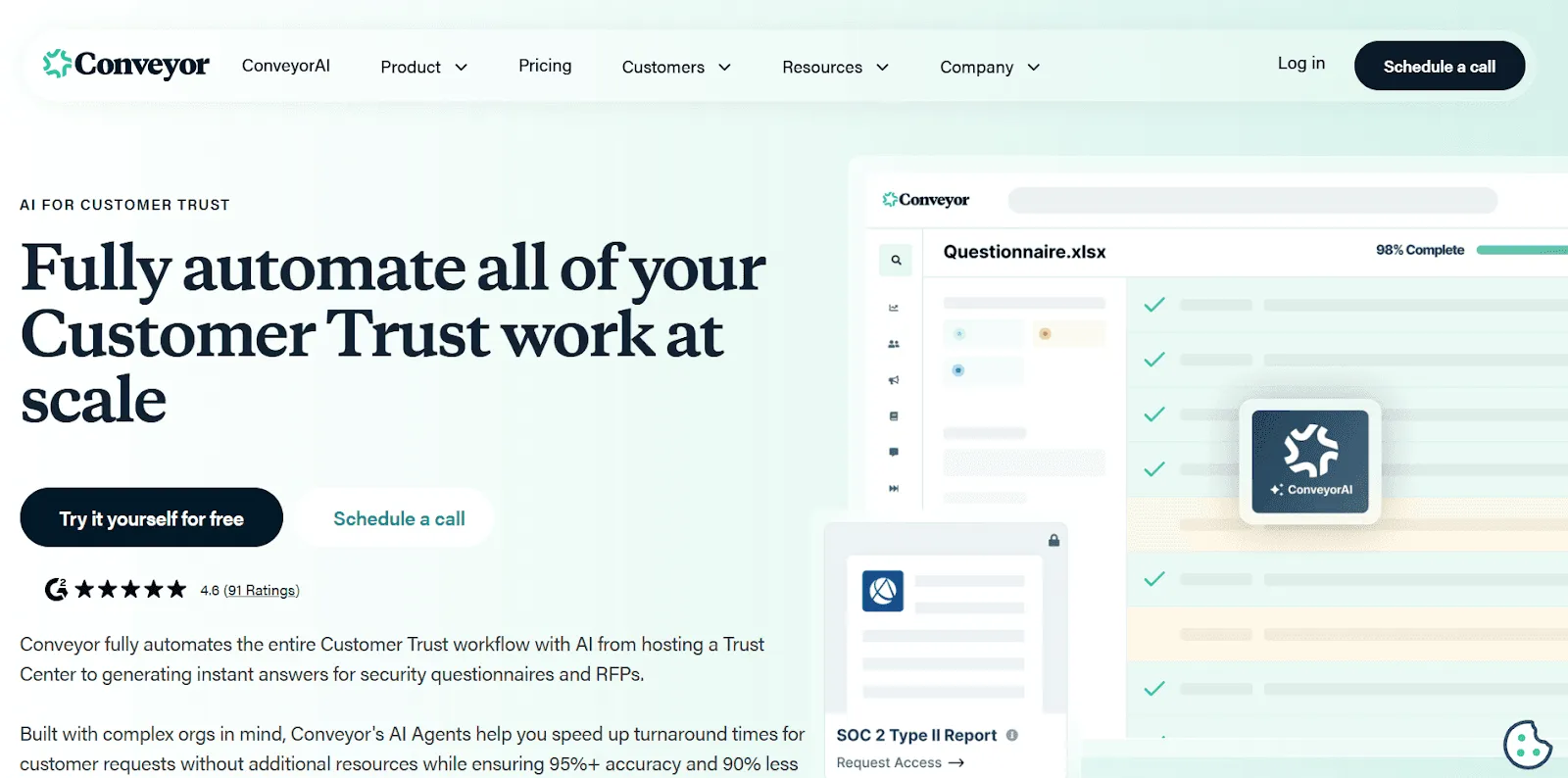
Conveyor helps vendors answer security questionnaires fast with 95%+ first-pass accuracy and cited sources. It works across files and portals, so teams reduce “questionnaire burnout” without heavy knowledge-base upkeep.
Key features
Knowledge base automation: Generates answers from documents, Q&As, shared drives, and company wikis.
Universal file compatibility: Processes Excel, Word, PDF, and portal questionnaires instantly without reformatting.
Pricing
| Plan | Cost | Key Inclusions |
|---|---|---|
| Free | $0 | 10 Trust Center Credits per month |
| Professional | $9,600/year | Full Conveyor platform, 100 Trust Center credits, 20 Questionnaire credits, 10 RFP projects |
Where it shines
Portal automation: One-click auto-complete and a purpose-built browser extension speed portal submissions dramatically.
Low-maintenance sourcing: Uses existing repositories, reducing time spent curating and tagging libraries.
Where it falls short
Performance: Users report slow loading and answer generation during urgent work.
Usability: New users find the UI confusing, increasing onboarding time.
Customer reviews
Gregorio P, an account executive, noted that, “Conveyor makes the security review process incredibly smooth and transparent. It centralizes all compliance documentation in one place, reducing back-and-forth with customers and saving valuable time for both sales and security teams.”
Another verified user at G2 also voiced the same comment across others, which is, “Sometimes the AI is slow or completely freezes up and we have to come back to it later in the day. That can be frustrating with urgent or high priority questionnaires.”
Pro tip: With AutoRFP.ai, you get answers in minutes without screen freezes or waiting overnight. The platform prioritizes your workflow and delivers results instantly.
Who it’s best for
Presales, security, and compliance teams dealing with frequent portal-based questionnaires.
Startups/scale-ups wanting automation without maintaining a large, curated content library.
How to Implement Security Questionnaire Automation Software: Step-by-Step
Follow this practical roadmap to build a system that’s efficient, scalable, and embraced by your entire team.
Step 1: Build a Strong Foundation (Week 1-2)
Start with content preparation. Your AI tool is only as strong as the data you feed it.
Here’s what you can include:
Successful questionnaire responses from recently won deals.
Security policies and procedures, both high-level and detailed versions.
SOC 2 reports and certifications. Upload complete reports, not just summaries.
Compliance evidence, such as screenshots, logs, or configuration exports, to support claims.
Product security specifications, including architecture diagrams and security control implementations.
Side note 1: Avoid uploading draft or incomplete documents. Poor data quality leads to inaccurate responses.
Step 2: Configure Roles and Workflows
Establish your team’s access levels and approval structure to maintain control without slowing progress.
You can:
Assign roles based on expertise. Compliance teams review sensitive items, while sales can preview approved responses.
Set up multi-tier approvals for high-risk questions.
Define notification preferences to balance awareness and noise.
Establish tagging standards that align with compliance frameworks.
Step 3: Optimize Processes with Advanced Automation (Week 3-4)
Teams can upload lengthy questionnaires and let AI generate responses in seconds. But real optimization comes from advanced capabilities.
Focus on:
Testing AI response quality across question types.
Refining the system’s tone and terminology to reflect your brand voice.
Establishing standardized review workflows for consistency.
Setting measurable performance goals (e.g., reduce response time by 70%).
Step 4: Integrate with Your Existing Systems
Integrations transform automation into a connected, measurable asset.
Here are some recommended integrations:
CRM (Salesforce): Link questionnaire completions to deal stages.
Google Drive: Sync documents automatically to maintain a single source of truth.
Intercom or HubSpot: Align customer messaging with approved responses.
SSO tools: Streamline authentication and enhance security.
Step 5: Scale and Continuously Improve (Ongoing)
Security questionnaire automation isn’t a one-time setup; it’s an evolving system.
You should:
Track KPIs like average response time, win rate on reviewed deals, and response quality scores.
Conduct quarterly audits to update your knowledge base.
Incorporate lessons from lost deals to strengthen responses.
Further reading: How to automate Security Questionnaires for high leverage
Implementation Best Practices for Security Questionnaire Response Software
Here are some proven best practices to help your team ensure long-term success using security questionnaire software:
Content Preparation
Successful implementation starts with a solid content base. Audit your existing security documentation, policies, and procedures to ensure your automation tool has accurate data to work with.
Conduct a gap analysis to identify missing information that could prevent complete and compliant questionnaire responses.
Stakeholder Alignment
Security questionnaire responses often involve multiple departments, including IT, legal, and compliance. Establish clear roles and approval workflows so each stakeholder knows when to review, verify, and approve answers without slowing down the process.
Pilot Programs
Start with a limited pilot to test how well the tool automates your team’s real security questionnaires. Use the insights to refine your content library, workflows, and approval process before rolling it out organization-wide.
ROI and Time Savings Analysis
Let’s look at the numbers behind ROI, time savings, and long-term value:
Quantifying Benefits
Teams responding to frequent security questionnaires often see ROI within 3-6 months of implementing automation. The main gains come from:
Reduced labor costs: 60-85% less time spent completing questionnaires.
Faster deal velocity: Quicker, more accurate responses help close deals sooner by reducing delays in client security reviews.
Enhanced accuracy: Fewer errors and inconsistencies mean less rework and fewer follow-up clarifications.
Scalability benefits: Handle more client questionnaires without adding headcount or overloading your team.
Cost Considerations
When comparing tools, look beyond upfront pricing. Consider the total cost of ownership, including setup, training, and maintenance. The most efficient solutions offer transparent, flexible pricing models without hidden fees or restrictive user limits, making it easier for growing teams to scale.
Choosing the Right Security Questionnaire Automation Software
Select a platform that aligns with your workflow and keeps pace with evolving client expectations.
You should also:
Assess Your Requirements
Start by identifying what your response team truly needs from an automation tool. Consider:
Volume: How many security questionnaires does your team complete each month or year?
Complexity: Review security questions examples across assessment types such as CAIQ, SIG, and custom formats to understand what your team typically receives.
Integration: Which internal systems, like your CRM, document management, or compliance platform, need to connect with the tool?
Compliance: Which frameworks or certifications (ISO 27001, SOC 2, etc.) must your responses align with?
Evaluate Automation Capabilities
A strong automation tool should prove its results, not just promise them. Ask vendors to demonstrate measurable automation rates using your actual questionnaire content.
The most effective solutions demonstrate the number of responses they can generate automatically and the accuracy with which they match your documentation.
Seeing real data in a proof of concept helps you confirm the tool’s actual impact before committing to it.
Consider Implementation Requirements
Choose a solution that’s quick to deploy and easy for your team to adopt. Look for fast onboarding, intuitive interfaces, and responsive support so your team can start automating in days, not weeks.
The right platform should integrate smoothly into your existing workflow with minimal disruption and no steep learning curve.
Common Security Questionnaire Software Implementation Mistakes
Here are the most common mistakes teams make when implementing security questionnaire software:
Inadequate Stakeholder Alignment
Many implementations fail because IT, compliance, and sales teams aren’t aligned from the start. Without shared goals and clear responsibilities, automation efforts often stall, leading to inefficiencies and inconsistent responses.
Over-Customization Leading to Complexity
Excessive customization makes maintenance harder and updates slower. When every workflow or template is manually tailored, scalability suffers, and new users struggle to adopt the system efficiently.
Ignoring Integration with Existing Compliance Tools
Skipping integration with tools like CRM or document management systems leads to siloed data and duplicate work. A disconnected setup also weakens audit readiness and slows down response time.
Lack of User Training and Adoption Planning
Rolling out software without proper onboarding and training can create resistance and lead to poor adoption. Teams revert to manual methods, thereby reducing the ROI and efficiency that automation is designed to deliver.
Failing to Update Questionnaires as Frameworks Evolve
Security and compliance frameworks evolve frequently. Ignoring updates means your responses can quickly become outdated, inaccurate, or non-compliant, putting deals and trust at risk.
Automate Security Questionnaires With Confidence Using AutoRFP.ai
You don’t need to dread another 300-question spreadsheet. AutoRFP.ai turns that stress into a smooth, automated workflow.
It learns from every approved answer, fills responses instantly, and keeps everything organized in one place.
So your team can respond faster, stay compliant, and finally hit submit with confidence, every single time.
