
Best DDQ Software: 9 Tools Compared in 2026 Guide
DDQ responses eating 3-5 days per questionnaire? Compare 9 leading platforms cutting response time to 2-4 hours through AI automation. Find the right fit for investment teams, sales, and compliance.

Robert Dickson
RevOps Manager, AutoRFP.ai··9 min read
Another stack of DDQs hits your inbox Friday afternoon. Investment firms wanting fund information. Clients requesting security details. Procurement teams needing vendor documentation.
The reality: 3-5 days of manual work ahead, pulling the same information from scattered sources, coordinating across teams, and missing other opportunities while you’re buried in questionnaires.
Investment managers spend 40+ hours monthly on ILPA questionnaires. Sales engineering teams watch deals stall while security responds to vendor assessments.
Compliance teams drown in repetitive due diligence requests. Manual DDQ processes kill productivity and extend sales cycles by weeks.
What is DDQ Software?
DDQ software automates the process of responding to due diligence questionnaires by using AI to generate first-draft responses, maintain knowledge libraries, and streamline collaboration across teams.
These platforms reduce what traditionally took 3-5 days down to 2-4 hours per questionnaire while maintaining consistency and creating audit trails.
Who Uses a DDQ Software:
Investment Managers: Handle ILPA and AIMA questionnaires from fund managers, requiring accurate responses to technical fund operations questions. Private equity firms and hedge funds use DDQ software to manage the 15-30 questionnaires they receive monthly from prospective investors.
Sales Engineering Teams: In B2B SaaS respond to security due diligence from enterprise buyers or otherwise known as security questionnaires. These DDQs often include 200+ questions about SOC 2 compliance, data handling, and security practices. Without automation, security questionnaires become deal bottlenecks extending sales cycles by 2-3 weeks. Utilizing a dedicated AI agent for security questionnaire workflows can unblock these deals and accelerate the evaluation process.
Legal and Compliance Teams: Manage vendor risk assessments and third-party due diligence. Procurement departments at large enterprises send DDQs to every new vendor, creating a response volume that overwhelms manual processes.
Fund Administrators: Process LP onboarding questionnaires requiring detailed information about fund structures, operations, and compliance frameworks. The volume and technical specificity make manual responses time-prohibitive.

Video transcript
Transcript is auto-generated and may contain minor errors.
Hey, we're going to jump into the best due diligence questionnaire software that's currently on the market. We're going to look at those that are leveraging the latest AI as well as some of the more legacy DDQ software providers and how they all help you automate your DDQs. So, let's jump into it. Now, you're probably an investment fund manager or someone from security or compliance getting these constant questions asking a lot of the same questions. You have an answer buried somewhere. You know that on the website or in SharePoint, you have information on fund for and the relevant investments in that fund and all the other information that this DDQ is asking for, but it just takes so much time to find that answers. If that's
you, then DDQ's software and automation can be a real lifesaver to help you get your weekends back and automate the mundane that is DDQs sometimes. So, first of all, what is a due diligence questionnaire? Now, I think everyone here would have a solid understanding, but just in case, a DDQ stands for due diligence questionnaire. They come in various industries, but most common is a managed investment fund where effectively your institutional investors and limited partners would provide you a due diligence questionnaire for you to fill out to have that LP invest in one of your funds. The aim of the DDQ, a little bit different to an RFP, is you're trying not to get disqualified, which makes them very regulatory and complianceheavy. And in financial services need to make
sure that the information is correct. And often this involves subject matter experts from legal, marketing, investor relations all helping out on this due diligence questionnaire. and it becomes quite the process. So where software can help and here we have some of the best DDQ software currently on the market is not just in workflow management and process management for your DDQs and project management but collaborating with yourmemes as well as of course automating large swaves of the work. Now that automation comes into two main places. You've got automation with AI. So that's using your existing information whether it's past TDQs, your fund brochures, your website, publicly available information as well as fund specific information that can be
categorized and all that kind of context. So that context is then either used by a question and answer bank to copy and paste responses in that's how a lot of legacy DDQ software work or that context is used via AI to heavily automate the entire DDQ process. So let's look at some of these providers first. We're actually going to start with some of those legacy providers. So you've got responsive or responsive.io, also known as RFP IO, which they acquired a couple of years back, but effectively responsive is both an RFP software as well as a DDQ response software. on their website they're saying it's built for small business and yeah it effectively it's a useful tool for DDQ automation and effectively the way it works is based off you've got all your
organizational context and that could be through different integrations and different information through yeah SharePoint seismic and all these systems you might already be using and then it puts that into a library or like a question and answer bank. So you've got a question, a response, and it perfect effectively brings that all together. Then when you get a new DDQ, if you've had that same question or a very similar question before, it will use a keyword search to find the most relevant prior answer for that question and copy and paste it across, which is really useful. And then it has what you'd expect reporting project management features collaboration and be able to go in and you answer that DDQ really effectively. Some of its cons are it does have AI features. So more recently it's added AI.
My understanding at least that's mostly based on the response generation. So let's say you have that Q&A bank. It will then again based on its keyword search find a relevant answer and then maybe slightly generate it and change it slightly for your new answer if the question is slightly different. So copy and paste and sometime some AI generation there but yeah there are legacy RFP or DDQ software have been around for oh I think like 10 plus years. Yeah, really doing really well in the market. a lot of big logos known in the space. Their main competitor is another legacy RF software and that is Lupio. So Lupio similar to responsive for due diligence questionnaires will effectively have your context and your library of information that is then managed by your team. One caveat with DDQ software you
want to be cautious of is that management of content you you want to make sure it doesn't take too much time. I've heard stories of customers of legacy RF DDQ software where managing that library can take an entire wage like an entire person a full-time role or multiple people's roles which can be really important in highly regulated industries but again it's just a cost and timeintensive work managing a content of library to really help make that a software work for you. So, Lupio is yeah uses keyword search and also has some kind of AI top hat features where effectively it will also potentially generate responses. They call it magic and yeah helps with your DDQ responses as well. Then you've got some newer AI players like Inventive. So, Inventive have been
around I think for a couple of years now, but effectively they use their entire product is built on AI. So, like an AI native DDQ software. So, how it works is their products mostly used by technology companies, but I'm sure they've got some financial services customers, but effectively it will use things like competitor intelligence, your knowledge hub. So brings and integrates all the different sources and then brings that content and then uses like an AI semantic search and then generates responses based off your prior context and information about the funds and about the information. Yeah, it's an inventive I think newer player in the market. Definitely obviously wouldn't have as many customers as Lupio or Responsive but very AI native software. Similar to inventive you have Afy although Afy I would say is more positioned towards technology companies
with like sales engineers and go to market teams like salespeople and it's really built around that that shared knowledge hub so that all that context from your past DDQs from your past from your fund information and so on it will use that information and not just be able to help answer DDQ QS new DDQs with responses but also answer questions from your team whether that's in Microsoft Teams and so on. I think they have a Microsoft Teams integration. Definitely have a Slack integration I believe. But yeah, it'll integrate with SharePoint and Seismic and Highspot and so on to bring in all that knowledge information where Afy again similar to Inventive AI native software. So built AI from day one and inventive uh smaller player in the market as it just doesn't have as much brand recognition or as many customers
but yeah great product and the project management and kind kind of collaboration features might be a little bit less than say your loopio or responsive but some really good AI features in there as well. Then you got Ombbud. Ombbud are an interesting one. They're one of those kind of legacy RFP software, but have probably applied the AI features a lot better than say your lupios or responsives. So, OMBbud again has some large technology software providers like Sage and UKG and effectively integrates and they're going more of like that agent framework I guess where different like sales engineering and response management agents kind of work alongside your team to answer different questions. So yeah, a bit more of an RFP like technology and not as much of a investment management DDQ software but can be useful for DDQs.
Soian I would say Cvidian so is one of Upland software one of their products is very much built for DDQs and has a lot of managed investment companies very much a legacy DDQ software where I think they have an AI add-on now but it's like an add-on so it doesn't come natively in the product you may already be using potentially a little bit more dated UI I UX in terms of using the platform but really strong project management theme collaboration features can do like things like PowerPoint. So really useful across different modes that investment managers might find useful, not just DDQ response, but has like a plethora of different features that can be useful in relation to investment managers and how they manage LPS. But yeah, useful product,
really well known in the market in terms of has quite a lot of managed investment funds, but like I said, one of those more legacy providers and yeah, has less of an AI focus. But there you go. You can see it just has a lot of different kind of features that can be really useful across answering DDQs and managing LPS as well. Now, one that's a little bit different, but I thought I'd throw in there is TrustCloud. So they are more of like a GRC platform which is governance risk and compliance. So more like a DRA or a Vanta again more of a technology focus but I put it there just in case you are working at a technology company and your DDQs are more security focused the security questionnaire automation software is going to be really useful to help answer that. I wouldn't say it's as useful though for manage investment funds specifically for DDQs. Then you've got Hey Iris. Iris they're again another AI native player just like Ry and Inventive
but yeah more of that like technology lens as well and you can yeah view their website to find out more information like they can really contextualize all that different context make it a bit of a knowledge map as well but there's all the information there. Then you've got auto RFP. So that's where I work, auto rfp.ai. So we are a DDQ software with a large number of managed investment fund customers, those that are some of the largest in the top 20 in terms of asset under management in the globe all the way from we have customers in Switzerland to Singapore to the United States in that manage financial services, manage investment funds industry. Now where we really shine is with regards to our features is specifically yes a great import features. So things like ILP formats your standard industry formats
pre-built to be able to easily load into our system. So very little or no work on the investment fund manager or on the RFP professional or DDQ professional in terms of uploading that information. So really easy to use on uploading DDQs. Then we also have a browser extension. So if you do get any DDQs in different portals where this is useful is answering within the portal like it scrapes the portal and then automatically starts generating the answers and then you can just copy and paste them back into that portal and easily answer any portal questions. But once you've imported that blank DDQ whether it's Excel, PDF, Word doc, then you have our AI search. So legacy DDQ software generally would use like I said like that keyword search to look across their kind of content uh database whereas we and a lot of AI native DDQ
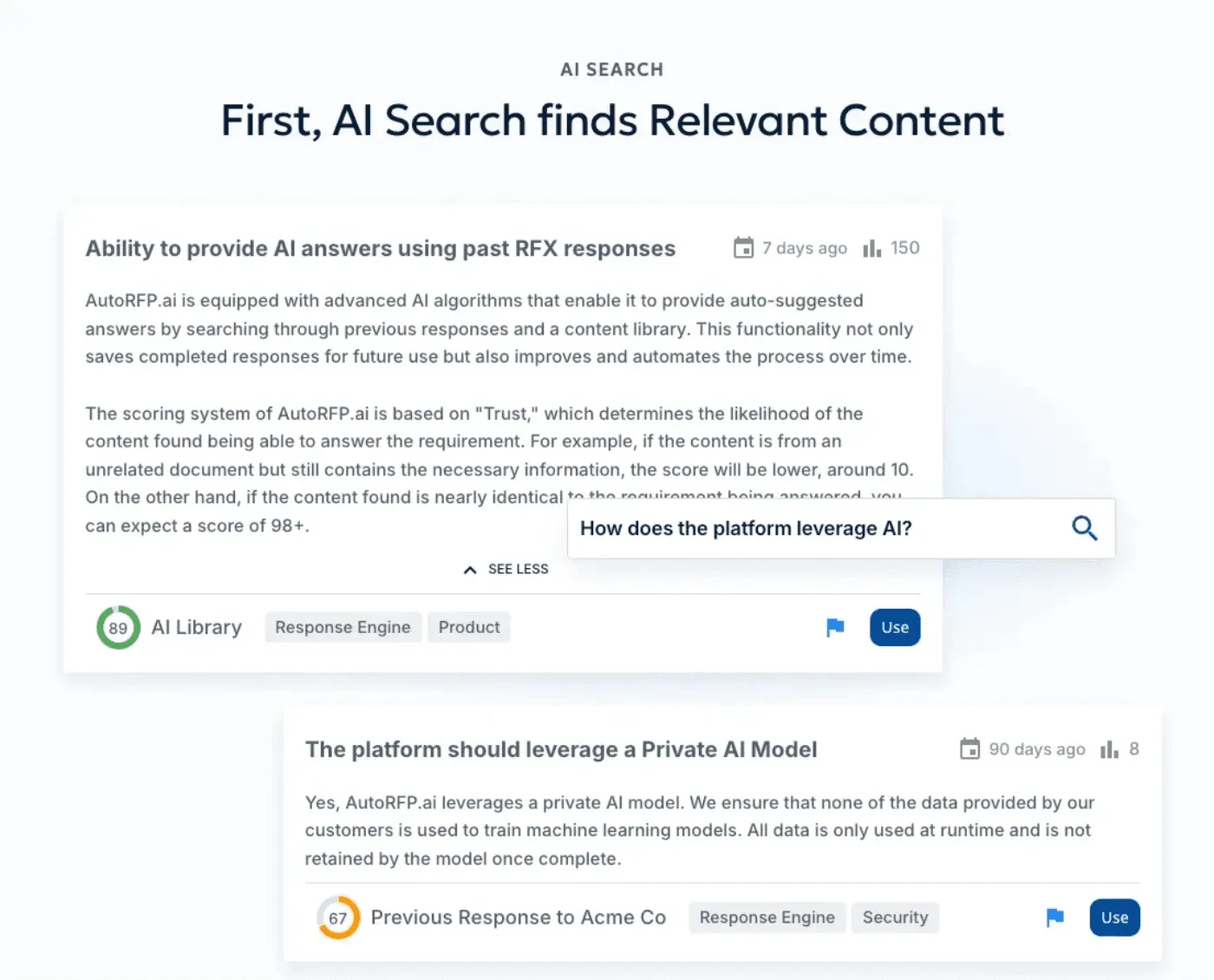
software use semantic search. So effectively it's not just someone typing in the words trying to find similar words. It is actually an LLM like a large language model providing all its context across an embedded database to find like a vector database to find the relevant query with the context. So for instance, semantic search would understand the difference between real estate assets and questions and answers that discuss that versus infrastructure assets. even though they might have a lot of the same words, it understands contextually they're different things and whether it's commercial and so on. So that's where semantic search and the power of AI not just in generating a response but in finding the relevant content can be really powerful across your AI native DDQ software. So the AI finds the relevant content then whether it's multilingual and so on. So it does AI
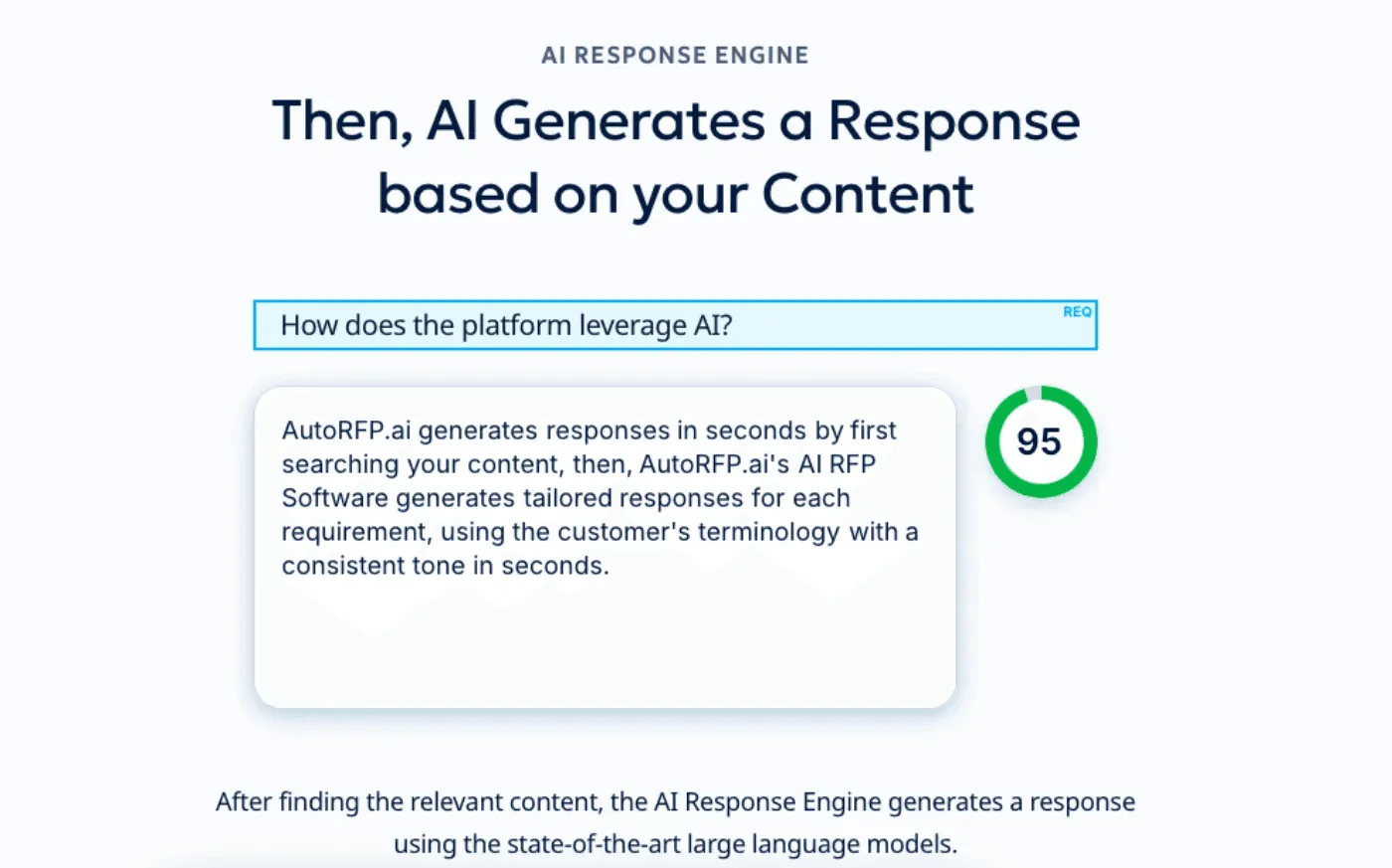
optimized translations as well. It then generates a response or provides a verbatim response. So if your content has the exact right response to use and you've done that previously, let's say it's your 15th Ilpa DDQ, it will just copy it will verbatim that response with its AI semantic search and then verbatim it effectively copy and pasting it, which is a lot better than just always trying to generate new responses. But when it can't verbatim response, it will then use AI to generate a response and provide different trust scores, effectively showing you how relevant the content it used is for that response and how trustworthy it thinks it does and uses a specialized reranker model here and that trust score. Then it generates the response. Of course, you've got different features to help collaborate across subject matter experts. You can have unlimited number of users with an order RFP. We don't we do not charge
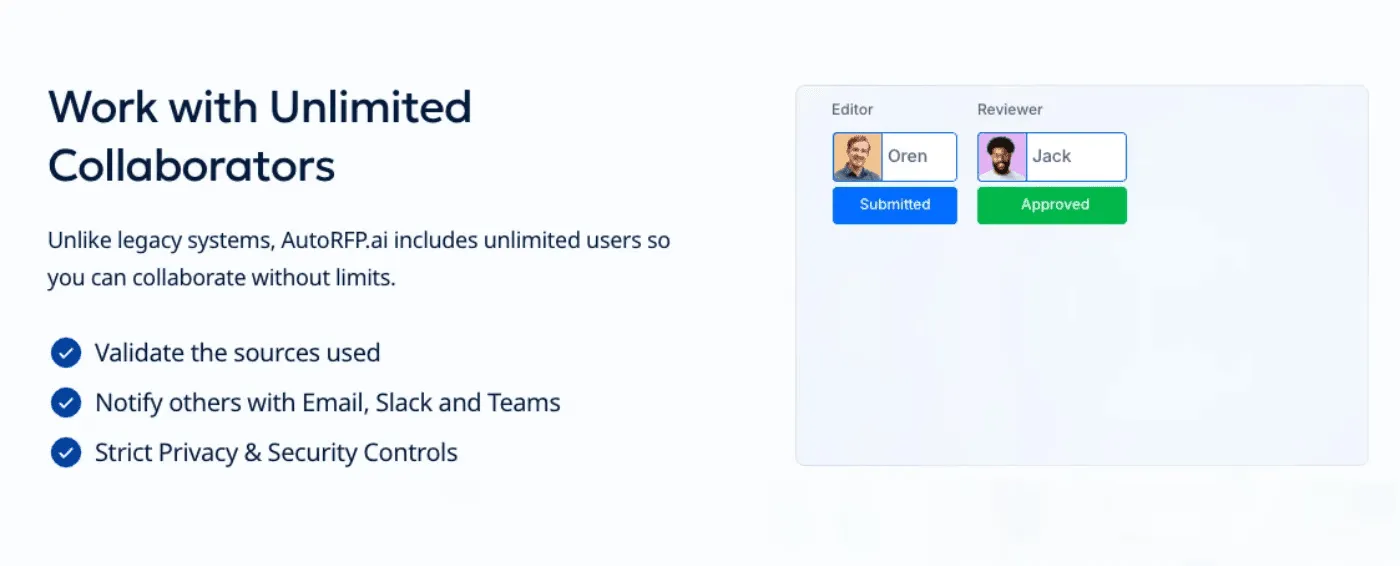
based off of users. So seatbased pricing is the norm across RFP or DDQ software. We just charge based off number of DDQs you would do every year. But yeah, then the team can collaborate, understand the different responses within there, mark compliance records, assign editors, reviewers, do sequential reviews if you require different teams and people to review answers before they go to the LP for that DDQ response. You can really easily manage different attachments and add attachments. the im the response can add in images from your content add in tables and you can manage that all really easily in order RFP so it's very like intuitive you userface as well then yeah unlimited collaborators also we integrate with Microsoft teams or slack although in this case probably more relevant is teams and effectively those team members will then get notified and just notifications and managing a DDR process is a lot more streamlined line
with a dedicated AI DDQ software. And the big thing is, yeah, we don't think AI should be an add-on. So, it's not like a bolt-on to our software. It is our software. And our pricing, we don't charge for different features or add-ons or plans. The pricing is really straightforward, which I'll cover off shortly. And like I said, integrates with Microsoft Teams as well as translations and then a lot of different integrations whether it's across SharePoint or 20 Salesforce or 20 plus integrations as well as real-time web scraping for context as well there. And then of course when you are doing hundreds or thousands of DDQs, you want reporting that really helps understand the DDQ process, the time and the cost it takes to do DDQs as well as the impact AI is having on your DDQ process. That's why we provide AI
automation reports and a lot of other different information as well as in just general kind of managing that DDQ process. So, in terms of our pricing, yeah, you can find that on our on our website. Really straightforward. Like I said, all the plans are effectively the same. The only different thing is the price and the number of DDQs per year. So, that's order RFP.ai. And I covered eight other of the best DDQ software in the
Key Features to Look For in DDQ Software
The best DDQ software streamlines your due diligence process by combining smart automation, centralized knowledge, and teamwork-friendly features. With the right platform, your team can respond faster, stay consistent, and avoid costly mistakes.
AI-Powered Response Generation
Look for DDQ software that uses AI to draft responses automatically. It saves time, cuts manual work, and improves accuracy. Modern platforms learn from your past answers, so the more you use them, the smarter they get. This ensures your due diligence questionnaire software delivers consistent, first-draft-ready responses every time.
Centralized Knowledge Management
A strong due diligence solution keeps all answers, templates, and reference materials in one place. Teams can quickly search, update, and reuse content without hunting through emails or shared drives. Centralized knowledge ensures everyone works from accurate, up-to-date information, making your due diligence tools more reliable.
Seamless Integrations
The right DDQ software connects with a lot of different tools from CRMs to security platforms. These integrations let you pull data automatically and essentially make sure that your diligence questionnaire software stays accurate and up-to-date without you needing to stay on top of it.

Video transcript
Okay, I just got a portal that I have to jump into, complete a security questionnaire, pretty stock standard. I help out all our team at AutoRFP.ai completing security questionnaires and so on. It's kinda like the same old questions. Luckily, I got our tool, I'm gonna show you how to use an agent to automatically answer and extract all the different kinda security questionnaires from this portal. So in my example, I'm using UpGuard. There's heaps of different portals out there. Good thing about this agent, it actually works in any portal. It uses AI computer vision to automatically scan the page and then to pull in all the information.. So you can see it now working across this portal. It's looking at the page, and it's using effectively an agentic workflow to figure out the HTML and page structure of the page, and that's how it can work in any single portal. Then it looks and tries to understand and learn the page structure, and then once it has the page structure, you'll see it interacting with the page.
It's effectively taken over my browser, and that's one of the cool things about kind of browser agents, and that's what this is. This is AutoRFP.ai's portal agent that works via Chrome extension in your web browser. You've got other agents out there Claude's Chrome extension, ChatGPT's Chrome extension, and so on or the ChatGPT browser. Where I find they really fall down for security questionnaires, and I have tried them, is they're very slow. They actually just try to kinda move around their mouse very slowly, constantly taking screenshots, and it just doesn't actually do the thing. Whereas this portal agent is purposely built for web portals that have questionnaires in them. So that could be, like, SAP Ariba vendor port-- that could be, like, SAP Ariba, Unimarket UpGuard, RiskLedger any web portal that has that. It could be DDQ portals like Deseti, Diligence Vault, and so on. And effectively, it's built for that, and still using its AI computer vision,
it then scrapes the portal automatically and pulls in all the information. Let's see. So it actually completed that very quickly while I was talking. It's grabbed the questionnaires, understood the page structure, and then gone through, and for this one, there was one hundred and forty-one requirements. You can see them all here, and it's pulled that, all that information in. And that's the first step. Let's automatically grab all of the different requirements that's in my portal. But then I wanna go further. I wanna use AI to start automatically answering my security questionnaires. So looking at my imported questions, I can see they work. Then I can view that in my project. So here is AutoRFP.ai. AutoRFP.ai is used across the globe in forty-four plus different countries by hundreds and hundreds of businesses everyone from SaaS, unicorns in Silicon Valley to startups to India's largest law firm use us for security questionnaires and automating that tedious response. And here are my requirements.
AI has actually automatically answered all of the requirements here while I was talking and pulled that information in. You can see it couldn't find the answers for some of them. It's provided our AI trust score. Why you need a trust score when you're looking at AI content, especially something just as important as security questionnaires, is you need to know is, can I trust this response? Looking at this is scope stored. I can jump in here, and I can understand specifically what information is being used, like past responses and which it used to answer that requirement I can look further. I can add attachments, which is really common here. So I can add our data processing agreement, and then that will be included in the export. And then I can just look through in response. I can easily select a bunch of responses. So if I wanna go to everything in the section for application security take those two requirements, they haven't been filled out yet, assign them to the solutions team, and they are gonna be the editor, and I'll tick myself, keep myself as the approver in the security team, and then I can easily
wait for them to answer those questions. They'll get like a Slack or Microsoft Teams notification to answer that, and then they'll come back in and fill it out. then I have my project overview, so I can see everyone who's involved in the response for the security portal, what they have left to submit, and what attachments and what the AI draft rate and everything else was. And then once I complete it, I can just kinda jump back into the portal, look at the answers, easily grab this answer, and just chuck it back in there and easily answer as needed with my examples and so on. That was a really short overview of AutoRFP.ai and the portal agent and how you can use agents to automatically respond to your security questionnaires that you get. The really great thing about AutoRFP.ai is it is a purpose-built RFP software. We're not a GRC platform. We're not trying to do a hundred different things. It's built for things like security questionnaires, RFPs. That way, it's not just using policies to answer questions and your certifications. It's actually looking at past responses.
It continually learns from your work as you use it. It has the full collaboration suite, and it has a really robust importer. Look at my next video and you can see how I import a SIG questionnaire automatically in a matter of seconds with AutoRFP.ai that I've received from a prospect, and the AI automatically detects requirements and every answer block and response cell that I need to respond to and automatically starts generating those responses. If you're keen to learn more about AutoRFP.ai and how we can help you automate security questionnaires via the portal agent, then what you want to do is jump to our website AutoRFP.ai. Jump to Book a demo, and you'll be able to grab a time with our team where they can help tailor the solution to your specific use cases. So jump online, book a demo if you're keen to understand how the portal agent can be used to automate your security questionnaires. Thanks.
Pro tip: Look for software with automated content reviews or freshness alerts. These reminders help your team keep answers current and aligned with your latest policies and certifications.
Collaboration Workflows
Coordinate responses across departments. A single DDQ might require input from legal, security, finance, and operations. A solid DDQ software routes questions to subject matter experts, tracks progress, and manages approvals without endless email chains.
Audit Trails and Version Control
A clear version history helps teams maintain compliance and makes it easy to review changes, so you need to look for platforms that track every edit and submission. If your DDQ Software comes with built-in audit trails this guarantees transparency and accountability for every response.
Pro tip: During audits, export your version history as a report. This is one of the simplest ways to demonstrate compliance and reassure stakeholders that your process is both accurate and verifiable.
The 9 Best DDQ Software Tools Compared
| Tool | Best For | Key Differentiator | Starting Price |
|---|---|---|---|
| AutoRFP.ai | Teams handling RFPs and DDQs at scale using Ai | Libraryless semantic search | $899/month |
| Responsive | Large enterprises | Most established platform | Custom pricing |
| Loopio | Sales-focused teams | Easiest to use | $20k minimum |
| Autogen | Advanced AI users | Cutting-edge LLM capabilities | Variable |
| Arphie | Sales Engineers | Knowledge sharing | Custom pricing |
| Ombud | Compliance-heavy teams | Regulatory focus | Custom pricing |
| Qvidian | Non-AI use across Managed Investment Fund Firms | Collaboration across SMEs and content library management | Custom pricing |
| TrustCloud | Security teams | Compliance automation | Custom pricing |
| 1up | Basic AI users | Easy-to-use and free version | Free trial, Starter plan at $250/month |
1. AutoRFP.ai
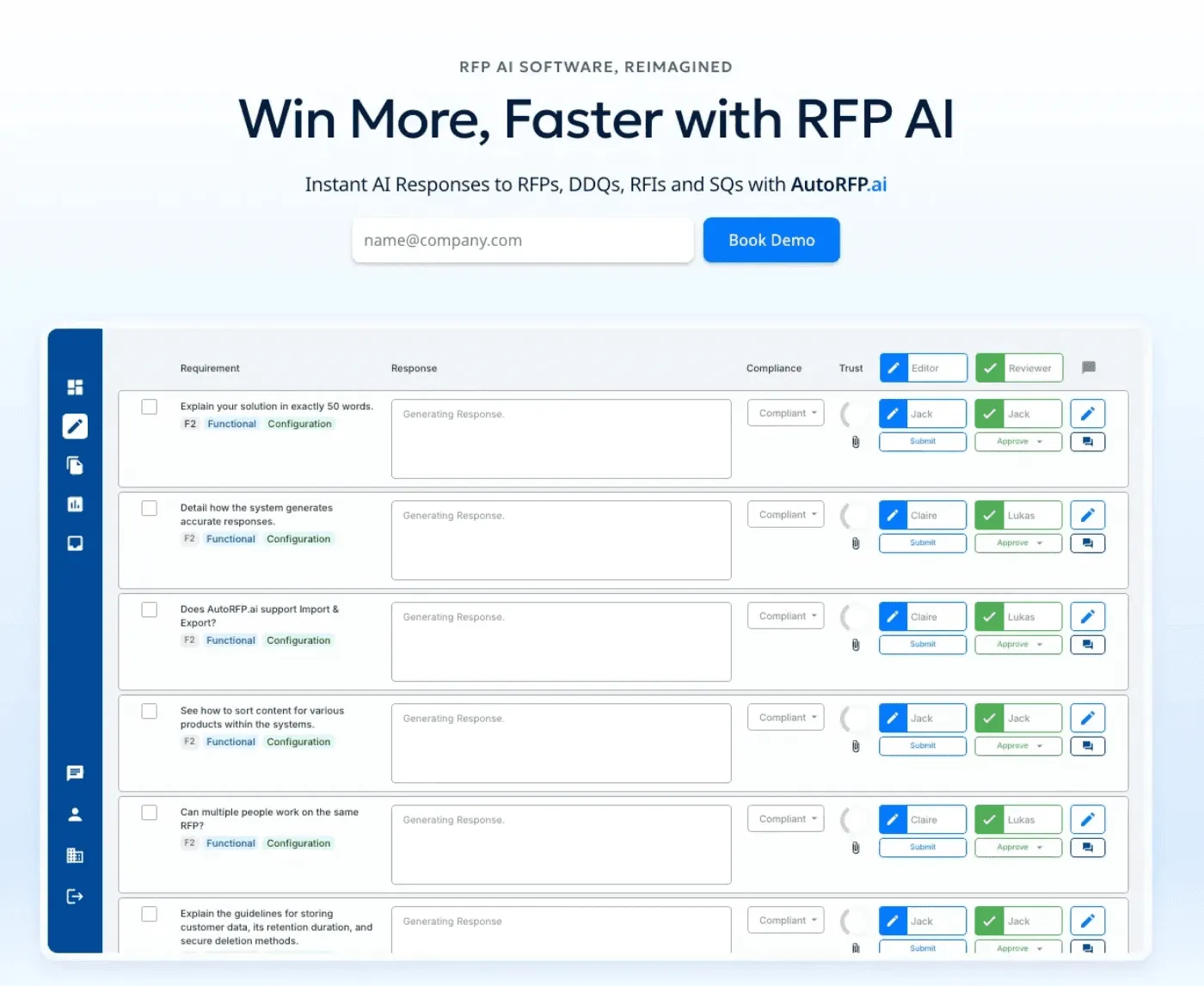
AutoRFP.ai helps teams respond to due diligence questionnaires faster by using smart semantic search, which means you don’t need to maintain a huge Q&A library to get conceptually accurate answers.
Key Differentiator:
Libraryless AI-native architecture using semantic search and vector databases instead of keyword-based Q&A libraries. No weekend manual library building required.
Key Features
- Libraryless semantic search.
AutoRFP.ai reads the meaning of your questions (not just keywords) to find answers that make sense. It pulls answers from existing documents, emails, and templates. This means teams don’t spend hours hunting for content. The system learns from past responses and improves over time. Many customers report major time savings on updates and edits.
- Unified platform for multiple questionnaires.
AutoRFP.ai helps you handle everything from RFPs and RFIs to DDQs and security questionnaires in a single, unified interface. This means that you won’t need to switch between tools or duplicate content just to stay on top of all your data.
- 85% time reduction on response processes based on customer implementations.
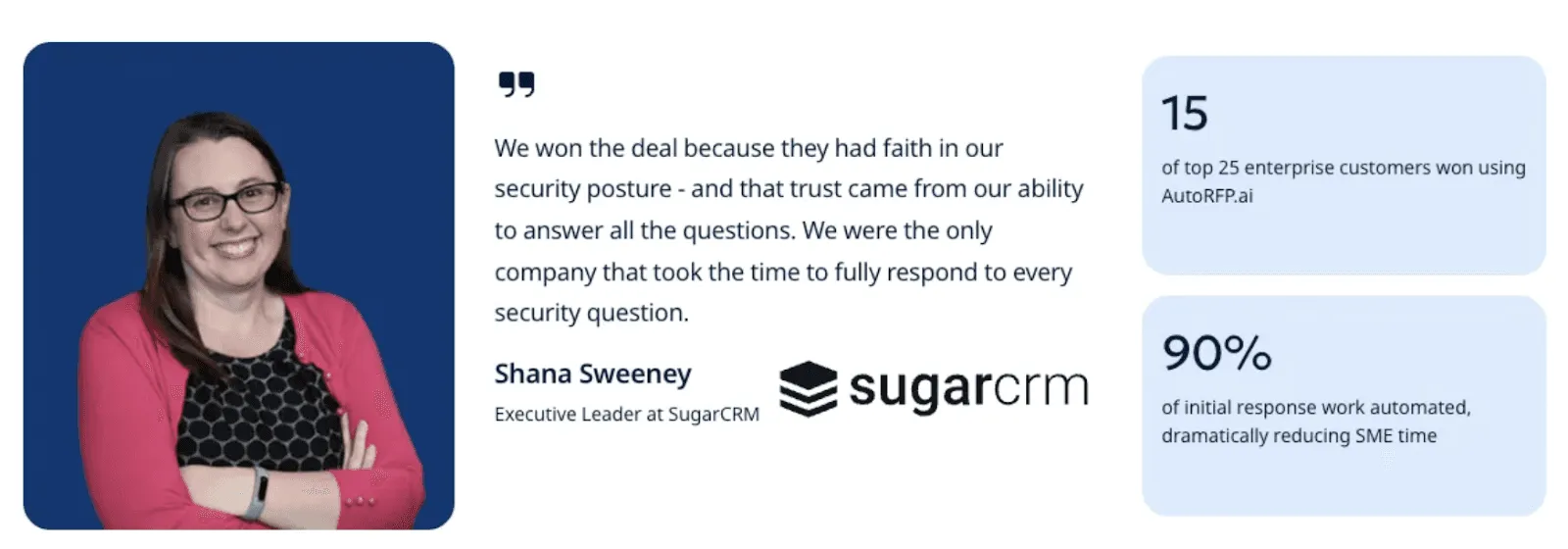
Fiddler reduced security questionnaire time from 30 hours to 4 hours. ecoPortal cut RFP draft time by 60%. SugarCRM won 15 of their top 25 enterprise customers using AutoRFP.ai.
- Fast implementation.
AutoRFP.ai is set up in days instead of months, which means you can get started almost right away. It works with your existing files so your team can start quickly. You avoid complex library migration and long training. Teams can automate responses almost immediately. You get faster ROI and stress your team less.
Pricing
| Plan | Monthly Cost | Key Inclusions |
|---|---|---|
| Scale | $899 | Unlimited AI, users, content, and integrations |
| Accelerate | $1,299 | Everything in Scale plus advanced analytics |
| Enterprise | Custom | Tailored security and compliance features |
AutoRFP.ai includes a 30-day risk-free trial with full money-back guarantee. Plus all plans come with unlimited users; no per-seat fees that scale costs as your team grows.
Where AutoRFP.ai Shines
Zero library maintenance overhead after initial setup
Single platform eliminates tool fragmentation
Semantic understanding catches conceptually similar questions that keyword systems miss
Rapid deployment without enterprise implementation timelines
Battle-tested by teams in FinTech and enterprise SaaS environments
63% of AI-generated answers require no edits before submission
Where AutoRFP.ai Falls Short
Newer player with less brand recognition
Smaller integration marketplace compared to legacy platforms
Less industry-specific templates than specialized competitors

Video transcript
Transcript is auto-generated and may contain minor errors.
Hey, we're going to jump into how you can use AI to automate your DDQ process. Let's jump into it. We're going to be using AutoRFP.ai, where an AI software application cloud-hosted across the globe with hundreds of customers, everyone from Silicon Valley startups to some of the largest managed investment fund companies in the world across managed investment funds with portfolios and offices across Switzerland, United States, and Singapore using our product every day to answer hundreds and thousands of DDQs. Let's jump into it. So, AutoRFP, you can upload diff- you can upload different DDQs that you might get. This might be your LP DDQs or just any from
your LPs that are coming through and you want to highly automate that process. You can also upload your RFPs and any other kind of compliance questionnaires you'd like. Really, what AutoRFP is Really, what AutoRFP is effectively you create an AI knowledge lake with your relevant context. This could be information from your website, whether that's fund information like investment performance over time and other relevant public information. AutoRFP can scrape that information automatically or it could be technical documents or fund documentation in relation to your products and services and so on. But effectively, all that information, as well as integrating with 15 plus other systems like Google Drive, SharePoint, Microsoft Teams.
We pull that together into an AI knowledge lake, which is a vector database. Then AI starts to do its work across two different ways to generate DDQ responses en masse. First is the AI semantic search which uses embedding models and re-ranker models to effectively site the most relevant context. That's how we have customers in Auto RFP that have hundreds and thousands of or tens of thousands or hundreds of thousands of pieces of content in their Auto RFP library with specific categorization in relation to tagging. For instance, here I have tagging. If I was a managing investment fund, I could go all the way down to particular asset-backed credit and
different investment platforms and all different funds and effectively that relevant context is provided to the LLM. So then it knows what is the right information for automating DDQs. So then you have an AI response agent that takes that relevant context and across a series of LLMs, whether it's Gemini, OpenAI, and Anthropic, generates a response. That can then be collaborated across the team as well as translated to 50 plus languages with translation and AI optimization for localization of translation as well. English US, English Australia, and English UK, and so on. Then within the product, you have workflows, whether it's integrating with your CRM like Salesforce for intakes of new
DDQs, importing via portals, AI analysis, and a lot more. And let's jump into that. So, within AutoRFP, you have your different projects that might be a RFP, a due diligence questionnaire, and so on. We create those projects, load the relevant files. That comes in, whether it's a zip file, Excel, PDF, Word doc, and we import that information. First, we do a project analysis. Imagine this LP, this is the first time you're working with them, and the first time they've sent you a due diligence questionnaire. You may have specific questions that you want to understand before responding to that DDQ based off the context and content in the due diligence questionnaire itself. That's where we leverage an LLM AI to analyze that relevant DDQ and provide any answers to our questions, and it'll provide sources as well a confidence
scoring based off that information. So, now I've looked through that, and I've read through the DDQ, it's time to start answering. First, here our software will automatically mark up the document with AI and OCR to effectively specify what are the requirements and what are the responses that it needs to then generate answers for. So, you can see here it's done multiple Excel tabs. It's looked at the PDF and pulled out the requirements there from the DDQ, whether it's tables and so on. It's also done that in a Word doc, other information that might be relevant. Then, we can choose what content is most relevant. So, here I might say, "Okay, this is a fun four, and this information's relevant, and that's the kind of content that I want to use to answer this our DDQ.
Once we have our content selected with your tagging and hierarchy that makes the most sense for your kind of large waves of context for the LLM, we then can provide what kind of style responses we want, and we can change anything here later, and what languages. Now, the fun begins. So, this is pretty cool. So, we have generate we have pulled in all those responses. So, now the fun begins. The AI, as you can see, it's ticking up along the top is automatically generating responses for those questions based off our context. Everything's going to come in here from rich text formatting to tables to images. Anything that you have in your content that was relevant for that answer, it will then effectively, like I said, use a re-ranker and embedding model to source the relevant information, and then use AI to generate those responses. Any of these responses I can go in and click here and understand the trust
score. And so, that will provide whether it's a tag level match across our context. So, for instance, our information and the confidence of that response as well. Clicking in edit here, I can see more relevant information. It hasn't pulled from This is actually expired two months ago. So, our content features have expirations and teams to review content and all the kind of information you provide you can do in the content. If then I want to say this content looks great, but I actually want to suggest any changes or flag it for review, the content owner would then get information for that content. Let's say instead I actually wanted to add in this relevant information and this relevant information, but then I want to add a prompt to edit that with the AI or just use a little prompt here to shorten that response and effectively AI now will again answer and edit that response according to my prompts that I've used there.
I I can see the changes and then I can accept those changes and of course there's revision history and AI assistant so I can ask it questions to help me understand that requirement in more details. Like I maybe I don't know what an SAP Ariba is. Sadly I do, but maybe I don't and it can tell me more information there. So that's a bit of our response editor and now all those different responses have come through. I can go to my different sections within the DDQ like my artificial intelligence section. I can select all those requirements and I can start assigning those to relevant team members. So I might assign this to the legal team as reviewers and so anyone from the legal team now has the opportunity to review those responses once I start submitting them and they will get Microsoft Teams notifications or Slack about that workflow and get updates on the process of the project as it goes.
Let's take a step back and say I was now project managing this DDQ response because I'm the investment manager for that fund. I can click on the project overview, quickly see how many responses are left to complete, who they've been assigned to, send reminders to those team members, again Slack, Microsoft Teams, and I can also see when the project is due and how our overall progress as time goes on. We can add additional attachments as well. So, I might want to add this attachment and this attachment. So, when I export my completed project, that will then include any attachments that either myself or the AI has added. Let's take a step forward and go back to now answering those responses. Here, of course, I can make any changes as I want and submit that and work through my task list of different tasks for those responses until it's done.
Looking through, we can also look at any low trust score ones we have or any that are empty, which might which will require human intervention to answer. So, looking at this low trust score, I can see, okay, why is it low? And then I can go in and I can edit and make changes to that response. You also might notice there's a second AI score here, and this is the AI feedback score. The AI feedback score will tell me if how well that response, whether it's AI or human generated, will is answering that DDQ requirement. Okay, so we've just finished editing our responses, we've reviewed the trust scores, filled everything out that needs to be filled out. We can regenerate responses, write additional feedback like and so on. Now, we're ready to export. So, once everything is approved, and what we can
do there is then mark the project as completed and then export that entire project, and that can include any proposal templates that you have. So, that might be executive summaries and other relevant information that is in your firm's tone and marketing collateral and that and then you can have the requirements and relevant context auto-generate into those export templates. And then we can export that and then submit the DDQ. So, that's a lot of it. So, we're AutoRFP.ai. We're a DDQ software and RFPs that helping global technology and fund manager companies all around the globe automate the mundane when it comes to DDQs and RFPs. And not just automate, but really help free up people to write better responses to win more faster. In terms of our pricing and all our
information, you can find out more information. If you're doing more than 50 DDQs per year, recommend getting in touch with us by booking in for an online demonstration. And you can find all about us at AutoRFP. ai. Well, thank you. I'm Rob from AutoRFP and I'm glad I could show you how to leverage AI to automate the DDQ process. Thank you.
Pro Tip: Track your edit rate, not just response time. The percentage of AI-generated responses requiring edits reveals actual platform quality. If you’re editing more than 40% of responses substantially, your platform’s AI isn’t working. Modern AI RFP software like AutoRFP.ai achieves 63% no-edit rates.
Customer Reviews
“More than just the software - their team helps you out! Really detailed and able to help with any RFP format, e.g. word / pdf / excel.” Verified customer review from G2.
The support is responsive, and personal as well - only user error on my part so far!” Verified customer review from G2.
Who AutoRFP.ai Is Best For
Teams handling both RFPs and DDQs (e.g. ILPA DDQ) who want unified automation across all response types.
Managed investment funds with high throughput of DDQs and highly structured responses heavily regulated. Or technology companies between 500-5,000 employees either with dedicated bid function or decentralised sales bid team.
2. Responsive (formerly RFPIO)
Responsive streamlines enterprise RFP and DDQ workflows, offering mature AI features and an extensive integration ecosystem built over 10+ years.
Key Features
- AI Answer Assist
AI Answer Assist generates response suggestions from your content library. The feature works but relies on traditional keyword matching rather than semantic understanding.
- Content library management
Responsive’s robust content library management handles thousands of Q&A pairs with version control and categorization. If you have existing libraries and dedicated content management resources, this strength matters.
- Salesforce and CRM integrations.
Its Salesforce and CRM integrations pull opportunity data, contact information, and deal context automatically. The integration depth is substantial for organizations heavily invested in Salesforce.
- Enterprise workflow automation
Responsive’s workflow automation and approval chains route questions to appropriate teams and track approval status. Enterprise-grade process management for large organizations.
- Analytics and reporting.
Its analytics and reporting provide visibility into response times, win rates, and team productivity. Executive dashboards show performance metrics across the proposal function.
Pricing
| Plan | Key Details | Contact |
|---|---|---|
| Enterprise | Custom setup for large teams | Contact for pricing |
Where Responsive Shines
Most established player with proven track record across industries
Extensive integration marketplace connecting to major enterprise systems
Strong enterprise customer base providing peer references
Comprehensive analytics for performance measurement
Dedicated customer success teams for enterprise accounts
Industry-specific templates and best practices from years of customer learnings
Where Responsive Falls Short
Legacy architecture with bolted-on AI
Significant library setup and maintenance
Longer implementation timelines
Reviews
“I love Responsive’s ability to facilitate easy and effective collaboration, solving the issues I faced with SharePoint and Word. I appreciate the seamless content library and dashboard features, which make searching and updating content straightforward. The overall ease of use and real-time updates are very beneficial.” Verified review by G2.
“I find the upload process cumbersome. It requires precision, and if the sections are not uploaded correctly on the first try, I need to redo everything. This impacts the export format, leading to complications and more work on my part.” Verified review by G2.
Who Responsive Is Best For
Large enterprises needing established vendor with extensive integrations
Fortune 500 companies with dedicated RFP/DDQ teams, complex approval workflows requiring process governance, and budget for enterprise software. Organizations with existing Salesforce investments benefit from deep native integration.
3. Loopio
Loopio is a due diligence questionnaire software that prioritizes ease of use and quick adoption, which eventually helps sales-focused teams efficiently respond to DDQs and RFPs.
Key Features
- AI-powered suggestions
Loopio’s AI-powered response suggestions analyze questions and recommend relevant content from your library. The suggestion quality depends on library comprehensiveness and tagging accuracy.
- Chrome extension
The Chrome extension lets you work in other apps while accessing Loopio, which means that teams don’t need to switch tabs or copy-paste content because they can pull answers directly into proposals and DDQs instead
- Library management
Loopio’s library management with version control tracks content changes and maintains single source of truth. The interface prioritizes usability over advanced features.
- Project management
The project management features handle response coordination, task assignments, and deadline tracking. Built-in workflow tools reduce the need for separate RFP project management systems.
- CRM Integration
Loopio’s integration with sales tools connects to common CRM and sales enablement platforms used by mid-market companies.
Pricing
| Plan | Key Details | Contact |
|---|---|---|
| Custom | Includes library and project management | ~$20k/year |
Where Loopio Shines
Intuitive interface requiring minimal training time
Strong focus on sales team workflows and needs
Good template library for common sales scenarios
Responsive support with quick issue resolution
Quick time-to-value with straightforward implementation
Active user community sharing best practices
Where Loopio Falls Short
Less robust for complex compliance workflows requiring detailed audit trails
Complicated UX
Content library still requires substantial manual curation and maintenance
AI capabilities less advanced than AI-native competitors using modern LLMs
A lot of features hidden behind a paywall
Customer Reviews
“Loopio is an integral part of the RFP and proposal development process. We couldn’t deliver without it!”. Verified review from G2.
“It would be very helpful if Loopio could offer a digital graphics library as well as editing features on the new PowerPoint feature. It would also be helpful if Loopio could offer a visual look at what a project would look like when exported. Loopio isn’t great at generating projects for more complex RFPs, especially ones with forms.” Verified review from G2.
Who Loopio Is Best For
- Sales teams in mid-market B2B companies (100-500 employees) who need a simple, effective due diligence solution that can handle automation without enterprise complexity.
4. AutogenAI
AutogenAI is a due diligence questionnaire software that uses cutting-edge AI and large language models to create highly accurate, context-aware RFP and DDQ responses.
Key Features
- LLM-powered response generation
AutogenAI comes with a GPT-powered response generation feature that uses modern transformer models to create contextually appropriate answers. The AI quality reflects recent advances in natural language processing. The smart answer recommendations also learn from user selections and edits to improve suggestions over time.
- Natural language understanding.
AutogenAI’s natural language understanding analyzes question intent beyond keyword matching. The system grasps nuance in how questions are phrased.
- Adaptive learning
This tool learns from past responses and identifies patterns in accepted answers to refine future suggestions.
- Minimal library maintenance
AutogenAI requires minimal library maintenance, as it uses AI’s ability to synthesize information from documents without extensive manual tagging.
Pricing
| Plan | Key Details | Contact |
|---|---|---|
| Custom | Custom AI-driven solutions | Contact for pricing |
Where AutogenAI Shines
Cutting-edge AI capabilities that reflects the latest LLM advances
Reduced library dependency through intelligent content synthesis
A strong technical team continuing to advance AI features
Flexible deployment options for different security requirements
Active development that focuses on frequent capability enhancement
Where AutogenAI Falls Short
Newer entrant with shorter track record than established vendors
AI quality dependent on training data and model updates
Usage-based pricing can be unpredictable for high-volume teams
Smaller customer base for peer validation
Integration ecosystem less mature than legacy platforms
Who AutogenAI Is Best For
- Any tech-forward organization that is comfortable with a newer due diligence solution and prioritizes AI innovation over established brand names.
Teams comparing DDQ platforms often review Iris AI alternatives alongside them before making a final call.
5. Arphie
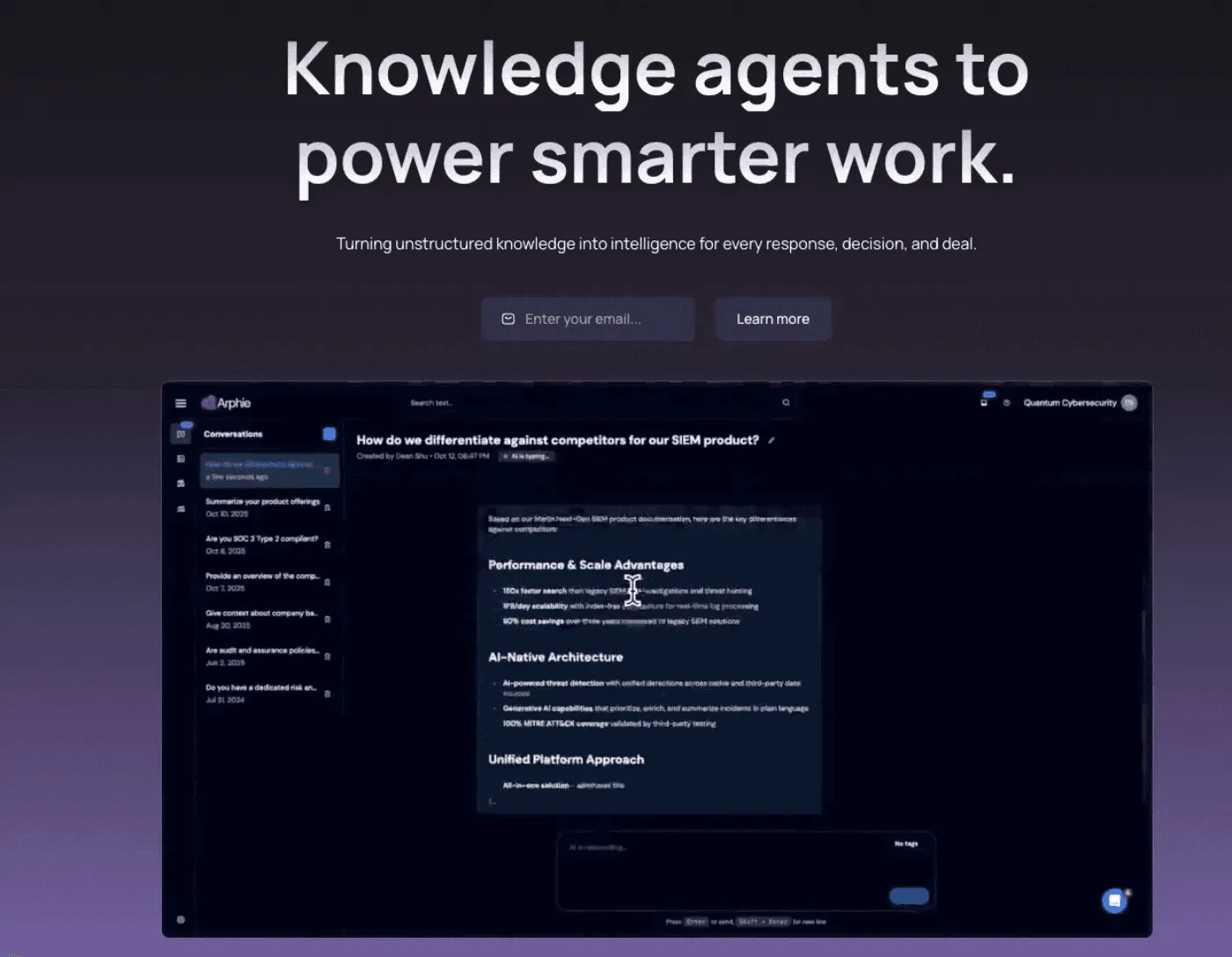
Arphie specializes in investment management due diligence solutions (including ILPA and AIMA questionnaires) and it comes with pre-made templates tailored to industry needs.
Key Features
- Collaboration tools
Arphie’s collaboration tools are designed for investment team workflows to coordinate responses between portfolio management, operations, legal, and compliance functions.
- Version control and audit trails
Version control and audit trails meet the documentation standards expected in regulated investment management environments.
- Integrations
Integrations with knowledge management platforms such as Highspot and Siesmic.
- Knowledge sharing made easy
Archie is built for knowledge sharing across sales engineers and sales people, mostly catering for technology companies.
Pricing
| Plan | Key Details | Contact |
|---|---|---|
| Custom | Tailored investment-focused packages | Contact for pricing |
You can also learn more about how Arphie pricing compares to enterprise-grade RFP platforms in our latest evaluation.
Where Arphie Shines
Pre-built templates saving setup time for common formats
Terminology and workflows aligned with investment industry practices
Strong compliance and audit trail features for regulated environments
Where Arphie Falls Short
Smaller team and development resources compared to diversified vendors
Higher learning curve for users unfamiliar with investment industry convention
Because of these limitations, organizations with broader requirements or faster feature expectations may consider evaluating an Arphie alternative to better match their scale and use cases.
Customer Reviews
“Arphie integrates seamlessly with workflows across various teams, including product, engineering, legal, and security. Rather than reaching out to different teams for information, we simply connect to the designated files and folders for regular access and updates. From there, Arphie uses AI to pull the necessary data to respond to RFPs and questionnaires automatically. This eliminates the need to track down colleagues across the organization, saving us a lot of time.” Verified review by G2.
“Arphie doesn’t work well with internet portal questionnaires but does provide help for these situations with the quick ask feature along with the chrome extension.” Verified review by G2.
Who Arphie Is Best For
- Investment-focused tech companies or fund managers handling complex investor questionnaires.
6. Ombud
If you want a due diligence questionnaire software that works well for compliance-heavy organizations and integrates regulatory frameworks into DDQ workflows, then you need to keep Ombud on your list.
Key Features
- RevOps platform with AI
Ombud automates DDQ responses and improves them using AI so teams can spend less time on repetitive tasks. The system learns from previous responses to improve accuracy over time and managers can monitor progress to make sure that deadlines are met.
- AI-enabled assistants
Ombud’s AI-enabled, context-aware assistants are designed to support various roles within Revenue Operations. This makes it a strong fit for teams looking to align DDQ management with broader RevOps automation initiatives across the revenue lifecycle.
- Response management
It comes with response management AI features that automate and refines the proposal and DDQ process, enabling the investment team.
Pricing
| Plan | Key Details | Contact |
|---|---|---|
| Enterprise | Custom compliance-focused packages | Contact for pricing |
Where Ombud Shines
Exceptional compliance and audit capabilities
Deep integration with regulatory frameworks and standards
Strong risk assessment features for compliance-focused organization
Comprehensive documentation meeting stringent regulatory requirements
AI agents for automation across RevOps and RFP response management
Where Ombud Falls Short
Complexity may overwhelm organizations without dedicated compliance teams
Legacy RFP platform with library management concerns
Higher cost reflecting enterprise compliance focus
May provide more governance than needed for less regulated industries
Customer Reviews
“Ombud makes it easy to upload a lengthy RFP, collaborate with others, and export an easy-to-send response.” Verified review by G2.
Who Ombud Is Best For
- Healthcare organizations or any other regulated entities where compliance documentation and audit trails are a huge priority.
7. Qvidian (Upland Software)
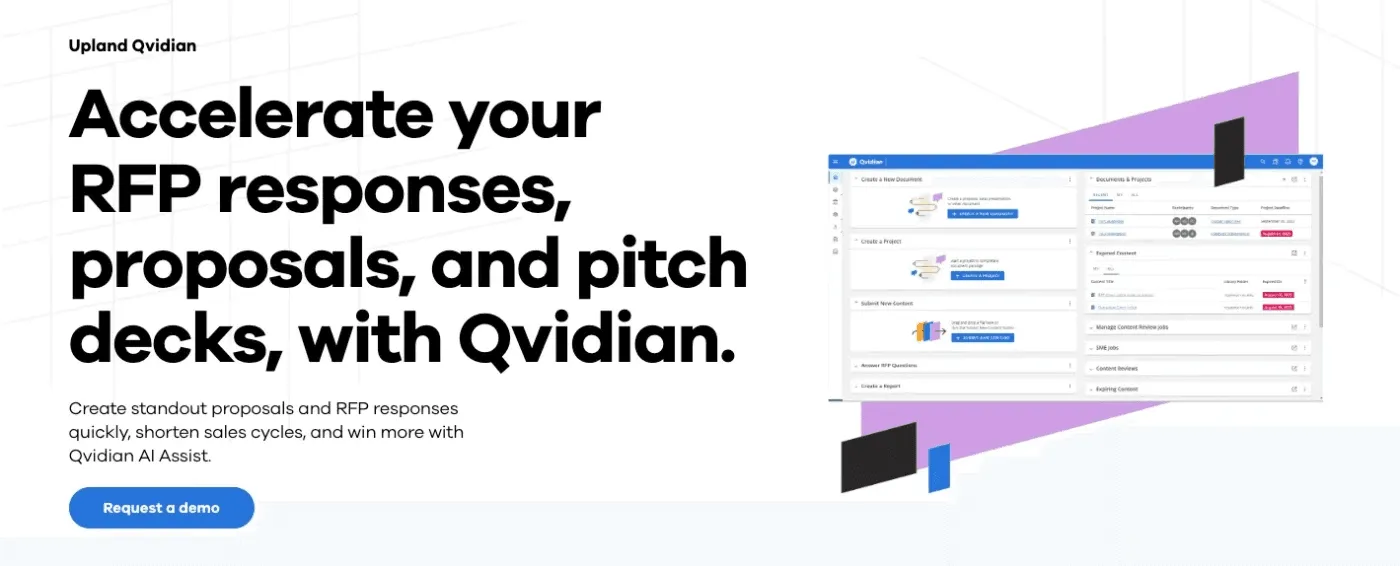
Qvidian offers enterprise-grade DDQ and RFP automation with deep Salesforce integration and mature workflow capabilities.
Key Features
- Native Salesforce integration
Qvidian has a Salesforce integration embedded directly into the Salesforce interface. Sales teams access proposal and DDQ capabilities without leaving their primary working environment.
- Enterprise content management
Qvidian’s content management handles large-scale content libraries with sophisticated governance and approval workflows.
- Advanced workflow automation
Its advanced workflow automation routes questions based on complex business rules, approval hierarchies, and compliance requirements.
- Template management
The DDQ software provides formatting and branding capabilities for polished deliverables so teams can reuse templates across different clients or questionnaires.
Pricing
| Plan | Key Details | Contact |
|---|---|---|
| Enterprise | Custom enterprise solutions | Contact for pricing |
For organizations evaluating options, understanding Qvidian pricing upfront can help plan budgets and choose the plan that best fits enterprise needs.
Where Qvidian Shines
Mature enterprise platform with extensive capabilities
Strong content management for large organizations
Comprehensive workflow automation for complex processes
Established vendor with long track record
Where Qvidian Falls Short
Heavy enterprise focus may overwhelm mid-market teams
Significant implementation effort and timeline
AI capabilities added later rather than core architectural design
Older UI that users may find harder to learn
Customer Reviews
“I find the menus easy to navigate and the search functionality is useful as you can search within specific folders for relevant content. The feedback functionality is also a quick and easy way to flag any updates that could be required on specific pieces of content.” Verified review by G2.
“The library automatically popping up in a second window is a little off-putting - especially when it’s hard to disable pop up blockers.” Verified review by G2.
Who Qvidian Is Best For
- Large enterprises (1,000+ employees) with significant Salesforce investments who need a DDG software that comes with sophisticated workflow automation.
8. TrustCloud
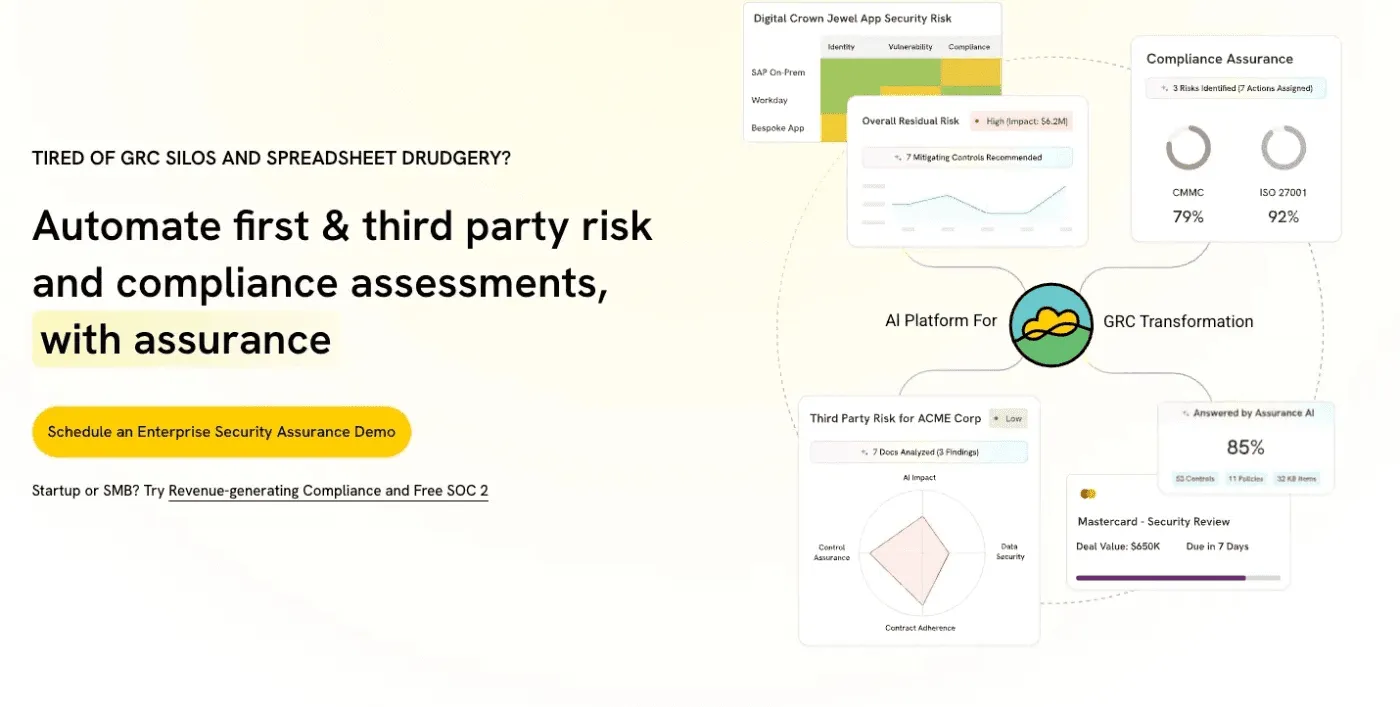
TrustCloud is a due diligence software that focuses on GRC automation and DDQ self-service, with a focus on helping security and compliance teams get more efficient at due diligence questionnaires.
Key Features
- Public trust center
TrustCloud’s public trust center provides self-service access to security documentation, compliance certificates, and audit reports. Prospects can access information without requesting DDQs.
- Automated responses
This due diligence tool comes with automated security questionnaire responses pulled from trust center content and compliance documentation automatically.
- Certificate management
TrustCloud comes with a compliance certificate management feature that tracks SOC 2, ISO 27001, and other certification status with automatic expiration monitoring.
- Security documentation
TrustCloud’s documentation hosting maintains current security policies, privacy notices, and technical documentation in centralized locations.
- Prospect tracking
The prospect tracking feature shows which prospects accessed the trust center and what documentation they reviewed.
Pricing
| Plan | Key Details | Contact |
|---|---|---|
| Custom | Tailored for small investment teams | Contact for pricing |
Where TrustCloud Shines
Reduces questionnaire volume through self-service
Strong security documentation
Tracks prospect access patterns
Where TrustCloud Falls Short
Less emphasis on traditional DDQ workflows
Limited applicability outside security and compliance
May require complementary tools for full coverage
Customer Reviews
“TrustCloud has been a helpful tool throughout our SOC 2 renewal process. The UI is clean, the automated test framework helps us stay audit-ready, and the support team (shoutout to Sara Dema) has been consistently responsive and knowledgeable. It makes mapping policies to controls and tracking evidence much easier.” Verified review by G2.
“As it covers a lot of stuff related to the certification process: evidences collecting, setting up integrations, etc for a rookie may be confusing to understand what’s next without an expert’s support.” Verified review by G2.
Who TrustCloud Is Best For
- B2B SaaS companies with security teams spending 20+ hours weekly on questionnaires.
9. 1up
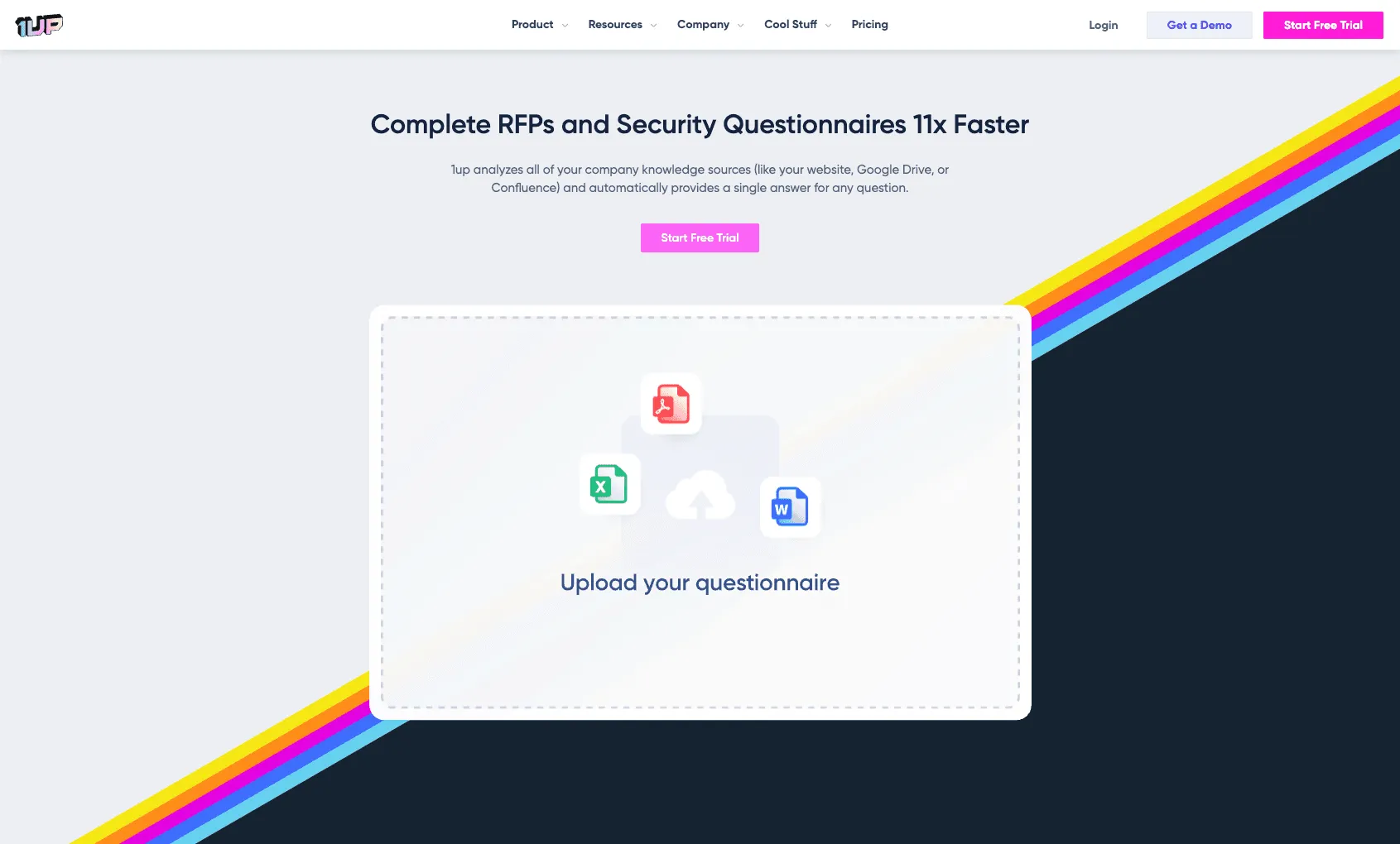
1up specializes in investor DDQs for smaller fund managers and investment professionals, using AI-native automation and semantic search.
Key Features
- Easy to use
1up is built for simple DDQ and RFP workflows where efficiency matters. It’s easy-to-use across teams and you can get started with a free trial.
- Collaboration workflows
This DDQ software includes collaboration workflows to coordinate responses between investment, operations, and compliance teams in investment management organizations.
- AI-powered automation
The AI features help polish and automate the DDQ process.
| Plan | Key Details | Features |
|---|---|---|
| Free | Free trial | Free |
| Starter | $250/month | 2 Admin users |
| Plus | $500/month | 5 Admin users |
| Pro | $850/month | 10 Admin Users |
Where 1up Shines
Modern platform and user interface
Strong AI automation
Where Iris Falls Short
Smaller vendor with limited resources
Limited peer references
No established track record in larger enterprise security and compliance
Who 1up Is Best For
- Smaller technology and financial services companies with lower DDQ volume needing AI-native automation
If your organization requires more enterprise-grade features or a different workflow, you might want to explore some 1up RFP Alternatives to find a better fit.
Benefits of Using DDQ Software
The right DDQ software comes with a lot of benefits that will save your business time and money.
Save Time With Automation
The main benefit anyone expects from a software solution is to save time. A due diligence software tool like AutoRFP.ai:
Offers ready-to-use DDQ templates aligned with industry best practices.
Auto-generates draft responses to common questions.
Manages approval workflows automatically for faster sign-offs.
Reduces manual formatting and document versioning errors.
Keep Responses Consistent
Using a DDQ software keeps answers clear and uniform. Everyone uses the same format and tone, which reduces errors and makes your responses look professional and reliable to clients and regulators.
Stay Compliant
Built-in compliance features help teams meet regulatory and contractual obligations.
Some of the core compliance features include:
Automated audit trails for full visibility and traceability.
Built-in approval checkpoints that enforce internal controls.
Alerts for missing or outdated information to avoid gaps.
Centralized policy storage to keep work aligned with regulations.
Collaborate Easily
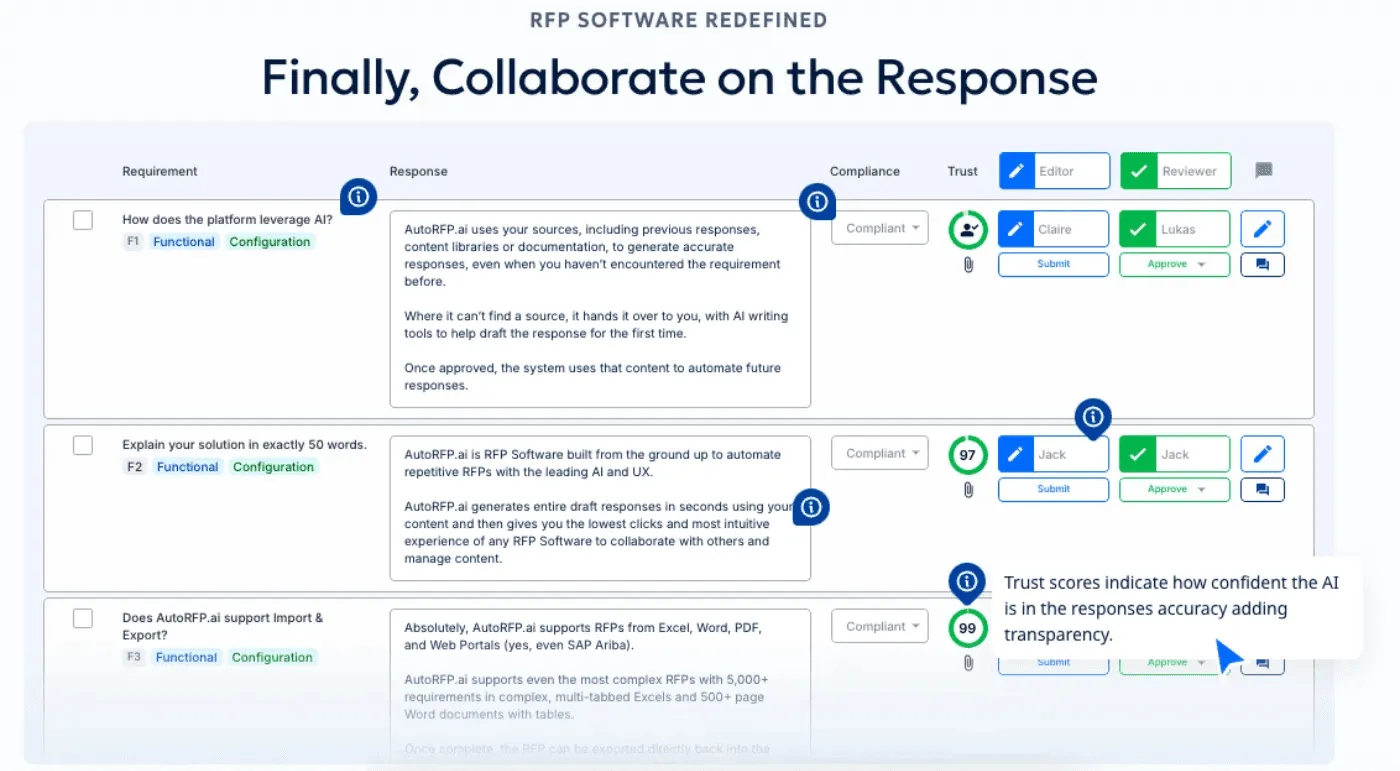
Modern due diligence response tools support multi-user workflows, which allows subject matter experts, legal, finance, and security teams to contribute simultaneously.
Centralized libraries, commenting, and version tracking reduce email back-and-forth and enhance team alignment, making collaboration faster and more transparent.
Stay Audit- Ready
A good DDQ software uses centralized records and versioned content to prepare your organization for audits and inspections.
You can easily access historical answers and content updates to make sure that your team can demonstrate thorough, accurate due diligence, which minimizes audit stress.
How to Choose the Right DDQ Software
If you want to choose the right due diligence tool, you need to consider a lot of different factors.
Assess Your Response Volume and Complexity
Teams handling fewer than 10 DDQs monthly may not need enterprise platforms. Manual processes with document templates suffice at low volumes.
Above 10 monthly questionnaires, automation delivers clear ROI through time savings. Consider questionnaire complexity.
When assessing tools, consider:
Questionnaire complexity: Investment management DDQs often require in-depth fund information, while basic vendor security questionnaires are simpler.
Response types: Teams juggling RFPs, RFIs, DDQs, and security questionnaires should look for unified platforms rather than managing multiple tools.
Pro Tip: Match platform sophistication to your questionnaire’s technical depth. Overbuying adds cost without real value, while underbuying creates workflow bottlenecks.
Evaluate AI Architecture
Distinguish between AI-native platforms and legacy systems with AI features added. Ask specifically about semantic search versus keyword matching. Request demonstrations showing how systems handle conceptual similarity.
Test with your actual questions. Provide 20 questions from recent DDQs and evaluate response quality. The difference between platforms becomes clear quickly.
Understand library requirements. Platforms requiring extensive manual library building demand significant upfront and ongoing investment. Libraryless approaches reduce this overhead.
Pro Tip: AI-native tools like archie.app typically deliver more accurate contextual responses and require less manual intervention.
Consider Implementation Timeline
Enterprise platforms commonly require 2-4 months for implementation including library setup, workflow configuration, and user training. Factor this timeline into selection.
AI-native platforms often deploy faster (days to weeks) without massive library migration requirements. If speed to value matters, prioritize platforms with rapid deployment capabilities.
Account for ongoing maintenance. Traditional library-based systems require continuous content management. Estimate the FTE effort required for library maintenance.
Review Integration Requirements
Identify critical integrations. Salesforce users benefit from deep CRM integration. Teams using Google Workspace or Microsoft 365 need seamless document access.
Evaluate security tool integration. Pulling current compliance status from security platforms ensures accurate responses without manual updates.
Consider API capabilities for custom integrations. Standard connectors cover common scenarios but API flexibility matters for unique workflows.
Pro Tip: If speed-to-value matters, prioritize vendors offering rapid deployment and minimal setup overhead.
Analyze Total Cost of Ownership
Look beyond license fees. Implementation costs, training time, and ongoing maintenance represent significant TCO components.
Implementation costs
Training time
Ongoing maintenance
Opportunity cost: Manual library upkeep can drain team resources.
Payback period:
A team managing 20 DDQs monthly at 3 days each (60 days total) can cut that to 2 hours each through automation (3.3 days total)—a time savings of 56.7 days per month.
At an estimated $500–$800 per day, the ROI is substantial.
Validate with References
Request references from similar organizations in your industry. Investment firms should speak with other fund managers. B2B SaaS companies should reference other enterprise software vendors.
Ask specific questions about implementation experience, ongoing support quality, and actual time savings achieved. Generic positive feedback matters less than quantified outcomes.
Search G2 and Capterra reviews independently. Look for patterns in complaints. Every platform has detractors but repeated issues around specific areas signal real weaknesses.
Implementation Best Practices
Choosing the right DDQ software is just the beginning. Even the best due diligence solution won’t deliver results if you can’t implement them properly, so it is important to understand how to make the most out of them.
Start With a Content Audit
Inventory your existing responses. Look for answers in past proposals, shared drives, emails, and SMEs’ personal notes.
Centralize approved responses. Update outdated content and standardize formatting while consolidating.
Prioritize high-frequency questions. Focus on the 20% of questions that appear 80% of the time. Rarely asked questions can wait, preventing wasted effort early on.
Here’s why: the better your initial content, the more accurate your AI-generated responses will be.
Configure Workflows Early
Define approval processes before go-live. Identify who reviews technical, legal, security, and financial answers.
Establish clear escalation paths for new or complex questions.
Set SLAs for SMEs so everyone knows expectations.
This early structure reduces confusion and helps you keep your automated workflows operating as they should.
Run Parallel Processes Initially
Maintain a manual backup for the first 5–10 DDQs. This ensures quality while the system learns.
Compare automated vs. manual response time and accuracy. Quantifying improvements builds confidence across stakeholders.
Adjust workflows based on early feedback to fix friction points or content gaps.
If you run parallel processes you have a safety net to support you while you build trust in the new system.
Train Power Users First
Identify 2–3 champions for deep training. They become internal experts and support wider adoption.
Document your organization-specific workflows. Vendor manuals rarely cover nuances.
Offer office hours for questions. Peer-to-peer support accelerates learning better than formal sessions.
This approach helps knowledge spread efficiently to minimize any potential adoption hurdles down the road.
Measure and Optimize
Track response times per questionnaire for the first 90 days. Quantify improvements and share results with stakeholders.
Monitor AI edit rates. Low edit rates indicate high-quality content; high rates signal gaps in content or AI performance.
Collect monthly user feedback to catch pain points early.
Iterate workflows and expand your content library based on data, ensuring continuous improvement.
Common DDQ Software Implementation Mistakes
Even if you manage to choose the best due diligence questionnaire software out there, not being able to implement it correctly will make the whole process worthless.
Underestimating Content Preparation
Teams assume AI platforms work magic without quality input content. Reality: garbage in, garbage out applies to questionnaire automation.
Invest time consolidating and updating content before implementation. This upfront effort determines platform effectiveness.
Budget 40-80 hours for initial content preparation depending on existing documentation quality and organization.
Choosing Based on Brand Rather Than Fit
The biggest name doesn’t mean the best fit. Enterprise platforms overwhelm mid-market teams with complexity exceeding their needs.
Match platform sophistication to organizational size and questionnaire complexity. A 50-person company doesn’t need enterprise governance features designed for 5,000-person organizations.
Prioritize capabilities addressing your specific pain points over feature checklists.
Skipping Integration Requirements Analysis
Teams select platforms without understanding integration needs until implementation begins.
Missing critical connectors creates manual workarounds defeating automation benefits.
Map required integrations during evaluation: CRM, document management, security tools, compliance platforms.
Validate integration capabilities through demonstrations using your actual systems, not generic demos.
Inadequate Change Management
Technology alone doesn’t drive adoption. Teams need clear communication about why the change matters and how it helps them.
Involve key users in selection and implementation. People support changes they help create.
Celebrate early wins. Share time savings and quality improvements widely to build momentum.
Neglecting Ongoing Maintenance
Implementation completes but content ages. Outdated responses to common questions undermine platform value.
Assign clear ownership for content updates. Without accountability, libraries become stale quickly.
Schedule quarterly content reviews updating product information, pricing, compliance status, and other changing details.
Eliminate Manual DDQ Work With AutoRFP.ai
AutoRFP.ai takes the busywork out of due diligence by using AI that learns from every response, which is ideal for teams managing 10 or more DDQs each month who want to scale without hiring more staff.
While smaller teams focused on simple collaboration may find basic tools sufficient, AutoRFP.ai offers complete visibility into every questionnaire, faster response cycles, and effortless team coordination in one intuitive platform.
Ready to see how much time your team could save? Create your next DDQ with AutoRFP.ai and experience automated due diligence from start to finish. Book Demo today or explore our next guide on how to streamline vendor assessments.
Frequently asked questions
What is the best DDQ software overall?
The best DDQ software depends on your specific needs. AutoRFP.ai excels for teams handling multiple response types (RFPs and DDQs) wanting unified automation with minimal library maintenance. Responsive suits large enterprises with complex workflows and extensive integration requirements. Loopio works well for sales teams prioritizing ease of use.
How much does DDQ software cost?
DDQ software pricing typically ranges from $15,000 to $50,000+ annually depending on platform, team size, and features. Mid-market solutions like Loopio start around $20,000 annually for team plans. Enterprise platforms like Responsive and Qvidian commonly cost $20,000-50,000+ annually. Newer AI-native platforms like AutoRFP.ai and Inventive offer pricing based on usage. Most vendors require annual contracts with monthly or annual payment options. Factor in implementation costs (often 20-30% of annual license fees) and ongoing maintenance effort when calculating total cost of ownership.
What is the difference between DDQ software and RFP software?
DDQ software and RFP software address similar problems through comparable technology but target different use cases. DDQ software focuses on responding to due diligence questionnaires from investors, clients, and procurement teams. RFP software handles formal proposal responses including pricing, technical solutions, and project plans. Many modern platforms handle both formats. AutoRFP.ai, Responsive, and Loopio support RFPs, RFIs, DDQs, and security questionnaires through unified interfaces. Choose unified platforms if you handle multiple response types. Select specialized tools if you only respond to specific questionnaire formats.
How long does DDQ software implementation take?
Implementation timelines range from days to months depending on platform complexity and content preparation. AI-native platforms like [AutoRFP.ai](/) often deploy in 1-2 weeks with minimal library setup. Enterprise platforms like Responsive or Qvidian commonly require 2-4 months including library migration, workflow configuration, user training, and integration setup. The biggest variable is content preparation time. Organizations with well-organized existing content implement faster than teams starting from scattered documentation. Budget 40-80 hours for initial content consolidation regardless of platform. Plan additional time for workflow configuration, user training, and parallel processing validation.
Can DDQ software integrate with our existing systems?
Most DDQ software platforms offer integrations with common enterprise systems. Standard integrations typically include Salesforce, Microsoft 365, Google Workspace, and major CRM platforms. Enterprise platforms like Responsive and Qvidian provide extensive integration marketplaces with hundreds of pre-built connectors. Newer platforms offer fewer pre-built integrations but provide API access for custom connections. Evaluate specific integration requirements during vendor selection. Request demonstrations showing actual data flow between systems using your tech stack, not generic demos. Validate that critical integrations (CRM, document management, security tools) are available and functioning as needed.
How accurate are AI-generated DDQ responses?
AI-generated response accuracy varies significantly across platforms and depends heavily on content quality. Modern AI-native platforms like AutoRFP.ai report 63% of responses requiring no edits before submission with remaining 37% needing minor adjustments. Legacy platforms using keyword matching typically require more substantial editing. Accuracy improves over time as systems learn from user corrections and edits. Factors affecting accuracy include content library comprehensiveness, question complexity, and AI architecture (semantic search versus keyword matching). Always review AI-generated responses before submission, particularly for technical, legal, or compliance questions requiring precision. Treat AI as first-draft generator, not final answer provider.
Do I need a dedicated team to manage DDQ software?
Dedicated team requirements depend on platform choice and questionnaire volume. Organizations handling 30+ DDQs monthly often assign 1-2 FTEs for content management and platform administration. Mid-market teams (10-20 monthly DDQs) typically designate part-time ownership (25-50% of one person). Low-volume users (under 10 monthly) can manage with occasional attention. Libraryless platforms like AutoRFP.ai require less ongoing maintenance than traditional library-based systems. Factor in time for content updates, workflow management, user support, and quality assurance. Organizations without dedicated resources should prioritize platforms minimizing maintenance requirements through intelligent automation rather than manual library management.
