
RevOps Automation: Framework, Tech Stack & Metrics (2026)
Learn what RevOps automation is, why teams use it, how to build the right framework and stack, and which metrics prove impact.

Robert Dickson
RevOps Manager, AutoRFP.ai··9 min read
RevOps exists to make revenue predictable, but that is impossible if everything runs on heroic effort and ad hoc fixes.
Automation is the bridge between “we know this is broken” and “it just works that way now.” Done right, RevOps automation removes low-value admin work, enforces processes, and gives you cleaner data to run the business on.
In this article, we will unpack what RevOps automation is, why it is worth investing in, and how it compares with sales and marketing automation.
We will outline a practical automation framework (including data hygiene), the workflows you should build, the tech stack that supports these workflows, and the metrics you can use to demonstrate impact.
What Is RevOps Automation?
RevOps automation is the use of systems, workflows, and data rules to remove manual work and reduce handoff friction across marketing, sales, and customer success, so revenue moves faster with cleaner data and more predictable outcomes.
Workflow automation (record updates, nurture emails, lead assignment, renewals, expansions)
Data integration (sync platforms, single customer view, no silos)
Data hygiene and standards (required fields, dedupe, consistent naming)
Owned handoffs and SLAs (clear routing, response times, accountability)
Reporting triggers and alerts (pipeline risk, churn signals, renewals)
Improved forecasting (AI signals, behavior trends, pipeline risk alerts)
Enhanced scalability (grow volume without proportional headcount increases)
Why Teams Invest in RevOps Automation (The Actual Business Outcomes)
Here’s why teams invest in RevOps automation and why it’s become a priority for revenue teams.
| Why teams invest | Actual business outcome |
|---|---|
| Higher ROI | 100%-200% lift in digital marketing ROI. |
| Lower GTM cost | 30% reduction in go-to-market expenses. |
| More productivity | 10%-20% increase in sales productivity. |
| Better lead flow | 10% increase in lead acceptance. |
| Higher profitability | Up to 28% more profitability with aligned revenue teams |
| Faster growth | RevOps adopters grow revenue nearly 3 times faster. |
“RevOps automation removes the manual drag so people can sell and you can scale without piling on headcount.” – Quang Do, Partner at RevEng Consulting
Revops Automation vs. Sales Automation vs. Marketing Automation
These three automations sound similar, but they solve different problems, and mixing them up usually leads to messy handoffs and poor reporting.
| Category | RevOps automation | Sales automation | Marketing automation |
|---|---|---|---|
| Primary focus | End-to-end revenue lifecycle | Sales rep productivity | Lead gen + nurturing + campaigns |
| Lifecycle scope | Full funnel | Mostly mid-funnel | Mostly top-funnel |
| Typical handoffs | MQL→SQL, SQL→Opportunity, Closed-won→Onboarding, Renewal→CS | Lead/opp ownership within sales | Lead capture→nurture→MQL→handoff to sales |
| Main goal | Revenue growth + operational efficiency through alignment | Quota attainment + speed + reduced admin load | Lead volume + conversion + campaign ROI |
| What it automates most | Cross-functional workflows, system sync, full-funnel analytics | Sequences, follow-ups, CRM logging, scheduling, task automation, and lead routing to reps. | Email campaigns, nurture journeys, lead scoring, segmentation, MQL rules |
| Core systems | CRM + marketing automation + CS tools + data warehouse/BI + integrations | CRM + sales engagement tools + dialer/meeting tools | Marketing automation platform + forms/landing pages + ad + attribution tools |
Side note: In reality, these functions overlap in the same CRM fields, lifecycle stages, routing rules, and dashboards. The difference is which part of the revenue journey they’re optimizing and who owns the system rules.
The RevOps Automation Framework
This framework is the difference between quick automations that break later and a revenue system that runs consistently at scale. Building automation around a clear RevOps strategy ensures that your foundational structure aligns with your automated workflows.
Step 1: Map the Revenue Process
Start by documenting the real end-to-end revenue journey, because you can’t automate what you haven’t made visible.
Map stages from lead → pipeline → close → onboarding → renewal, not just “sales stages.”
Mark handoffs (Marketing → Sales, Sales → Deal Desk, Sales → CS) and note what triggers them.
Capture friction points: Delays, missing info, rework, approval bottlenecks, “waiting on SME,” and “who owns this?” moments.
Step 2: Standardize Definitions
Automation breaks when teams use different meanings for the same stage, so align on definitions before you write a single workflow rule.
Define entry/exit criteria for each stage (what must be true to move forward).
Agree on one lifecycle model (Lead, MQL, SQL, Opportunity, Customer) and how it maps to CRM fields.
Standardize reason codes (why deals are lost, why they stall, why they’re disqualified).
Decide what counts as “qualified” for your business (ICP fit, use case, urgency, budget, authority).
Step 3: Fix the Data Model and Keep CRM Data Clean
This is where you protect data quality, so workflows don’t run on garbage and create a downstream mess.
Assign field ownership (who is responsible for updating what and when for each automated workflow).
Set stage-based required fields (only require what’s needed at that step, not everything upfront).
Add validation rules (formats, allowed values, dependencies like “if Industry = Healthcare, Security review = required”).
Implement dedupe + merge rules for contacts/accounts, and define what becomes the “source of truth.”
Step 4: Prioritize the Highest-Friction Workflows
This step is about choosing what to automate first, which is the workflows that repeatedly slow down deals, create handoff confusion, or introduce forecasting risk.
Start where work gets stuck: Handoffs, approvals, data capture, late-stage deal desk tasks.
Prioritize workflows that are high-volume, repeatable, and rules-based (easy to automate and measure).
Focus on bottlenecks tied to revenue outcomes: Cycle time, conversion rate, forecast slippage.
Pro tip: If your enterprise sales deals regularly trigger RFPs, treat RFP execution as a RevOps workflow and use tools like AutoRFP.ai to reduce turnaround time while keeping ownership and progress visible.
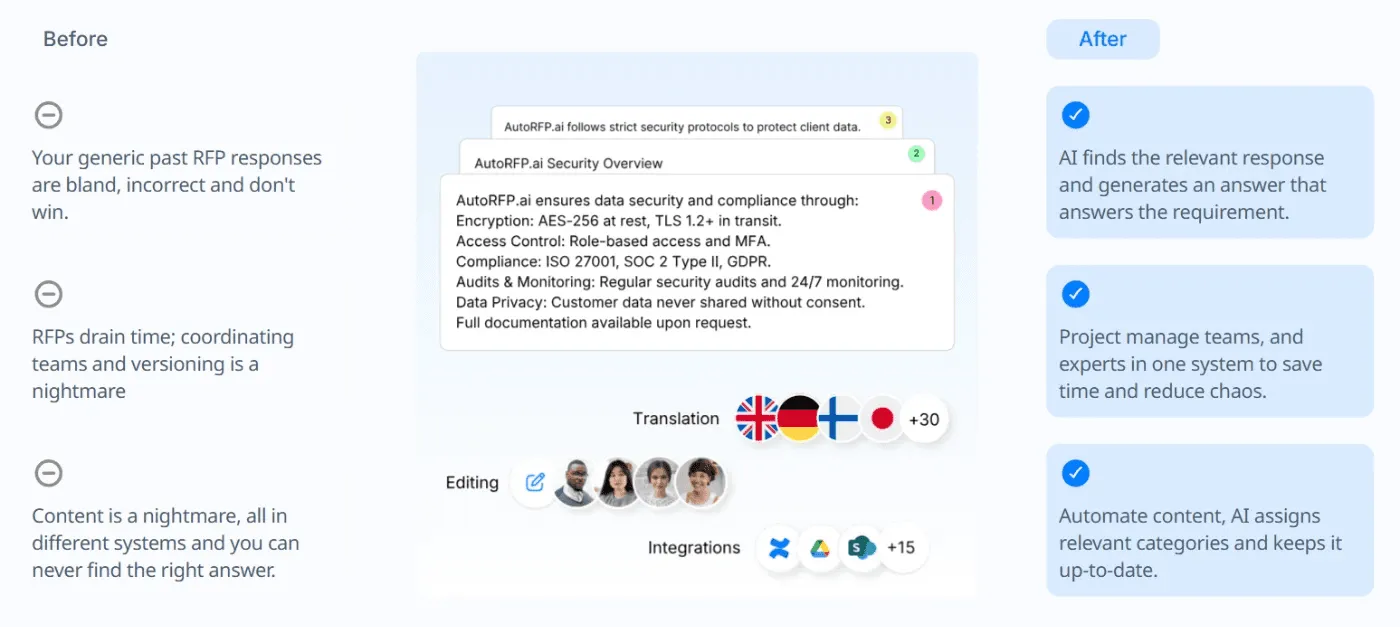
“One December, I had two 500+ security questionnaires come across my desk. The first one took our team a week to do. After that, I knew there had to be a better way. When I found AutoRFP.ai, I was set up within 48 hours, and the second only took me a matter of hours. The response engine was outstanding, I can’t imagine completing security questionnaires without automation.” – Bryn Tardent-Powell, Head of Sales & Marketing at Cubiko
Step 5: Add Governance So Automation Doesn’t Create Risk
Define permissions, approval rules, audit trails, and “no bypass” controls for critical steps (pricing exceptions, legal/security reviews, data changes).
Governance is what keeps your CRM trustworthy and your process consistent as the team scales.
Step 6: Measure and Iterate
Treat RevOps automation like a system you tune over time, not a one-time setup, because real usage will expose what’s missing.
Track a small set of metrics tied to speed, data quality, and predictability, then refine your rules based on what’s still slowing deals down.
Speed: Lead response time, stage-to-stage cycle time
Pipeline health: % deals with the next step plus the close date, stale deal rate
Data quality: Missing required fields, duplicate rate
Predictability: Forecast accuracy, slippage rate (how often close dates move)
What RevOps Automation Workflows to Start With
These are the RevOps automation workflows most teams should start with to achieve quick wins without adding risk or complexity.
| RevOps automation workflow to start with | What to automate first |
|---|---|
| Lead routing and SLA enforcement | Auto-assign by segment/territory, create follow-up tasks, and escalate if no action is taken within X hours. |
| Lifecycle stage updates | Move lifecycle stages based on agreed triggers and stop stage drift with simple rules. |
| Marketing → Sales handoff | Auto-create a handoff checklist (context + intent signals), notify the right owner, and log the handoff in CRM. |
| Required fields by stage | Block stage movement until the few critical fields for that stage are completed. |
| Pipeline hygiene prompts | Flag deals with no next step or no activity for X days, then auto-create update tasks. |
| Meeting → CRM updates | Auto-log meetings, prompt structured notes, and generate follow-up tasks so CRM stays current. |
| Discount and approval routing | Route approvals by threshold, set due dates, escalate stalled approvals, and log decisions. |
| Sales → CS handoff | Auto-create onboarding tasks, assign owners, and pass deal context cleanly into CS workflows. |
| Renewal preparation triggers | Trigger 90/60/30-day renewal tasks and flag risk based on health or usage signals. |
“If your automation strategy isn’t contributing to revenue, you’re leaving money on the table.” – Mike Rizzo, CEO of MarketingOps.com
RevOps Automation Tech Stacks
This RevOps tech stack is the set of platforms that capture your revenue data, run the workflows, and keep every handoff consistent.
1. CRM (Customer Relationship Management)
Think of the CRM as your central source of truth, and if it’s wrong, every automation downstream will be wrong too.
What it is: System of record for accounts, contacts, opportunities, lifecycle stages, and core pipeline fields.
Why you need it: One consistent dataset for routing, reporting, forecasting, and handoffs.
Caution/pitfall: Too many custom fields/stages hurt adoption and make automation unreliable.
2. Marketing Automation (MAP)
This is the engine that turns demand into structured lifecycle movement.
What it is: Lead capture, nurturing, scoring, and lifecycle triggers tied to defined criteria.
Why you need it: When lead volume and multi-touch journeys outgrow manual follow-up.
Caution/pitfall: Misaligned lead scoring inflates MQLs and erodes sales trust.
3. Sales Engagement/Enablement
This layer standardizes outreach and reduces rep-admin workload.
What it is: Sequences, tasks, templates, and activity capture to drive consistent execution.
Why you need it: When results vary too much by rep habits and follow-up discipline.
Caution/pitfall: Optimizing for activity volume instead of outcomes.
4. Data Enrichment/Intelligence
Automation needs clean inputs, and this layer keeps data usable for routing and reporting.
What it is: Firmographics, verification, normalization, and data-quality signals.
Why you need it: When duplicates/missing fields break segmentation, routing, and reporting.
Caution/pitfall: No overwrite rules create conflicting “sources of truth.”
5. Customer Success Management (CSM)
Post-sale is still revenue, and this layer makes retention and expansion repeatable.
What it is: Onboarding milestones, health tracking, renewal/expansion workflows.
Why you need it: When customer volume makes renewals/onboarding too reactive.
Caution/pitfall: Health scores not tied to usage/outcomes become a “feelings dashboard.”
6. Billing and Revenue Recognition
Connects “closed-won” to what gets billed, paid, renewed, and recognized.
What it is: Subscription billing, invoicing, renewals, revenue workflows.
Why you need it: When finance ops and RevOps reporting must stay aligned at scale.
Caution/pitfall: CRM/billing drift causes churn surprises and reporting mismatches.
7. Data Automation/Integration
RevOps automation fails without plumbing, and this keeps systems aligned.
What it is: Syncing, workflow triggers, event-based automations across tools.
Why you need it: When manual copy-paste slows handoffs and breaks data quality.
Caution/pitfall: Too many one-offs without governance creates fragile “spaghetti ops.”
8. Enterprise Deal Desk Layer
Supports late-stage enterprise work where approvals and requirements slow execution.
What it does: Security questionnaires, controlled drafting/review, structured workflows, and content reuse.
When you need it: When enterprise deals repeatedly pull SMEs into the deal desk steps.
Caution: If it lives in email/folders, cycle time and forecast visibility suffer.
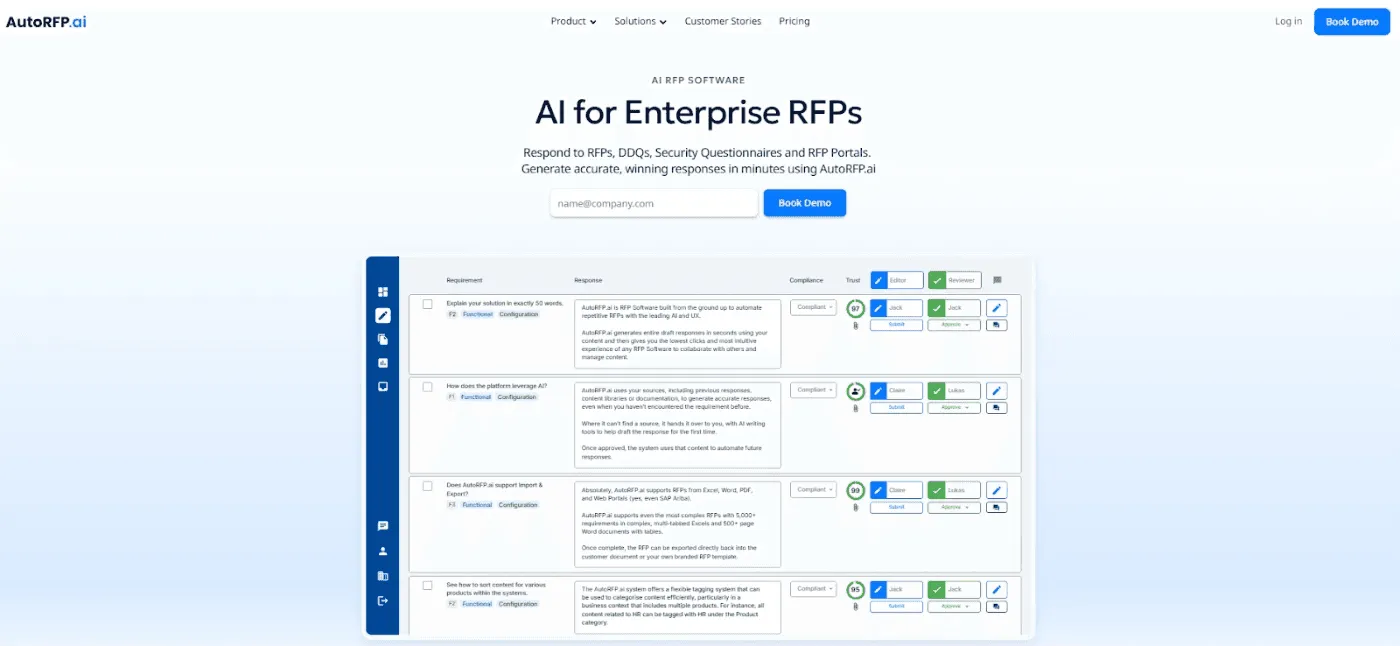
Example: For RFP-heavy motions, AutoRFP.ai can help streamline drafting and SME ownership while keeping progress trackable.
Pro tip: Buy for the workflow, not the feature list. Start with your top 3 bottlenecks, and pick tools that can enforce rules end-to-end, not just “do a task.”
How to Measure RevOps Automation Success
These are the metrics that show whether your automations are actually improving speed, quality, and revenue outcomes.
| What to measure | What “good” looks like |
|---|---|
| Speed-to-lead plus SLA | Consistent fast follow-up |
| Stage cycle time | Faster movement, fewer stalls |
| Handoff quality | Required context passed on time |
| Pipeline hygiene | Next step with close date coverage |
| Data quality | Fewer missing fields and duplicates |
| Routing accuracy | Less reassignment/manual fixing |
| Approval cycle time | Faster discount/legal/security flows |
| Forecast + slippage | More accurate forecasts, fewer push-outs |
A Quick Note on AutoRFP.ai
AutoRFP.ai fits naturally into RevOps when RFPs are a recurring late-stage bottleneck. Instead of proposals living in spreadsheets and inbox threads, it gives you a structured workflow, clear SME ownership, and faster first drafts without sacrificing data hygiene or visibility.
The result is shorter sales cycles, higher conversion, better planning, less revenue leakage, and higher win rates.
Frequently asked questions
What RevOps workflows should we automate first?
Start with lead routing, lifecycle stage updates, SLA handoffs, pipeline hygiene, and renewal/forecast triggers.
Do we need an iPaaS or a data warehouse for RevOps automation?
Not always. Use native integrations first; add iPaaS for many apps, a warehouse for unified, multi-source reporting.
How long does it take to roll out RevOps automation?
Quick wins in weeks; core workflows in months; full transformation often 6-12 months.
Who should own RevOps automation (RevOps, Sales Ops, Marketing Ops, IT)?
RevOps should govern definitions and priorities; Ops teams configure; IT supports integrations, security, and data reliability.
