
20 Common Security Questions Examples and How to Answer Them
See common security questions examples, why they’re used, and how to answer them safely to protect personal accounts and sensitive business platforms.

Robert Dickson
RevOps Manager, AutoRFP.ai··9 min read
Security questions may seem like a simple account recovery tool, but they reflect a much bigger idea: proving identity and trust through the right answers. At a personal level, that might mean answering “What was your first school?”
At a business level, the same logic scales into security questionnaires, where vendors must answer detailed questions about data handling, access controls, and risk. In that sense, security questions are the micro-level version of the broader trust checks organizations face every day.
In this guide, we will explain what security questions are, the main types, and the most common examples you will see. We will also cover how to answer them well, what makes a strong security question, and how to choose better questions, while also connecting them to the wider role security questions play in business security questionnaires.
What Are Security Questions?
Security questions are a form of Knowledge-Based Authentication (KBA), but they can be a weak control if the answers are easy to guess or find through social media or public records.
On a personal level, they are used to:
Verify identity during login recovery.
Confirm account ownership.
Add a basic access check.
Help reset passwords or unlock accounts.
In business, security questions often appear in security questionnaires to:
Assess a vendor’s security controls.
Review compliance and risk posture.
Verify readiness to handle sensitive data.
Strengthen trust in the buying process.
Side note: In both cases, the goal is the same: build trust through verified information before granting access or moving forward.
Types of Security Questions
These are the common types of security questions you may encounter in personal authentication, account recovery, and business security reviews.
| Type | Where it appears | Main purpose |
|---|---|---|
| Personal authentication questions | Login checks, older identity verification flows | Verifies identity using personal facts that the user is expected to know |
| Account recovery questions | Password reset and account recovery flows | Confirms account ownership and helps restore access |
| Location-based questions | Identity checks and recovery prompts | Uses place-related details as an extra identity signal |
| Vendor security questionnaire questions | Procurement, due diligence, customer reviews | Assesses vendor security controls and data protection practices |
| Compliance and assurance questions | Audits, enterprise reviews, and regulated buying | Evaluates alignment with standards, policies, and control frameworks |
| RFP and due diligence security questions | RFPs, vendor onboarding, and purchase reviews | Helps buyers assess risk, security maturity, and trustworthiness |
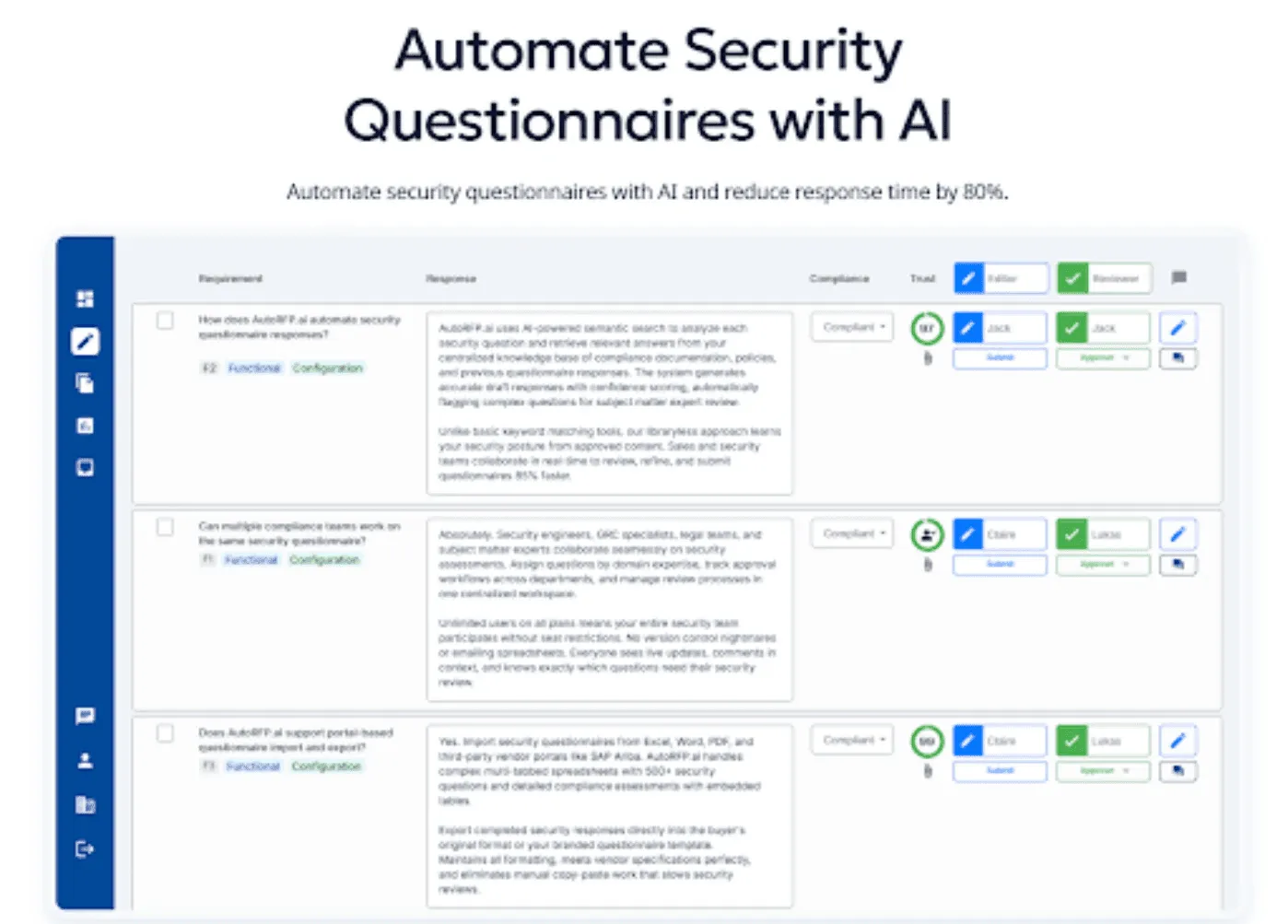
Side note: For teams, answering a few security questions is manageable, but handling large security questionnaires and DDQs is much harder. Deploying a specialized security questionnaire AI agent helps generate accurate first drafts faster.
Tools like AutoRFP.ai help generate accurate first drafts faster, so teams can spend less time on repetitive responses and more time on review and strategy.

Video transcript
You're just about to win that mega contract. You've gone through procurement, you've been working with your champion, the economic buyer, everyone is hooked in, and then they tell you that timelines are tight and they wanna get it through this quarter. You've got a month left, and what do you get is 1,000-question security questionnaire from their IT department. You're scrambling, you're looking for context. Where did Jimmy put the last security questionnaire responses? You're looping in your engineers, your CTO your customer success team, and you're trying to answer this questionnaire. at I'm gonna show you in 15 minutes or less, how you can use Claude Cowork to automate your security questionnaire process. The questionnaire you just got is the CAIQ or Cloud Alliance in- questionnaire. This is a really common one, otherwise you might also get the SIG questionnaire, and it's great to have a couple of these actually already filled out and
ready to go based off your content and your company in case it comes up, and you can use them as grounds to answer future questionnaires. But let's look into the CAIQ and how we can automate that with Claude Cowork. So here I have it in front of me. It's a pretty common one. You can see there's quite a few questions. What do we have? About 314 questions all about my company, whether we meet it or not, different criteria, requirements regarding our security posture, regarding data sovereignty, privacy risk. And that's what it boils down to is risk. That's what the security team are attempting to do, is understand your business and whether it meets into their requirements and their guidelines for their business. And it's an important step. You can't mess it up, and you have to go through it, and the security team are doing their job, giving you this questionnaire, which is good. But it doesn't have to be a headache, and that's where AI can help you.
So I'm gonna jump into Claude Cowork. I've already created a mock company, Talent Flow, HR software. The kind of document I have in my Claude Cowork project are my project instructions, which you're gonna be able to download in the link below, and then you've also have my past RFP and past example documents that are all on my- that are all in my-- And then you have all your past project and context, and anything that you would have in a content library or Google Drive or Microsoft SharePoint folder with all the content that you would normally look at when answering a security questionnaire, have that ready and in your project file. Hey, there's actually something really important I didn't mention here. You wanna make sure using paid Claude subscription and AI data training is turned off before you're ever putting your company documents and documentation into Claude. You don't wanna be sharing all that information into the kind
of training AI models that is proprietary to your company. And yeah, it's really important to make sure that is safe and secure So you put that on your computer, have Claude Cowork access it. Great thing about Claude Cowork in this example is you can also share it with your team, so then they can use your project as well, and then have it answer their questionnaires that they get throughout their sales process. Great. So now jumping into this, I'm gonna grab my CAIQ questionnaire 'cause I have so much information already in the project, my prompt can actually be really simple. Please fill out this CAIQ in the original format and provide to me in X-XLSX. So it's gonna go through and start answering that questionnaire. It has the necessary context in my project. It has the project instructions. You can even create skills, which I have a few of, which you can see in future videos on this channel. And using those skills, using that project context and everything, and information about my company, it's then going to be answering this CAIQ questionnaire for me.
You can see Claude is going to work, looking at the resulting files, because that's in the project instructions. I have a lot of prompting in my project instructions around making sure to not hallucinate or not make up information. If it's not sure and here, Claude Cowork, when it's trying to automate this security questionnaire, is gonna ask me questions. Yeah, full draft, one process. So here it's asking whether the questions should be strict, so absolutely. Wanna make sure it's correct. And shall prioritize previously completed? Yes, of course. So it's got-- it's already found a previously completed CAIQ questionnaire, and it can use that as the basis for this CAIQ questionnaire. Isn't that great? It's got this one from a new customer, and it's gonna go through and answer that based off its prior context. And even, I've even told it what prior context to prioritize, which is incredibly important when you're building out a content library. In this case my past questionnaires, my policies, my BCP plan, and everything that's answering the security questionnaires. And as it's running, I actually wanna touch on that, and that's where a lot
of security questionnaire automation tools go wrong, is they only focus on things like your policies. So your BCP plan, your disaster recovery plan, your ISMS framework that you have for your ISO27001 certificate, or that you have for your SOC 2 as well, or SOC 2 Type II, and so on. Where they go wrong is they only rely on those policies to answer questionnaires, and it doesn't take into account your tone of voice your other relevant information. That could be tools like, Vanta, Drata, and those kinda like trust portal software. The important thing of using your AI for your security questionnaire automation, not just based off your policies, but using your past answers, is that just takes in so much more context and will pick up on things like tone of voice and how you reply and how you would normally structure these responses in how you would normally structure these responses for that security questionnaire, helping further automate more of that with AI. I wanted to point out something that's really cool what Claude Cowork does
when you provide it something with a structure, and that is it uses sub-agents to create a task list. So now, when I look at the progress of Claude Cowork, I can see what it's working on and how it's going to progress through the prompt or the task that I assigned it, and as it's working through, I can see how it progresses, and I can of course look at the task list and make notes, be like, "Hey, I would actually tackle it by doing this or that," instead of how you've planned to approach the problem. And that's one of the great things about Claude Cowork and other kind of agentic frameworks that are built on top of the large language model is it's not... you're not merely chatting to the API or the large language model. It's actually using sub-agents and agentic framework to get better results, in this case, better results for our security questionnaire automation. And here's something interesting. So as it's working through, it's actually using some of my skills, my RFP AI skills, which you can also download in the link below, and using my contradiction checker skill. And why that's important is because you can see here that my North Park
SIG Lite, which is a past SIG that I've completed and provided to Claude in my project, it's now looking and vetting those answers to its known context based off other information it has. And one of the issues there is With AI is often figuring out what is the most relevant answer. Our platform, AutoRFP.ai, we use a bunch of different things built into our trust score around recency bias, around the freshness of and the usage of content when it was last reviewed, does it have an owner, and what type of content it is, as well as tagging and hierarchy and categorization of content. Now, all of that you can't necessarily do in Claude Cowork, but you can give it tools and smarts to help it check for inconsistencies and give it guardrails when to choose the appropriate answer based on that information, which is what the contradictor skill does. Okay, so it did take a while. I paused the video, but it took about fifteen to twenty
minutes to that run through. And as you can see, it's also gone past my plan usage. So now I'm using additional usage and kinda chewed through a lot of my daily limit of Claude Cowork that I have on, the twenty dollar a month plan. And that's probably one of the trickier things is Claude Cowork does have limitations in security questionnaire automation. For instance, the time it took I would actually say it's quite slow. Taking twenty minutes to answer three hundred questions, I know that's a lot faster than a human but for AI security questionnaire automation, that's actually quite slow. And then, just the additional usage and kind of the inefficiencies that it has. There's a lot more efficient ways to do this by grabbing like a actual AI RFP software or AI security questionnaire automation software and so on. But overall, it did quite well. So seventy one percent is a yes, one, one no, and then eighteen N/A, so it understands my company enough to mark when something is not applicable. For instance, IAS and hypervisor questions, that's not really applicable to a SaaS offering, which is what my fake company is in this example.
And then twenty-two point three it's a gap, so it didn't have an answer. And that was how I set up the settings. I didn't want to try to fake things, because that's half the problem with AI and security questionnaire automation, is it gives an answer, and if it's not the right answer, it actually takes more time to go back, check it did it get it right or wrong? Did it just guess something? Did it provide an overly generic response that actually doesn't help you win the deal? And therefore it just takes more time. So I prefer when it's not confident on a response, just give no response which is what it's did here. So overall, about a, I don't know, a seventy-six percent or seventy-eight percent kind of automation rate, which is pretty cool for my security questionnaire automation here. And then it talks about the different questions and gap classes and who to talk about and so on. It's just trying to provide additional information, which isn't super useful. But I can look at my completed CAIQ. Here it is. It's actually used its XLS Python skill, which is an inbuilt thing within Claude Cowork, to then enter back that information in the Excel questionnaire for me. So I can go through... And I guess my workflow from here would be what's
tricky is I can't get other team members to collaborate directly in here, so they can't necessarily see my prior prompting and Claude's information. But I guess I would upload this to Google Sheets or SharePoint, and then I would tag in people in to come help me out a-and so on. So it's done pretty good. It's made some annoying things like source Blue Ridge cake. Yeah, so it's gone a little bit off, like telling me exactly the source in the text, so there's obviously a couple of little things to clean up. Overall, I think it's done pretty well. It's selected the-- It's put a yes there where required. And overall, for the CAIQ questionnaire yeah, it's done pretty well in answering those questions, and it's definitely a big time saver. So all up, that took, what? Thirty minutes to talk to Claude, get the response back, do three hundred and forty questions. . Overall pre-pretty, pretty good for security questionnaire automation. So recapping, what we did and what we looked into was how to use Claude Cowork for your security questionnaire automation. I have in the link below the some useful materials to help
you go further with this. So I'll include the project instructions that I have. So what you wanna do is set up your Claude project. You wanna make sure that you have your correct instructions and upload all relevant kind of past projects your help technical documentation, different like URLs and links and contexts, everything that's relevant to... And your policies, of course, that are relevant to answer the questionnaire Then yeah, you can give it a go uploading blank questionnaires. Yeah, if you wanna give it a g- if you wanna test it out download the kind of free template for Cake. You can find it from their website. Have a look or if you have any other kinda past security questionnaires that you wanna try out with it. Where this falls short, which is such a common one, is vendor portals. As in if you have a security questionnaire in a portal and you can't export out, the questions, this, you could, of course, just copy and paste, but that would take a long time. And I actually have tried Claude kinda browser on it, and it doesn't work at all. So that's definitely a big gap, is those kind of vendor questions.
AutoRFP.ai we're an AI RFP and security questionnaire automation software. We have a portal agent that is purpose-built for those kind of questionnaires, like for instance, SAP, Ariba, OneTrust, UpGuard all the kinda major ones, as well as it works on any of them 'cause it uses like an agentic computer vision framework to find the requirements for the portal questionnaires. But yeah, that's really useful. That's what we use, and I actually use day-to-day. I don't use Claude CoWork for security questionnaires day-to-day. But yeah, that's what I use there, and that can be, yeah, incredibly valuable. So that's probably the, one of the other gaps. So overall, I hope you found that useful. Yeah, if you're keen to learn more about AI and RFP and security questionnaire, have a look at some of the other videos on this channel or subscribe for more. All right. Thanks. See ya.
20 of the Most Common Security Questions
Here are some of the most common security questions asked in both personal account recovery and business security reviews.
Common Personal Security Questions
These are the personal security questions people most often encounter in account setup, login recovery, or fallback verification flows.
1. What City Were You Born In?
This one appears often because it feels like a simple biographical fact that many users can recall quickly.
- Risk: It may be easy to infer from public information.
2. What Is Your Oldest Sibling’s Middle Name?
It is used because family details seem less obvious than basic profile information.
- Risk: It does not work for every user or family structure.
3. What Was the First Concert You Attended?
This question draws on a personal memory that usually does not change over time.
- Risk: Some people may answer inconsistently.
4. What Was the Make and Model of Your First Car?
The extra detail makes it feel more precise than broader childhood questions.
- Risk: It may not apply, and the detail can be forgotten.
5. In What City or Town Did Your Parents Meet?
It is popular because it taps into family history with many possible answers.
- Risk: The user may not actually know it.
6. What Was the Name of Your First Stuffed Toy?
This question is used because it points to a private childhood memory rather than a standard public fact.
- Risk: The answer may be hard to remember exactly.
7. What Is the Name of a College You Applied to but Did Not Attend?
It is considered stronger than school-name questions because the detail is usually less public.
- Risk: It may not fit every user’s background.
8. What Was Your First Job?
Platforms use this because employment history feels memorable and easy to answer.
- Risk: It may be visible on public profiles.
9. What Is Your Favorite Color?
This stays common because it is simple and familiar for almost anyone to answer.
- Risk: Preferences change, which makes recovery less reliable.
10. What Was the Name of Your First Pet?
It remains widely used because people tend to remember it easily.
- Risk: It is often exposed through social media or casual conversation.
Common Security Questions in Business Security Questionnaires
In security questionnaires, the questions are less about personal trivia and more about whether a company can securely handle customer data, maintain resilience, and operate with mature controls.
11. How Do You Enforce MFA for Administrative Access?
Buyers ask this to understand how well privileged access is protected.
- Risk: A weak answer can suggest high account takeover exposure.
12. How Do You Encrypt Data at Rest and in Transit?
This helps reviewers assess how sensitive data is protected across storage and transmission.
- Risk: Vague wording can make controls look immature.
13. What Is Your Incident Response Process?
This is used to evaluate how the company detects, contains, and recovers from security incidents.
- Risk: Thin answers may raise concerns about readiness.
14. How Do You Identify, Assess, and Mitigate Security Risks?
It gives buyers a view into how formal and repeatable the vendor’s risk management process is.
- Risk: Generic answers can sound like policy without execution.
15. How Do You Manage Vulnerabilities and Patch Critical Systems?
This question tests whether known weaknesses are found, prioritized, and remediated on time.
- Risk: Slow remediation timelines can increase perceived vendor risk.
16. How Do You Manage User Access Throughout the Employee Lifecycle?
Reviewers use this to check how access is granted, changed, reviewed, and removed.
- Risk: Poor joiner-mover-leaver controls may expose systems unnecessarily.
17. How Do You Monitor Privileged Accounts and Enforce Least Privilege?
This appears often because excess access is a common source of security risk.
- Risk: Weak oversight can point to internal misuse or escalation risk.
18. How Do You Maintain an Up-To-Date Inventory of Information Assets?
Asset inventory questions help buyers understand whether the vendor knows what it owns and protects.
- Risk: Missing inventory can undermine many other controls.
19. How Do You Segment and Secure Your Network?
Network security questions are common because segmentation, remote access, and change control affect overall exposure.
- Risk: Poor segmentation may increase blast radius during an incident.
20. How Do You Protect Regulated or Sensitive Data and Prevent Data Leakage?
This is asked to evaluate privacy, handling controls, retention, and data protection maturity.
- Risk: Unclear protections can weaken trust in compliance posture.

Video transcript
Okay, I just got a portal that I have to jump into, complete a security questionnaire, pretty stock standard. I help out all our team at AutoRFP.ai completing security questionnaires and so on. It's kinda like the same old questions. Luckily, I got our tool, I'm gonna show you how to use an agent to automatically answer and extract all the different kinda security questionnaires from this portal. So in my example, I'm using UpGuard. There's heaps of different portals out there. Good thing about this agent, it actually works in any portal. It uses AI computer vision to automatically scan the page and then to pull in all the information.. So you can see it now working across this portal. It's looking at the page, and it's using effectively an agentic workflow to figure out the HTML and page structure of the page, and that's how it can work in any single portal. Then it looks and tries to understand and learn the page structure, and then once it has the page structure, you'll see it interacting with the page.
It's effectively taken over my browser, and that's one of the cool things about kind of browser agents, and that's what this is. This is AutoRFP.ai's portal agent that works via Chrome extension in your web browser. You've got other agents out there Claude's Chrome extension, ChatGPT's Chrome extension, and so on or the ChatGPT browser. Where I find they really fall down for security questionnaires, and I have tried them, is they're very slow. They actually just try to kinda move around their mouse very slowly, constantly taking screenshots, and it just doesn't actually do the thing. Whereas this portal agent is purposely built for web portals that have questionnaires in them. So that could be, like, SAP Ariba vendor port-- that could be, like, SAP Ariba, Unimarket UpGuard, RiskLedger any web portal that has that. It could be DDQ portals like Deseti, Diligence Vault, and so on. And effectively, it's built for that, and still using its AI computer vision,
it then scrapes the portal automatically and pulls in all the information. Let's see. So it actually completed that very quickly while I was talking. It's grabbed the questionnaires, understood the page structure, and then gone through, and for this one, there was one hundred and forty-one requirements. You can see them all here, and it's pulled that, all that information in. And that's the first step. Let's automatically grab all of the different requirements that's in my portal. But then I wanna go further. I wanna use AI to start automatically answering my security questionnaires. So looking at my imported questions, I can see they work. Then I can view that in my project. So here is AutoRFP.ai. AutoRFP.ai is used across the globe in forty-four plus different countries by hundreds and hundreds of businesses everyone from SaaS, unicorns in Silicon Valley to startups to India's largest law firm use us for security questionnaires and automating that tedious response. And here are my requirements.
AI has actually automatically answered all of the requirements here while I was talking and pulled that information in. You can see it couldn't find the answers for some of them. It's provided our AI trust score. Why you need a trust score when you're looking at AI content, especially something just as important as security questionnaires, is you need to know is, can I trust this response? Looking at this is scope stored. I can jump in here, and I can understand specifically what information is being used, like past responses and which it used to answer that requirement I can look further. I can add attachments, which is really common here. So I can add our data processing agreement, and then that will be included in the export. And then I can just look through in response. I can easily select a bunch of responses. So if I wanna go to everything in the section for application security take those two requirements, they haven't been filled out yet, assign them to the solutions team, and they are gonna be the editor, and I'll tick myself, keep myself as the approver in the security team, and then I can easily
wait for them to answer those questions. They'll get like a Slack or Microsoft Teams notification to answer that, and then they'll come back in and fill it out. then I have my project overview, so I can see everyone who's involved in the response for the security portal, what they have left to submit, and what attachments and what the AI draft rate and everything else was. And then once I complete it, I can just kinda jump back into the portal, look at the answers, easily grab this answer, and just chuck it back in there and easily answer as needed with my examples and so on. That was a really short overview of AutoRFP.ai and the portal agent and how you can use agents to automatically respond to your security questionnaires that you get. The really great thing about AutoRFP.ai is it is a purpose-built RFP software. We're not a GRC platform. We're not trying to do a hundred different things. It's built for things like security questionnaires, RFPs. That way, it's not just using policies to answer questions and your certifications. It's actually looking at past responses.
It continually learns from your work as you use it. It has the full collaboration suite, and it has a really robust importer. Look at my next video and you can see how I import a SIG questionnaire automatically in a matter of seconds with AutoRFP.ai that I've received from a prospect, and the AI automatically detects requirements and every answer block and response cell that I need to respond to and automatically starts generating those responses. If you're keen to learn more about AutoRFP.ai and how we can help you automate security questionnaires via the portal agent, then what you want to do is jump to our website AutoRFP.ai. Jump to Book a demo, and you'll be able to grab a time with our team where they can help tailor the solution to your specific use cases. So jump online, book a demo if you're keen to understand how the portal agent can be used to automate your security questionnaires. Thanks.
How to Answer Security Questions the Right Way
Here’s a practical guide to answering security questions in a way that is accurate, consistent, and lower risk.
On a Personal Level
| Best practice | Why it matters |
|---|---|
| Pause and read the prompt carefully before answering | Small wording differences can change what the question is actually asking. |
| Use the same format every time | Consistency in spelling, abbreviations, and punctuation helps avoid failed recovery attempts. |
| Answer in a private setting | This reduces the chance of exposing sensitive recovery details to people nearby. |
| Update old recovery details when your account settings allow it | Older answers can become unreliable or easier to expose over time. |
For Security Questionnaires
| Best practice | Why it matters |
|---|---|
| Use an AI RFP tool to generate the first draft | This speeds up repetitive work, and AutoRFP.ai has reported that 65% of high-win teams use AI proposal tech in their workflows. |
| Build and maintain a strong knowledge base | Centralized policies, prior answers, and approved language make responses faster and more consistent |
| Support claims with evidence and current artifacts | Linking answers to items like policies, audit reports, or SOC 2 evidence makes responses more credible. |
| Reuse standard answers carefully and add customer context where needed | Reuse saves time only when the content is current and mapped to the exact question, while stronger teams also bring in buyer context. AutoRFP.ai reports that 88% of high-win teams have a defined customer-insight process |
Video transcript
You're just about to win that mega contract. You've gone through procurement, you've been working with your champion, the economic buyer, everyone is hooked in, and then they tell you that timelines are tight and they wanna get it through this quarter. You've got a month left, and what do you get is 1,000-question security questionnaire from their IT department. You're scrambling, you're looking for context. Where did Jimmy put the last security questionnaire responses? You're looping in your engineers, your CTO your customer success team, and you're trying to answer this questionnaire. at I'm gonna show you in 15 minutes or less, how you can use Claude Cowork to automate your security questionnaire process. The questionnaire you just got is the CAIQ or Cloud Alliance in- questionnaire. This is a really common one, otherwise you might also get the SIG questionnaire, and it's great to have a couple of these actually already filled out and
ready to go based off your content and your company in case it comes up, and you can use them as grounds to answer future questionnaires. But let's look into the CAIQ and how we can automate that with Claude Cowork. So here I have it in front of me. It's a pretty common one. You can see there's quite a few questions. What do we have? About 314 questions all about my company, whether we meet it or not, different criteria, requirements regarding our security posture, regarding data sovereignty, privacy risk. And that's what it boils down to is risk. That's what the security team are attempting to do, is understand your business and whether it meets into their requirements and their guidelines for their business. And it's an important step. You can't mess it up, and you have to go through it, and the security team are doing their job, giving you this questionnaire, which is good. But it doesn't have to be a headache, and that's where AI can help you.
So I'm gonna jump into Claude Cowork. I've already created a mock company, Talent Flow, HR software. The kind of document I have in my Claude Cowork project are my project instructions, which you're gonna be able to download in the link below, and then you've also have my past RFP and past example documents that are all on my- that are all in my-- And then you have all your past project and context, and anything that you would have in a content library or Google Drive or Microsoft SharePoint folder with all the content that you would normally look at when answering a security questionnaire, have that ready and in your project file. Hey, there's actually something really important I didn't mention here. You wanna make sure using paid Claude subscription and AI data training is turned off before you're ever putting your company documents and documentation into Claude. You don't wanna be sharing all that information into the kind
of training AI models that is proprietary to your company. And yeah, it's really important to make sure that is safe and secure So you put that on your computer, have Claude Cowork access it. Great thing about Claude Cowork in this example is you can also share it with your team, so then they can use your project as well, and then have it answer their questionnaires that they get throughout their sales process. Great. So now jumping into this, I'm gonna grab my CAIQ questionnaire 'cause I have so much information already in the project, my prompt can actually be really simple. Please fill out this CAIQ in the original format and provide to me in X-XLSX. So it's gonna go through and start answering that questionnaire. It has the necessary context in my project. It has the project instructions. You can even create skills, which I have a few of, which you can see in future videos on this channel. And using those skills, using that project context and everything, and information about my company, it's then going to be answering this CAIQ questionnaire for me.
You can see Claude is going to work, looking at the resulting files, because that's in the project instructions. I have a lot of prompting in my project instructions around making sure to not hallucinate or not make up information. If it's not sure and here, Claude Cowork, when it's trying to automate this security questionnaire, is gonna ask me questions. Yeah, full draft, one process. So here it's asking whether the questions should be strict, so absolutely. Wanna make sure it's correct. And shall prioritize previously completed? Yes, of course. So it's got-- it's already found a previously completed CAIQ questionnaire, and it can use that as the basis for this CAIQ questionnaire. Isn't that great? It's got this one from a new customer, and it's gonna go through and answer that based off its prior context. And even, I've even told it what prior context to prioritize, which is incredibly important when you're building out a content library. In this case my past questionnaires, my policies, my BCP plan, and everything that's answering the security questionnaires. And as it's running, I actually wanna touch on that, and that's where a lot
of security questionnaire automation tools go wrong, is they only focus on things like your policies. So your BCP plan, your disaster recovery plan, your ISMS framework that you have for your ISO27001 certificate, or that you have for your SOC 2 as well, or SOC 2 Type II, and so on. Where they go wrong is they only rely on those policies to answer questionnaires, and it doesn't take into account your tone of voice your other relevant information. That could be tools like, Vanta, Drata, and those kinda like trust portal software. The important thing of using your AI for your security questionnaire automation, not just based off your policies, but using your past answers, is that just takes in so much more context and will pick up on things like tone of voice and how you reply and how you would normally structure these responses in how you would normally structure these responses for that security questionnaire, helping further automate more of that with AI. I wanted to point out something that's really cool what Claude Cowork does
when you provide it something with a structure, and that is it uses sub-agents to create a task list. So now, when I look at the progress of Claude Cowork, I can see what it's working on and how it's going to progress through the prompt or the task that I assigned it, and as it's working through, I can see how it progresses, and I can of course look at the task list and make notes, be like, "Hey, I would actually tackle it by doing this or that," instead of how you've planned to approach the problem. And that's one of the great things about Claude Cowork and other kind of agentic frameworks that are built on top of the large language model is it's not... you're not merely chatting to the API or the large language model. It's actually using sub-agents and agentic framework to get better results, in this case, better results for our security questionnaire automation. And here's something interesting. So as it's working through, it's actually using some of my skills, my RFP AI skills, which you can also download in the link below, and using my contradiction checker skill. And why that's important is because you can see here that my North Park
SIG Lite, which is a past SIG that I've completed and provided to Claude in my project, it's now looking and vetting those answers to its known context based off other information it has. And one of the issues there is With AI is often figuring out what is the most relevant answer. Our platform, AutoRFP.ai, we use a bunch of different things built into our trust score around recency bias, around the freshness of and the usage of content when it was last reviewed, does it have an owner, and what type of content it is, as well as tagging and hierarchy and categorization of content. Now, all of that you can't necessarily do in Claude Cowork, but you can give it tools and smarts to help it check for inconsistencies and give it guardrails when to choose the appropriate answer based on that information, which is what the contradictor skill does. Okay, so it did take a while. I paused the video, but it took about fifteen to twenty
minutes to that run through. And as you can see, it's also gone past my plan usage. So now I'm using additional usage and kinda chewed through a lot of my daily limit of Claude Cowork that I have on, the twenty dollar a month plan. And that's probably one of the trickier things is Claude Cowork does have limitations in security questionnaire automation. For instance, the time it took I would actually say it's quite slow. Taking twenty minutes to answer three hundred questions, I know that's a lot faster than a human but for AI security questionnaire automation, that's actually quite slow. And then, just the additional usage and kind of the inefficiencies that it has. There's a lot more efficient ways to do this by grabbing like a actual AI RFP software or AI security questionnaire automation software and so on. But overall, it did quite well. So seventy one percent is a yes, one, one no, and then eighteen N/A, so it understands my company enough to mark when something is not applicable. For instance, IAS and hypervisor questions, that's not really applicable to a SaaS offering, which is what my fake company is in this example.
And then twenty-two point three it's a gap, so it didn't have an answer. And that was how I set up the settings. I didn't want to try to fake things, because that's half the problem with AI and security questionnaire automation, is it gives an answer, and if it's not the right answer, it actually takes more time to go back, check it did it get it right or wrong? Did it just guess something? Did it provide an overly generic response that actually doesn't help you win the deal? And therefore it just takes more time. So I prefer when it's not confident on a response, just give no response which is what it's did here. So overall, about a, I don't know, a seventy-six percent or seventy-eight percent kind of automation rate, which is pretty cool for my security questionnaire automation here. And then it talks about the different questions and gap classes and who to talk about and so on. It's just trying to provide additional information, which isn't super useful. But I can look at my completed CAIQ. Here it is. It's actually used its XLS Python skill, which is an inbuilt thing within Claude Cowork, to then enter back that information in the Excel questionnaire for me. So I can go through... And I guess my workflow from here would be what's
tricky is I can't get other team members to collaborate directly in here, so they can't necessarily see my prior prompting and Claude's information. But I guess I would upload this to Google Sheets or SharePoint, and then I would tag in people in to come help me out a-and so on. So it's done pretty good. It's made some annoying things like source Blue Ridge cake. Yeah, so it's gone a little bit off, like telling me exactly the source in the text, so there's obviously a couple of little things to clean up. Overall, I think it's done pretty well. It's selected the-- It's put a yes there where required. And overall, for the CAIQ questionnaire yeah, it's done pretty well in answering those questions, and it's definitely a big time saver. So all up, that took, what? Thirty minutes to talk to Claude, get the response back, do three hundred and forty questions. . Overall pre-pretty, pretty good for security questionnaire automation. So recapping, what we did and what we looked into was how to use Claude Cowork for your security questionnaire automation. I have in the link below the some useful materials to help
you go further with this. So I'll include the project instructions that I have. So what you wanna do is set up your Claude project. You wanna make sure that you have your correct instructions and upload all relevant kind of past projects your help technical documentation, different like URLs and links and contexts, everything that's relevant to... And your policies, of course, that are relevant to answer the questionnaire Then yeah, you can give it a go uploading blank questionnaires. Yeah, if you wanna give it a g- if you wanna test it out download the kind of free template for Cake. You can find it from their website. Have a look or if you have any other kinda past security questionnaires that you wanna try out with it. Where this falls short, which is such a common one, is vendor portals. As in if you have a security questionnaire in a portal and you can't export out, the questions, this, you could, of course, just copy and paste, but that would take a long time. And I actually have tried Claude kinda browser on it, and it doesn't work at all. So that's definitely a big gap, is those kind of vendor questions.
AutoRFP.ai we're an AI RFP and security questionnaire automation software. We have a portal agent that is purpose-built for those kind of questionnaires, like for instance, SAP, Ariba, OneTrust, UpGuard all the kinda major ones, as well as it works on any of them 'cause it uses like an agentic computer vision framework to find the requirements for the portal questionnaires. But yeah, that's really useful. That's what we use, and I actually use day-to-day. I don't use Claude CoWork for security questionnaires day-to-day. But yeah, that's what I use there, and that can be, yeah, incredibly valuable. So that's probably the, one of the other gaps. So overall, I hope you found that useful. Yeah, if you're keen to learn more about AI and RFP and security questionnaire, have a look at some of the other videos on this channel or subscribe for more. All right. Thanks. See ya.
What Makes a Good Security Question
Ideally, a good security question should possess the following characteristics.
| Trait | Why it matters |
|---|---|
| Memorable | Users should be able to recall the answer consistently without guessing or checking old records. |
| Hard for others to guess | A good question should not rely on details that coworkers, friends, or attackers could easily predict. |
| Not easily found online | Answers tied to public social media posts, bios, or public records are much less secure. |
| Stable over time | It should ask about something unlikely to change over time, so the user can still answer it years later. |
| Specific enough to be clear | Vague questions can lead to inconsistent answers and failed recovery attempts. |
| Hard to guess or infer | Reduce the chance of unauthorized access through common knowledge or simple research. |
Side note: For businesses, a good security question in an RFP or DDQ is clear, specific, and standardized. If a client’s question is vague or poorly phrased, it can cause misinterpretation, slow down reviews, and weaken the overall security assessment.
“Security questions are not secure, and you shouldn’t treat them as such. Treat them as secondary passwords.” – Anthony Spaelti, CTO & COO at CivicBell.
Recommendations for Choosing the Best Security Questions
Here’s a practical checklist for choosing security questions that are easier to answer safely and harder for others to guess.
| Recommendation | Why it matters |
|---|---|
| Avoid questions based on favorites, opinions, or preferences | These answers can change over time, which makes account recovery less reliable. |
| Do not reuse the same answer across different accounts | If one account is exposed, reused answers make other accounts easier to compromise. |
| Use non-literal answers when the platform allows it | A made-up but recorded answer can be safer than a truthful one that others may know. |
| Store answers in a password manager | This helps you use stronger, less obvious answers without relying on memory alone. |
| Prefer custom questions when available | Custom prompts can be more private and less predictable than common default questions. |
| Choose stronger recovery options over security questions when possible | Methods like MFA, authenticator apps, or passkeys are usually safer than knowledge-based recovery alone. |
Closing Note
Security questions may look simple, but the way you answer them can affect both account safety and buyer trust.
For teams handling security questionnaires, AutoRFP.ai helps turn repetitive, high-stakes responses into faster, more accurate drafts so you can focus on review, evidence, and strategy.
Frequently asked questions
Why do some companies still use security questions if they are weak?
Many systems still use them because they are simple to set up and familiar to users. In some cases, they remain part of older identity recovery flows even when stronger options are available.
What should you do if you forget the answer to a security question?
You should check whether the platform offers another recovery option, such as email verification, MFA, or support-based recovery. If you still have access to your account, update your recovery settings before you get locked out.
Are security questions the same as security questionnaires?
No. Security questions usually refer to account verification prompts, while security questionnaires are business documents used to assess a company’s security controls, compliance, and risk posture.
How can teams reduce delays when answering security questionnaires?
Teams can reduce delays by keeping approved security documentation organized, maintaining a reusable answer base, and using tools that help draft responses faster while still allowing human review.
