
13 Best Presales Software Solutions in 2026: A Full Breakdown
The best presales software tools in 2026 include AutoRFP.ai, Navattic, Vivun, Consensus, and Storylane, each covering a distinct part of the presales workflow.

Robert Dickson
RevOps Manager, AutoRFP.ai··22 min read
Presales are supposed to accelerate deals, but too much time still gets eaten by admin, coordination, and “where is that asset?” work. Salesforce says sales reps spend 60% of their time on non-selling tasks, which is why AI automation and workflow-first presales tools are getting serious attention. This guide compares 13 presales software solutions that help solutions teams deliver proof faster and keep momentum through evaluation.
| Tool | Best for | Standout feature | Starting price |
|---|---|---|---|
| AutoRFP.ai | Enterprise pre-sales teams handling technical RFPs, DDQs, and security questionnaires that need faster first drafts and less repeat work from solutions engineers | AI-first RFP response workflow with approved technical content, project management, reporting, and reusable answer libraries built for cross-functional bid work | Starts at $899/month, billed annually. |
| Consensus | Pre-sales teams that want buyer-led demo automation so prospects can explore the product without always needing a live SE-led walkthrough | On-demand demos, product tours, stakeholder discovery, and engagement analytics that show who watched and what features they cared about | Starts at $600/month, billed annually. |
| Navattic | GTM and pre-sales teams that want interactive demos across discovery, live calls, follow-up, and self-serve product exploration | Fast no-code interactive demo creation with Launchpad, AI Copilot, and agent-led demos that support multiple funnel stages | Free tier available. Paid plans start at $500/month, billed annually. |
| Reprise | Enterprise pre-sales teams with complex products that need realistic sandbox environments and more control than a simple click-through demo | Full application cloning and realistic demo environments for teams that need higher demo fidelity in technical evaluations | Custom pricing. Reprise’s official pricing page describes an annual platform fee plus per-user licenses, but does not publish public dollar figures. |
| Hero by Vivun | Enterprise teams that need live deal support, technical prep, and contextual AI help before, during, and after customer conversations | AI sales teammate capabilities for call prep, follow-up, competitive support, and deal-context guidance across enterprise workflows | Custom pricing with a free trial available. |
| Walnut | Enterprise SaaS teams that want highly personalized interactive demos and deal-room experiences tied to pipeline progression | AI-powered personalized demos and digital sales rooms designed to help teams tailor product stories without rebuilding everything from scratch | Starts at $750/month, billed annually. (Walnut) |
| Demostack | Teams that need enterprise product simulations and stable demo environments that can be personalized without engineering-heavy rebuilds | High-fidelity product simulation and demo infrastructure for repeatable storytelling across live and guided demo motions | Annual pricing starts at $55,000. |
| TestBox | Teams whose sales motion includes proof-of-concept work, realistic product sandboxes, and data-rich environments for buyer evaluation | POC automation and synthetic data generation that helps teams deliver live product sandboxes without rebuilding environments from scratch | Starts at $120/month for Data Generator. TestBox also offers broader sandbox platform pricing separately. |
| Saleo | Enterprise pre-sales teams that want to personalize live demos inside the native product without rebuilding demo environments | AI-powered live demo personalization that lets teams control demo data and buyer context directly in the product experience | Custom pricing. Saleo has an official pricing page, but it does not publish public dollar figures. |
| Storylane | Teams that want fast interactive demos with a lower entry price and broader use across pre-sales, sales, and marketing | Easy-to-build interactive demos, hubs, and conversational AI features that make it practical for fast deployment across the funnel | Free plan available. Paid plans start at $40/month, billed yearly. |
| Gong | Pre-sales leaders and revenue teams that want visibility into what happens during demos, discovery calls, and stakeholder conversations | Conversation intelligence that turns calls and meetings into coaching insight, deal visibility, and stronger follow-up workflows | Custom pricing. Gong prices by per-user licenses plus a platform fee. (Gong) |
| SiftHub | Sales engineering and pre-sales teams that spend too much time answering technical questions, security questionnaires, and repetitive buyer requests | AI-native answer automation and enterprise search that help teams reuse trusted technical knowledge across deals | Custom pricing. SiftHub asks teams to request a quote based on whether they want the RFP agent or the full platform. |
| Demoboost | Enterprise teams that want demo sharing, personalization, analytics, and stronger presales-specific governance with public pricing options | Demo automation platform built specifically for presales teams, with engagement analytics and multiple demo formats under one system | Starts at $375/month, billed yearly. |
1. AutoRFP.ai: Best For Enterprise Pre-Sales Teams Handling Technical RFPs
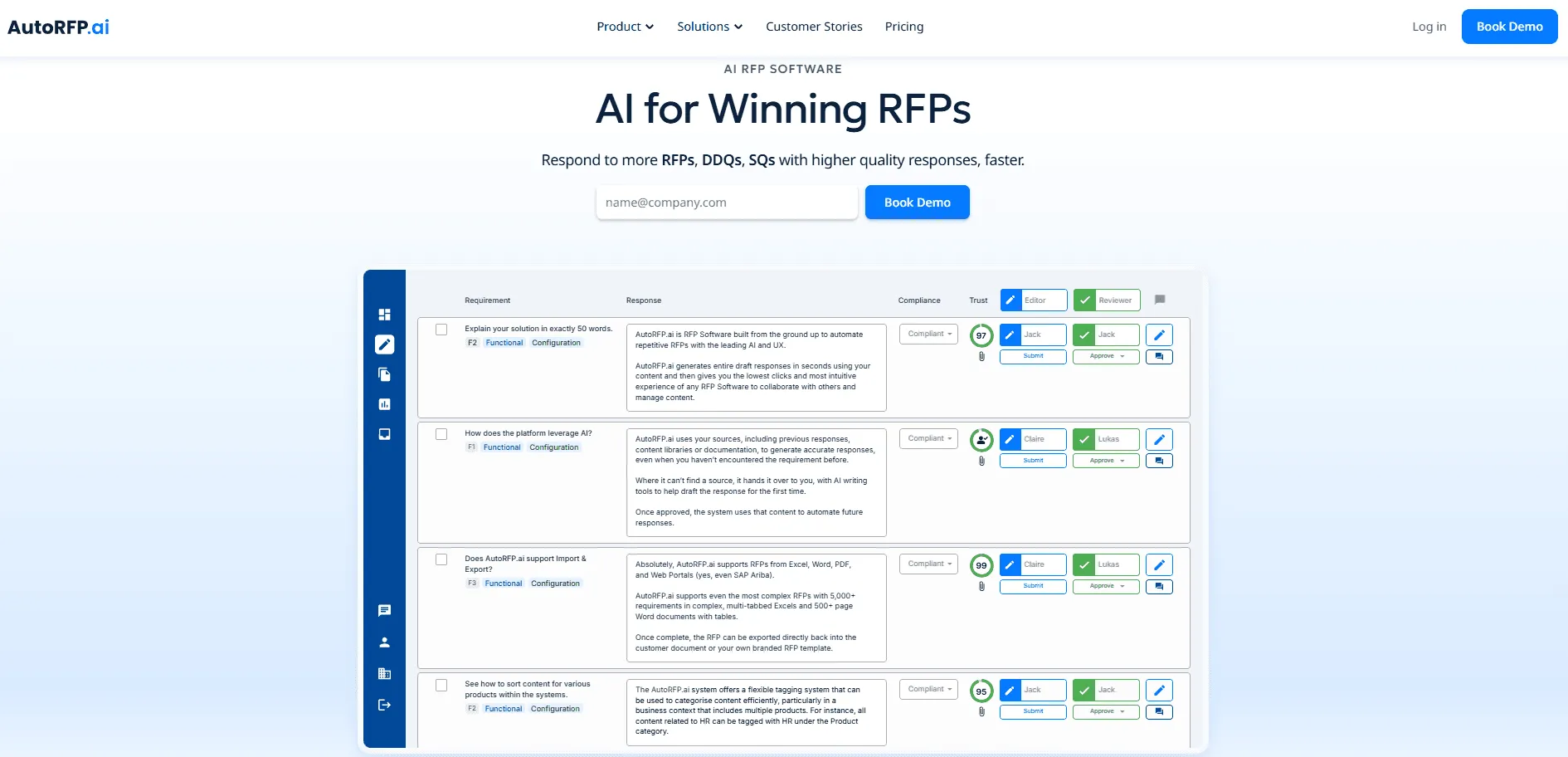
AutoRFP.ai is RFP software built for B2B teams that win through structured, repeatable enterprise bids. It helps pre-sales, solutions engineering, and bid teams generate strong first drafts from approved technical content, past responses, and internal documentation instead of rebuilding answers from scratch every time.
That matters when enterprise buyers send long questionnaires covering architecture, integrations, security, compliance, and product capabilities. For teams dealing with high volumes of technical response work, AutoRFP.ai helps turn repeated answer-writing into a faster, more scalable workflow.
Key Features
1. AI RFP Response Engine
AutoRFP.ai helps pre-sales teams create accurate first drafts in seconds instead of spending hours manually answering the same technical questions again and again.
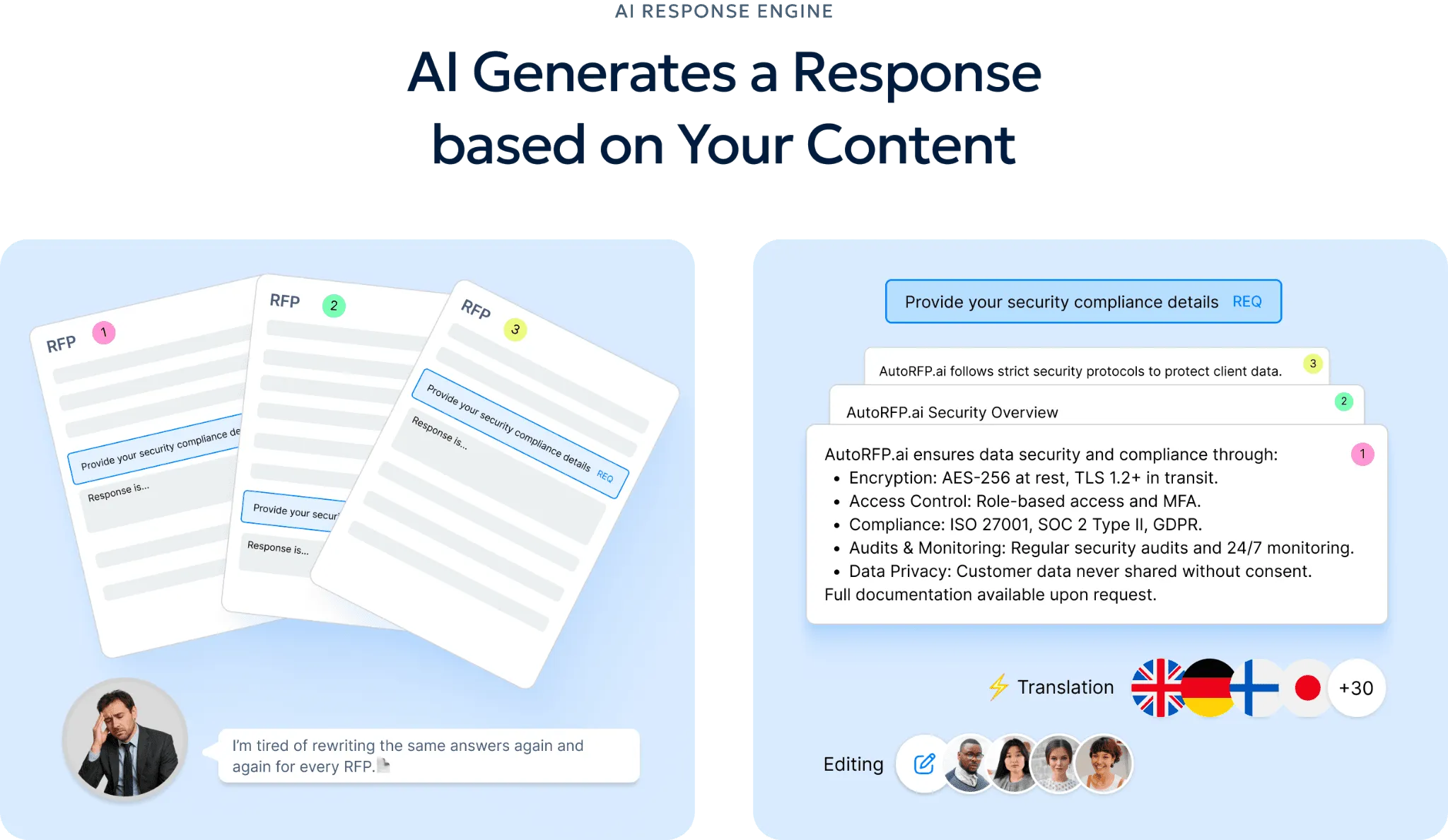
For solutions engineers, that means less time writing responses about API rate limits, SSO, architecture, uptime, and integrations, and more time spent on demos, solution design, and POCs.
Because the drafts are grounded in approved technical documentation and past winning responses, teams can review and refine instead of starting from a blank page. That is especially useful for enterprise RFPs with 100-plus technical questions, where expert time is expensive and response speed matters.
2. RFP Content Library
AutoRFP.ai gives pre-sales teams one searchable place for approved technical answers, architecture diagrams, API details, and past responses. When a prospect asks for a technical clarification late in the day, the team does not need to wait for an SE to dig through folders or old decks.
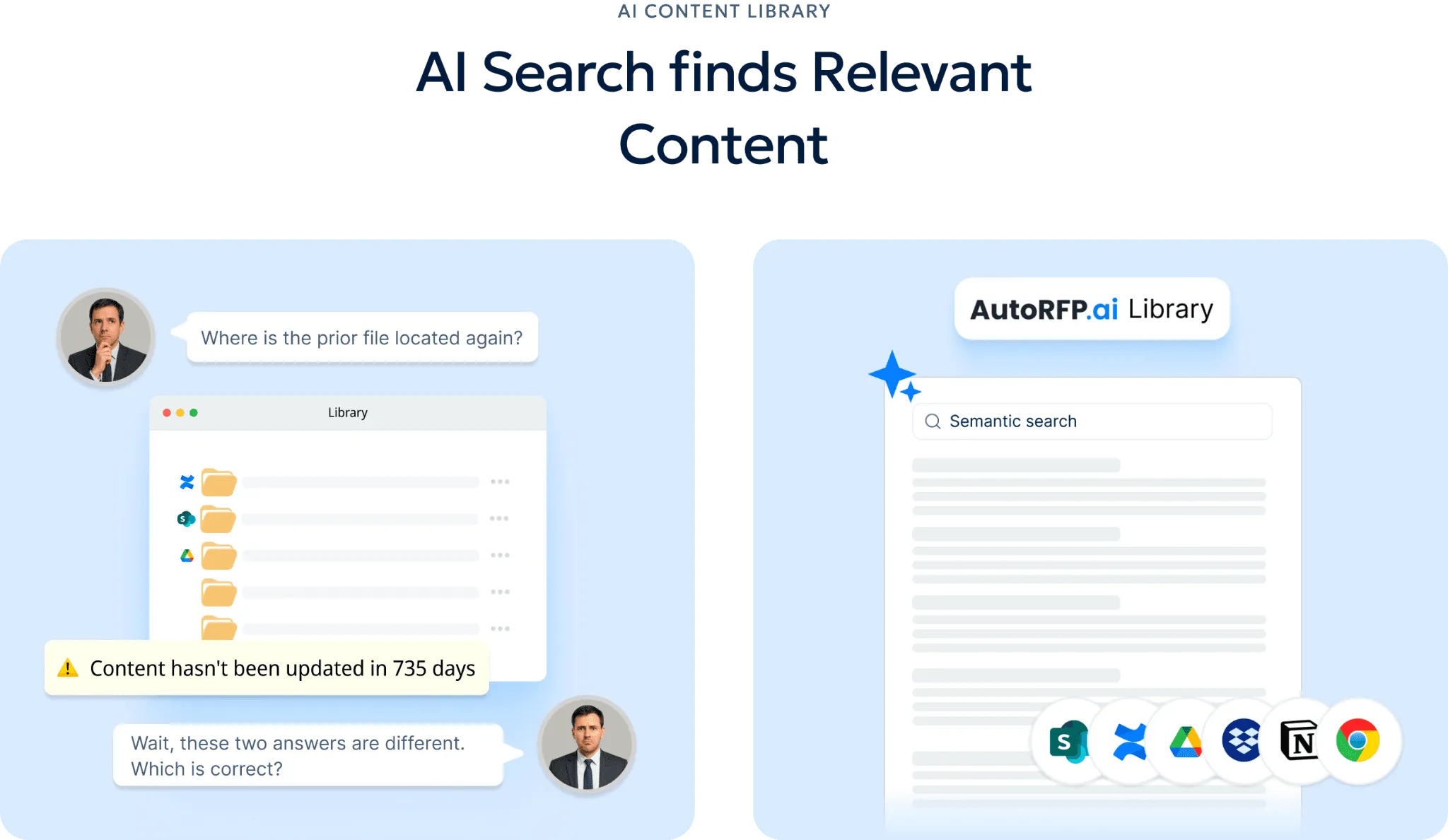
Instead, AutoRFP.ai makes it easier to surface the right answer quickly and keep the deal moving. That is especially useful for enterprise teams that need faster turnaround without sacrificing technical accuracy.
3. Project Agent
Before a response goes out, AutoRFP.ai’s Project Agent can check it against internal security policies, certifications, and compliance requirements. Instead of manually cross-checking dozens of answers against long policy documents, teams can use AutoRFP.ai to flag gaps, spot inconsistencies, and suggest corrections across the whole project. This gives pre-sales and security teams a cleaner way to validate technical claims before submission. In complex enterprise deals, that extra layer of review helps reduce risk and improve confidence in the final response.
4. MCP Server
Through its MCP Server, AutoRFP.ai makes approved technical knowledge accessible inside tools like ChatGPT, Claude, and Microsoft Copilot. That lets account executives and pre-sales staff ask plain-English questions about past RFP responses, approved technical statements, or project content without interrupting senior solutions engineers every time.
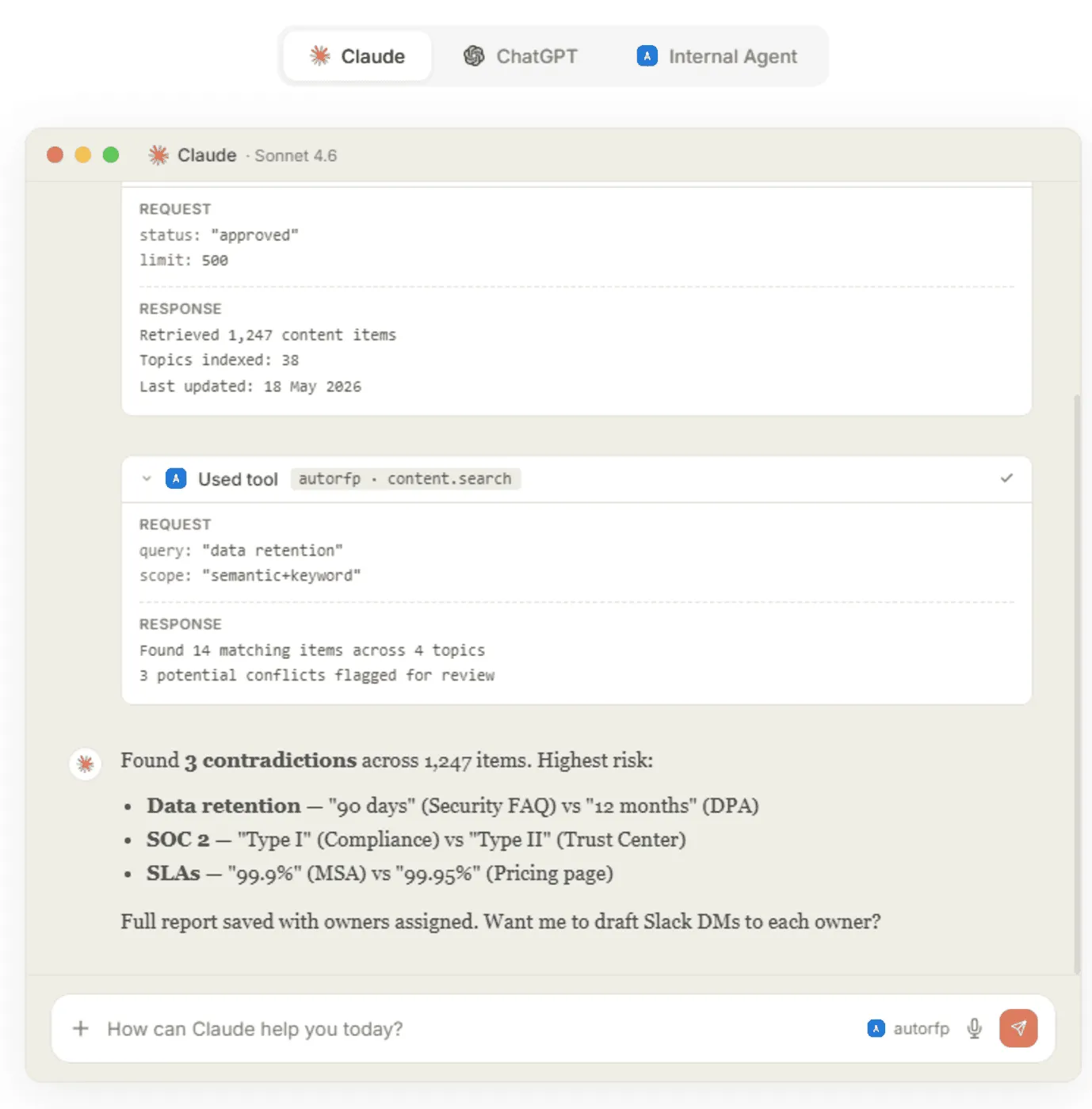
AutoRFP.ai turns repeated technical questions into a self-serve workflow, which helps the wider sales team move faster. Over time, that makes specialist knowledge more scalable across the organization.
5. RFP Reporting
AutoRFP.ai gives leaders a clearer view of win rate, team capacity, response velocity, and project volume in one place. Rather than treating every technical RFP the same, teams can use AutoRFP.ai to see which types of response work are worth the effort and which ones consume hours without delivering much pipeline value.
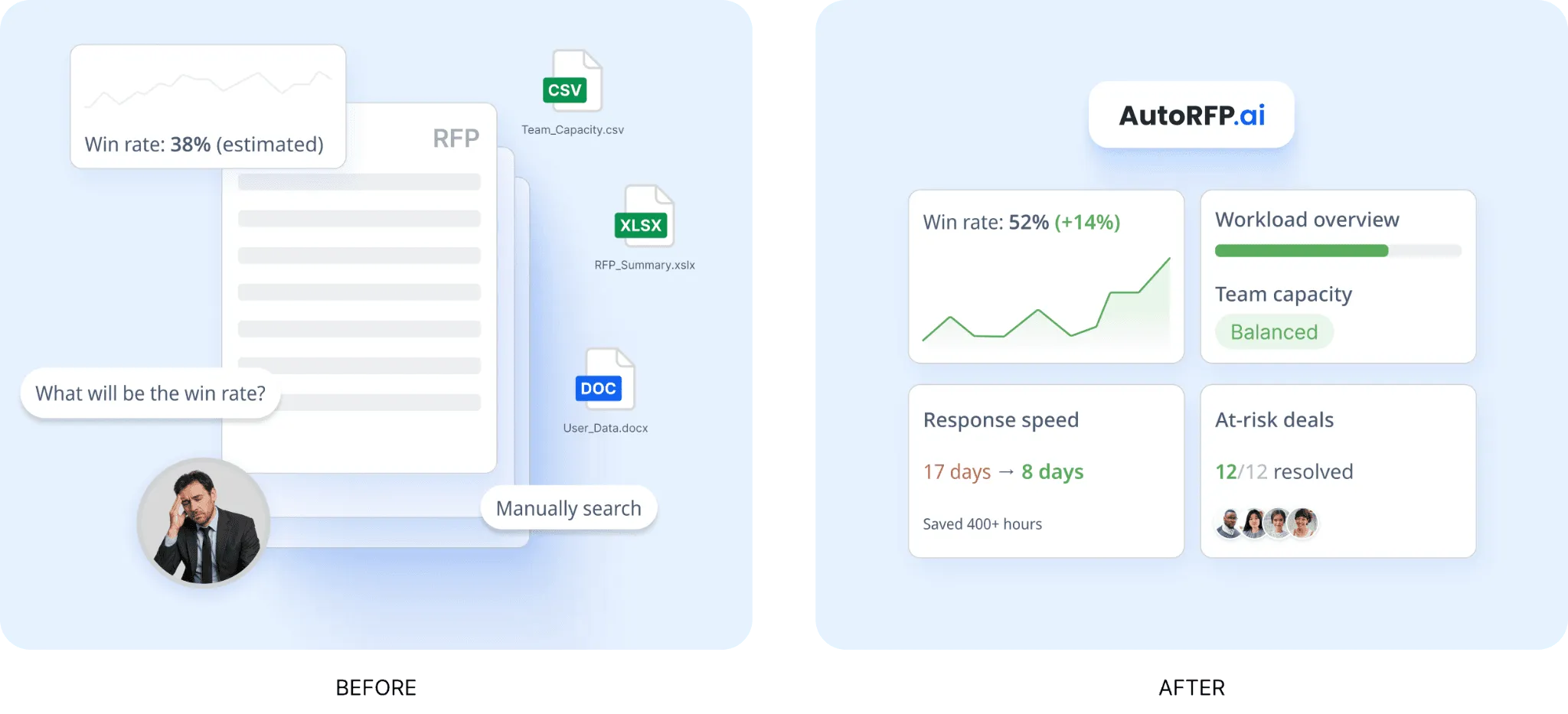
That helps pre-sales leaders prioritize better, avoid overloading the team, and support headcount discussions with real data. For enterprise teams managing steady RFP volume, those reporting insights make planning much more practical.
6. RFP Project Management Software
Across complex bids, AutoRFP.ai keeps everyone aligned on ownership, deadlines, blockers, and completion status from one dashboard. Bid managers can tag the right expert on the right question, send reminders, and keep technical input moving without relying on spreadsheet trackers or buried email threads.
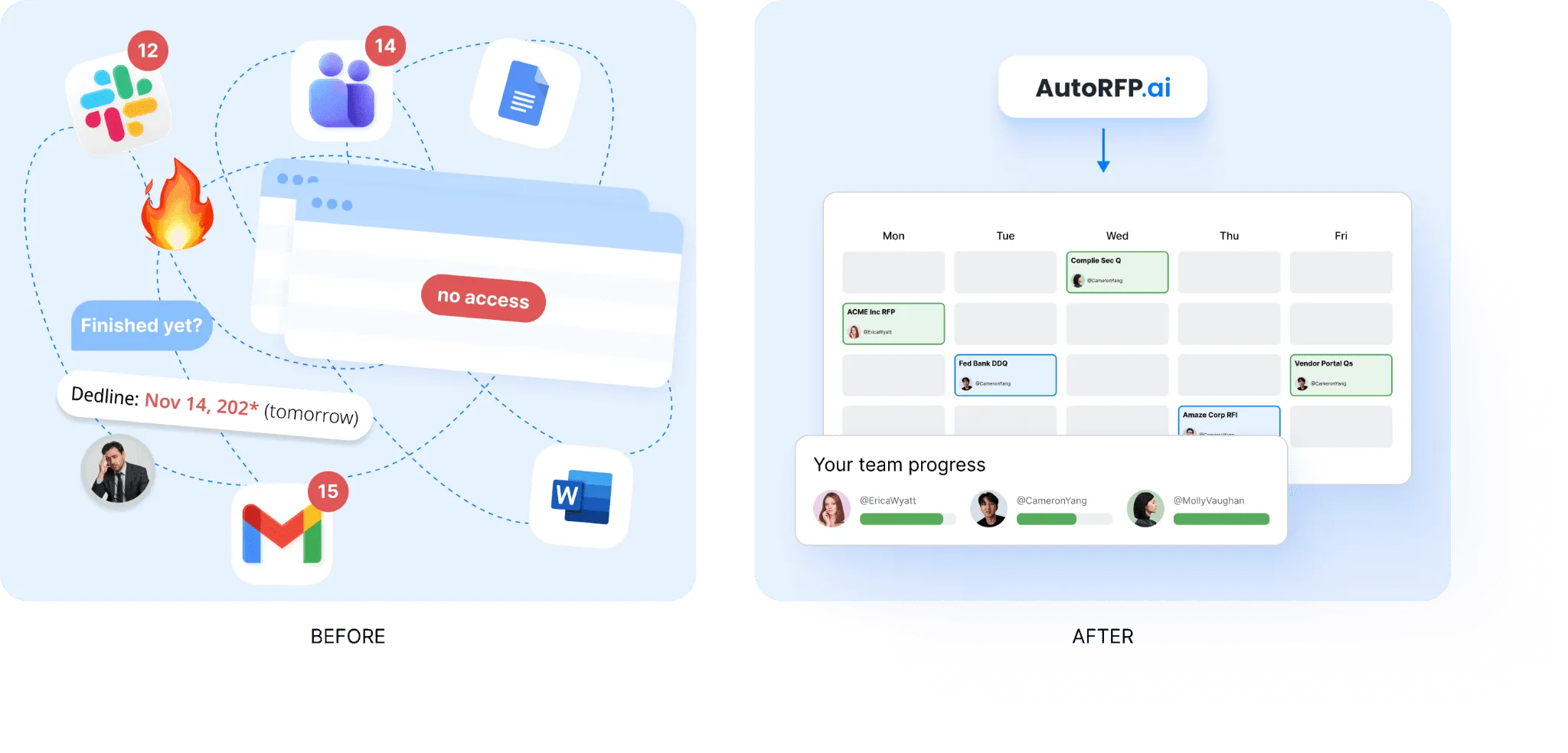
AutoRFP.ai gives solutions engineers a cleaner way to respond in context and move on without unnecessary follow-up. The result is a more structured handoff across pre-sales, proposal, legal, product, and security teams.
Pricing
| Plan | Monthly Cost | Key Inclusions |
|---|---|---|
| Scale | $899 | Unlimited AI responses, users, content, and integrations |
| Accelerate | $1,299 | Everything in Scale, plus advanced analytics and priority support |
| Enterprise | Custom | Custom integrations, a dedicated success manager, and tailored security and compliance features with SSO |
Where AutoRFP.ai Shines
AI RFP Q&A chatbot: AutoRFP.ai helps sales engineers answer repeated technical questions without spending half the day replying in Slack. Teams can pull sourced answers from the knowledge base quickly, keep technical language consistent across reps, and help junior SEs work more independently.
AI document importer for RFPs: AutoRFP.ai helps teams move faster at the very start of technical RFP work by extracting requirements, sections, and context from Word files, PDFs, and Excel documents. That means pre-sales teams spend less time wrestling with formatting and more time answering the actual technical questions that influence the deal.
AI RFP Chrome extension: AutoRFP.ai helps teams reuse technical answers across vendor portals instead of rewriting the same explanation every time. When someone answers a question in a portal such as UpGuard, that response can be saved back into the content library for future submissions, which makes repeated portal work much more efficient.
Consistent client-ready responses: AutoRFP.ai helps teams produce answers that are faster to review, more accurate, and more consistent across deals. In one customer example, Red Rover transformed RFP responses and saved 80% in response time ,eliminating the chaotic back-and-forth that had previously been the workflow for them.
Governance and support: AutoRFP.ai includes white-glove onboarding, training, unlimited support, and a 30-day money-back guarantee. That lowers adoption risk for enterprise teams and makes procurement easier because the rollout support is already built into the offering.
Where AutoRFP.ai Falls Short
Not a great fit for highly bespoke sectors: AutoRFP.ai may be less suitable for AEC, US GovCon or defence, custom software development, and highly bespoke professional services. Responses in these sectors are often too technical, project-specific, or unique to follow repeatable response patterns.
Not built for teams issuing RFPs: AutoRFP.ai is designed for vendors responding to RFPs, not procurement teams creating and managing them. Organizations that need supplier evaluation, bid collection, and sourcing workflows will need a different type of platform.
Customer Reviews
Scott M., Account Executive, said, “AutoRFP.ai has dramatically reduced the time our team spends responding to RFPs, due diligence questionnaires and security assessments. The AI is fast, accurate and reliably pulls from our approved library of past responses. Where we historically spent hours filling out monotonous questionnaires on repeat, we can now comfortably meet deadlines for these questionnaires and focus on the more important work of getting our product in front of prospects.
Overall, it turned what was once a slow, multi-department process into something we can confidently deliver at speed and scale.”
Kristen C., Marketing Manager, said, “We are new to AutoRFP, but so far, we are really enjoying it and can see the value it will bring to our company. Setting up new projects and working through them is so much easier and more controlled than working from spreadsheet versions. Assigning tasks, adding comments and attaching documentation to each question have been so helpful. I am looking forward to wrapping up our first project.”
Jake Phillpot, CEO, said, “We have used AutoRFP.ai to win more than 50 successful bids and plan to continue using it for all future bids.”
Who AutoRFP.ai Is Best For
Enterprise pre-sales teams: Teams handling large volumes of technical RFPs, DDQs, and security questionnaires that need faster first drafts and less repeated work from senior SEs.
Solutions engineering teams: Teams that are constantly pulled into architecture, integration, compliance, and product capability questions and need a better way to reuse approved technical answers.
Bid and proposal teams supporting technical deals: Teams coordinating responses across pre-sales, product, security, legal, and engineering that need stronger workflow visibility and cleaner handoffs.
B2B vendors selling into enterprise buyers: SaaS, cybersecurity, fintech, and other B2B companies selling through structured procurement processes where technical response quality can directly affect win rates.

Video transcript
Did you know the average RFP can take thirty-two hours of manual grueling work? Now, in this video, in under ten minutes, I'm gonna show you how you can use AI RFP automation to drastically reduce the amount of time it takes to get to a first draft for your RFP, DDQ or security questionnaire using AutoRFP.ai. Sick. Let's jump into it. So at AutoRFP, we're an AI RFP software automation platform, across the globe with hundreds of customers using our software every day, battle-tested AI to help you automate RFPs. First, what's the problem? So an RFP or request for proposal or due diligence questionnaire or security questionnaire is a pain felt across all industries, whether it's construction, software, technology, finance, healthcare, anyone selling
to government or private businesses. And these glorified question and answers take hours and hours for people to complete, for them to win new business. It's a crucial part for your business to win enterprise and government contracts, which really help you grow sustainably and quickly. But when you go to bid on one, you are met with the RFP. Average response times are thirty to forty hours, usually involve five to eight people, seventy percent of content is reused but hard to find, and the average win rate across all industries is only forty-three percent. So you're spending hours with uncertainty that you may win, which is where efficiency and writing better responses, leveraging AI helps you win more faster. Now, looking into RFP automation, you have a number of options.
You can pick up a legacy RFP software. They've been around since the late nineties. They brought software to the RFP problem. Effectively, a glorified question and answer bank, like a database. You upload Q&A pairs, and then they try to use keyword matching to find the most relevant to then help you answer questions that you get in your new RFPs and tenders. You can also do AI builds yourself. So you might use ChatGPT or Claude, and you can see our other videos about how you can potentially use them. But effectively, you hit a ceiling where it's hallucinating, it's taking more time now to fix things than it should, and just doesn't have enough context to find the right answer most of the time. Or you can choose an actual AI native leader like AutoRFP.ai. Built from AI from the get go and have built the engine around zero
hallucination, multimodal architecture to leverage the latest models across all your major providers, library-less approach, so it doesn't take a lot of time to maintain the system, really high automation rates and enterprise security built in from day dot. So why do teams choose AutoRFP.ai? The reason is your knowledge is always current. We integrate with over twenty different systems, and we pull in from all your various file management and different software to make sure that your data is always up to date, and you don't have to maintain it across multiple different places. We're most accurate in the category because we leverage the different models, including specialized re-ranker models, embedding models, search models, and your large language models where they're best. And our team of over fifteen software engineers and AI engineers make sure that this is battle-tested, evals are correct, and it produces the correct answer based off your source context. And it's one platform for every stage of the RFP journey, from intake to new RFP
to AI-powered go/no-go to drafting to reviewing and using agents to review and update your RFP response, translation to collaboration across SMEs and different team members, ensuring that they can easily collaborate in an easy-to-use platform, and then exporting as well. Let's start with the AI native auto library. This is the core of the platform where your different content sources and past projects and up- and web scraping all live in the one place and- Any question that comes up, whether it's in an RFP or a team member asking the question, can be automatically answered with trust-based scores, specific semantic search, and ensures that the correct answer is found and used to then answer and generate an appropriate response. Then effectively, you upload a blank RFP.
The AI-powered response engine then automatically generates responses, translates it and everything to have the correct answers. Then your team can very easily edit, review, integrates with Slack and Teams, and everyone's notified on project deadlines. Now, I've spoken enough. Let's jump into the actual product, and you can see AI RFP automation from the start. We start by creating a project, which is a new RFP. We've got our portal agent that can scrape your requirements from web portals like SAP, Ariba and others, automatically ingesting those answers into your AutoRFP.ai instance, and then automatically drafting responses for you to easily enter back into the portal. Or you can upload a zip that contains a PDF, Excel, Word doc of your RFP and import that into the platform.
First we have our AI go, no-go. This ask different questions of your RFP based on your company context to ensure that should we actually bid on this RFP before we start it. It'll automatically grab out key details and link it to our CRM via our integration with Salesforce and so on. And here it's answered each question, and you can see it has confidence levels, it has trust built in, and you can then look back and see where the original source and what, for instance, table or other information. Our AI importer automatically selects every requirement, child requirements, dropdown pick lists response cells, everything else that's required for that RFP. We can manually change it if needed, but it automatically pulls that in. Then we can choose what content from our library or just choose every content, and our intelligent tagging and hierarchy system will make sure that the most relevant content is used for that response. And then I can create my project.
Next, the AI response engine then automatically starts sourcing the correct content from your auto library, re-ranking and finding the most relevant information, using that to then draft, redraft, and edit responses vi- with AI, and then provide those responses back to you in matter of seconds. And you can see here my thirty or so requirements automatically being filled out across the entire project. It's chosen the relevant pick lists, and each one of these have trust scores that I can understand further where this came from. It also has our AI-powered feedback score, and this is where AutoRFP is different to other systems. We don't wanna just help you source the correct answers. We wanna help you write better responses. And this goes into our feedback loop, where as you use the platform and write better responses, the AutoRFP system learns from those responses, and continually, your responses get better to help you win more faster.
Here we can do inline comments, so I can notify my team and so they can jump in, get notifications. I can submit, approve, add attachments, and everything else I can do in this platform. Finally, we have our project overview, which is our project management HQ for this particular RFP, making sure everyone understands deadlines. You can send reminders out to team members and just know when something needs to be completed by and when completed by and who is completing it, making sure that your RFP response is submitted on time and you're not faced with five PM Friday deadlines, calling someone to make sure you can get the correct answer to the correct question that's our short introduction to AutoRFP.ai. There's a lot more in RFP automation and AI RFP software that you can learn but feel free to reach out to our team. We'd love to provide a detailed demonstration to you so you can understand if this is a good fit for your business Already, AutoRFP.ai is in forty-four-plus countries across the globe with hundreds
of customers across different industries like technology, finance, and healthcare, and our customers are winning more faster. One of our customers like Shana Sweeney from SugarCRM won fifteen of their top twenty-five enterprise customers using AutoRFP.ai. They're using AI RFP automation to win more today, and it's a competitive advantage for their businesses. Our pricing is incredibly transparent. You can find more information on our website, to get in touch with our team, head over to our website, AutoRFP.ai. Book in a demo today and learn more and see if we can help you win more faster.
2. Consensus: Best For Buyer-Led Demo Automation
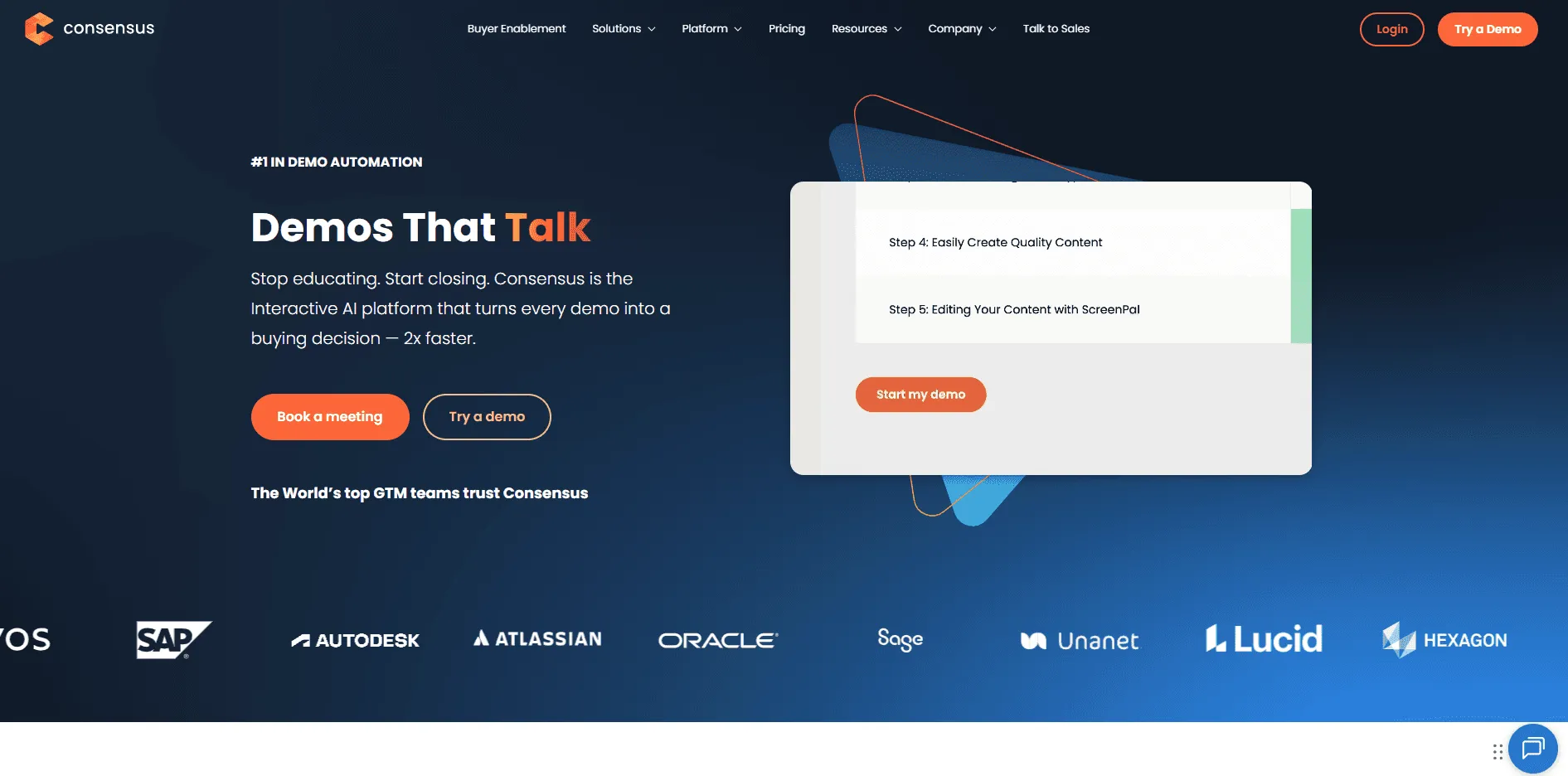
Consensus is one of the strongest pre-sales tools for teams that want demos to keep selling even when an SE is not in the room. Its platform is built around buyer enablement through on-demand demos, product tours, stakeholder discovery, and analytics that show who engaged and what they cared about.
Key Features
Buyer-led demo experiences: Consensus lets teams share product tours and video demos that buyers can watch and circulate across the buying group.
Stakeholder and engagement analytics: The platform surfaces feature rankings, heatmaps, stakeholder discovery, and automated multi-threading signals for sales follow-up.
AI content support: Consensus includes AI scripting, voiceovers, translations, avatars, and AI agent capabilities across higher tiers.
Pricing
| Plan | Monthly Cost |
|---|---|
| Starter | $600/month |
| Pro | $1,250/month |
| Enterprise | Custom |
Where Consensus Shines
Strong buyer enablement motion: It is especially useful when pre-sales teams need asynchronous demos to educate multiple stakeholders.
Clear demo analytics: Teams can see which features prospects viewed and use that data to shape follow-up.
Good fit for enterprise SaaS: Consensus is built for structured demo programs, not just one-off walkthroughs.
Where Consensus Falls Short
Setup can take time: Review summaries mention that getting content uploaded and organized can be time-consuming at first.
UI can feel less intuitive in places: Some users call out usability and search friction when libraries get larger.
Less ideal for teams that need live sandbox realism: Consensus is stronger for buyer-facing automation than for deep product simulation.
Customer Reviews
Duncan W., Sales Executive, said, “The ability to get our product in front of potential customers is valuable. A short video demo allows us to demonstrate the features and functionality we offer. Prospects can watch the video at a time that works for them, without pressure from a sales rep. It also allows us to respond to new leads in a timely manner and ensure our follow-up is valuable.”
Arti S., a solutions engineer, said, “Reporting functionality could be more robust, and the discovery demo feature lacks the ability to link multiple videos to a single question.”
Who Consensus Is Best For
Pre-sales teams selling to buying committees: It works well when one champion needs to share demos internally with multiple stakeholders.
Revenue teams that want demo automation plus buyer analytics: It is a strong fit for enterprise SaaS teams with long, multi-threaded sales cycles.
3. Navattic: Best For Interactive Demos Across The Funnel
Navattic is a strong pre-sales option for teams that want interactive demos to support discovery, live calls, post-call follow-up, and self-serve product exploration. It is broader than a simple screenshot tour tool because it now includes interactive demos, Launchpad for demo automation around calls, AI Copilot, and agent-led demos.
Key Features
Interactive demo creation: Navattic helps teams build HTML and media demos with AI Copilot support and unlimited views.
Pre- and post-call demo workflows: Launchpad is built for sales teams to share demos earlier in the cycle and reduce repetitive SE time.
Agent-led walkthroughs: Navattic now supports agent demos that can run platform walkthroughs on autopilot in any language.
Pricing
| Plan | Monthly Cost |
|---|---|
| Starter | Free |
| Base | $500/month |
| Growth | $1,000/month |
| Enterprise | Custom |
Where Navattic Shines
Fast interactive demo creation: Users consistently praise how quickly teams can create and share walkthroughs.
Useful across the buyer journey: Navattic is positioned for website embeds, ads, discovery, live demos, and follow-up, not just one stage of the funnel.
Public pricing is clear: It is easier to compare cost and entry points than many enterprise demo platforms.
Where Navattic Falls Short
Advanced features still take learning: Review summaries note that more advanced use cases can have a learning curve.
Less suited to full product cloning: Navattic is excellent for guided interactive demos, but less focused on complex environment replication than tools like Reprise.
Enterprise depth comes higher up the plans: The more advanced functionality sits above the free entry tier.
Customer Reviews
Gary L., Founder, mentioned on Capterra, “Our product usually requires a live demo for prospects to see its true value and differentiation. With Navattic, we can place a controlled, interactive demo front and centre on our landing page to illustrate the value immediately. The UI was intuitive, and we were able to build our first demo in less than 30 minutes. We have also had multiple investors and clients praise the quality of our product demo.”
Anand S., a marketing associate, said, “Tracking user behaviour is a little difficult at the moment, although I’m told they are currently working on it.”
Who Navattic Is Best For
Pre-sales and GTM teams that need interactive demos fast: It fits teams that want one platform for product tours, discovery support, and post-call follow-up.
B2B SaaS teams that want transparent pricing and fast deployment: It is a strong fit when speed and usability matter as much as demo quality.
4. Reprise: Best For Complex Enterprise Demo Environments
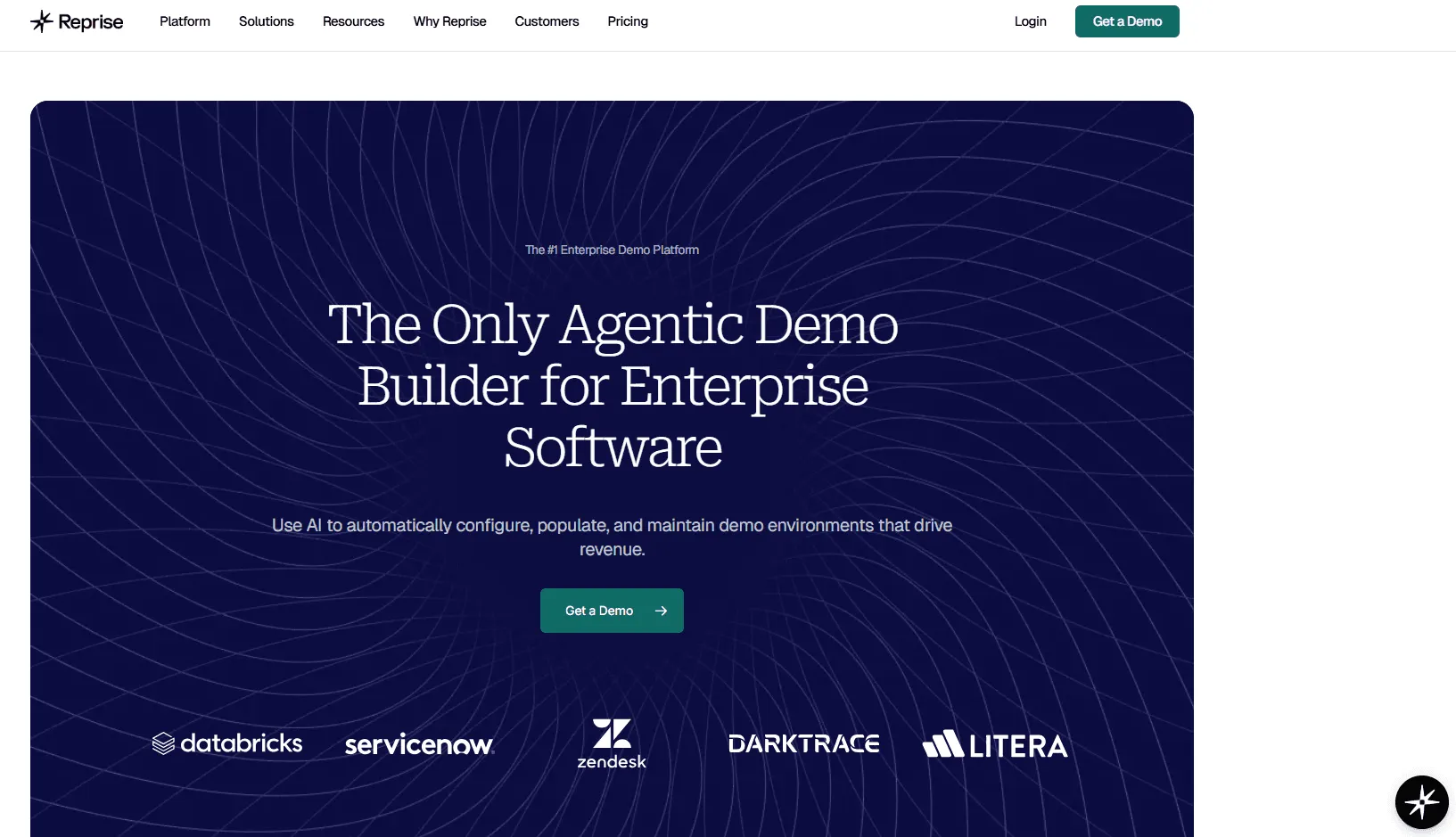
Reprise is built for enterprise pre-sales teams that need more than a polished click-through tour. Its platform is designed around full application cloning, realistic sandbox environments, guided demos, and AI data injection, which makes it especially useful for complex products where demo realism matters.
Key Features
Full application cloning: Reprise creates realistic, fully interactive sandbox environments without production risk.
Guided demos at scale: The platform includes unlimited guided demos with no-code customization and personalized leave-behinds.
Complex demo support: Reprise is positioned for teams that need to show AI features, dynamic workflows, and more technical product experiences confidently.
Pricing
- Reprise has a pricing page, but it does not publish public dollar figures for its platform. Buyers need to contact sales for a quote.
Where Reprise Shines
Strongest for realism: It is a good fit for enterprise teams that need demos to feel close to the live product.
Good for complex use cases: Reprise is better suited than lighter tools when dynamic workflows and realistic environments matter.
Useful for both live and guided demos: The product supports more than one demo motion inside the same platform.
Where Reprise Falls Short
No public pricing: Budgeting requires a sales conversation.
Broader implementation effort: Reprise is likely heavier to deploy and maintain than simpler interactive demo tools.
Overkill for simpler products: Teams with straightforward products may not need this much demo depth.
Customer Reviews
A Reddit user mentioned that their company rolled it out, but adoption has not been strong outside of one specific demo. They said it felt too obviously like a click-through demo rather than a live experience. However, they added that it still worked well for a demo that would have been slow and expensive to run live at scale.
Another Reddit user said Reprise is “okay” but can be a bit fiddly when building new demos. They said it works better for shorter demo pieces rather than full demos, especially when live demos may be unreliable or when teams need to show integrations that cannot be scaled across all solutions engineers.
Who Reprise Is Best For
Enterprise pre-sales teams with complex products: It is a strong fit for companies that need sandbox demos and high demo realism.
Teams that run both live and guided demo programs: Reprise makes more sense when demo infrastructure is strategic, not occasional.
5. Hero By Vivun: Best For Live Deal Support And Pre-Sales Intelligence
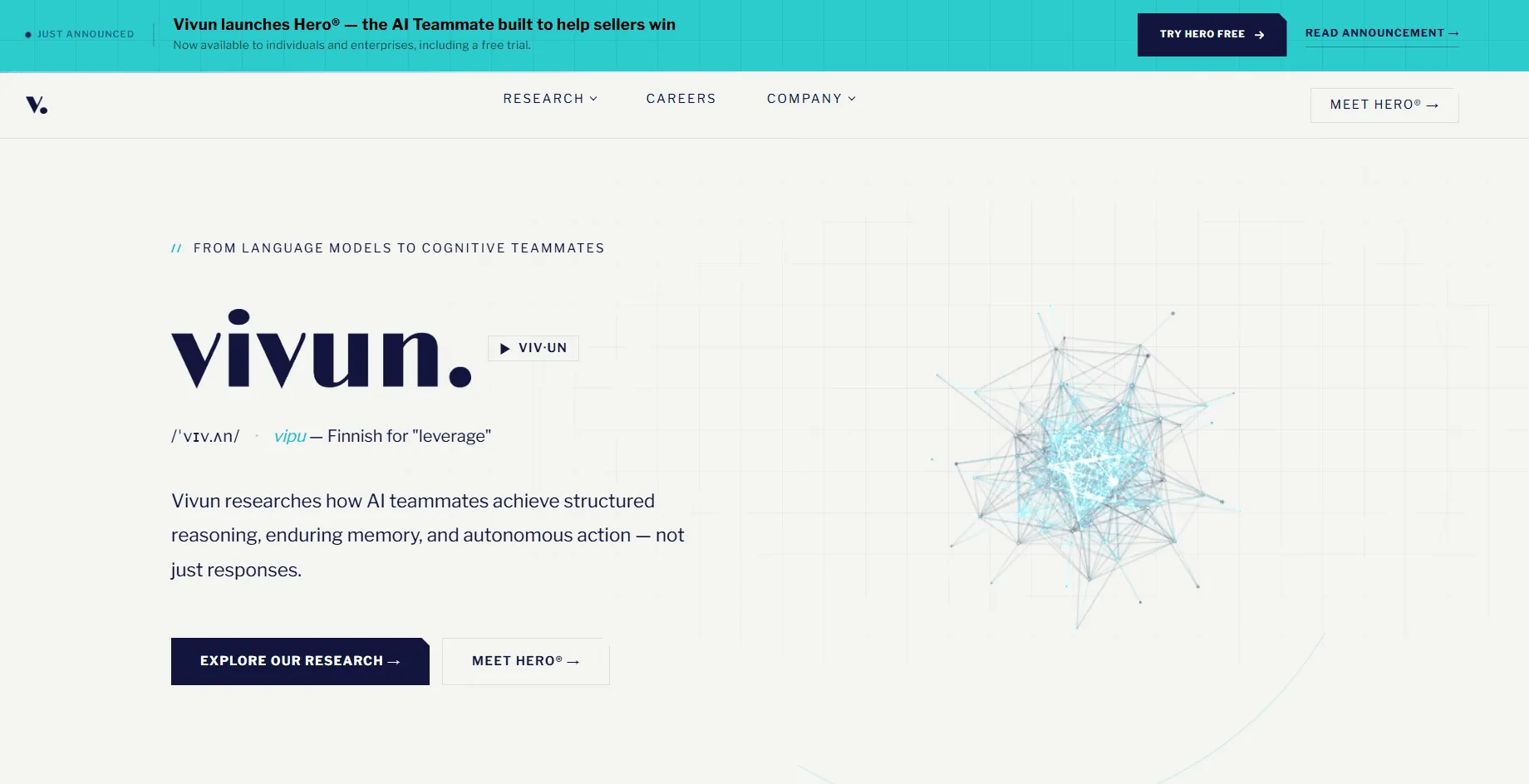
Hero by Vivun is not a classic demo platform. It is an AI sales teammate built to help sellers and deal teams prepare faster, respond confidently during calls, and follow through after meetings using real deal context, content, and workflow data. That makes it relevant for pre-sales-heavy enterprise teams that need better support during live customer moments, not just better assets before or after them.
Key Features
Live deal support: Hero is designed to help teams prepare, respond, and follow through before, during, and after customer conversations.
Grounded reasoning and skills: Its skills include competitive battlecards, mutual action plans, champion enablement, negotiation prep, and renewal health checks.
Enterprise integrations and context: Hero integrates with CRM, conversation intelligence, email, calendar, and collaboration tools so it can act with full deal context.
Pricing
- Hero by Vivun does not publish public pricing on its official site. Vivun promotes a free trial and sales-led enterprise access instead.
Where Hero By Vivun Shines
Useful during the moment, not just around it: Hero fills the gap between stored content and call recordings by surfacing what the team needs in real time.
Strong fit for complex enterprise deals: Its skills are clearly aimed at multi-stakeholder selling, competitive positioning, and follow-through.
Security and enterprise readiness are strong: Hero highlights SOC 2 Type II, ISO 27001, GDPR, and ISO 42001 compliance.
Where Hero By Vivun Falls Short
Less of a traditional pre-sales management platform now: Hero’s current positioning leans more into AI deal support than classic resource planning or demo management.
No public pricing: Buyers need a direct conversation to understand total cost.
Fit depends on live selling workflows: Teams that mainly need demo automation or content reuse may find other tools more directly aligned.
Customer Reviews
Glenn C., Sales Operations Manager, said, “Significantly increased Salesforce adoption across the organization. Significantly improved how our solution engineers abide by sales processes. Provides great, clean data for reports to management to make data-driven decisions, increasing organizational alignment, particularly between Sales and Product/Engineering. Great training and support.”
A., COO, wrote on Capterra, “This is not a cheap product, which was ultimately why we gave up using it. I think if we had more time to learn all the different functions, we could have made a case that it is not a single-use-case product, but we started using it during our busiest season, and we were building the airplane while we flew, so to speak.”
Who Hero By Vivun Is Best For
Enterprise teams that want live AI support in deals: Hero is a strong fit when reps, SEs, and leaders want contextual help during real customer conversations.
Organizations with complex, high-stakes sales motions: It makes sense when pre-sales work blends tightly into deal strategy, objections, and follow-through.
6. Walnut: Best For Personalized Interactive Demos And Deal Rooms
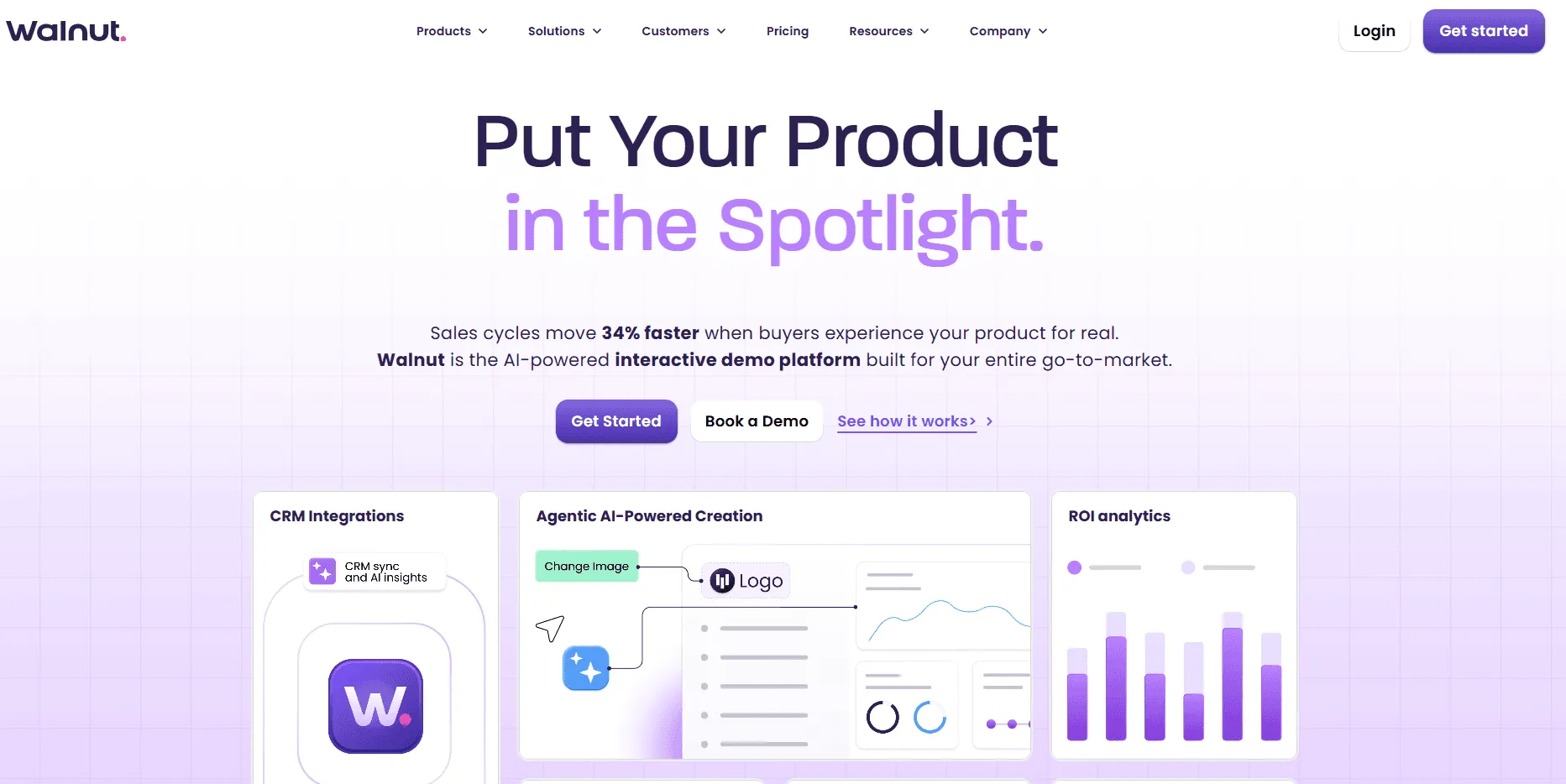
Walnut is a strong pre-sales choice for teams that want highly personalized demos without rebuilding everything for each prospect. Its platform centres on AI-powered interactive demos, deal rooms, and engagement insights, and Walnut says customers see 34% faster sales cycles and 32% higher conversions.
That makes it especially useful for enterprise SaaS teams that need polished demos tied to real deal progression, not just static tours. Walnut has a public pricing page, but it does not show a simple full plan grid in the page text available here, so buyers should still expect a sales conversation for complete packaging details.
7. Demostack: Best For Enterprise Product Simulations
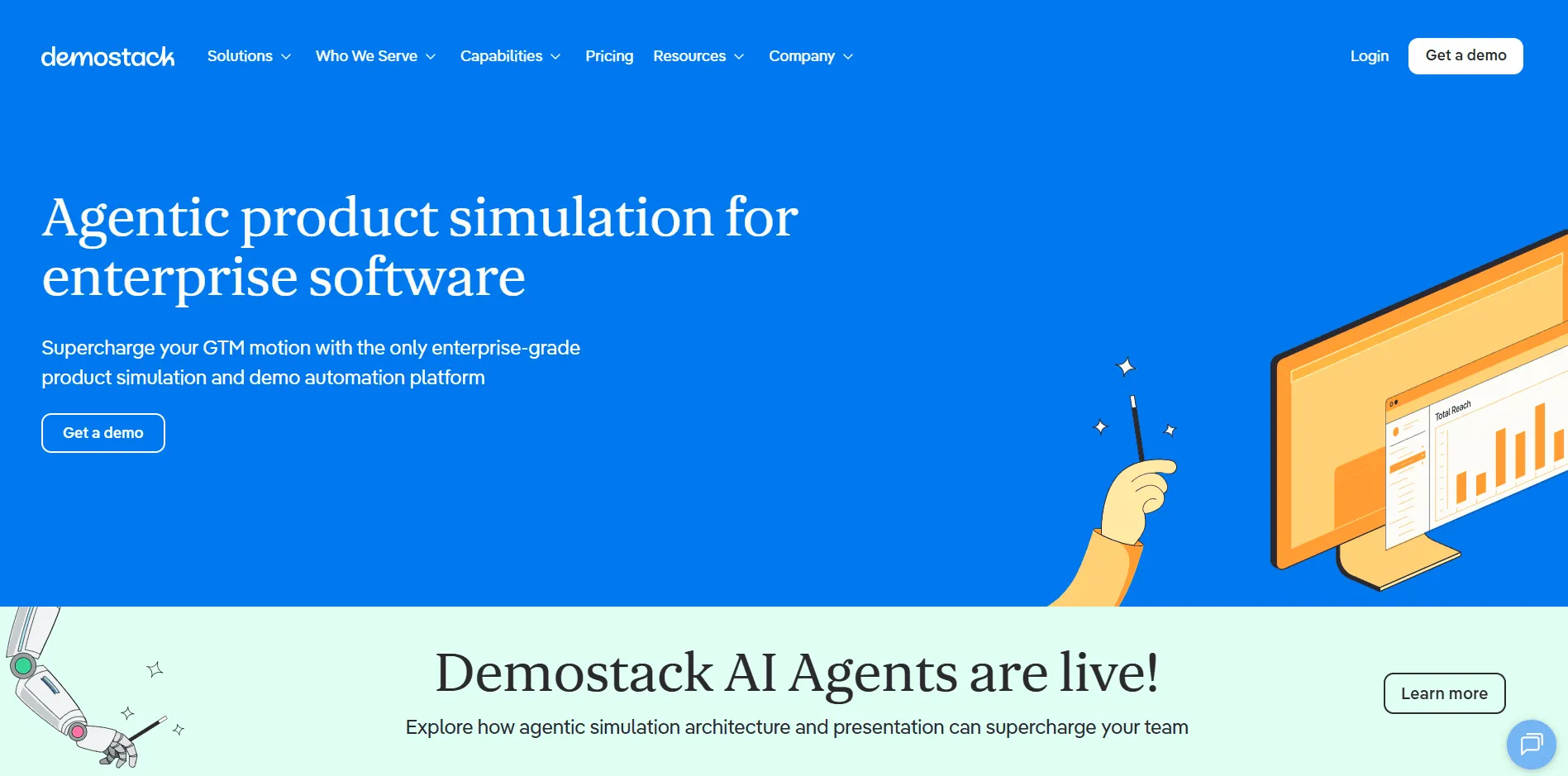
Demostack fits teams that need pre-sales demos to feel stable, realistic, and easy to personalise at scale. The company positions itself as a demo experience platform that helps GTM teams spin up demo environments quickly, update them without engineering help, and tailor them by buyer or use case.
That makes it a good fit for pre-sales organizations that need repeatable product storytelling across complex products. Demostack does not publish straightforward public pricing on the official pages surfaced here, so most buyers will need to talk to sales.
8. TestBox: Best For POC Automation And Data-Rich Sandboxes
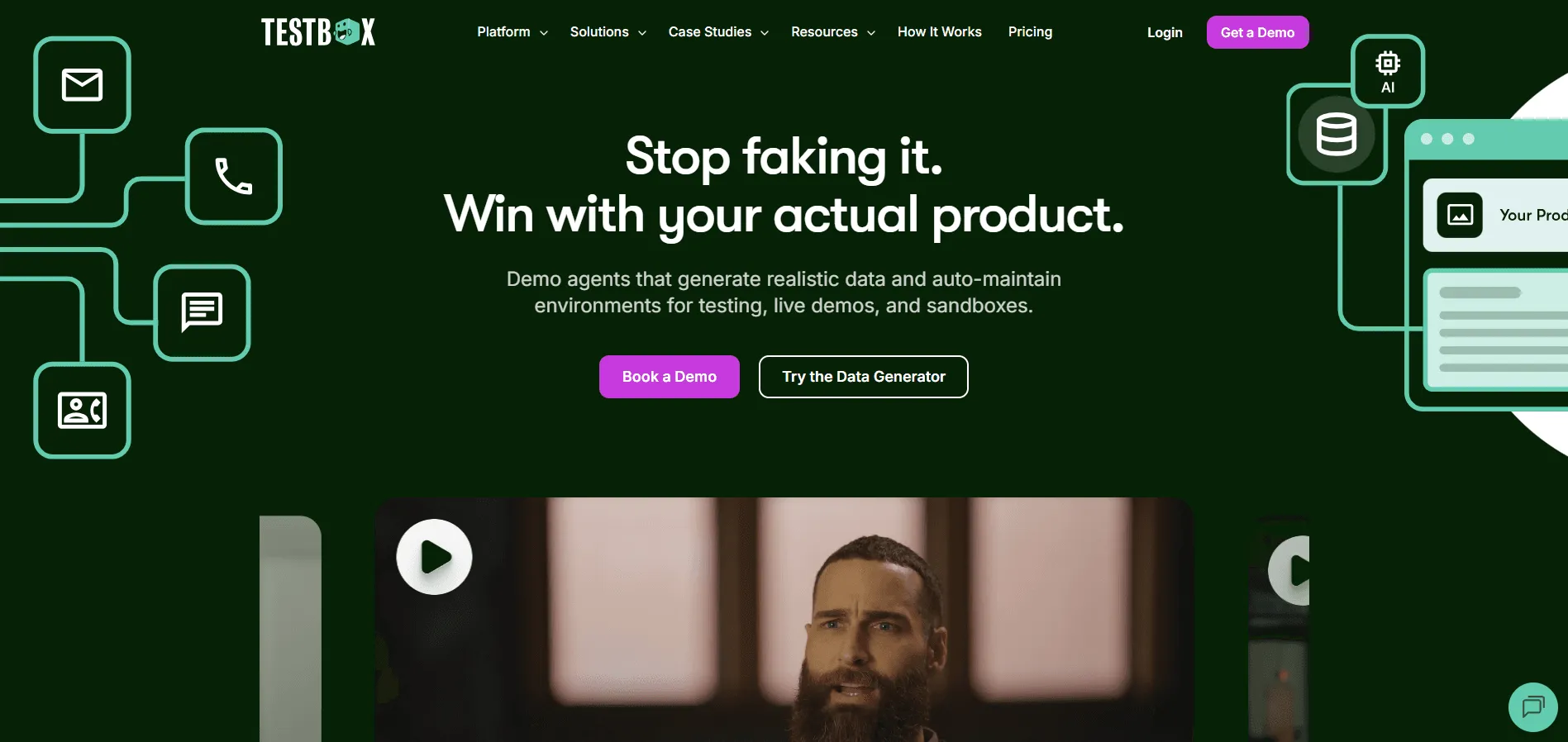
If your sales motion regularly includes proofs of concept, TestBox is one of the more specialised options in this category. It focuses on powering live product sandboxes with realistic synthetic data, which helps prospects evaluate the product in a more hands-on way and helps pre-sales teams avoid rebuilding demo environments from scratch.
TestBox’s official pricing page shows entry pricing from $400 per month for its Data Generator, while broader platform pricing for personalized sandbox environments is explored separately. That makes it more transparent than many enterprise-focused pre-sales tools.
9. Saleo: Best For Live Demo Personalisation In The Native Product
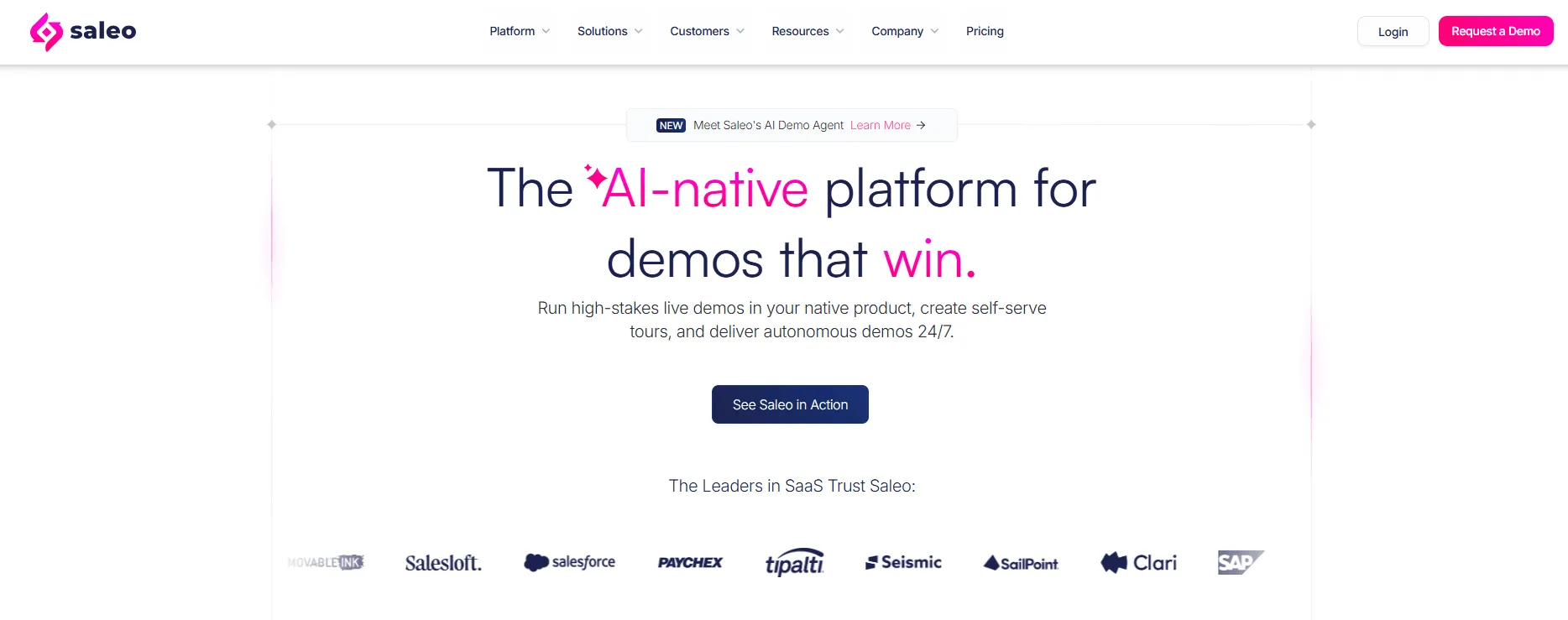
Saleo is designed for teams that want to run live demos inside the native product while still controlling the data, visuals, and buyer context. Its positioning is built around AI-powered live demos, self-serve tours, and a demo agent layer, and the company reports time savings, higher win rates, and lower tenant costs for customers.
That makes it especially relevant for enterprise pre-sales teams where demo quality and realism directly affect deal outcomes. Saleo does not show public price tiers on the official material surfaced here, so pricing appears to be sales-led.
10. Storylane: Best For Fast Interactive Demos With Lower Entry Pricing
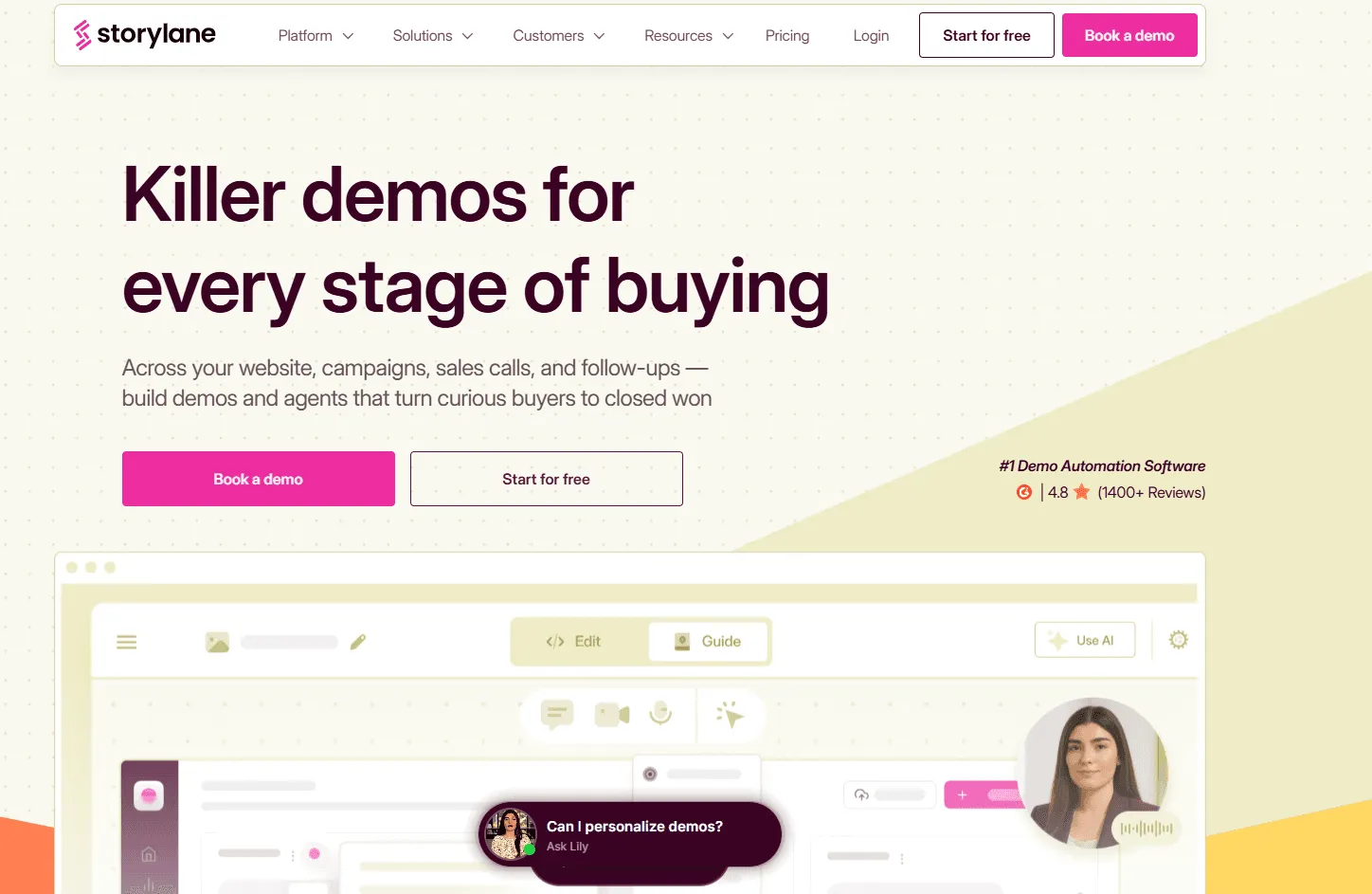
Storylane is a practical option for teams that want to launch interactive demos quickly without jumping straight into a heavier enterprise demo stack. The product focuses on interactive demos, sandbox demos, hubs, and Rep X Chat, which gives it broader utility across pre-sales, sales, and marketing motions.
It is especially attractive when speed and accessibility matter, since Storylane also publishes pricing publicly. Plans include a free tier, with paid options starting from lower price points than many enterprise demo platforms.
11. Gong: Best For Conversation Intelligence In Pre-Sales Workflows
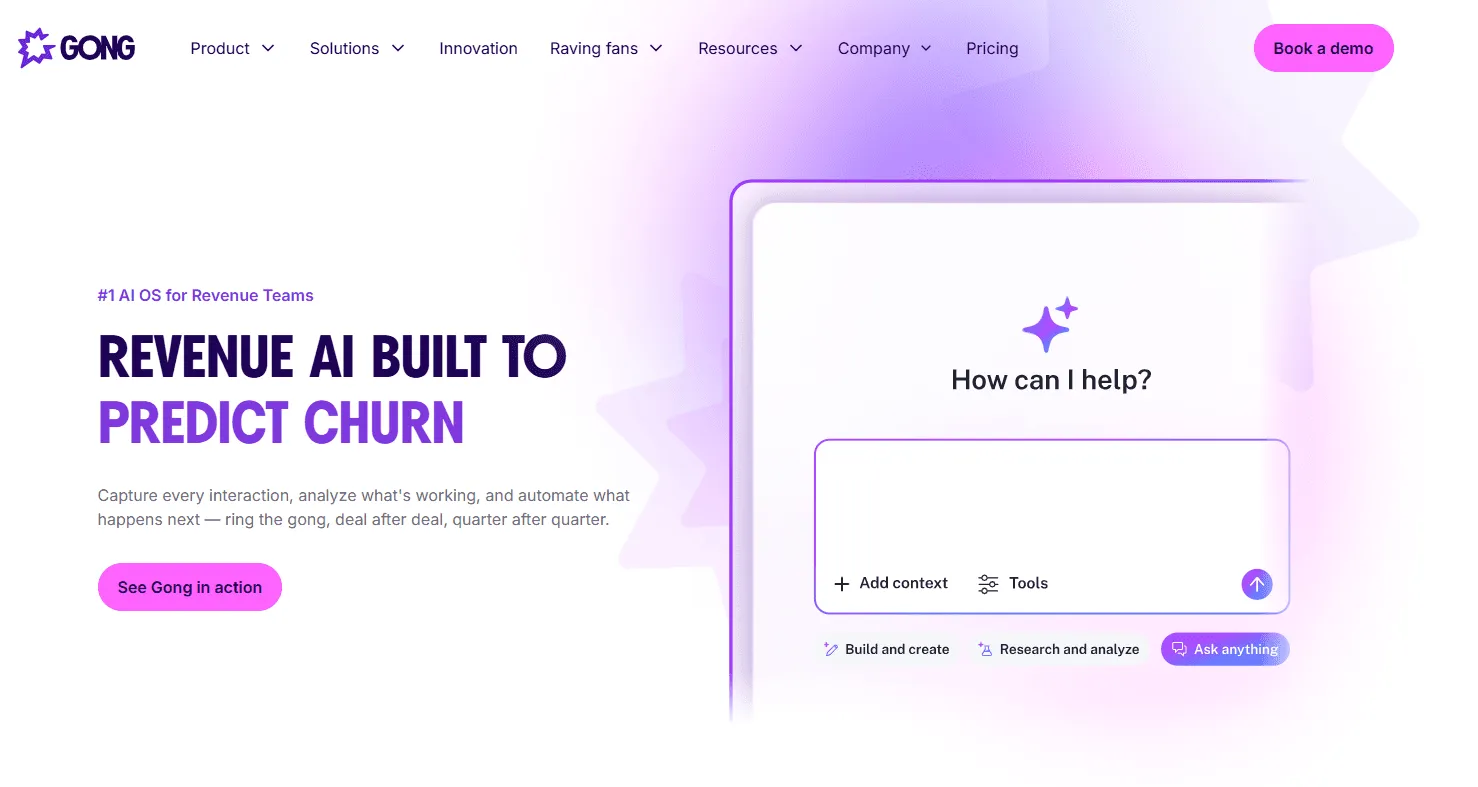
Gong is not a classic pre-sales platform, but it is still highly relevant for pre-sales leaders because so much technical selling happens in live calls, demos, and stakeholder meetings. Its value comes from recording and analyzing those conversations, then turning them into coaching insight, deal visibility, and better follow-up for sales and solution engineering teams. In a mature pre-sales stack, Gong often becomes the layer that shows what buyers actually asked for and where deals are stalling. Gong does not publish flat public package pricing, using per-user licensing plus a platform fee instead.
12. SiftHub: Best For AI Sales Engineering Answers And Security Questionnaires
SiftHub is useful when pre-sales teams spend too much time answering security questionnaires, technical questions, and repetitive buyer requests. Its positioning is built around automating information gathering, keeping answers current, and freeing teams from manual response work, which makes it more relevant to sales engineers and technical pre-sales teams than to general demo creation programs.
This is a good fit when the pre-sales bottleneck is trusted technical answers, not product storytelling. SiftHub does not publish public pricing on the official page surfaced here, so buyers will need to contact sales.
13. Demoboost: Best For Enterprise Demo Sharing And Engagement Analytics
Demoboost is aimed at teams that want interactive product demos with stronger enterprise controls, security, and engagement visibility. Its official site emphasises secure collaboration, enterprise readiness, advanced analytics, CRM-connected engagement data, and support for pre-sales teams specifically.
That makes it a strong candidate for larger organizations that need more governance and reporting than lightweight demo tools usually provide. The official pages surfaced here focus on enterprise readiness and capabilities rather than public plan pricing, so cost details appear to be sales-led.
How to Choose the Right Presales Software for Your Needs
Here’s how you can choose the right presales software for your team:
1. Measure Whether AI and Automation Are Actually Paying Off
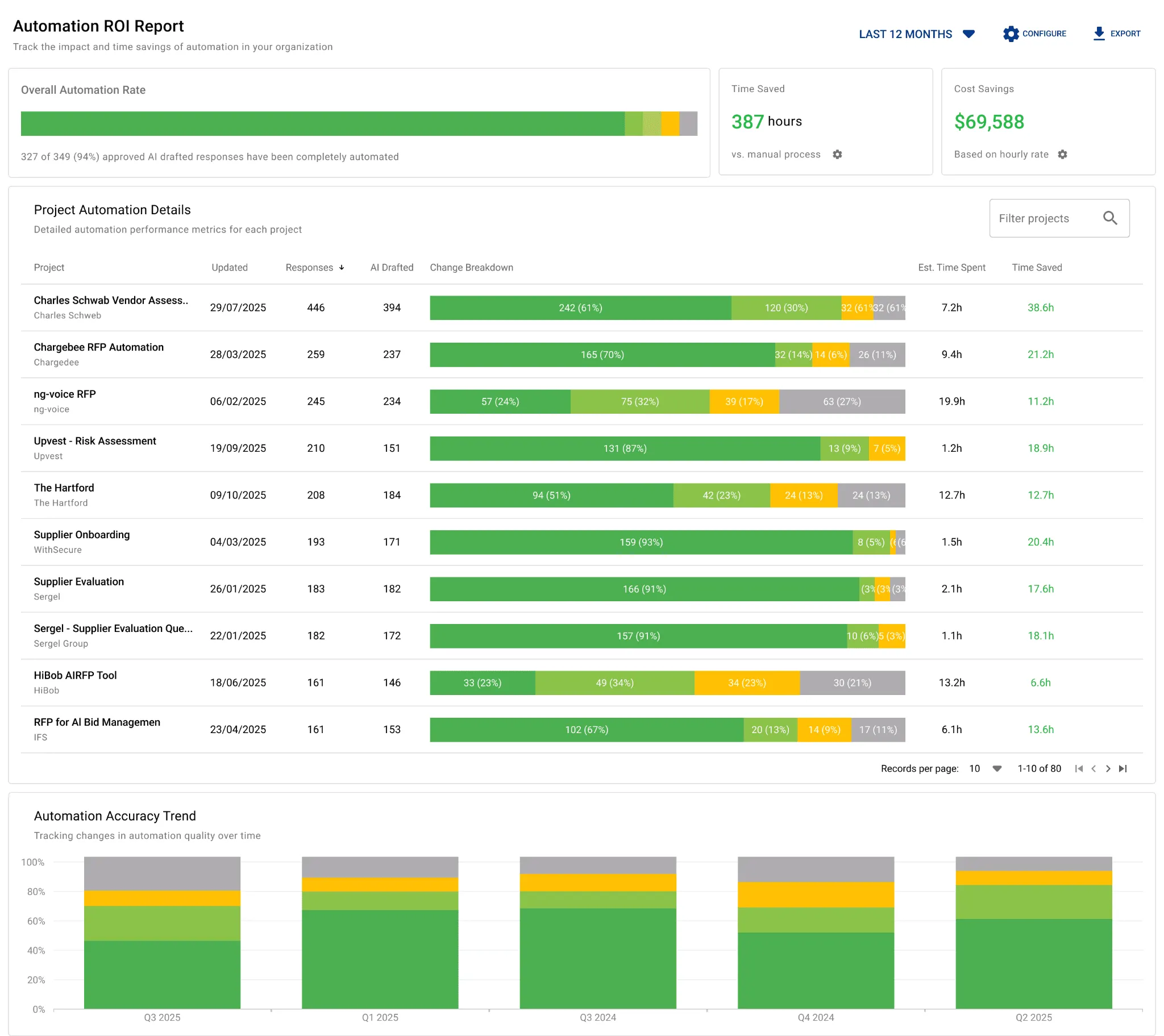
If a platform uses AI, it should show clear value in time saved, automation rate, and team efficiency. AutoRFP.ai does this well with Automation ROI Reporting that tracks AI usage, cost savings, and team effort across completed projects. That gives leaders a clearer way to justify spending and see where automation is truly freeing capacity.
2. Look for Gap Analysis That Shows What Is Costing You Deals
A strong presales tool should help you spot recurring blockers across opportunities, not just manage one project at a time. AutoRFP.ai’s Gap Analysis tracks non-compliant or partially compliant requirements across completed RFPs and groups recurring gaps together.
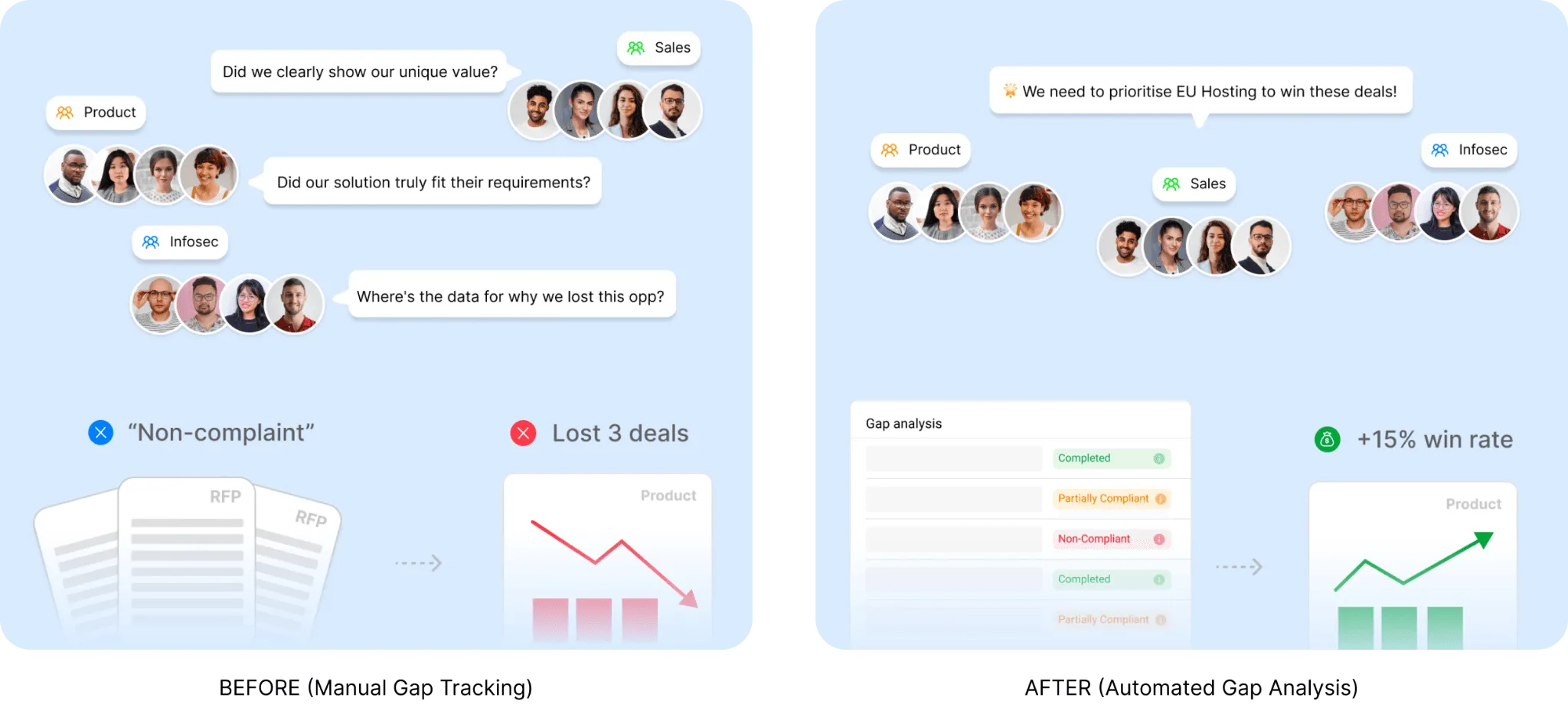
That helps teams turn repeated patterns into better product priorities, stronger positioning, and smarter qualification decisions.
3. Prioritize Buyer-Led Demo Experiences
If your team spends too much time repeating the same demo, look for software that lets buyers explore on their own. Consensus does this well with demo automation, interactive product tours, and buyer signals that show who engaged and what they cared about. That is especially useful when you want presales to spend less time on unqualified demos and more time on live, high-value conversations.
4. Choose Demo Software That Is Easy to Personalize
A good presales tool should make it easy to tailor the product story to each account or use case. Navattic does this well with no-code interactive demos, dynamic variables for personalization, and guided paths that route buyers into the most relevant experience. That matters when your team needs scalable customization without relying on engineering every time.
5. Check Whether the Tool Can Support Realistic Product Experiences
Some teams need more than a lightweight tour. Reprise is strong here because it supports guided demos, live product demos with custom data, and self-contained cloned environments for secure, fully interactive experiences. That matters most for enterprise evaluations where buyers want to test realistic workflows, not just click through screenshots.
6. Make Sure the Platform Helps Presales Scale Expertise
The right software should help your best technical knowledge reach more deals, not stay stuck with a few sales engineers. Vivun positions Hero as a presales management platform and now emphasizes AI support for technical questions, stakeholder mapping, solution documents, and sales handoffs. That makes it a strong fit for teams that need better visibility into technical work and a better way to scale presales output across complex deals.
Your Presales Team Deserves Better Than Manual RFP Responses
The right presales stack should help your team answer technical questions faster, reuse approved knowledge, and spend more time on demos, solution design, and live deal support.
AutoRFP.ai helps enterprise presales teams streamline technical RFPs, DDQs, and security questionnaires with faster first drafts, better workflow visibility, and more consistent responses across deals.
Book Demo to see how AutoRFP.ai can reduce repetitive response work and help your team support more enterprise opportunities without adding more manual effort.
Frequently asked questions
1. Why Do RFP Response Cycles Often Take Weeks, and How Can This Be Accelerated?
RFP response cycles are typically lengthy due to manual processes, repetitive tasks, and bottlenecks in review and approval. Acceleration is achieved by using AI to generate first drafts in seconds, implementing real-time collaboration tools, and streamlining the review workflow. AutoRFP.ai reduces per-response editing time from 15 to 20 minutes down to 2 to 3 minutes, saving an average of 26 hours per RFP.
2. How Can Organizations Reduce the Risk of Errors in AI-Assisted Content Generation?
To minimize errors and "hallucinations" in AI-assisted content, organizations should use AI systems that are grounded in their own approved content. Features like trust scores, source attribution, and a "human-in-the-loop" review process are crucial. AutoRFP.ai employs a multi-step LLM workflow and never trains on customer data, ensuring high accuracy and reliability. It generates answers from approved company content, past responses, and connected knowledge sources instead of relying on unsupported freeform AI output. If the platform cannot find a trusted source, it can flag the gap for human review.
3. How Can Teams Collaborate Efficiently on RFP Responses When Distributed?
Efficient collaboration for distributed teams requires platforms that support real-time editing, seamless communication, and centralized content management without artificial barriers. AutoRFP.ai offers unlimited collaboration with no per-seat pricing, integrated review workflows, and integrations with popular communication tools like Slack and Microsoft Teams, fostering smooth teamwork.
What Is the True Cost of Bidding on "Unwinnable" RFP Opportunities?
The true cost is the massive drain on your most valuable resources, your Subject Matter Experts (SMEs). Every hour an SME spends on a poor-fit bid is an hour they can't spend on high-probability opportunities, which directly lowers your overall win rate and contributes to team burnout.
5. How Much Time Do Sales Teams Typically Waste Hunting for Information in Shared Drives?
Studies show that employees can spend up to [20%](https://www.mckinsey.com/industries/technology-media-and-telecommunications/our-insights/capturing-business-value-with-social-technologies) of their work week just searching for and gathering information. For sales and proposal teams, this "hunting" time directly reduces the time available for active selling and strategic proposal development.
