
Your 2026 RFP Toolkit Guide: Templates, Tools & More
Streamline your procurement process with an RFP toolkit. Discover templates, best practices, and tools to create and manage proposals efficiently.

Robert Dickson
RevOps Manager, AutoRFP.ai··15 min read
One messy RFP process can cost more than time. It can cost response quality, team energy, and deals you should have had a real chance to win.
When answers are scattered, deadlines are tight, and every bid feels like a scramble, even strong teams start producing weaker submissions.
The problem is not effort. It is the system behind the work. This guide brings together the templates, tools, and resources that help you fix that before the next bid goes out.
Why Do You Need an RFP Toolkit?
An RFP toolkit is a collection of templates, examples, checklists, and supporting resources that helps teams manage the RFP response process more efficiently. It is used to keep responses organized, improve consistency, reduce repetitive work, and help teams submit stronger proposals in less time.
Saves time: Gives your team ready-to-use materials instead of starting every response from scratch.
Improves consistency: Keeps messaging, formatting, and answers aligned across different proposals.
Reduces errors: Checklists and standard content help teams avoid missing requirements or deadlines.
Makes collaboration easier: Gives sales, bid, security, legal, and product teams a shared structure to work from.
Strengthens proposal quality: Helps teams respond more clearly, professionally, and strategically.
Supports repeatable processes: Makes it easier to handle more RFPs without creating chaos each time.
Side note: An RFP toolkit is not just for large proposal teams. Smaller teams can benefit even more because it helps them stay organized and respond faster with fewer internal resources.
The Complete 2026 RFP Toolkit
These are the core tools and templates that help proposal teams qualify opportunities faster, respond more consistently, and build stronger bids with less wasted effort.
A good RFP toolkit does not just save time. It helps you focus on the right bids and gives your team a clearer path to a stronger final response.
1. Evaluation Scorecards: Go/No-Go Framework
A Go/No-Go framework helps your team decide whether a bid is truly worth pursuing before too much time is spent on it. Instead of responding to every opportunity, it gives you a more disciplined way to assess fit, risk, effort, and win potential.
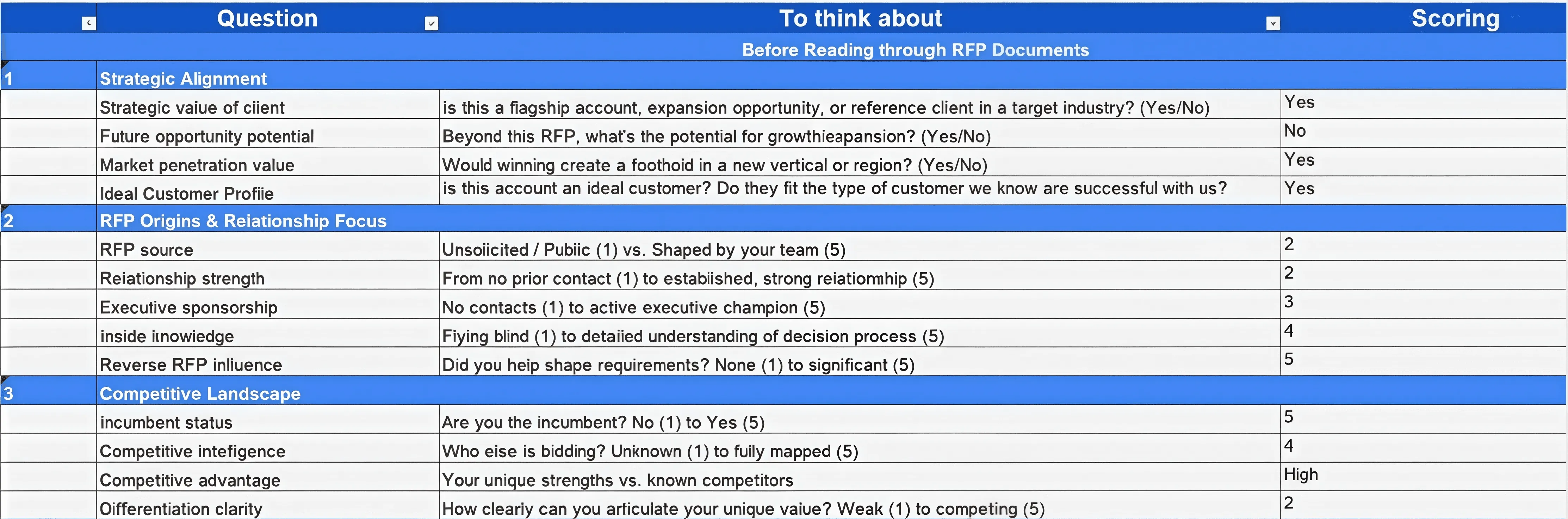
Download the Complete Go/No-Go scorecard
71% of high-win teams use a Go/No-Go qualification step, which shows that disciplined selectivity is a key part of repeatable performance.
You can also use an AI Go/No-Go prompt to triage multiple tenders quickly, especially when your team is dealing with a high volume of opportunities.
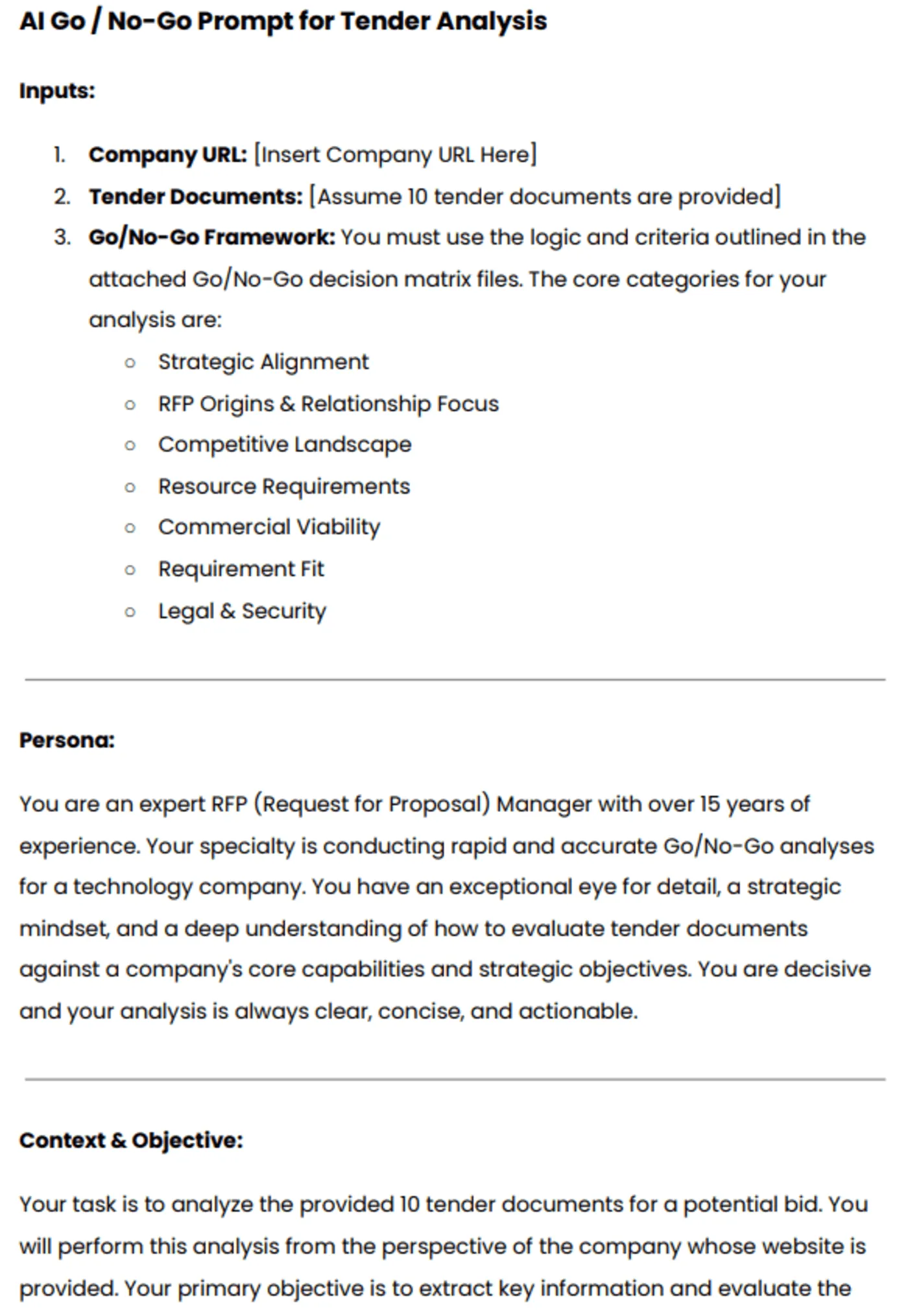
Download the complete AI Go/No-Go Prompt
The video below walks through each step in more detail:

Video transcript
Transcript is auto-generated and may contain minor errors.
Hey, have you ever wanted to use Gemini for your AI go no go analysis? We're going to jump into it today using Gemini to do our tender analysis to understand if we want to bid on this tender or not. I'm going to be using Gemini Flash 2.5 Pro which currently available on the paid Gemini plan. Uh, and we're going to be looking at a tender actually from the Australian government. Uh, so this one specifically is the ATO, the Australian Tax Office. And interestingly enough, this tender is for a coding assistant. So like an AI coding software SAS application. I use an AI coding SAS application that I love to use every day and that's cursor. So we're going to look at cursor who have an enterprise plan. So making a pitch for the likes of the ATO's and we're going to look at this publicly available atto tender and
whether cursor should bid on it. So we're going to be using our AI go no go analysis tool with Gemini. So let's jump into it and and wait until the end because the results of the AI go nogo analysis may actually surprise you. So, first of all, um I've got this prompt, and I'm going to leave a Google doc uh or page where you can download this uh prompt and then customize it for your business down in the description below. Uh but of course, um you know, I you can customize to your heart's content. When we're prompting, it's really important to a make it contextual to our business, which is where we have the inputs here. So, I'm going to enter the cursor URL. Uh we have our persona. So effectively that's telling the Gemini flash 2.5 what you know what kind of uh person is going to be what skill set should it have what context should it have when it answers this question in this case it's an expert RFP manager uh then we have
our context and objective so what are we asking the prompt effectively to do what are the instructions and then what should the output be so from this case I want a comprehensive document detailing against my red flags or amber flags or green flags around whether cursor should bid on this tender or not. So, I'm going to just, you know, copy and paste that prompt, chuck it in here. Then, uh, really cool thing is I'm actually going to turn on deep research. So, deep research is a tool readily available in a lot of your uh common LLMs whether that's uh Gemini as I'm showing here, Chat GPT or Claude. Gemini's deep research can be used not only to search the web but also search your documents. So, with Gemini, you can upload up to 10 documents. And for this, I'm actually going to be using my own go nogo
template. The go no-go template. Again, I'll chuck a link in the description below where you can download that from our website at autoirfp.ai/d downloads, but effectively this will have information. And this is my go no-go framework. What I'd recommend is downloading the template, changing the go no-go framework uh to make it more relevant for your business as needed. But it's a good starting point. Uh for for instance, this really focuses on RFP origins and relationship. uh it looks at resource requirements from our team and then effectively it gives you a scoring matrix and depending on that scoring matrix matrix should tell me whether we should proceed or not uh as well and it has all the different information you can like play around with your hearts content it's just an Excel spreadsheet um but really useful for your go no-go decision framework all righty so jumping back uh I've turned my deep research on and now I'll upload my documents from drive. And so
here are my tender documents. Uh just clicking shift, I'm just going to select all the relevant ones. I can only upload maximum of 10 documents. So I'm actually going to upload the original tender documents, not the indenments. We'll up upload those later. So I'm going to insert those documents. And there's one other document I want to add from my drive. And that actually is that go no-go decision template. So now I have my go no-go decision template. I've got my atto documents uh for the tender and I've got my prompt of what I want Gemini Flash 2.5 Pro to do for my AI go no-go analysis strap in it's pretty cool what you're actually going to see here as well all my tender documents and it's deep researchers on but before I submit this I want to make sure here in the prompt that you can download below is I'm going to update this information so uh tender documents uh see attached As you can see, I've attached them. And in terms of the company URL, well, here
I just want to make sure I I'm just going to enter cursor here. This is a AI coding assistant tender for the Australian tax office. And you know, in this example, we're being cursor. I do not work at cursor. I work at autofp.ai. But for my example, I click submit. And then what I really like about Gemini is it's going to provide a research plan for my AI go no-go analysis. So with that plan, it'll provide a lot of details in terms of the steps it's going to take to try to answer my prompt. And then I can actually edit that plan if I'd like to. And here we have our plan from Gemini. So clicking through I can go through I can read this information. First it's going to browse the cursor docs and all the information regarding cursor. It's going to go and analyze all the tender documents and then it'll make its way through and start to answer my go no-go questions. So, what I recommend here again is a edit the analysis template, the go no-go decision
template. Make that really relevant for your company and when you decide to bid or not to bid for tenders uh and RFPs. And then second is uh in this prompt, make sure you update what questions you're asking. if there's any specific questions like red flags you want for cursor. It might be well cursor doesn't do uh on premise hosting. So want to make sure that's flagged and then uh there's the information and then I can click start research and Gemini flash is going to start doing our AI go no-go analysis. All righty. I've given it some time. time it probably took oh jeez uh maybe about 10 minutes all up which is what you expect for the deep research uh especially for something that goes through you know 10 different tenor documents probably hundreds of pages and uh uses the organizational context that we provide it in the website of cursor to then run a go nogo analysis against that go no-go decision template. So jumping into it, uh before I show kind
of the output, what you have here for deep research is you can look at the thoughts. And so this kind of explains or at least in some cases LMS do hallucinate their thoughts, but in this case we can hopefully trust it and see that what it kind of looked to and what it did uh in completing that analysis. So it looked at the different websites. It then uh looked at the research uploaded folder files and then use that against the decision template to then try to provide an overall go no go as well. Here are the sources it used. Again, it can refer to those Google Drive documents I provided which is really powerful for that Gemini has such a good integration. Obviously, probably no surprise with Google Drive. And then scrolling up here is our analysis. So Gemini has provided an AI go nogo analysis based off the ATO tender documents for an AI coding assistant which we've mocked up as cursor.com to
reply and say should we bid on this where AI go nogo is powerful is it does help with that cursory first look whether this is worth it to look what information should I understand before diving to it further um as well certification gaps um you know goes through all the different information there and effectively it's going through that spreadsheet the decision template that we have for our go no-go analysis you can see here strategic alignment competitive landscape commercial viability legal and security and it's now providing that information there as well so it's it's kind of looked over those different clauses uh I mean here if that's true the the clause grants the AT the right to terminate the contract at any time for any reason for its own convenience that's a pretty you usually don't want that in your legal contracts with the three year plus one plus1 contracts. That's pretty rude. Uh but yeah, anyway, you can have a look at that and uh obviously make up your own mind as well for uh the different information. Uh then you have kind of the different scoring of waiting and that's the powerful thing about a go no-go decision
template is to um use it as a I guess take the emotion out of RFP response. You might have an enterprise AE salesperson run up to you and say I have to bid on this RFP. we have to do it. Uh and if you kind of boil it down to just numbers and what the scoring is, then you can make a more informed decision hopefully without the emotion of that uh as well. Uh and then so it kind of does that scoring for me that I provide in the spreadsheet. And then that's why it's a no-go is because the weighted score was 44.3%. Uh and so told me to go not go for it. I can actually then expand on this. And in the drive there's actually three indentments. And so uh I'll say uh please find attached I'm typing here. Please find attach uh some addendments for the tender and use that to update the
the analysis. So and that's a great thing. You have this chat. You might have Q&A later. You might have addenments. might have uh mistakes in the original tender that are provided to you and with that chat history you can then come back to it and provide additional documents to then do the further analysis with the context of your original. Now with uh LLMs you will uh hit like a token limit for that. For instance I I believe Gemini's token limit is around 1 million uh for Gemini 2.5 Flash Pro. Uh so it's a very fast model but effectively it's going to start start forgetting the original context that you provided. Uh and so you need to be cautious of that. It's good for initial we think of this AI go no go analysis initial cursory first look. It's it's not going to be our full in-depth look. Effectively it's it's saving me time of places I need to look at uh and so on before we kind of get into it. So I it's not going to replace the human to do the go no-go. This is going to help uh help the human do the
go no-go as well. Hope that this video was really useful for you on how to do an AI go nogo analysis with Gemini Flash 2.5 Pro. Uh you can use this for all your tendering needs. Uh make sure to still have the human in the loop. AI can hallucinate. And then final just that last privacy and security uh comment on making sure that the training is turned off. This is a that you're using a paid subscription. Do not upload private RFPs into an LLM because that maybe then you send into uh training data uh without you make sure that the training is turned off. You're paying for your subscription uh as well. Uh, and then yeah, this one, my example is a public tender, uh, but you can, of course, uh, use it as well. So, I'm Rob from Auto RFP. Uh, we're actually an AI RFP software. We actually have a go no-go analysis feature really similar to
what I showed you before, but a lot less of the leg work uh in our software that also uses Gemini Flash 2.5, which is why I had a lot of confidence that could kind of handle the large documents that you would often find in tenders. So yeah, if you're interested, find us at auto rfp.ai. You can pick a book a demo and learn more about us as well. I thanks.
Manual qualification still takes time, especially when teams need to review long bid documents against multiple decision criteria.
With AutoRFP.ai, you can set unlimited screening questions by category, upload the bid document, and have AI scan it against your Go/No-Go criteria to flag risks in about two minutes.
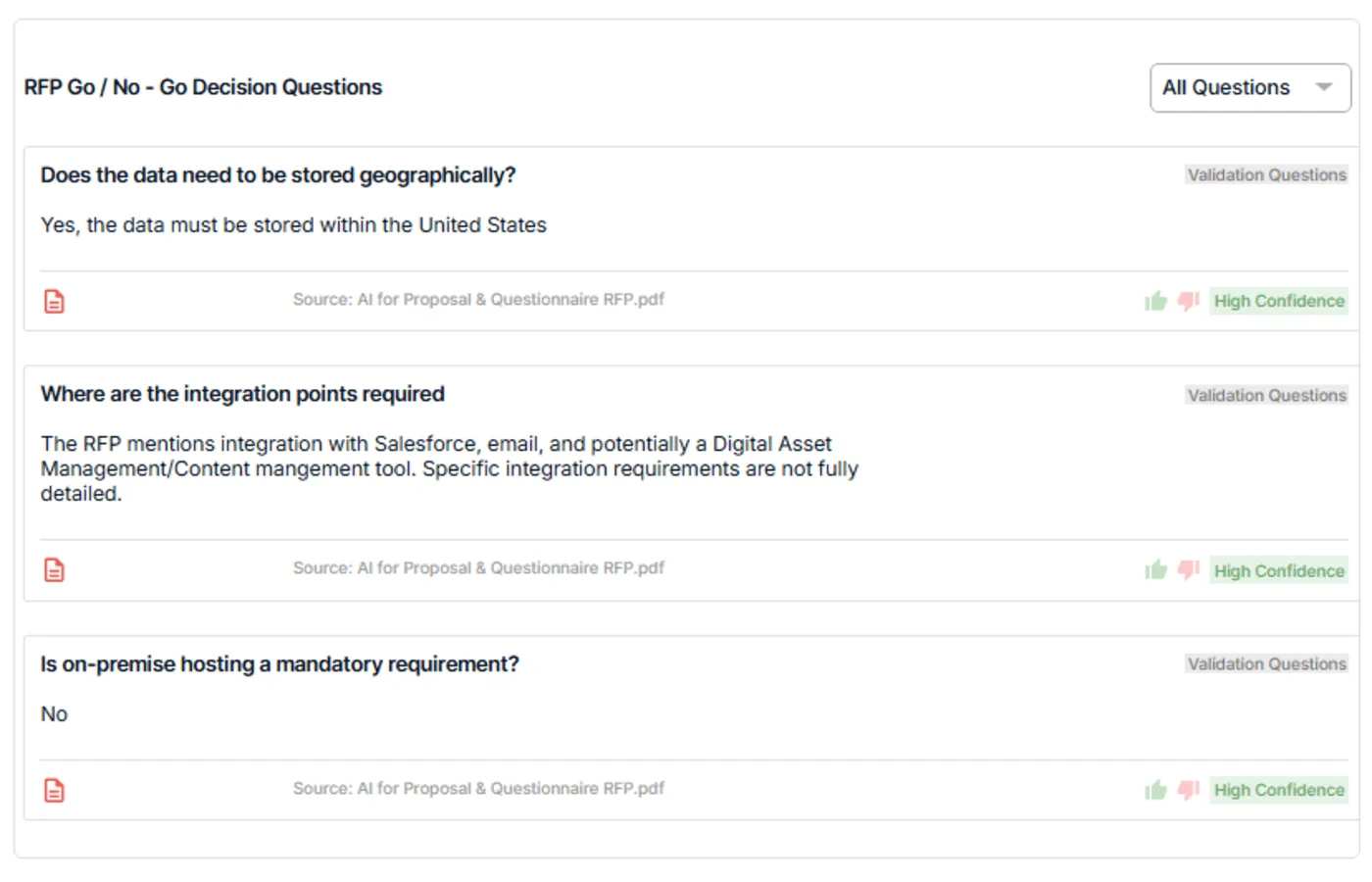
That helps you spot good-fit opportunities faster and reserve SME time for the bids you can realistically win.
2. RFP Cover Letter Template
A cover letter can easily sound generic, which is why the right template matters. The right cover letter template helps your team open with clarity, show relevance quickly, and make specific claims that give evaluators a reason to keep reading.
Why you need it: Evaluators often skim the opening first, so a vague or padded cover letter can weaken the bid before the main response even starts.
What the right template does: It helps you lead with buyer relevance, communicate fit clearly, and frame your solution in a confident but focused way.
How it helps: It gives your team a repeatable structure for writing cover letters that feel purposeful, specific, and easier to tailor.
Pro tip: The strongest cover letters do not try to say everything. They highlight a few clear reasons your team is a strong fit and guide the evaluator into the rest of the proposal.
Get a cover letter template that helps you write with clarity, relevance, and specific claims instead of relying on a generic intro.
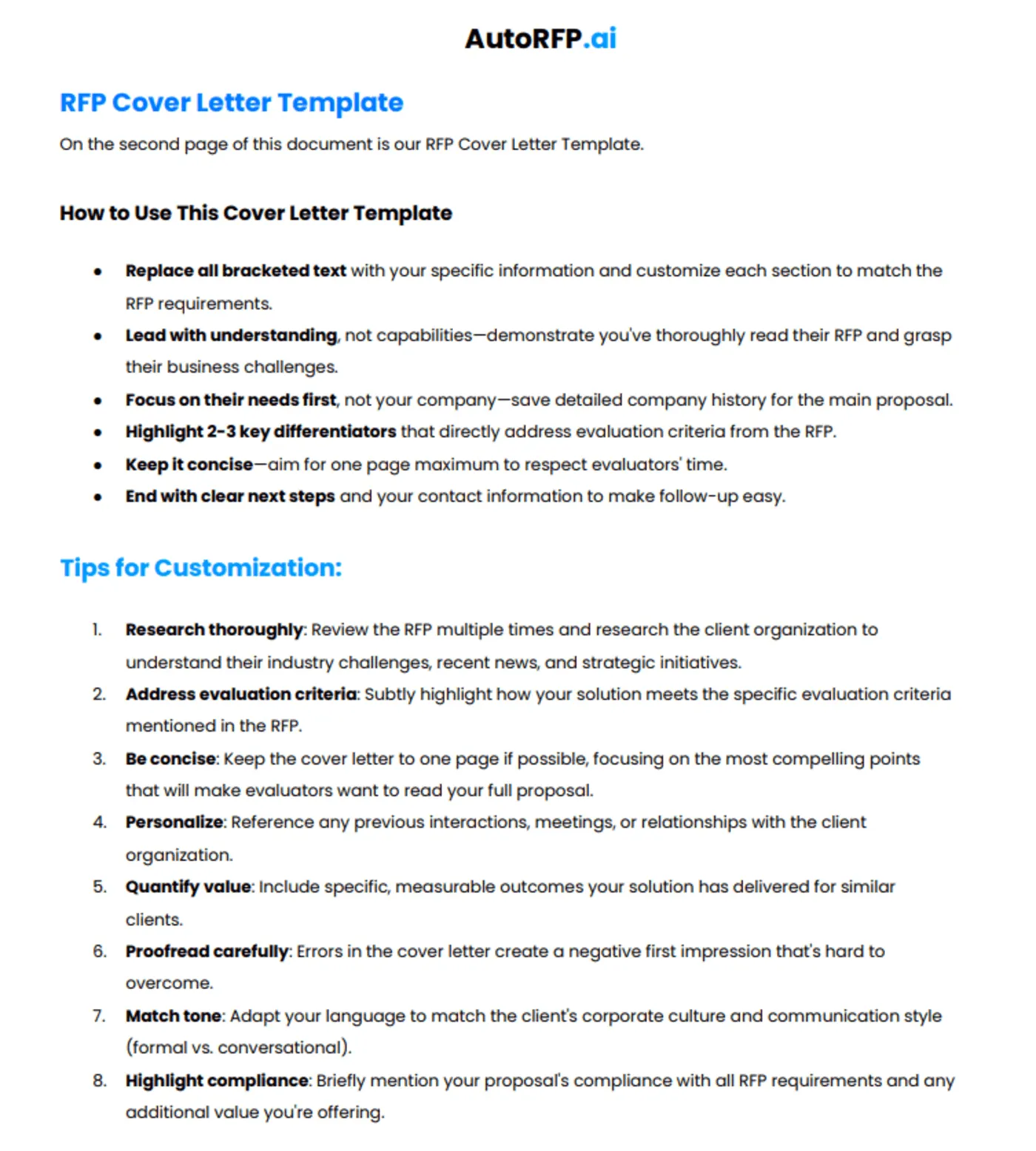
Download the cover letter template
3. RFP Executive Summary Template
An executive summary carries a lot of weight, so the right template should do more than fill space. The right executive summary template helps teams present value in business terms, use specific numbers where possible, and communicate clear differentiators that make the proposal more compelling.
Why you need it: A weak summary can make even a strong solution feel forgettable if it does not connect clearly to the buyer’s priorities.
What the right template does: It helps teams structure the section around outcomes, ROI, business impact, and the reasons your solution stands out.
How it helps: It makes it easier to write summaries that are sharper, more persuasive, and more grounded in the buyer’s needs.
Side note: The best executive summaries do not just describe your offer. They show why it matters, what results it can drive, and why your team is the better choice.
Use an executive summary template that helps you write with stronger business language, clearer ROI, and more concrete differentiators.
4. Q&A Response Template
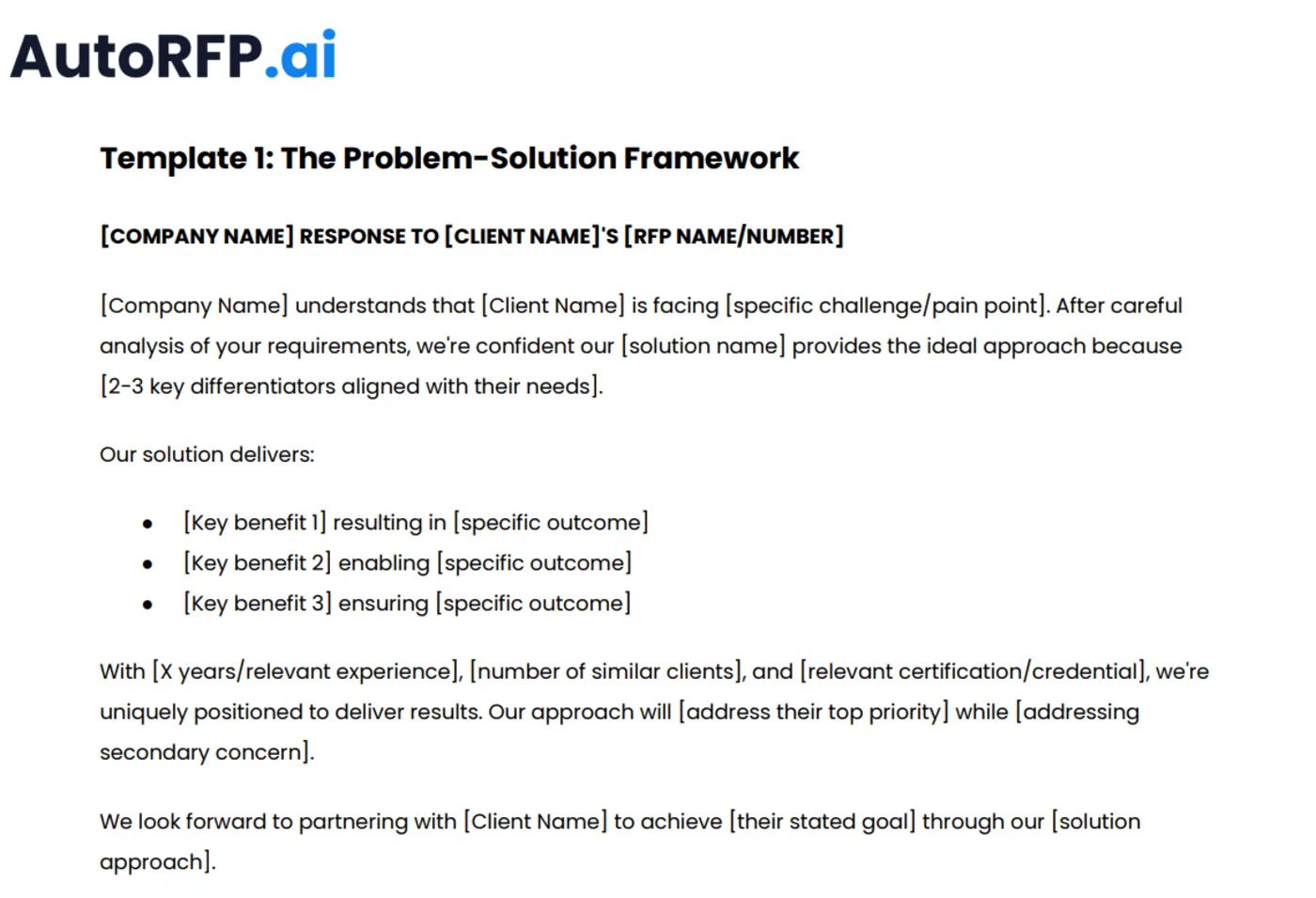
Anyone can create a response template, but the right one makes complex information easier to scale. The right Q&A response template helps teams organize technical details, compliance points, and requirement-specific answers clearly, structured, and easier to review.
Why you need it: Rewriting answers across bids creates inconsistency and makes it harder to maintain quality at scale.
What the right template does: It breaks answers into logical sections, supports detailed responses, and helps teams include the right level of technical and operational detail.
How it helps: It makes responses easier to reuse, easier to update, and easier for evaluators to follow.
Side note: A strong Q&A template should make room for granular detail without making answers feel messy or repetitive. Clear structure matters as much as the content itself.
5. Pricing Section Template
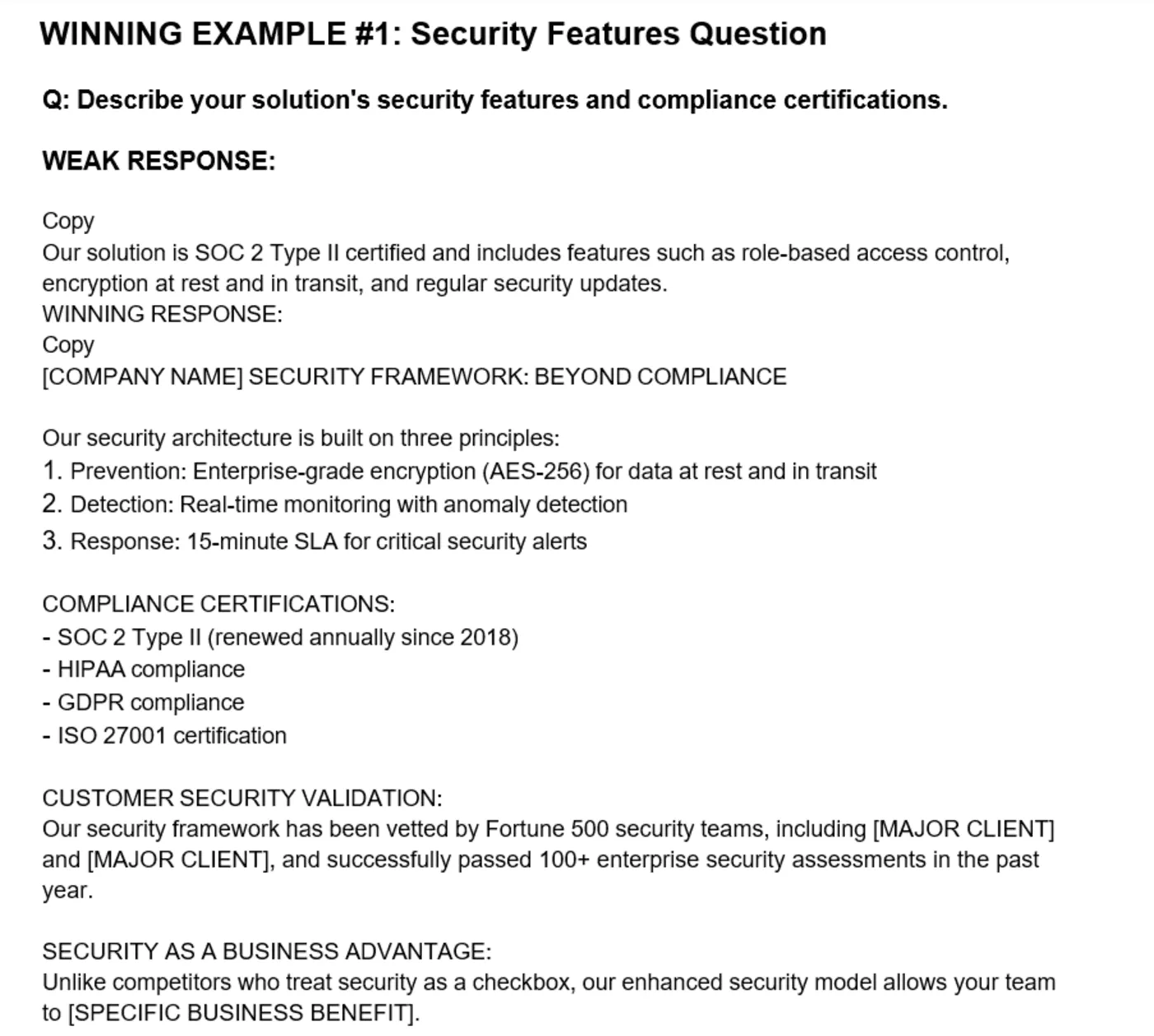
Pricing is one of the easiest sections to make confusing, which is why the right template matters. The right pricing section template helps teams break down ROI into tangible components, explain assumptions clearly, and present the commercial story in a way that feels structured and credible.
Why you need it: A pricing section that lacks structure can create doubt, even when the offer itself is competitive.
What the right template does: It helps teams organize pricing tables, timelines, inclusions, exclusions, and value explanation in a clearer format.
How it helps: It improves internal consistency and helps evaluators understand both the numbers and the logic behind them.
Pro tip: Do not treat pricing as just a table. The strongest pricing sections show what is included, when value is delivered, and how the investment connects to outcomes.
6. Company Profile Template
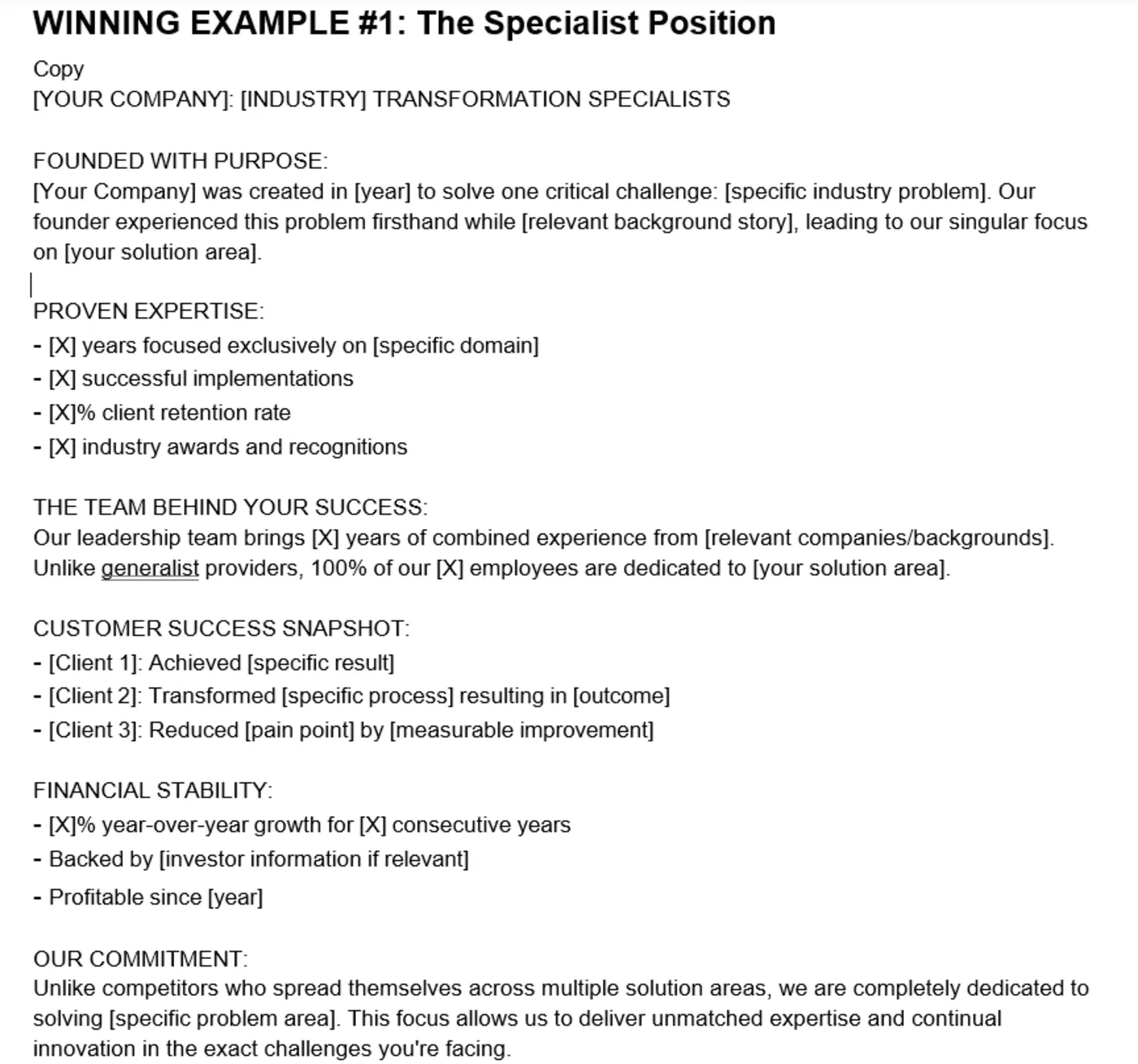
A company profile should do more than describe your business at a high level. The right company profile template helps teams open with purpose, show financial stability where relevant, provide specific metrics, and include external validation that strengthens credibility.
Why you need it: Company profile sections can become too broad or generic if they are built from old boilerplate.
What the right template does: It gives your team a structure for presenting capabilities, experience, certifications, scale, and proof points in a more strategic way.
How it helps: It keeps foundational company information sharper, more current, and more persuasive across different bids.
Side note: A strong company profile is not just about who you are. It should also signal why your organisation is stable, credible, and capable of delivering what the buyer needs.
7. Reference Section Template
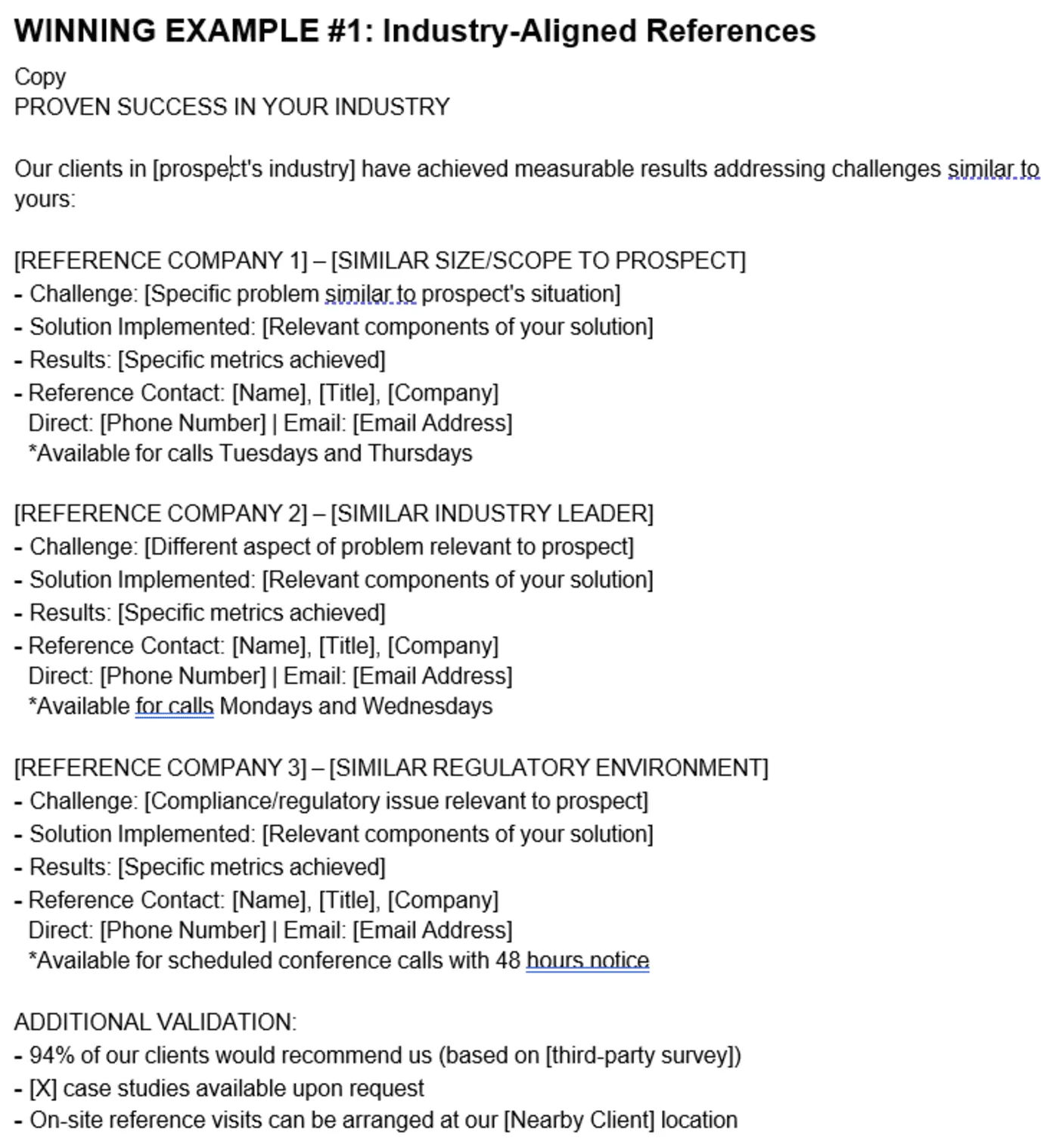
References carry more weight when they are organized with intent. The right reference section template helps teams group references by relevance, highlight the most useful proof points, and add other forms of validation that support buyer confidence.
Why you need it: A list of names alone does not do enough to prove that your team can deliver similar results.
What the right template does: It helps you present references in a way that is tied to sector, use case, outcome, or buyer need.
How it helps: It makes your customer proof more strategic and helps evaluators connect past success to their own situation.
Download Note: Download the complete RFP template pack below to access the Q&A response template, pricing section template, company profile template, reference section template, and the other core templates above in one place.
8. Checklist
In the high-stakes world of RFPs, a single oversight can cost you the deal. The right checklist helps your team stay accurate, polished, and submission-ready when deadlines are tight and pressure is high.
Why you need it: Important details can slip through the cracks when multiple contributors, last-minute edits, and approval steps pile up.
What the right checklist does: It gives your team a clear review framework for content quality, technical elements, and final quality control.
How it helps: It reduces avoidable mistakes and helps your team submit a cleaner, stronger, and more reliable proposal.
Content quality: Helps you check that answers are accurate, compliant, easy to understand, and clear about your competitive strengths.
Technical elements: Helps you review formatting, visuals, page flow, file structure, and other presentation details before submission.
Quality control: Helps you confirm editorial review, fact-checking, approvals, and SME validation before the proposal goes out.
Pro tip: The best checklist is not just a final review tool. Use it at key stages so problems are caught early, not minutes before submission.
Apply an RFP checklist template that helps your team review content, formatting, and approvals with more consistency before every submission.
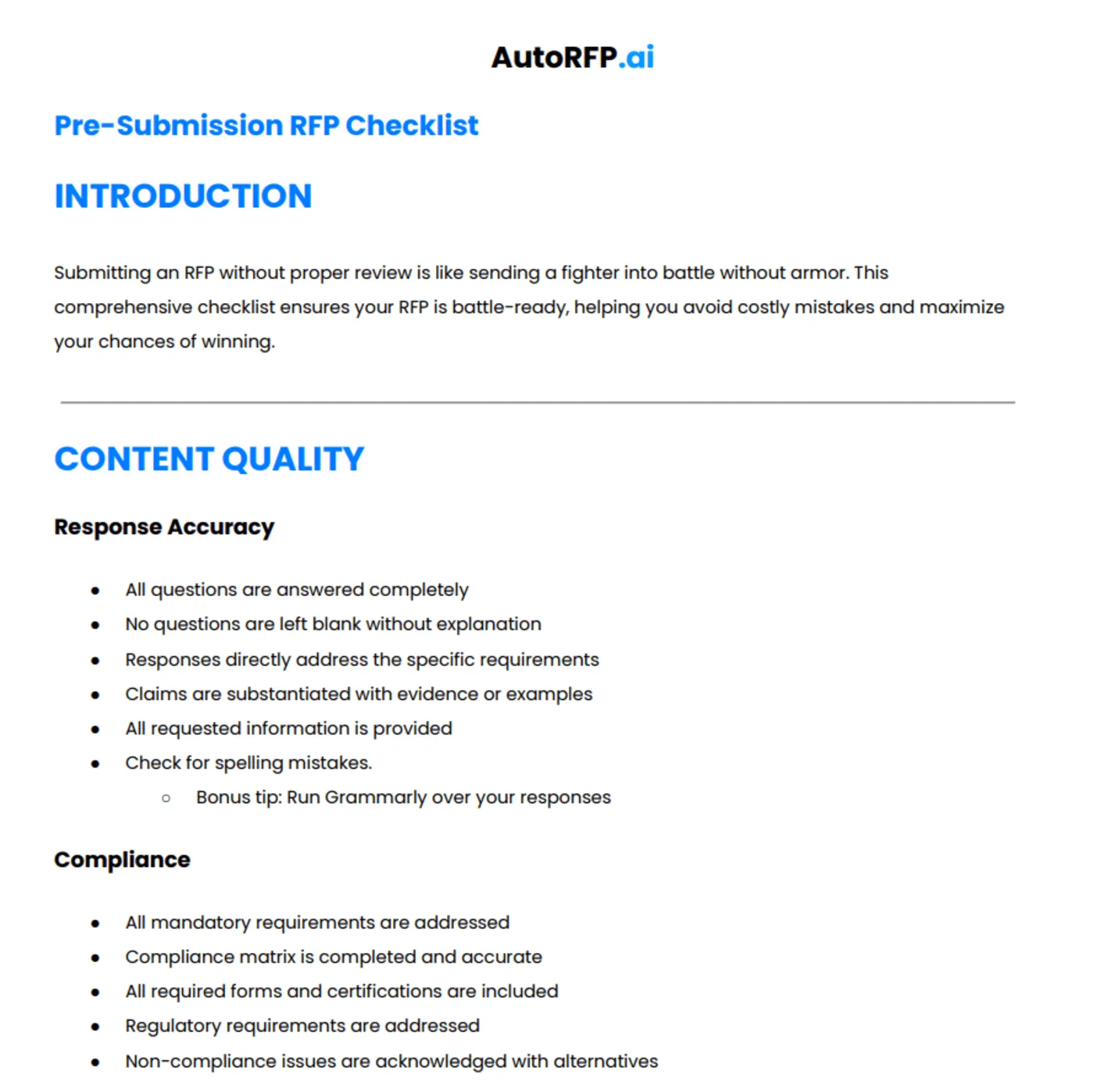
Download the complete checklist
9. ChatGPT Prompts
LLM platforms are everywhere, which is why the right prompt library matters. The right ChatGPT prompts help teams improve bid quality faster, apply AI to specific proposal tasks, and use the same prompt set across ChatGPT, Claude, Gemini, and other platforms.
Why you need it: Generic prompts often lead to vague outputs, inconsistent quality, and extra editing work when your team needs clear and usable proposal content.
What the right prompt set does: It gives your team specific use-case guidance, shows when each prompt delivers the most value, and helps match prompts to RFP, RFI, RFQ, and other response formats.
How it helps: It makes AI more practical during the response process by helping teams improve clarity, structure, positioning, compliance, and overall proposal quality.
Pro tip: The best prompt libraries do not just give you prompts. They tell you when to use them, what kind of output to expect, and how to adapt them for different bid stages.
Explore the following 101 ChatGPT prompts collection to strengthen executive summaries, technical responses, compliance matrices, value propositions, and a whole lot more. Use the full prompt set to improve bid quality across ChatGPT, Claude, Gemini, and other AI platforms.
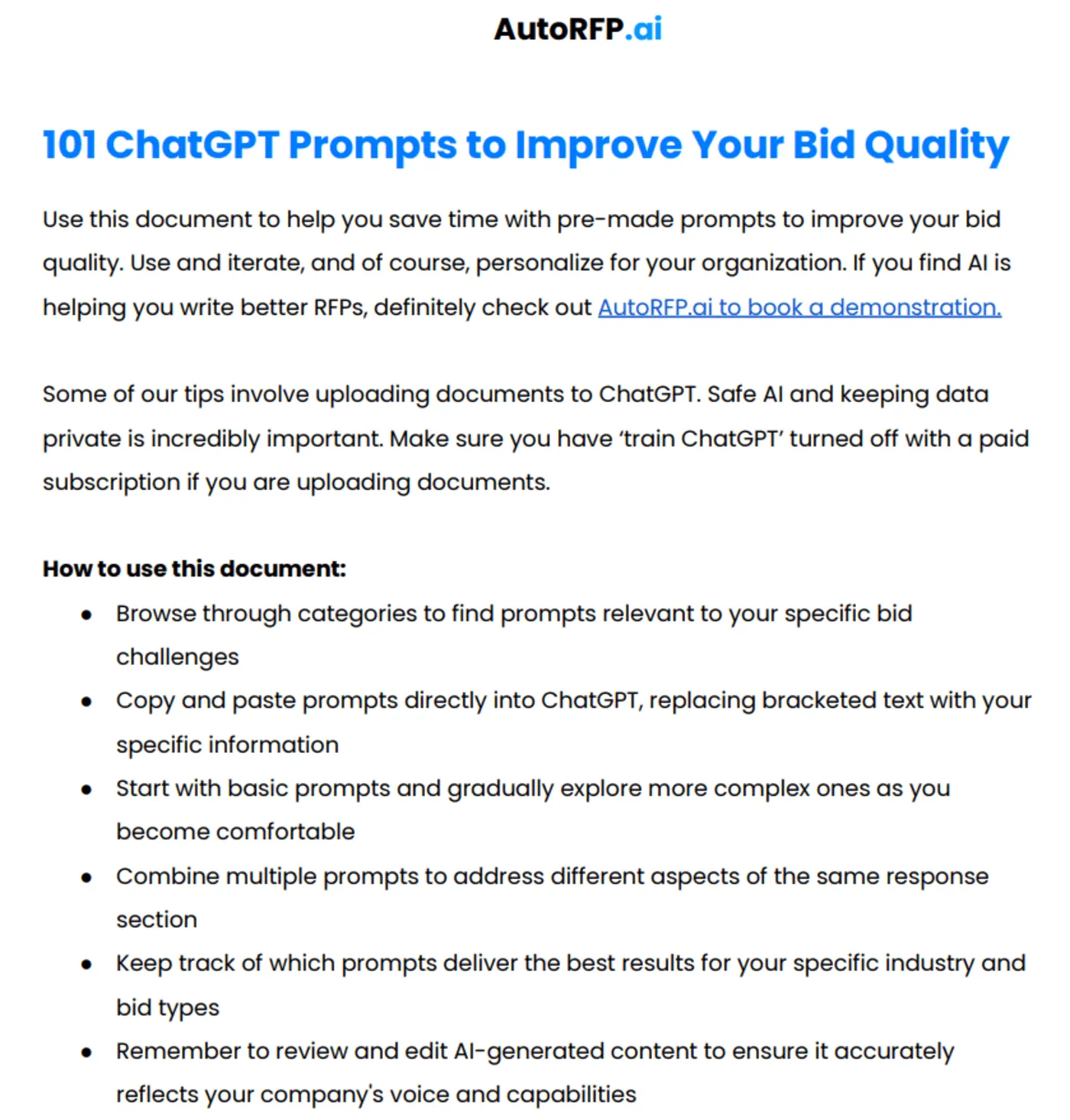
You can also review our dedicated guide on how to build a strategic RFP compliance matrix to ensure no buyer requirement slips through the cracks.
Download the 101 ChatGPT prompts collection
10. RFP Template for RFP Software
Selecting the right RFP software matters when your team handles dozens or even hundreds of bids each year. The right vendor evaluation template helps you compare tools faster, ask better questions, and avoid wasting weeks building an assessment framework from scratch.
Why you need it: Choosing the wrong platform can create more manual work, poor adoption, and weak ROI across your proposal process.
What the right template does: It gives your team a structured way to evaluate vendors, compare features, assess fit, and ask the questions that matter before making a decision.
How it helps: It reduces guesswork, speeds up research, and makes vendor comparisons more consistent across proposal, sales, and IT stakeholders.
Bid managers: Helps teams choosing their first RFP solution evaluate workflow fit, usability, and response efficiency more clearly.
Sales leaders: Helps decision-makers compare tools that can improve speed, consistency, and overall proposal output.
IT teams: Helps teams assess vendor capabilities, technical fit, security, and automation requirements in a more structured way.
Pro tip: The best software evaluation template does not just compare features. It should also help your team assess implementation effort, long-term usability, and whether the platform will actually fit your response process.
Use the RFP software evaluation template below to compare vendors more confidently, ask better qualification questions, and build a stronger shortlist without starting a blank page.
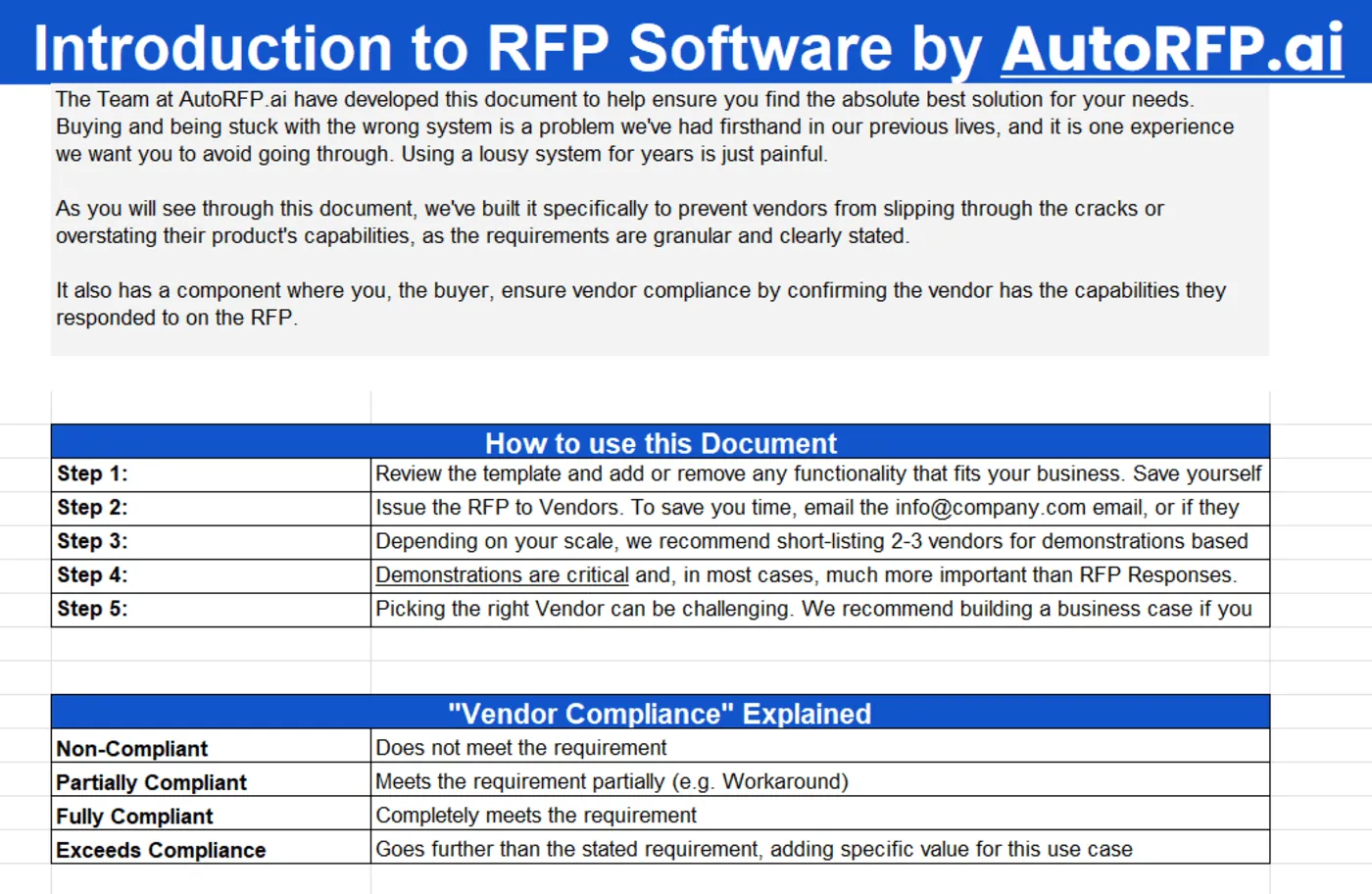
Download the RFP template for RFP software
11. Project Scoping Documents
Before the writing starts, teams often need one place to lock in scope, owners, timelines, assumptions, and delivery boundaries. This is especially useful for complex bids where too many moving parts can derail the response early.
12. Vendor Communication Templates
Clarification emails, extension requests, bidder conference follow-ups, and submission confirmations all take time when written from scratch. A ready set of templates keeps the process faster, cleaner, and more professional under pressure.
13. Requirement Mapping Matrices
Long requirement lists are where missed details usually happen. A mapping matrix gives your team a practical way to track each requirement, assign ownership, link evidence, and keep compliance visible throughout the bid.
14. SME Input Briefs
Subject matter experts usually respond better when the ask is focused instead of vague. A structured input brief makes it easier to collect useful details from security, legal, product, or delivery teams without slowing everything down.
15. Oral Presentation And Demo Prep Packs
Getting shortlisted is not always enough to win the work. Once the process moves into presentations or demos, prep packs help teams organize talk tracks, proof points, likely questions, and speaker roles more effectively.
Who Should Use a RFP Toolkit?
An RFP toolkit is especially useful for teams that need to qualify opportunities faster, respond with more consistency, and reduce wasted effort across the bid process. It will be most valuable for:
1. Proposal Managers And Bid Managers
Proposal managers and bid managers usually carry the weight of keeping the entire response moving. An RFP toolkit helps them bring more structure to qualification, content development, reviews, and final submission without rebuilding the process every time.
Why it is useful: It gives them ready-to-use scorecards, templates, checklists, and prompt frameworks that make the response process easier to manage.
How they can use it: They can use Go/No-Go frameworks to qualify bids, response templates to draft faster, and checklists to control quality before submission.
What it helps them do: It helps them reduce chaos, improve consistency, and protect time on bids that are actually worth pursuing.
Pro tip: Create one master bid folder for each opportunity and place the scorecard, checklist, templates, and SME briefs there on day one.
2. Sales Leaders And Account Executives
Sales leaders and account executives often help shape the win strategy long before the final proposal is submitted. An RFP toolkit helps them position the opportunity more clearly, support stronger messaging, and avoid losing time on poorly qualified deals.
Why it is useful: It helps them decide which opportunities deserve attention and which ones are unlikely to convert.
How they can use it: They can use qualification scorecards, executive summary templates, pricing frameworks, and positioning prompts to sharpen the response early.
What it helps them do: It helps them focus on deals with stronger fit, align proposal messaging to buyer needs, and improve the commercial story.
Pro tip: Ask the account owner to complete the first draft of the Go/No-Go scorecard before kickoff so the team starts with a clear point of view.
3. Subject Matter Experts
Security, legal, product, implementation, and technical SMEs are often asked to contribute under time pressure. An RFP toolkit helps them give better input faster by making requests more focused and easier to respond to.
Why it is useful: It reduces vague back-and-forth and helps SMEs contribute only where their expertise is truly needed.
How they can use it: They can use SME input briefs, Q&A response templates, requirement mapping matrices, and review checklists to provide sharper responses.
What it helps them do: It helps them save time, reduce duplicate work, and give more accurate input without getting pulled into every part of the bid.
Pro tip: Send SMEs three questions at a time with the exact requirement, due date, and draft answer context instead of sending the whole document.
4. Proposal Coordinators And Operations Teams
Proposal coordinators, sales operations teams, and proposal operations staff often keep the process running behind the scenes. An RFP toolkit gives them a clearer system for tracking owners, deadlines, requirements, approvals, and submission readiness.
Why it is useful: It helps them manage moving parts without relying on scattered files, memory, or last-minute follow-up.
How they can use it: They can use project scoping documents, requirement mapping matrices, communication templates, and final checklists to keep the process on track.
What it helps them do: It helps them improve coordination, reduce missed steps, and make the response process easier to repeat at scale.
Pro tip: Turn your checklist into a live working document and assign an owner to each review item instead of leaving it as a passive reference.
5. Smaller Bid Teams And Growing B2B Companies
Smaller response teams often do not have the luxury of dedicated proposal specialists for every bid. An RFP toolkit helps them work more like a mature proposal function without needing a large headcount or a fully built process.
Why it is useful: It gives lean teams a repeatable structure they can use across bids even when the same few people wear multiple hats.
How they can use it: They can use templates to avoid starting from scratch, prompts to improve quality faster, and checklists to catch issues before submission.
What it helps them do: It helps them respond more professionally, scale their efforts more confidently, and compete more effectively against larger vendors.
Pro tip: Start by standardizing just three assets first: your executive summary template, Q&A response template, and submission checklist.
RFP Toolkit Best Practices & Tips From Proposal Experts
Follow the tips below to get more value from your RFP toolkit, improve response quality, and make the bid process easier to manage from start to finish.
1. Build The Toolkit Around Insight First
Your toolkit should help the team understand the buyer before anyone starts drafting. That matters because content quality without strategic insight gives little lift. According to AutoRFP.ai’s Proposal Win Rate Report 2026, 71% of high-win teams conduct formal customer research, win themes, and formal customer research.
In practice, that means your cover letter, executive summary, pricing narrative, and Q&A responses should all be built from buyer-specific insight, not generic company messaging.
What you should do:
Add a customer insight section to the toolkit before any writing templates, so the team captures priorities, risks, decision criteria, and competitor context first.
Treat insight as the brief for your cover letter, executive summary, and response drafts, not as extra research added later.
Leave space in each template for buyer-specific priorities, rather than filling everything with reusable copy too early.
“Great proposals aren’t about how well we write (even though I’d like to think so most days). A great proposal is all about how well we understand the customer.” - Christina G Carter, Founder at Stargazy
Side note: AutoRFP.ai’s Project Agent helps teams turn project context into polished documents faster, including executive summaries, cover letters, implementation plans, and compliance matrices built from approved content rather than generic boilerplate.
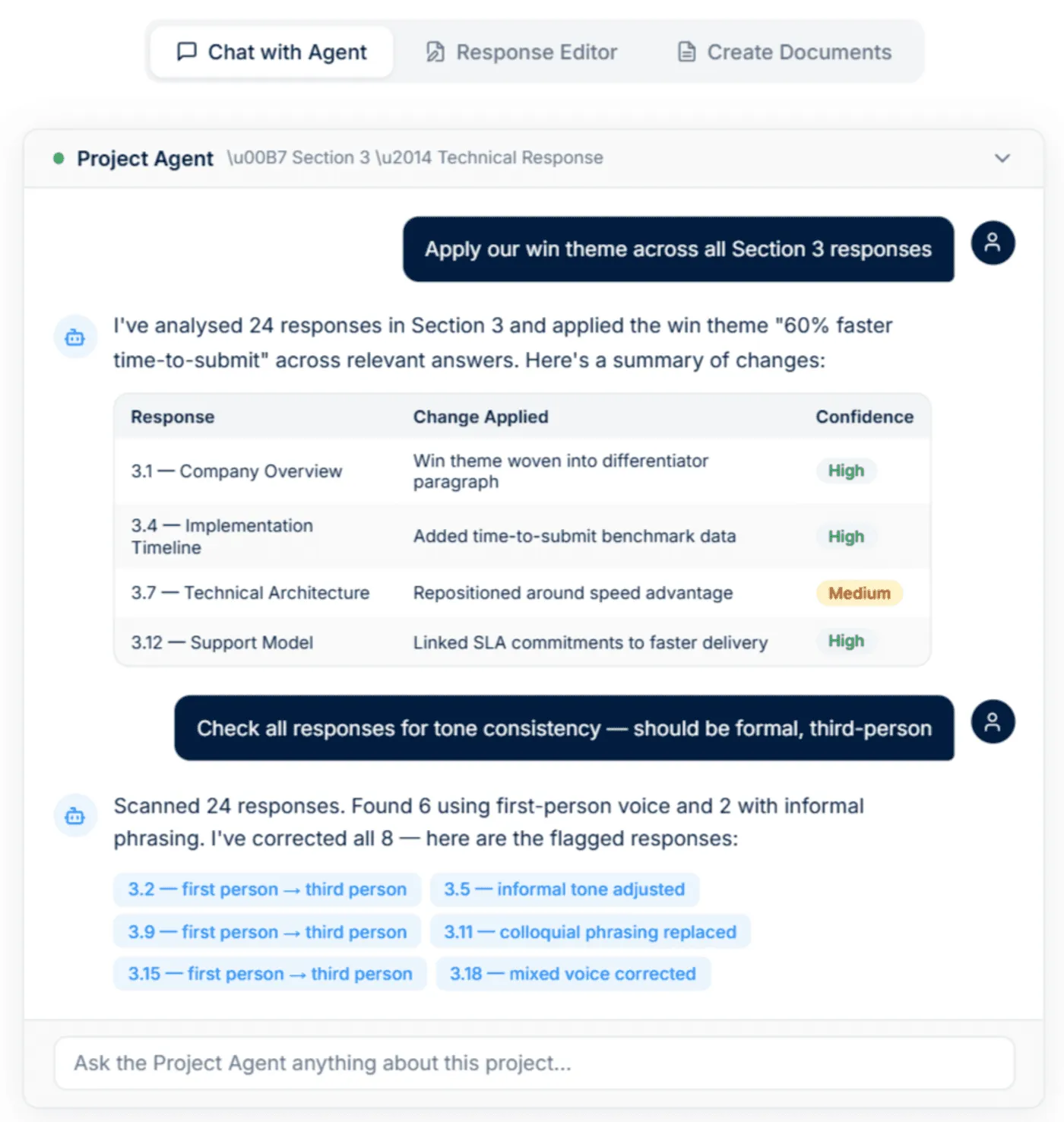
It can also export branded DOCX or PDF files using your uploaded templates, so formatting, headings, colours, and cover pages carry through automatically.
2. Use Win Themes To Tie The Toolkit Together
A toolkit works better when its pieces point in one direction. Defined win themes correlate strongly with shortlist performance, and 71% of the high win teams used win themes. So your toolkit should help teams define them early, then carry them through the summary, key answers, evidence, and pricing story.
What you should do:
Build a simple win-theme worksheet into the toolkit, so the team agrees on two or three themes before drafting begins.
Make sure those themes appear consistently across the executive summary, core answers, proof points, references, and pricing rationale.
Remove any claimed win theme that cannot be backed by evidence, delivery detail, or measurable outcomes.
“Strong cover letters and executive summaries don’t start with gratitude, they start with relevance. Lead with a win theme and a value proposition tied directly to the client’s real, felt pain (RFP). That can be as direct as: “This proposal outlines a solution to…” (using the client’s own language wherever possible). Or, if you can be more strategic, open with the benefit your solution delivers, connecting it to the client’s core need.” - Eric Lovett, Sr. Proposal Manager at PerformRx
3. Use Go/No-Go Tools Early To Protect Capacity
A strong toolkit should help teams decide what not to pursue, not just help them respond faster.
What you should do:
Use the go/no-go tool before drafting starts, so low-fit bids do not consume the same time as high-fit opportunities.
Score buyer fit, solution fit, competition, timeline, required effort, and internal reviewer capacity in one place.
Include a check for whether the team has enough customer insight to build a differentiated response.
“In business development, it is tempting to chase every opportunity. However, the hard truth is this: just because you can do the work does not mean you should bid on it. Your competitors can likely say the same thing about their capabilities. The Go/No-Go process is crucial for strategic growth. It is about making informed decisions that align with your firm’s goals and true strengths. Key factors to weigh include resource availability, relevant experience, RFP requirements, client relationship, and strategic alignment. Remember, every bid consumes time, resources, and money. Be selective. Invest in opportunities with the highest success potential that truly align with your firm’s direction.” - Laura Kazzaz, Sr. Pursuit Manager at MasTec Civil.
4. Use AI And Automation To Accelerate A Structured Process
AI and Automation can strengthen a toolkit, but it should not become a toolkit. AI adoption alone cannot independently predict higher win rates. It helped when paired with mature processes, customer insight, and governed content. So the right best practice is to use AI after the process is clear, not before.
What you should do:
Use automation to surface relevant content, speed up first drafts, and reduce manual searching across the toolkit.
Do not use AI as a substitute for insight, win themes, review discipline, or buyer-specific tailoring.
If you mention AI-enabled libraries in the article, position them as a way to reduce manual upkeep and improve retrieval, not as a shortcut to better proposals by default.
“In working with over 200 companies moving to an AI First Approach, we’ve learned that the real advantage isn’t simply automating content. It’s what teams do with the time they get back. The winners use it to invest in their processes and provide more insightful responses.” - Jasper Cooper, Co-Founder and CEO of AutoRFP.ai
5. Turn Content Reuse Into A Real System
Your toolkit should not push teams back into folders full of old answers.
What you should do:
Structure reusable content so it is searchable, current, approved, and linked to the types of questions your team answers often.
Treat reusable content as a starting point for cover letters, summaries, standard responses, and evidence sections, not as finished copy.
Keep proof points, case studies, credentials, and common answers separate, so teams can assemble sharper drafts faster.
“ Content quality alone does not differentiate winners. Adoption of content libraries or reuse systems shows only a weak relationship with win rate. High-performing teams win because they embed capture insights, customer intelligence, and defined win themes into their responses.” – AutoRFP.ai x stargazy
Other best practices that you can follow:
Make checklists protect quality, not just compliance: Split your checklist into compliance checks and quality checks, then use it at key stages like kickoff, review, and final submission.
Use templates and checklists to free time for strategy: Use templates for repeatable structure and use checklists to reduce admin work so the team can focus more on tailoring and positioning.
Keep SMEs in review and validation roles: Let proposal leads own the structure and narrative, while SMEs validate technical accuracy, risk points, and key details.
Why An RFP Response Automation Software Is What Your Proposal Team needs
RFP response automation software helps proposal teams move faster, improve accuracy, and respond at a higher quality without increasing manual effort. That matters even more now because 65% of top-performing teams use AI proposal technology, and a strong platform can help teams scale without losing consistency. If you’re still evaluating options, our best RFP software roundup compares the leading platforms side-by-side.
A great RFP response automation software like AutoRFP.ai gives you features like:
1. AI Document Importer For RFPs
AutoRFP.ai helps teams turn complex RFP files into structured projects faster. It can process Word documents, PDFs, and Excel files, including compliance matrices, macros, and nested tables.
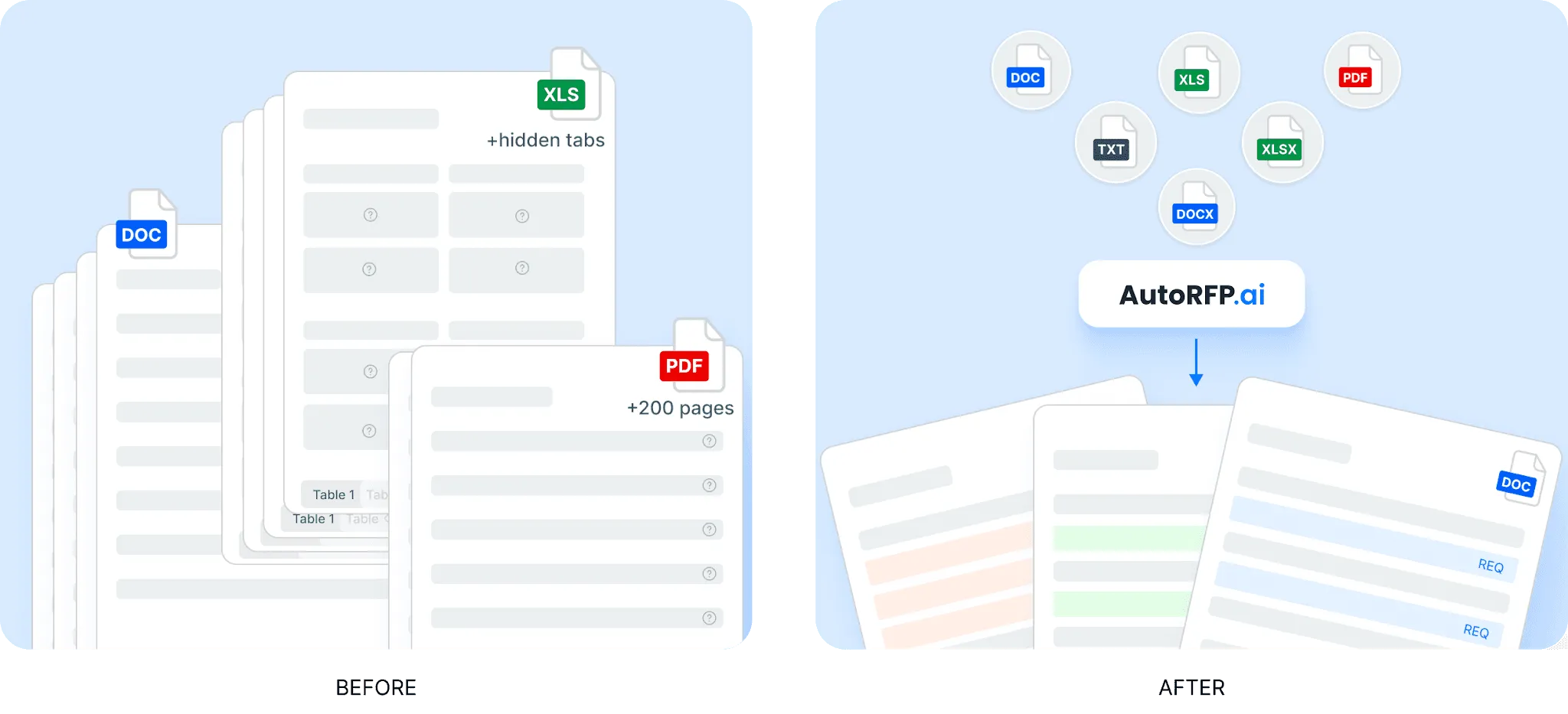
Instead of manually breaking down every requirement, teams can extract sections, questions, and key context from the source document. From there, they can refine requirements, reorganize sections, add extra context, and prepare the project for drafting inside the platform.
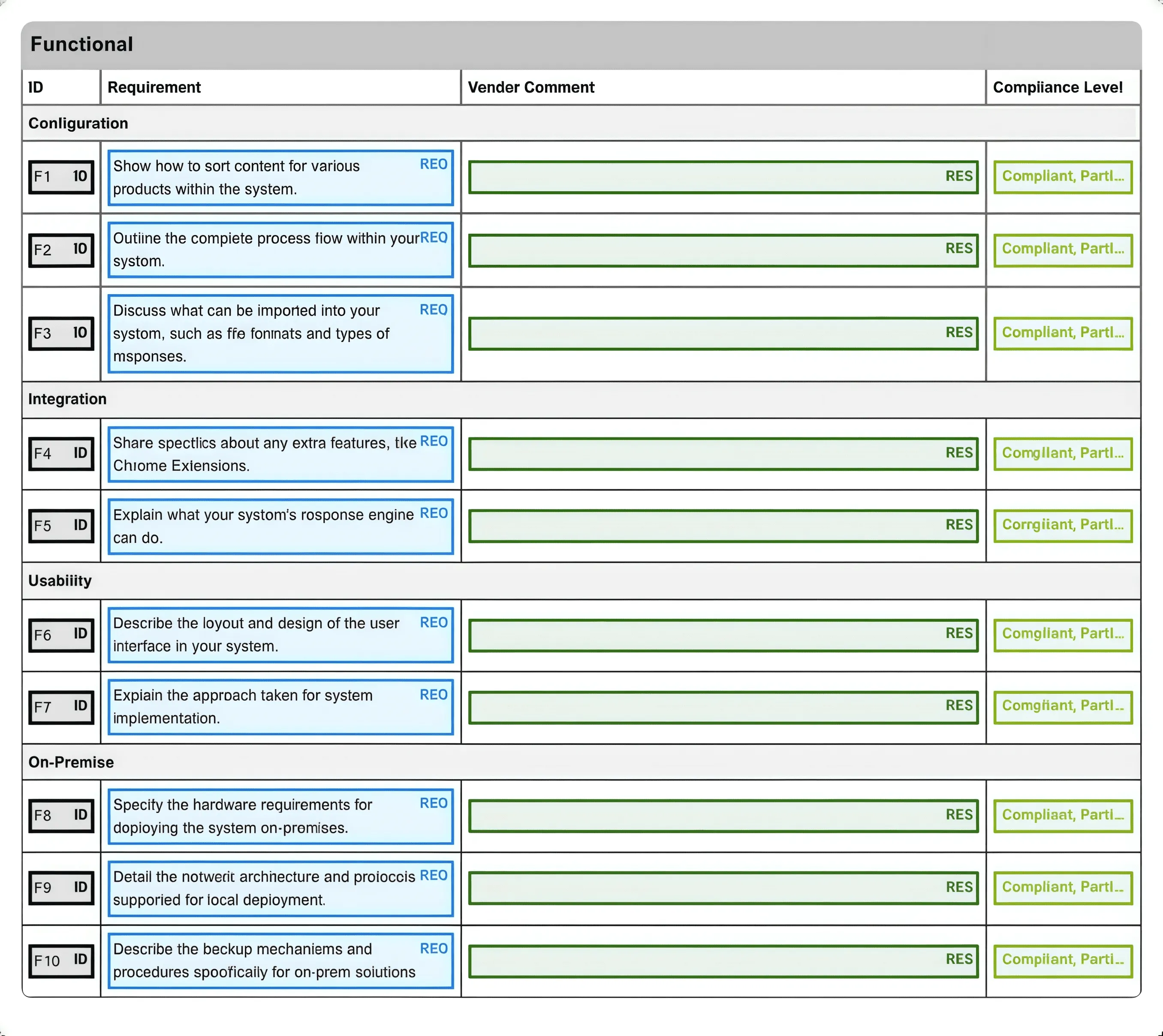
Once the response is complete, teams can export it back into the customer’s original format or use a branded template. This helps reduce formatting work at the end of the process.
2. AI RFP Response Engine
AutoRFP.ai helps teams create first drafts using approved content, past responses, and internal documentation. The platform searches trusted sources first, then generates responses that reflect the customer’s terminology and the team’s preferred tone.
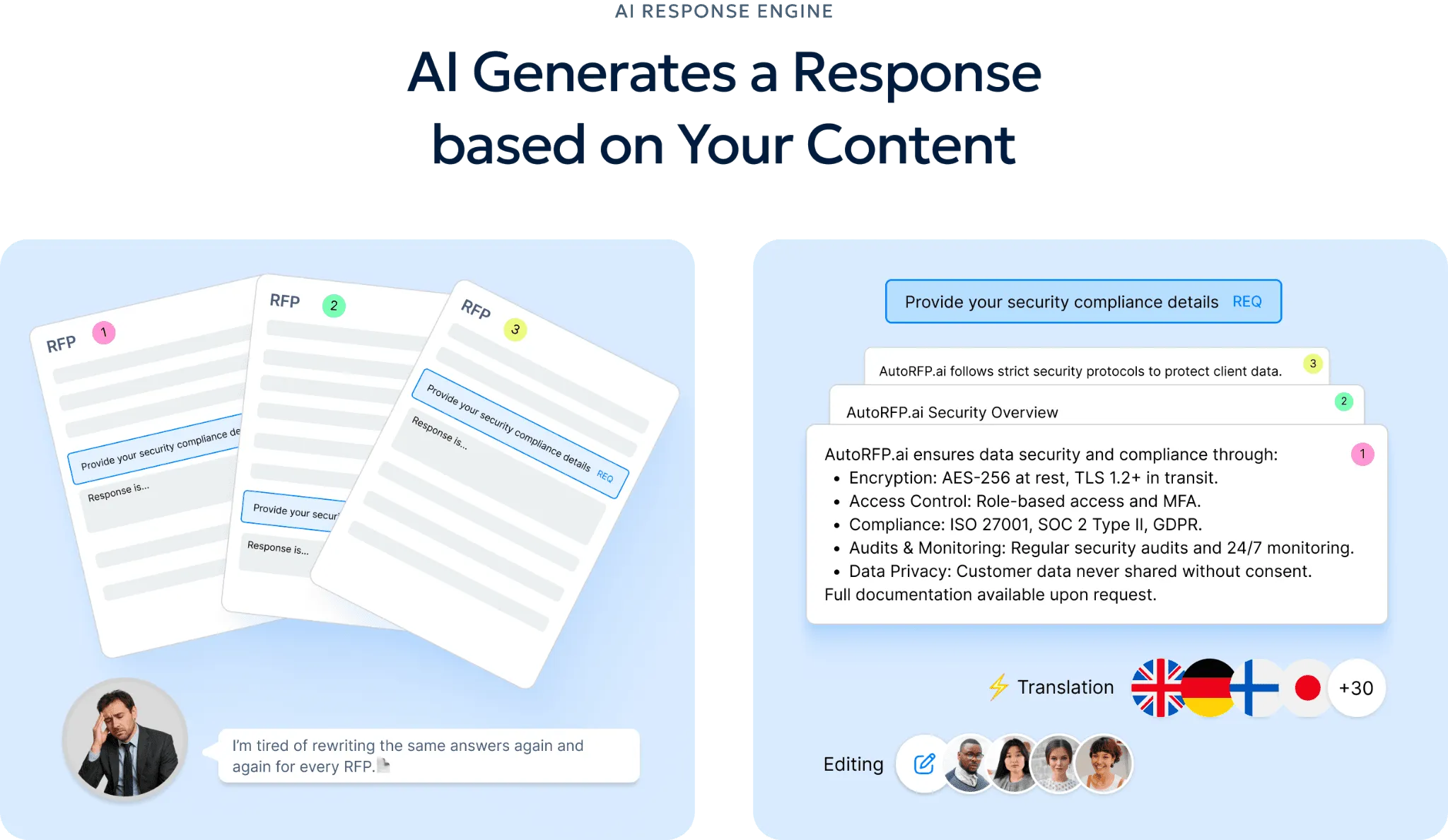
Each answer includes visible sources, content age, and confidence scoring, so reviewers can check accuracy before approval. If the system cannot find a strong source, it flags the gap for human review instead of forcing an unreliable answer.
Over time, approved responses can be reused in future bids. This helps teams produce more consistent answers while reducing repeated writing work.
3. Self-Updating RFP Content Library
AutoRFP.ai keeps the content library useful as teams continue responding to bids. Approved answers can be added back into the library, where AI helps tag, organize, and prepare them for future reuse.
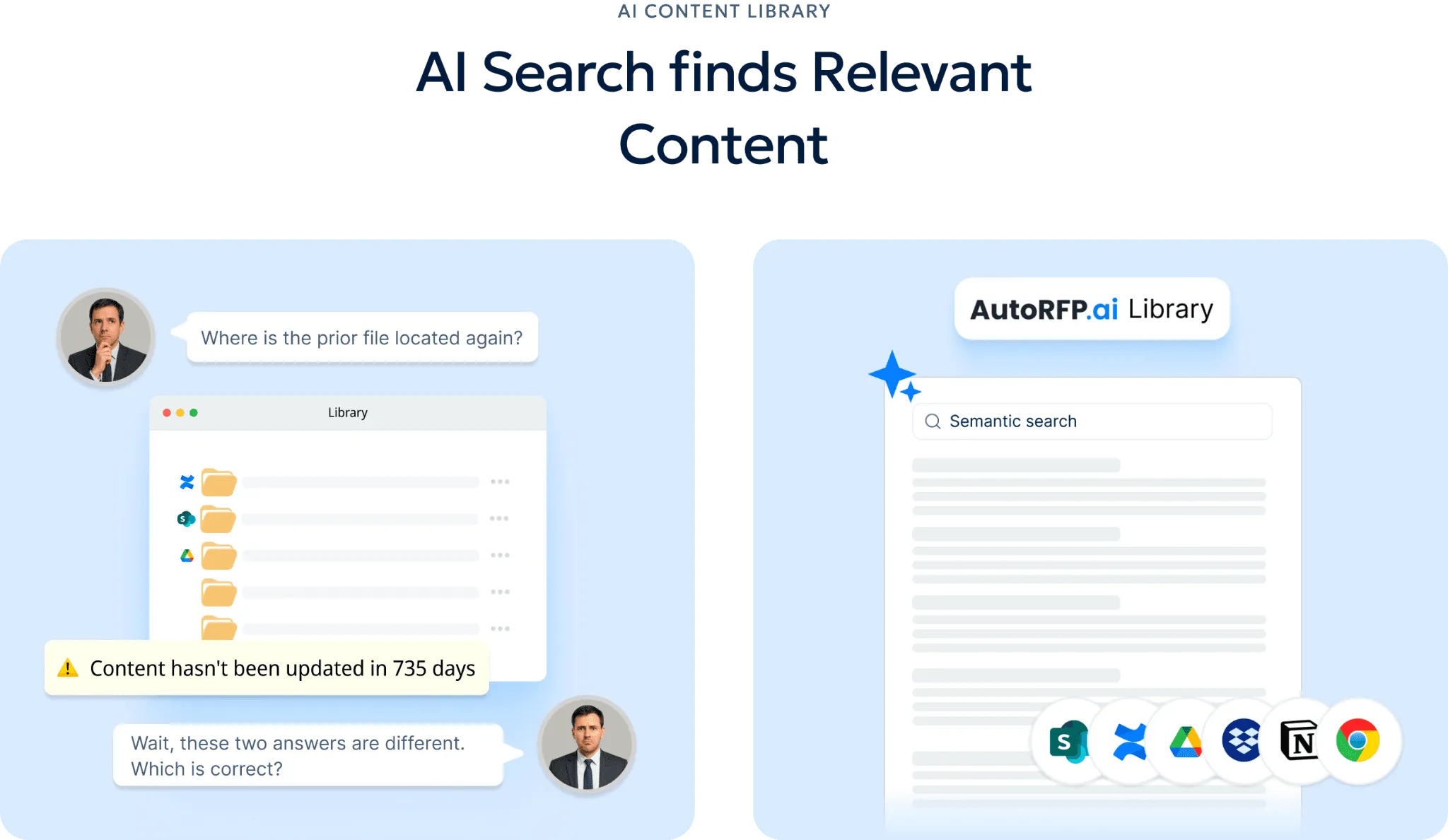
The platform searches by meaning, not just exact keywords. This makes it easier to find relevant answers even when the wording in a new RFP is different from past documents.
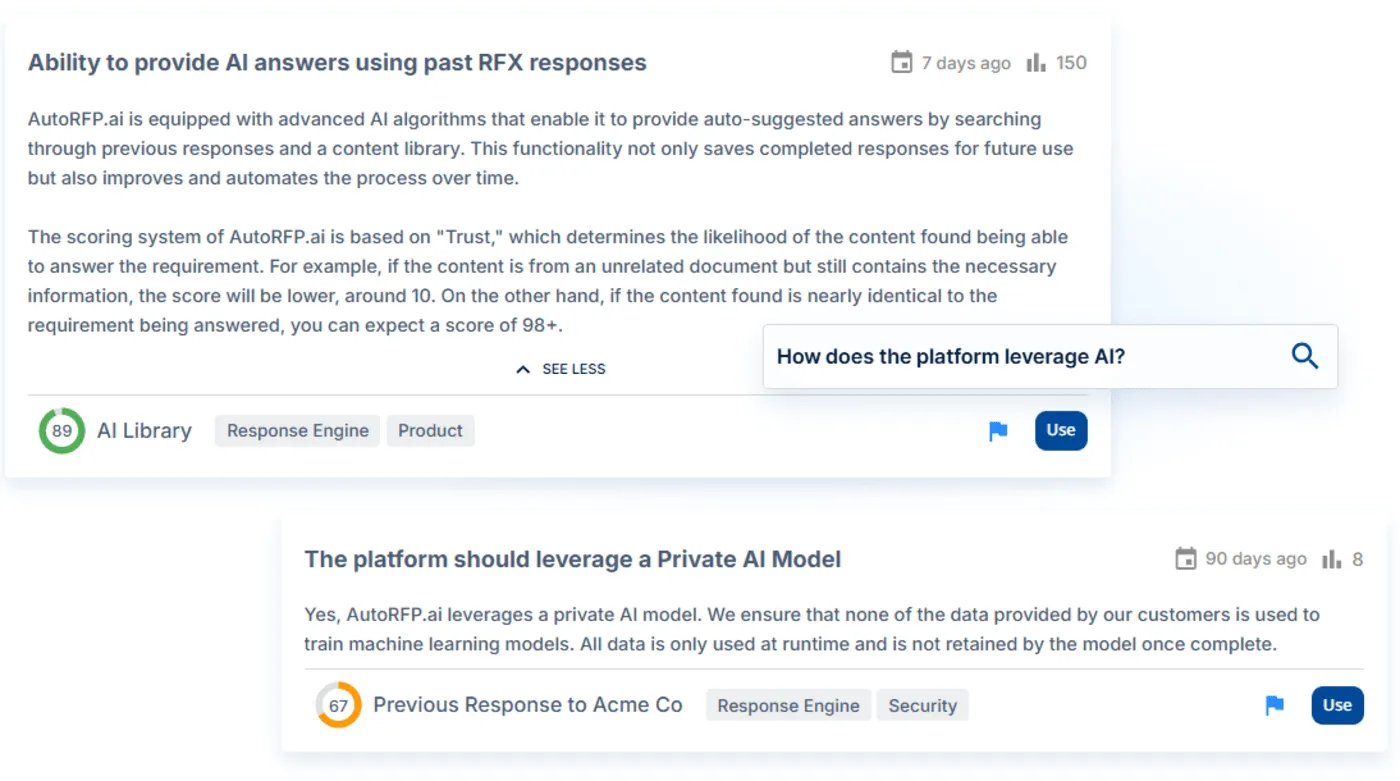
As the library improves, teams can reuse stronger answers, reduce duplicate work, and keep messaging more consistent across bids.
4. RFP Project Management Software
AutoRFP.ai gives teams one place to manage RFPs, RFIs, DDQs, and security questionnaires. Teams can track workload, blocked responses, comments, deadlines, section progress, and overall project completion from a central dashboard.
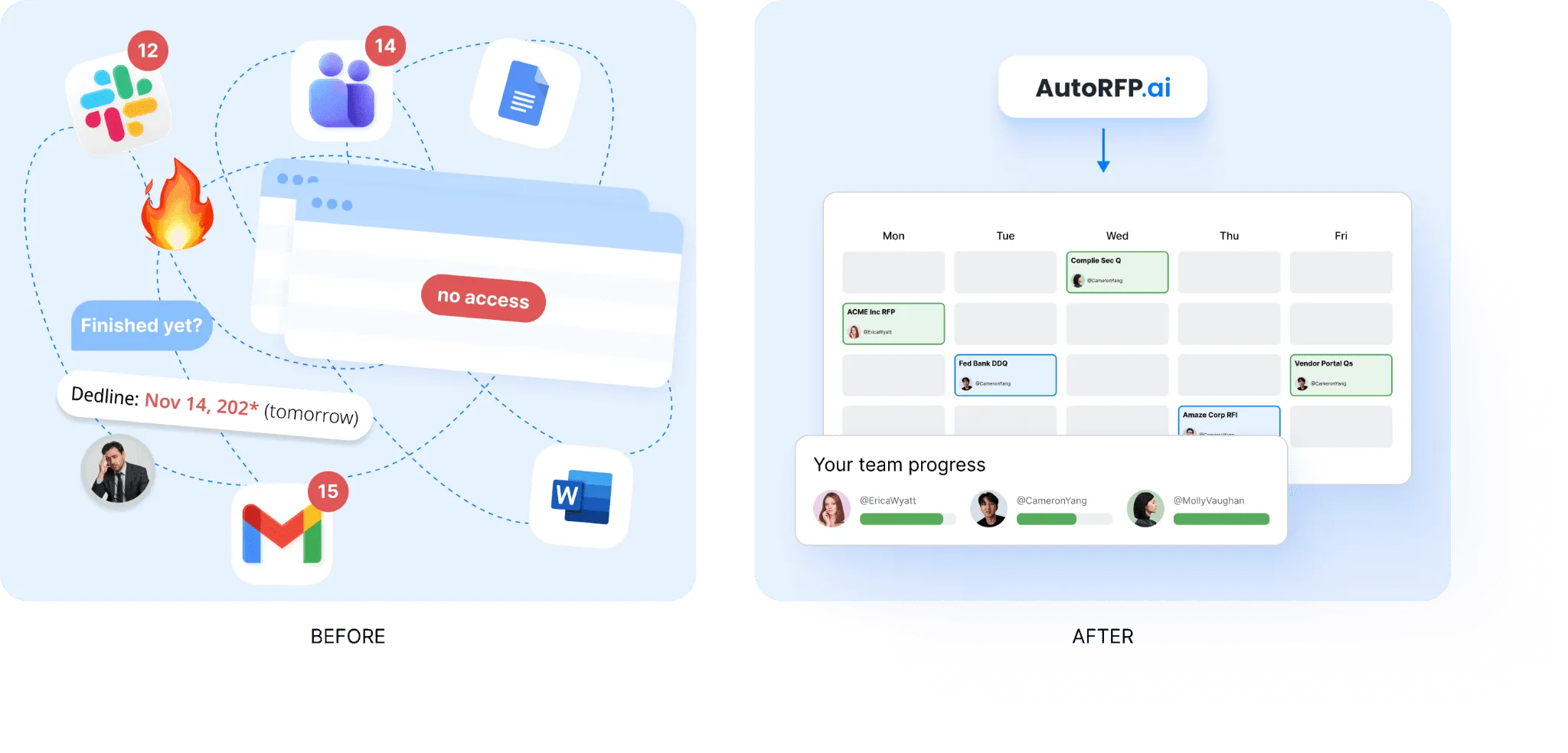
This makes it easier to see where work is delayed and who needs to take action next. Comments, mentions, reminders, and notifications through email, Slack, or Teams also help keep discussions tied to the right response.
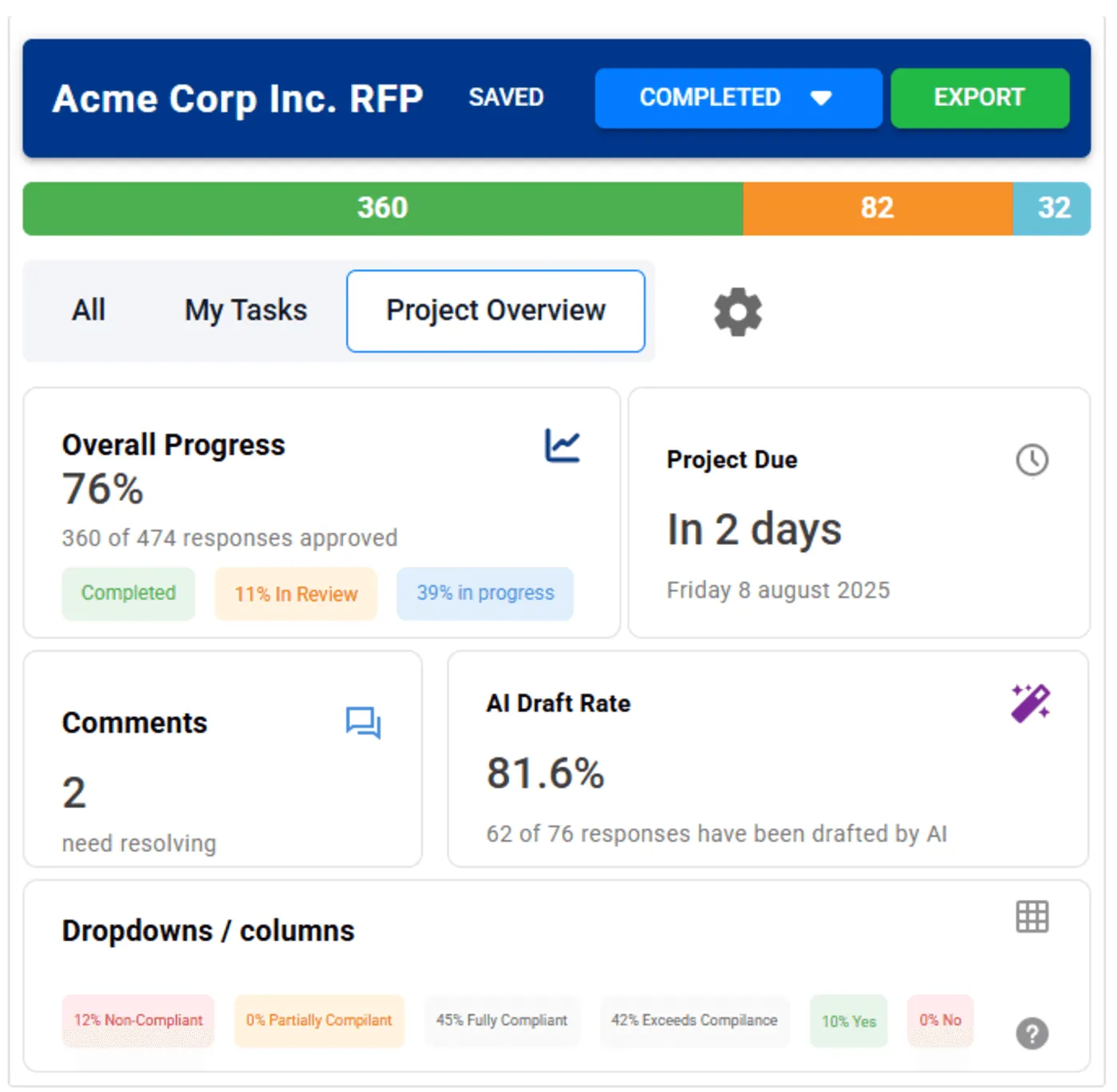
Instead of relying on spreadsheets and scattered follow-ups, proposal teams can manage review work with clearer ownership and visibility.
5. AI Go/No-Go Risk Screening
AutoRFP.ai helps teams assess whether an RFP is worth pursuing before they invest too much time in the response. Teams can set screening criteria across compliance, deployment, legal, support, integrations, timelines, and other deal requirements.
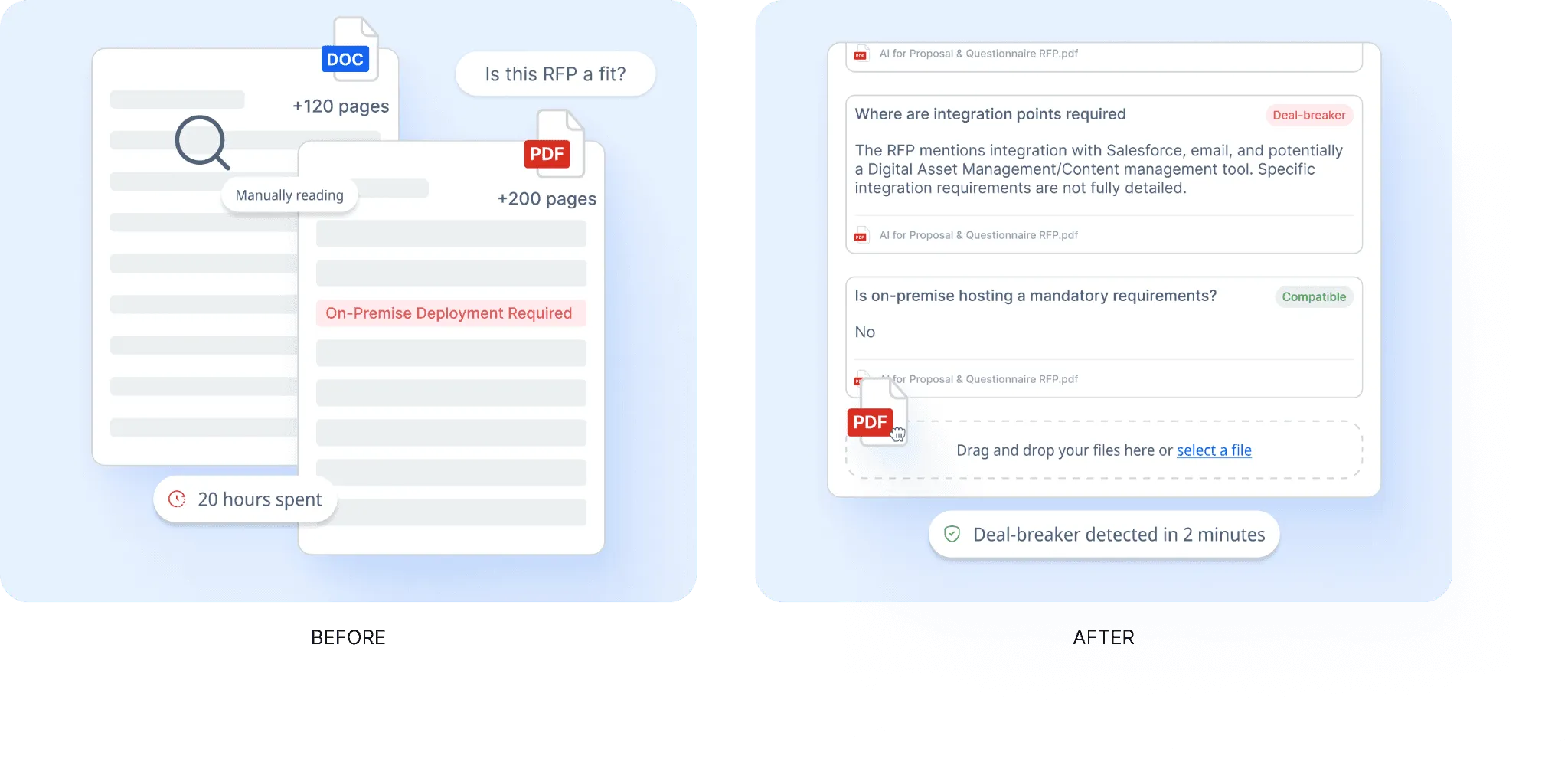
The platform reviews the document against those criteria and highlights possible risks early. It also provides source-backed findings and confidence scoring, so teams can review the results faster.
This helps proposal leaders spot poor-fit opportunities sooner and focus their team’s effort on bids with a stronger chance of success.
6. RFP Reporting And Capacity Planning
AutoRFP.ai gives leaders a clearer view of win rate, team capacity, workload, project volume, and response speed. This helps teams understand whether they can take on more bids before overcommitting.
The reporting also shows which RFP types, deal sizes, and customer segments perform best. That makes it easier to prioritize higher-value opportunities and improve resource planning.
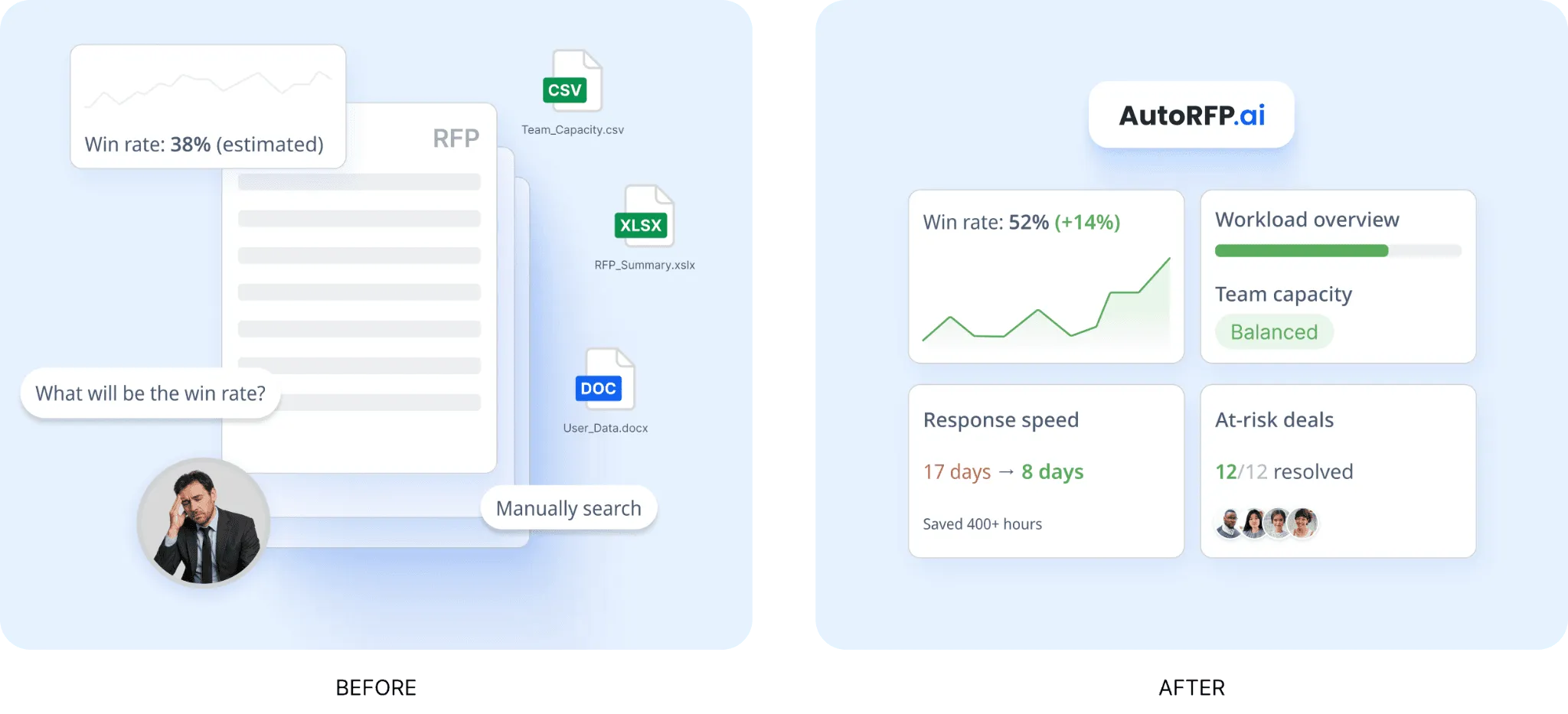
With clearer data across pipeline volume, team capacity, and outcomes, proposal leaders can make better decisions about where time and effort should go.
Other AutoRFP.ai features worth noting
Export back into the customer’s format: AutoRFP.ai lets teams export completed responses back into the customer’s original format while keeping required layouts and custom templates intact.
AI Q&A bot: Teams can ask questions directly in the platform and get source-backed answers without manually searching through old files, documents, or past responses.
Integrations: AutoRFP.ai connects with SSO, knowledge bases, communication tools, file storage platforms, CRMs, and other business systems teams already use.
Portal question support: Teams can capture questions from web portals, generate answers from the content library, and export responses back with less manual copying and formatting.
Automation reporting: AutoRFP.ai tracks automation rate, cost savings, team efficiency, capacity freed by person, response type breakdowns, and quarterly accuracy trends across completed projects.
RFP gap analysis: AutoRFP.ai tracks compliance answers across response history, making it easier to spot recurring blockers, improve future responses, and make smarter bid decisions.
Win More Deals Faster With AutoRFP.ai
Winning more RFPs starts with a better system, not just more effort. The right toolkit gives your team the structure to qualify opportunities, guide SMEs, improve consistency, and submit cleaner proposals. To turn that process into a faster, more scalable workflow, book a demo with AutoRFP.ai and see how it works.
