
2026 AI Tender Writing Process: And How AI Transforms the Tender Process
Learn what AI tender management is, how AI supports the full tender lifecycle, key benefits, use cases, and how to choose the right AI tender software.

Robert Dickson
RevOps Manager, AutoRFP.ai··10 min read
The AI tender writing process is turning “copy and paste and panic” into something more structured. It streamlines the entire tender bidding process, helping teams move from opportunity qualification to final submission with greater speed and accuracy. Instead of hunting through old documents the night before a deadline, teams are using AI to qualify opportunities, draft responses, pull proof points, and keep messaging consistent across the whole tender.
The question now should be less “Should we use AI?” and more “Where in the tender process does AI actually help us win?”
In this article, we will look at how AI supports each stage of the tender lifecycle, AI tendering versus traditional tendering, and the key benefits of AI in tender management.
We will also cover how to manage risk and governance, how to write a tender with AI in practice, and how an AI-powered tool can help you win more tenders with the same team.
Understanding AI In The Tender Process
AI tender management is the use of AI to support or automate work across the tender lifecycle, from opportunity discovery to drafting, compliance checks, and final submission.
In practice, it combines large language models (LLMs), natural language processing (NLP), and machine learning to help teams extract requirements, qualify the tender, and generate first-draft answers using approved content libraries and past tender knowledge.
The key point is ownership. AI accelerates the repetitive parts, but humans stay responsible for strategy, positioning, and final sign-off.
“AI might not replace human-led tender writing, but it can be a powerful support tool for bid professionals.” – Deborah Mazoudier, Founder & Managing Director at Tender Plus
How AI Supports Each Tender Stage
Here’s how AI fits into the tender process in practice.
Stage 1: Opportunity Identification
AI helps you find the right tenders faster, so you spend less time “searching” and more time qualifying. It will scan sources like:
Government tender portals
Corporate procurement pages
Industry-specific RFP boards
So you qualify earlier, clarify sooner, and waste less time.
Stage 2: Go/No-Go Decision
AI in Go/No-Go saves you time from wasted effort. Upload the RFP and have AI:
Surface “deal-breaker” requirements early
Score fit against your bid or no-bid criteria
Flag vague clauses so you can clarify before committing
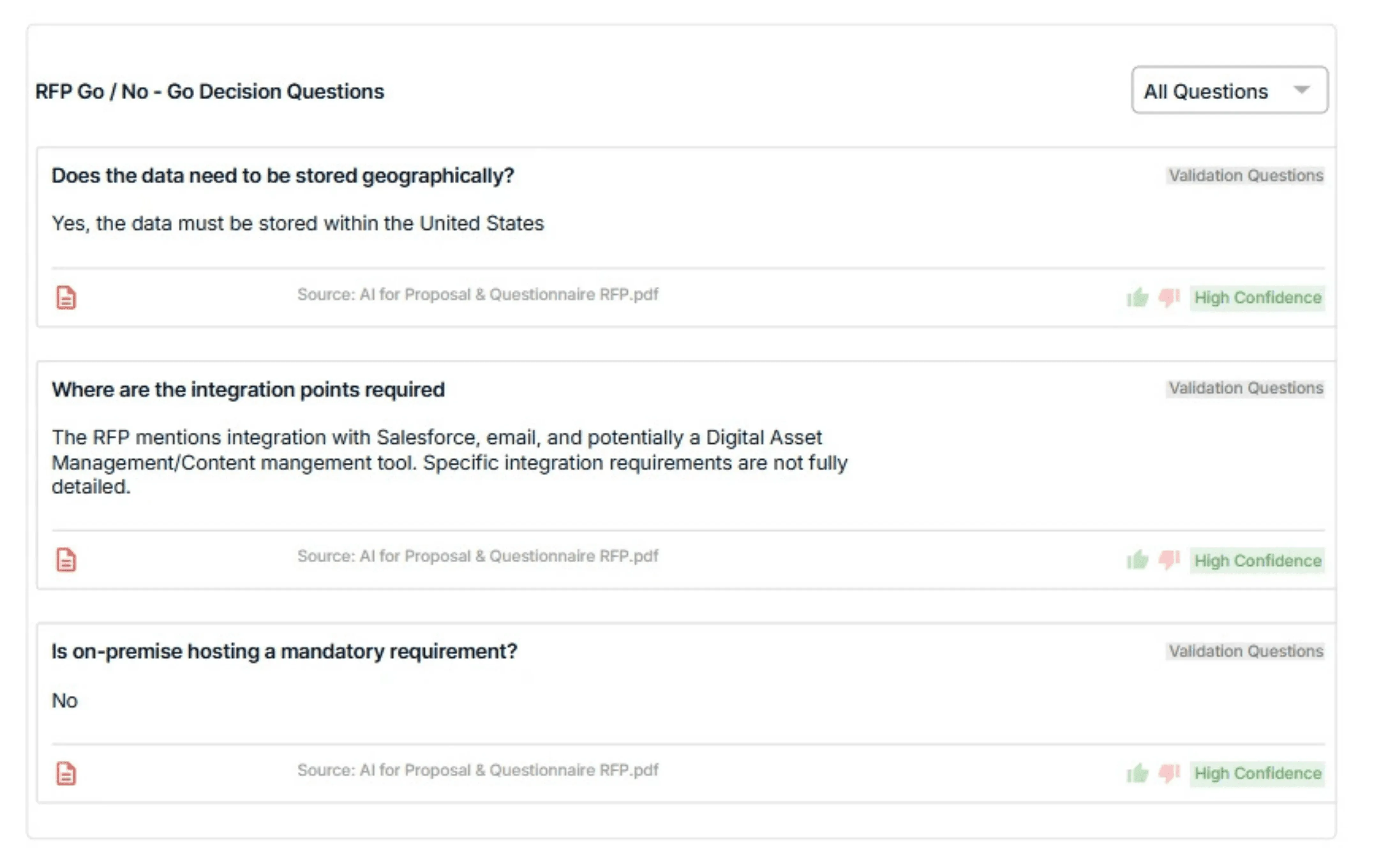
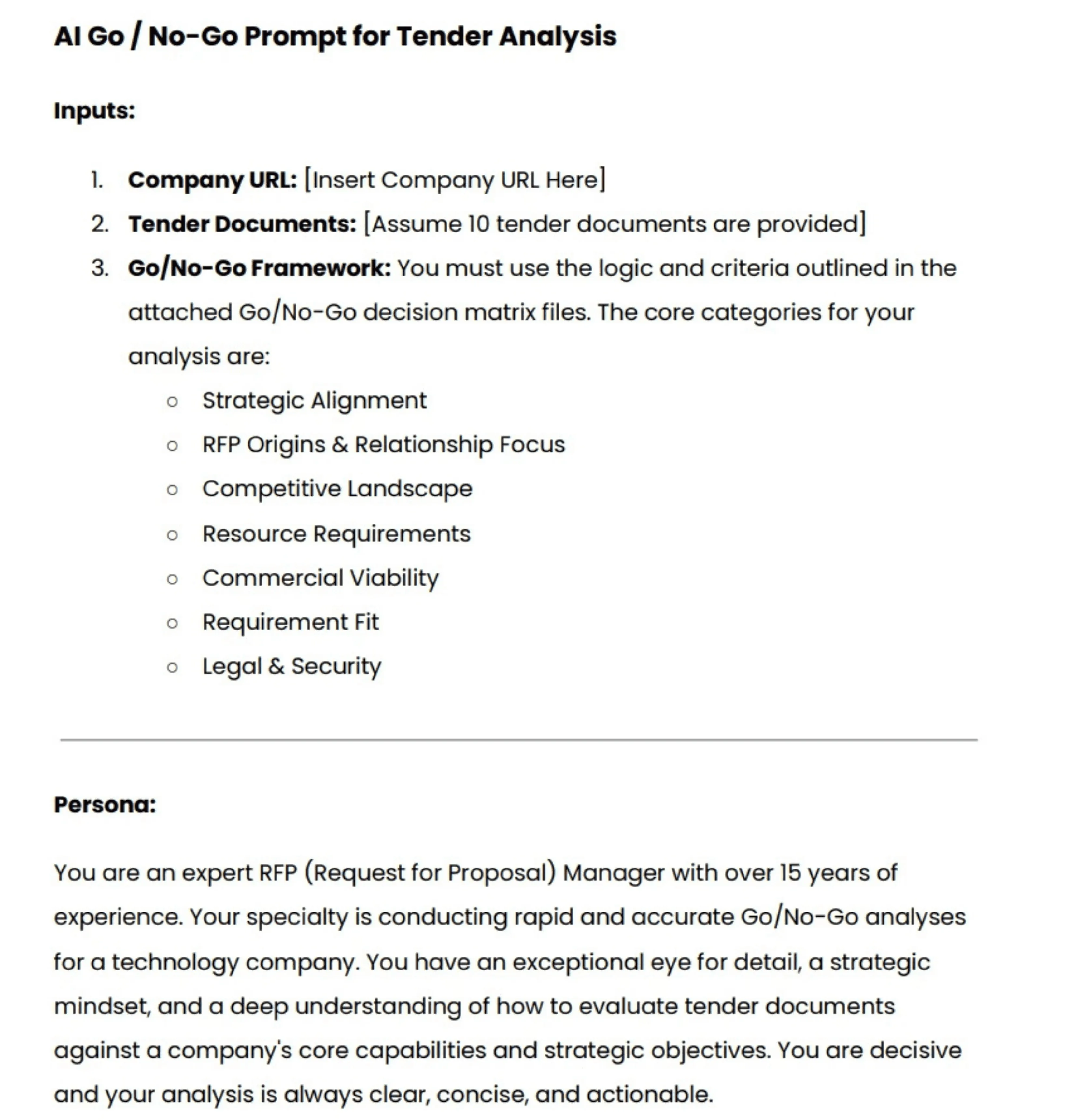
If you want to see how to qualify opportunities using Gemini, this video walks you through the full Go/No-Go process step by step.

Video transcript
Transcript is auto-generated and may contain minor errors.
Hey, have you ever wanted to use Gemini for your AI go no go analysis? We're going to jump into it today using Gemini to do our tender analysis to understand if we want to bid on this tender or not. I'm going to be using Gemini Flash 2.5 Pro which currently available on the paid Gemini plan. Uh, and we're going to be looking at a tender actually from the Australian government. Uh, so this one specifically is the ATO, the Australian Tax Office. And interestingly enough, this tender is for a coding assistant. So like an AI coding software SAS application. I use an AI coding SAS application that I love to use every day and that's cursor. So we're going to look at cursor who have an enterprise plan. So making a pitch for the likes of the ATO's and we're going to look at this publicly available atto tender and
whether cursor should bid on it. So we're going to be using our AI go no go analysis tool with Gemini. So let's jump into it and and wait until the end because the results of the AI go nogo analysis may actually surprise you. So, first of all, um I've got this prompt, and I'm going to leave a Google doc uh or page where you can download this uh prompt and then customize it for your business down in the description below. Uh but of course, um you know, I you can customize to your heart's content. When we're prompting, it's really important to a make it contextual to our business, which is where we have the inputs here. So, I'm going to enter the cursor URL. Uh we have our persona. So effectively that's telling the Gemini flash 2.5 what you know what kind of uh person is going to be what skill set should it have what context should it have when it answers this question in this case it's an expert RFP manager uh then we have
our context and objective so what are we asking the prompt effectively to do what are the instructions and then what should the output be so from this case I want a comprehensive document detailing against my red flags or amber flags or green flags around whether cursor should bid on this tender or not. So, I'm going to just, you know, copy and paste that prompt, chuck it in here. Then, uh, really cool thing is I'm actually going to turn on deep research. So, deep research is a tool readily available in a lot of your uh common LLMs whether that's uh Gemini as I'm showing here, Chat GPT or Claude. Gemini's deep research can be used not only to search the web but also search your documents. So, with Gemini, you can upload up to 10 documents. And for this, I'm actually going to be using my own go nogo
template. The go no-go template. Again, I'll chuck a link in the description below where you can download that from our website at autoirfp.ai/d downloads, but effectively this will have information. And this is my go no-go framework. What I'd recommend is downloading the template, changing the go no-go framework uh to make it more relevant for your business as needed. But it's a good starting point. Uh for for instance, this really focuses on RFP origins and relationship. uh it looks at resource requirements from our team and then effectively it gives you a scoring matrix and depending on that scoring matrix matrix should tell me whether we should proceed or not uh as well and it has all the different information you can like play around with your hearts content it's just an Excel spreadsheet um but really useful for your go no-go decision framework all righty so jumping back uh I've turned my deep research on and now I'll upload my documents from drive. And so
here are my tender documents. Uh just clicking shift, I'm just going to select all the relevant ones. I can only upload maximum of 10 documents. So I'm actually going to upload the original tender documents, not the indenments. We'll up upload those later. So I'm going to insert those documents. And there's one other document I want to add from my drive. And that actually is that go no-go decision template. So now I have my go no-go decision template. I've got my atto documents uh for the tender and I've got my prompt of what I want Gemini Flash 2.5 Pro to do for my AI go no-go analysis strap in it's pretty cool what you're actually going to see here as well all my tender documents and it's deep researchers on but before I submit this I want to make sure here in the prompt that you can download below is I'm going to update this information so uh tender documents uh see attached As you can see, I've attached them. And in terms of the company URL, well, here
I just want to make sure I I'm just going to enter cursor here. This is a AI coding assistant tender for the Australian tax office. And you know, in this example, we're being cursor. I do not work at cursor. I work at autofp.ai. But for my example, I click submit. And then what I really like about Gemini is it's going to provide a research plan for my AI go no-go analysis. So with that plan, it'll provide a lot of details in terms of the steps it's going to take to try to answer my prompt. And then I can actually edit that plan if I'd like to. And here we have our plan from Gemini. So clicking through I can go through I can read this information. First it's going to browse the cursor docs and all the information regarding cursor. It's going to go and analyze all the tender documents and then it'll make its way through and start to answer my go no-go questions. So, what I recommend here again is a edit the analysis template, the go no-go decision
template. Make that really relevant for your company and when you decide to bid or not to bid for tenders uh and RFPs. And then second is uh in this prompt, make sure you update what questions you're asking. if there's any specific questions like red flags you want for cursor. It might be well cursor doesn't do uh on premise hosting. So want to make sure that's flagged and then uh there's the information and then I can click start research and Gemini flash is going to start doing our AI go no-go analysis. All righty. I've given it some time. time it probably took oh jeez uh maybe about 10 minutes all up which is what you expect for the deep research uh especially for something that goes through you know 10 different tenor documents probably hundreds of pages and uh uses the organizational context that we provide it in the website of cursor to then run a go nogo analysis against that go no-go decision template. So jumping into it, uh before I show kind
of the output, what you have here for deep research is you can look at the thoughts. And so this kind of explains or at least in some cases LMS do hallucinate their thoughts, but in this case we can hopefully trust it and see that what it kind of looked to and what it did uh in completing that analysis. So it looked at the different websites. It then uh looked at the research uploaded folder files and then use that against the decision template to then try to provide an overall go no go as well. Here are the sources it used. Again, it can refer to those Google Drive documents I provided which is really powerful for that Gemini has such a good integration. Obviously, probably no surprise with Google Drive. And then scrolling up here is our analysis. So Gemini has provided an AI go nogo analysis based off the ATO tender documents for an AI coding assistant which we've mocked up as cursor.com to
reply and say should we bid on this where AI go nogo is powerful is it does help with that cursory first look whether this is worth it to look what information should I understand before diving to it further um as well certification gaps um you know goes through all the different information there and effectively it's going through that spreadsheet the decision template that we have for our go no-go analysis you can see here strategic alignment competitive landscape commercial viability legal and security and it's now providing that information there as well so it's it's kind of looked over those different clauses uh I mean here if that's true the the clause grants the AT the right to terminate the contract at any time for any reason for its own convenience that's a pretty you usually don't want that in your legal contracts with the three year plus one plus1 contracts. That's pretty rude. Uh but yeah, anyway, you can have a look at that and uh obviously make up your own mind as well for uh the different information. Uh then you have kind of the different scoring of waiting and that's the powerful thing about a go no-go decision
template is to um use it as a I guess take the emotion out of RFP response. You might have an enterprise AE salesperson run up to you and say I have to bid on this RFP. we have to do it. Uh and if you kind of boil it down to just numbers and what the scoring is, then you can make a more informed decision hopefully without the emotion of that uh as well. Uh and then so it kind of does that scoring for me that I provide in the spreadsheet. And then that's why it's a no-go is because the weighted score was 44.3%. Uh and so told me to go not go for it. I can actually then expand on this. And in the drive there's actually three indentments. And so uh I'll say uh please find attached I'm typing here. Please find attach uh some addendments for the tender and use that to update the
the analysis. So and that's a great thing. You have this chat. You might have Q&A later. You might have addenments. might have uh mistakes in the original tender that are provided to you and with that chat history you can then come back to it and provide additional documents to then do the further analysis with the context of your original. Now with uh LLMs you will uh hit like a token limit for that. For instance I I believe Gemini's token limit is around 1 million uh for Gemini 2.5 Flash Pro. Uh so it's a very fast model but effectively it's going to start start forgetting the original context that you provided. Uh and so you need to be cautious of that. It's good for initial we think of this AI go no go analysis initial cursory first look. It's it's not going to be our full in-depth look. Effectively it's it's saving me time of places I need to look at uh and so on before we kind of get into it. So I it's not going to replace the human to do the go no-go. This is going to help uh help the human do the
go no-go as well. Hope that this video was really useful for you on how to do an AI go nogo analysis with Gemini Flash 2.5 Pro. Uh you can use this for all your tendering needs. Uh make sure to still have the human in the loop. AI can hallucinate. And then final just that last privacy and security uh comment on making sure that the training is turned off. This is a that you're using a paid subscription. Do not upload private RFPs into an LLM because that maybe then you send into uh training data uh without you make sure that the training is turned off. You're paying for your subscription uh as well. Uh, and then yeah, this one, my example is a public tender, uh, but you can, of course, uh, use it as well. So, I'm Rob from Auto RFP. Uh, we're actually an AI RFP software. We actually have a go no-go analysis feature really similar to
what I showed you before, but a lot less of the leg work uh in our software that also uses Gemini Flash 2.5, which is why I had a lot of confidence that could kind of handle the large documents that you would often find in tenders. So yeah, if you're interested, find us at auto rfp.ai. You can pick a book a demo and learn more about us as well. I thanks.
Stage 3: Research and Planning
Top teams don’t draft first and “figure it out later.” Don’t start drafting until insights are documented and approved.
AI can help you:
Extract scoring language and evaluation criteria
Summarize buyer context (strategy, constraints, risks)
Turn findings into win themes and a clear narrative
And the payoff is real: 88% of high-win teams have a defined customer-insight process.
Stage 4: Requirements and Compliance Mapping
AI reduces the “missed requirement” problem by turning messy docs into structured checklists.
- Auto-extract requirements
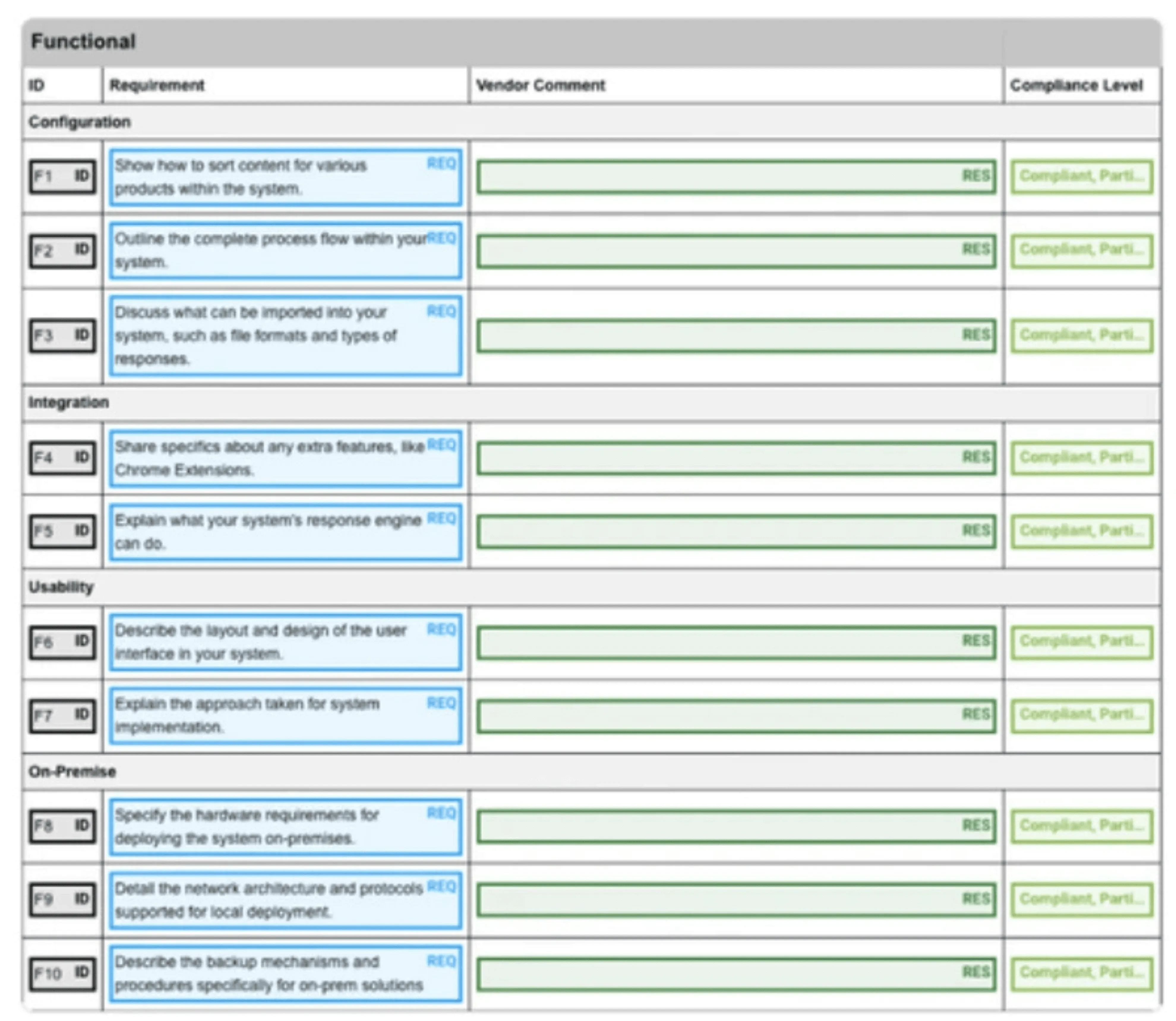
Highlight must-haves, pass-fail gates, and response format rules
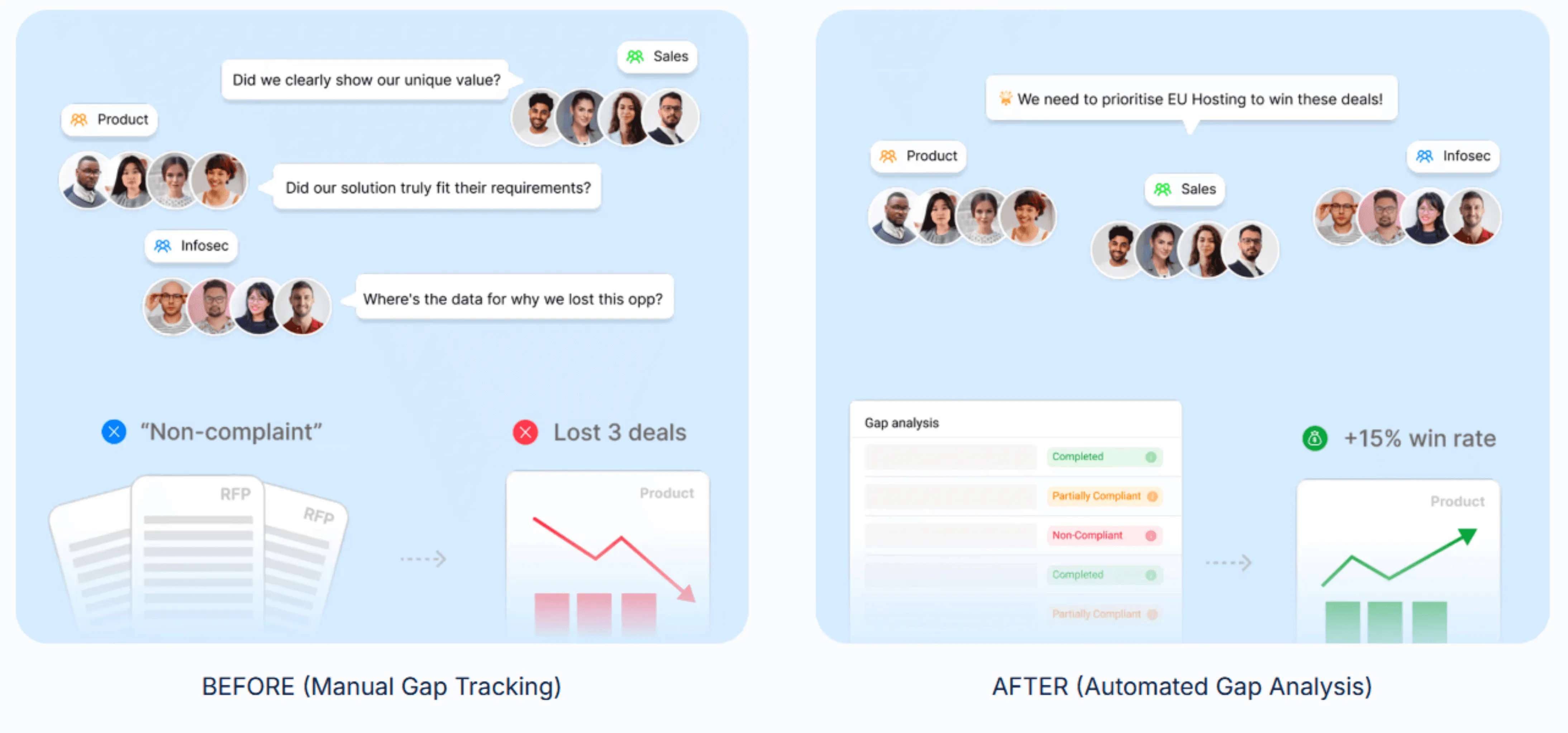
Track recurring gaps across bids so you can fix patterns (process or product)
Stage 5: Proposal Development
AI can do the heavy lifting, but it works best with a solid operating model. Teams that combine automation, high content reuse, and insight-driven processes are about 3x less likely to land in low-win performance.
Draft answers from approved content, faster
Keep messaging consistent across sections
Help teams reuse what doesn’t differentiate, and write bespoke where it matters.
High-win teams keep SMEs out of first-draft authorship: 94% rely on the proposal team to write, then SMEs review (or co-draft), according to AutoRFP.ai’s Proposal Win Rate Report 2026.
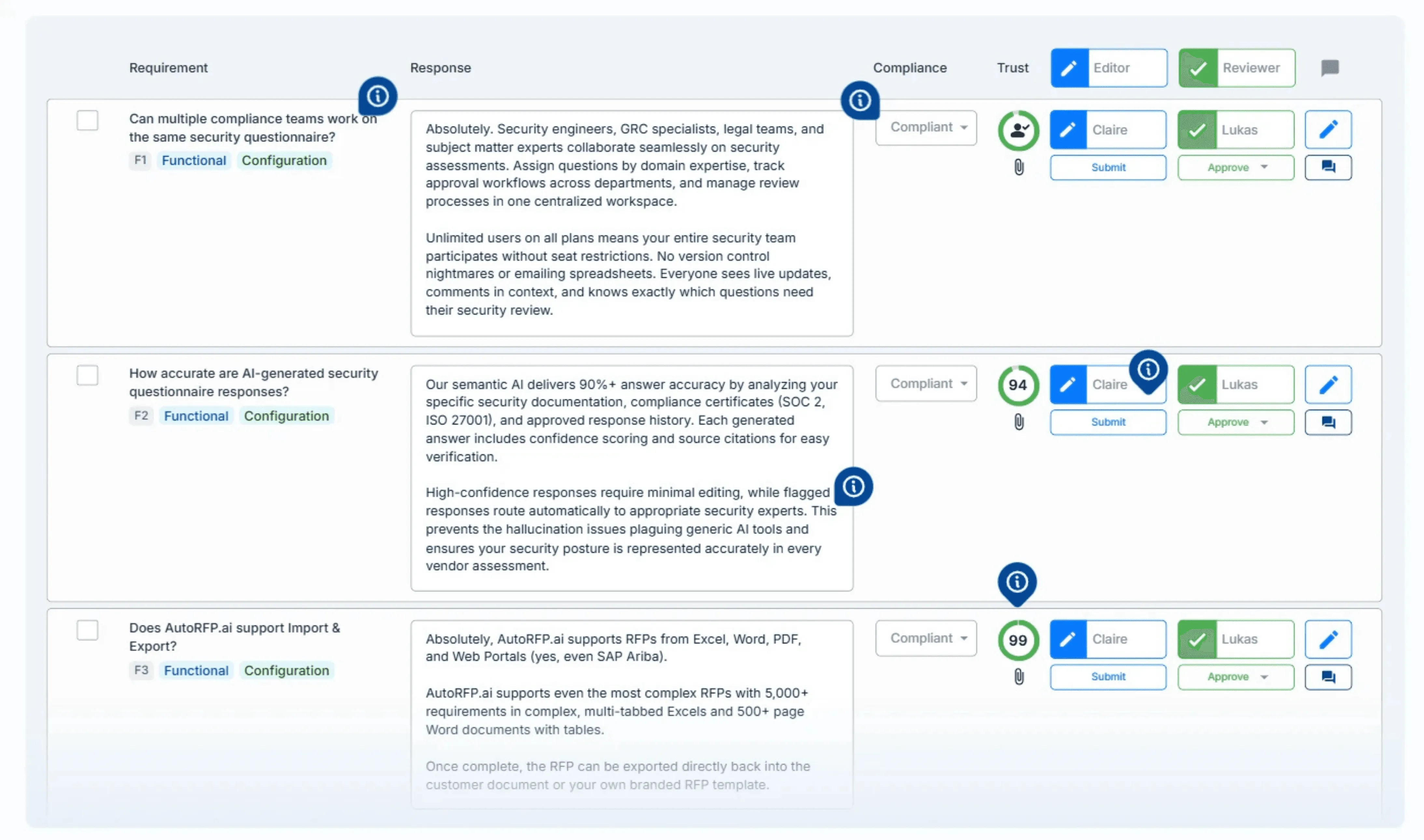
Side note: AI can route sections to the right SMEs, track status, and send reminders or handoffs.
Stage 6: Reviewing the Tender
AI can act like a quality gate before submission.
Check coverage against evaluation criteria
Flag contradictions, missing sections, weak evidence, and compliance gaps
Improve readability (rewrite, simplify, translate, tighten)
Pro tip: Add a “red flag pass” that forces every key claim to include proof (metric, case study, or source). This prevents confident-sounding fluff.
Stage 7: Finalization and Submission
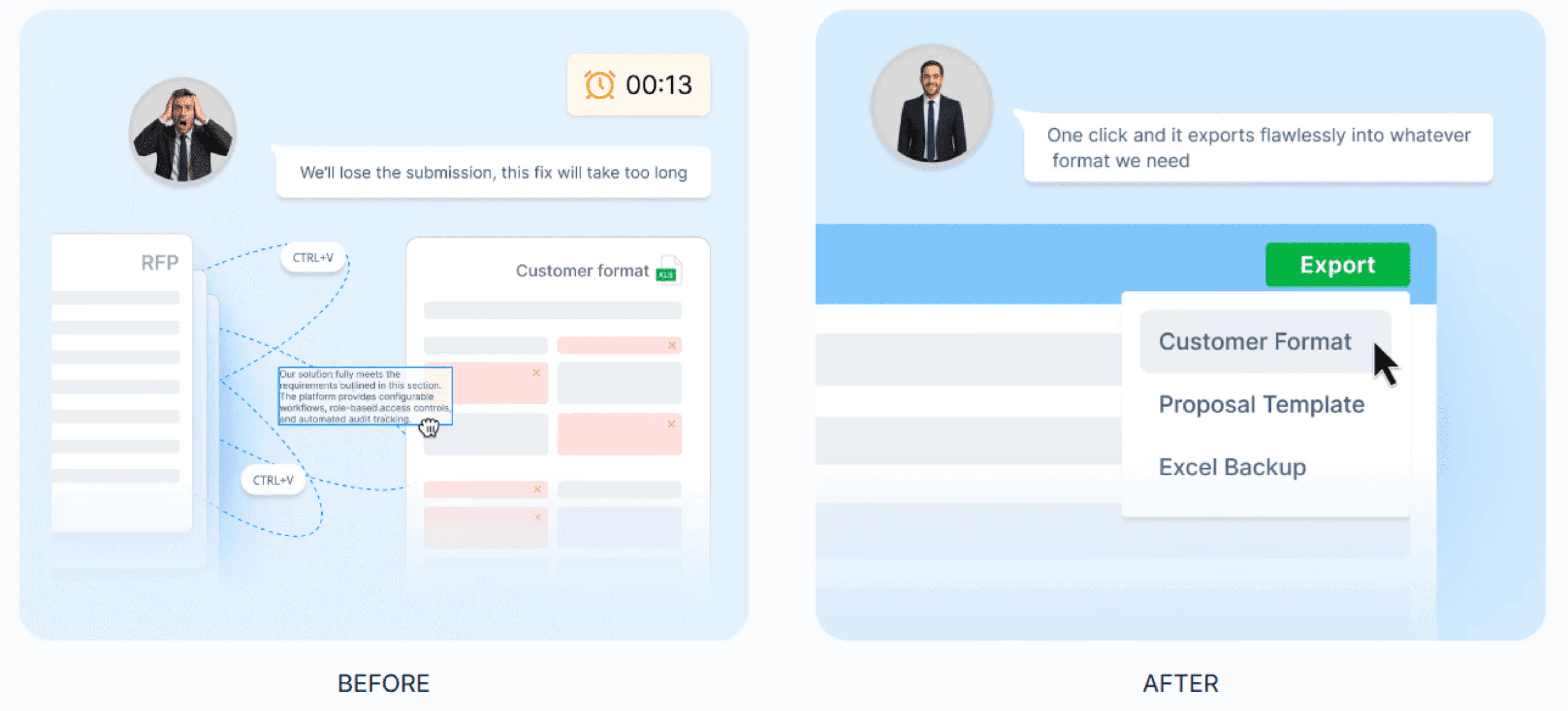
AI helps you ship without last-minute formatting chaos.
Validate version control and attachments
Run a final checklist so nothing gets dropped at the finish line
Export in the buyer’s required formats (Word, Excel)
AI Tender vs Traditional Tendering
Let’s look at the key differences between AI-powered tendering and traditional tendering.
| Aspect | AI tender management | Traditional tendering |
|---|---|---|
| Discovery and qualification | Teams sift through portals and notices manually, then shortlist in spreadsheets. | AI scans sources, matches tenders to your capabilities and past work, and summarizes fit for quicker shortlists. |
| Document analysis and planning | Manual reading to pull scope, deadlines, criteria, and risks, then planning happens across docs and threads. | AI extracts requirements and evaluation criteria, highlights priorities, and helps shape win themes and a response outline earlier. |
| Bid/no-bid decisions | Decisions rely on experience and partial info, so deal-breakers show up late. | Surfaces deal-breakers early, scores fit against bid or no-bid criteria, and flags vague clauses to clarify before committing. |
| Compliance mapping | Compliance tracking is manual, so must-haves and format rules are easier to miss. | Auto-extracts a compliance matrix, highlights must-haves and pass-fail gates, enforces response format rules, and tracks recurring gaps across bids. |
| Drafting, collaboration, and control | Templates and old bids drive drafting, creating inconsistencies and rework. | Generates accurate first drafts using past winning responses and internal knowledge, keeping answers consistent and specific. |
| Efficiency and speed | Labor-intensive; manual drafting can drag on and delay progress. | Faster execution by automating repetitive work; reduces time spent on basic tasks significantly. |
| Scalability | More bids usually mean more headcount and more coordination overhead. | Scales across more tenders and data without proportional increases in effort. |
Side note: AI doesn’t remove the need for control. It adds governance: accuracy checks, clear review owners, audit trails, and rules on what AI can draft vs what humans must approve. With those guardrails, AI delivers speed, scale, and consistent responses without exhausting your bid team.
Key Benefits of AI in Tender Management
Here are the key benefits of using AI in tender management:
| Benefit | What it means |
|---|---|
| Faster tender responses | AI summarizes long RFPs, extracts deadlines and requirements, and drafts first answers, cutting the “find, copy, rewrite” cycle. |
| Higher consistency at scale | Standardizes tone, terminology, and core claims across every submission so different teams don’t contradict each other. |
| More reuse, less rework | Reuses approved content for repeat questions, so your bespoke effort goes into the sections that actually differentiate you. |
| Stronger customer insight | Helps pull buyer context (goals, risks, priorities) and turn it into win themes and a clearer narrative. |
| SMEs do the high-impact work | They guide, verify, and strengthen answers, instead of first-draft writing. |
Organizations often report material productivity improvements when adopting AI-driven tender management tools.
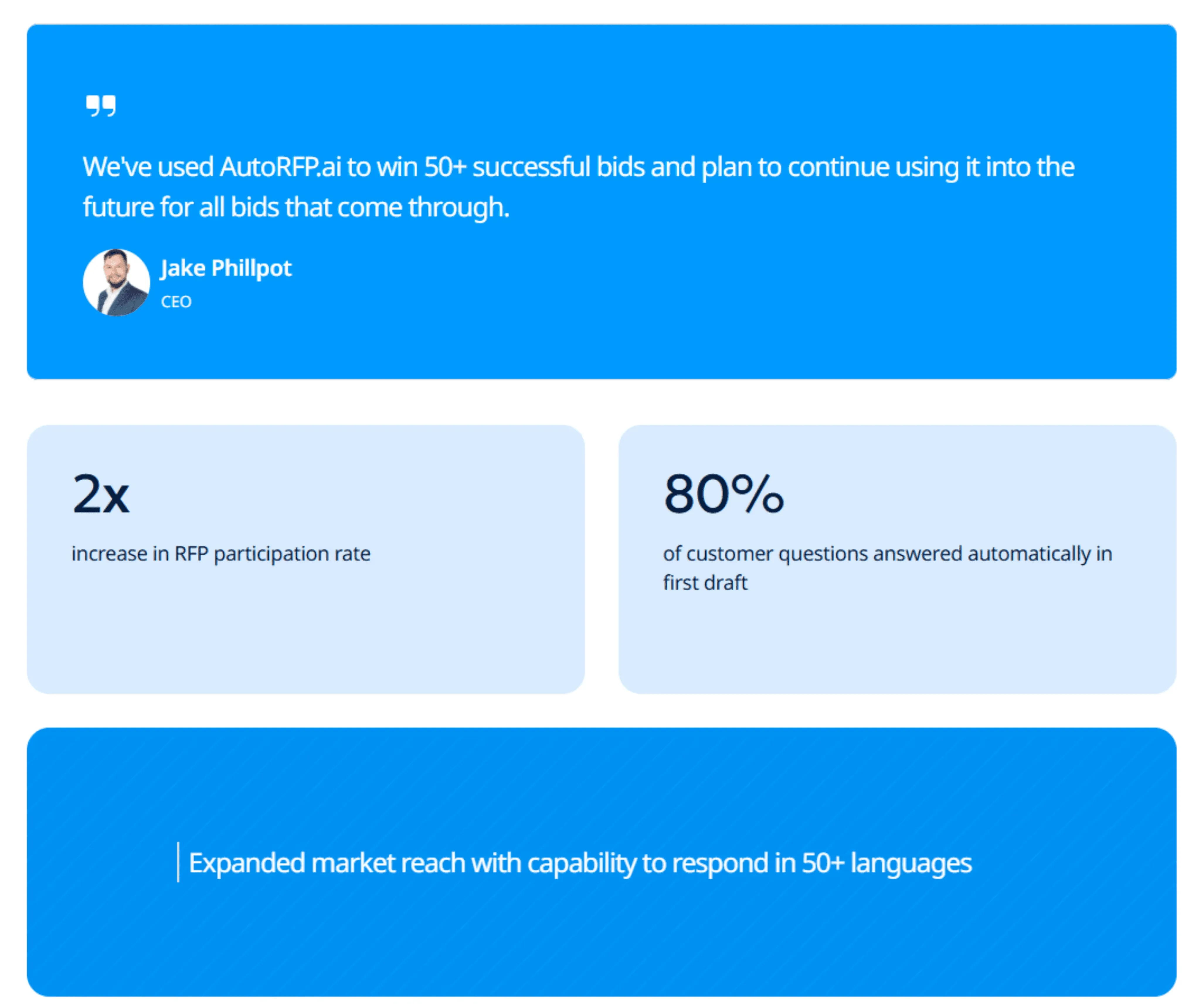
After adopting an AI-powered RFP automation tool, IMTC reported an 80% reduction in time spent on RFP responses, with 71% of answers auto-filled across 12 months of bids.
Raphael Schmideg, Chief Operating Officer at IMTC, said, “Reaching the RFP stage with clients is now a smooth process. With a 90% automation rate, we can quickly produce a first draft based upon previous responses, making the RFP process efficient and stress-free.”
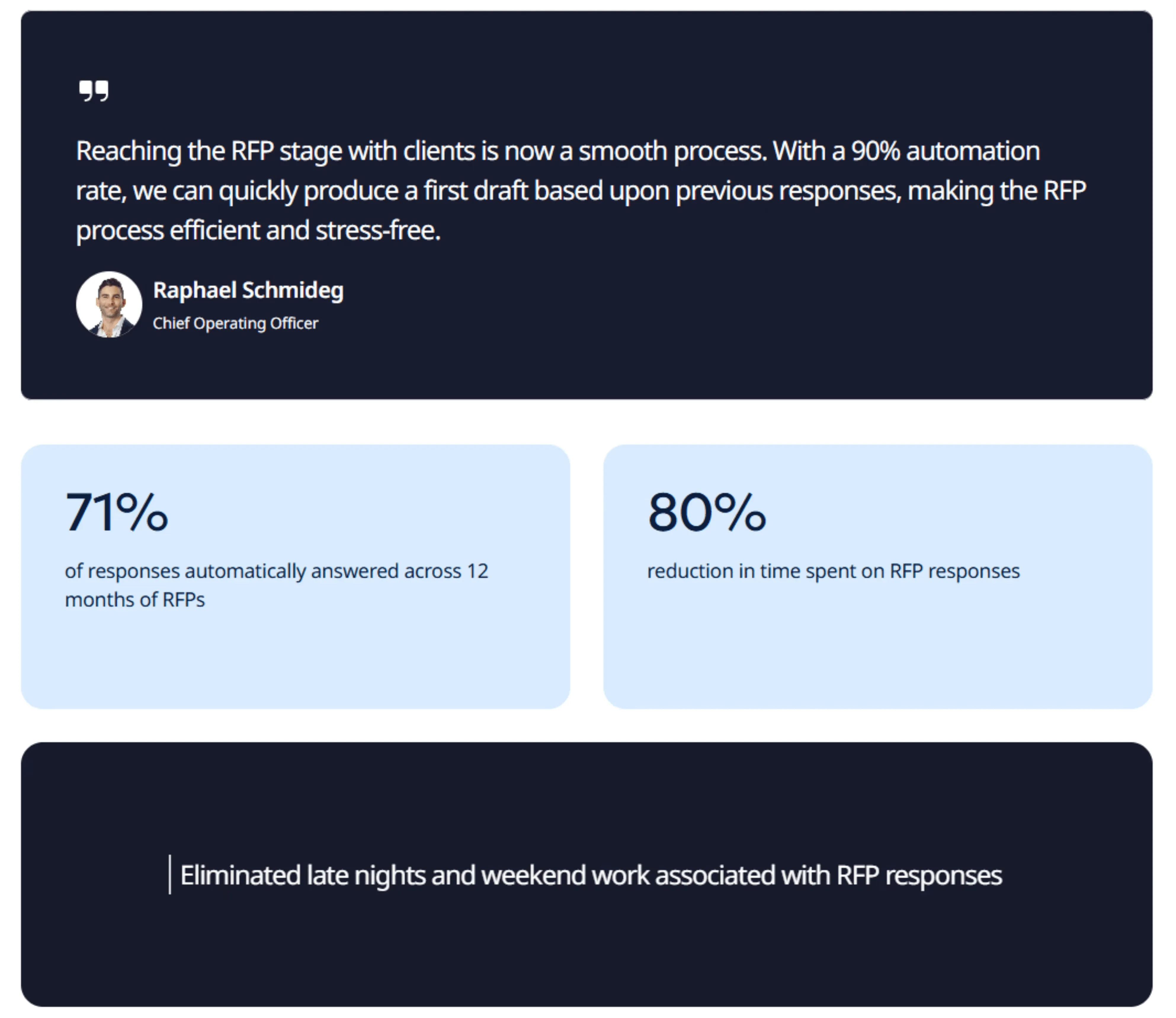
As they scaled globally across multi-product RFPs, Workforce reported 80% of customer questions answered automatically in the first draft and a 2× increase in RFP participation.
Jake Phillpot, CEO of Workforce, said, “We’ve used AutoRFP.ai to win 50+ successful bids and plan to continue using it into the future for all bids that come through.”
Managing Risk and Governance in AI‑Powered Tendering
Learn how to apply the right controls so AI improves speed and consistency without compromising accuracy, accountability, or compliance.
| Risk | What can go wrong | Practical mitigation |
|---|---|---|
| Data privacy & confidentiality | Sensitive bid data exposed via cloud AI or weak permissions. | Use secure deployments, role-based access, and audit logs. Choose tools like AutoRFP.ai, where your data isn’t used to train AI models and content stays confidential with Azure AI. |
| Inaccurate or fabricated content | AI tends to invent details when not grounded in approved sources. | Ground generation on vetted content only. Require sources/citations before approval. |
| Over-reliance on AI | Generic drafts lose nuance and strategy. | Keep win themes and positioning human-led; use AI for drafting, summaries, and rewrites |
| Unclear ownership & accountability | Errors slip through with no clear reviewer. | Assign a bid owner + named reviewers. With AutoRFP.ai, route sections, see who’s stuck, send reminders, and track status from one dashboard. |
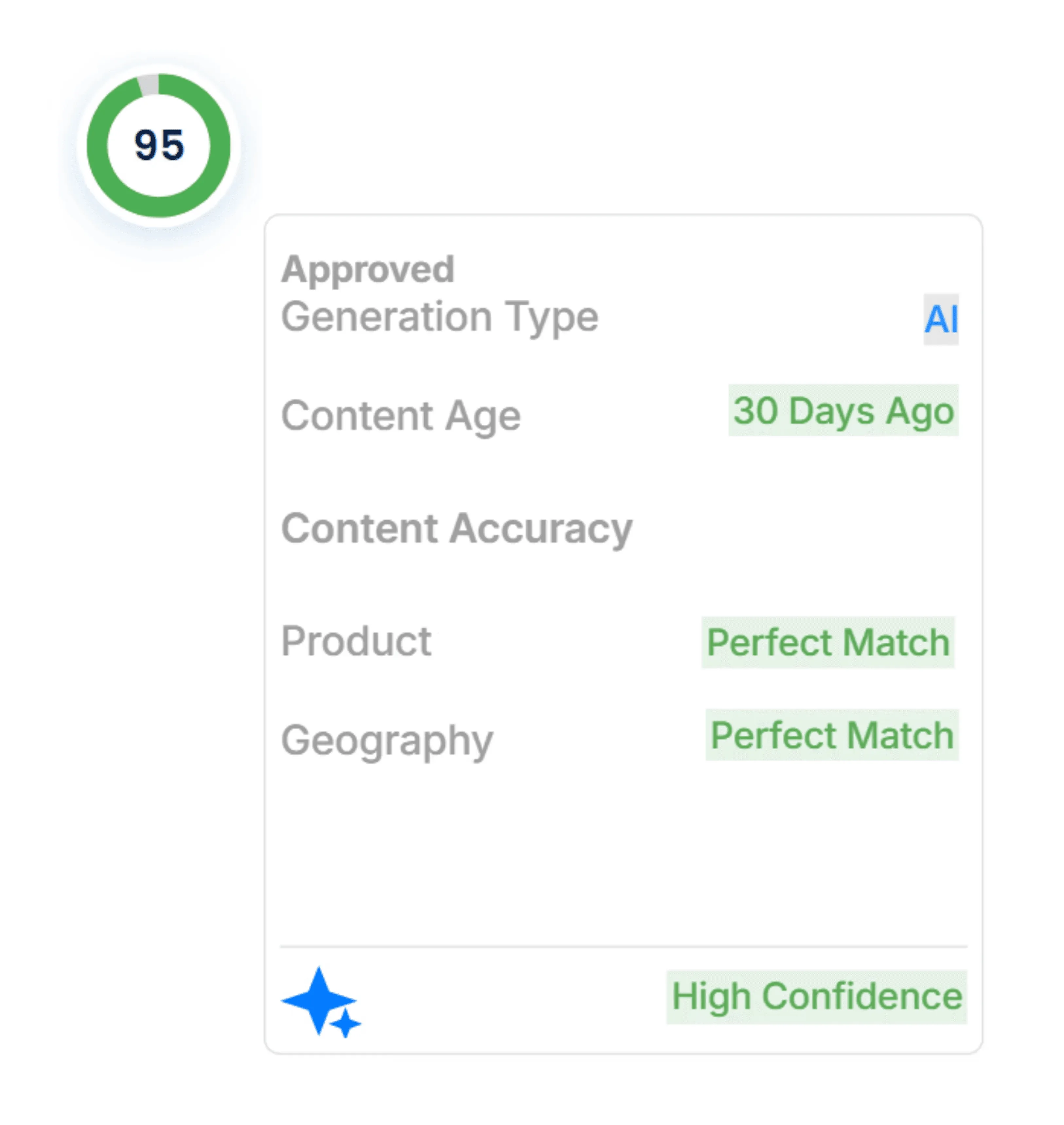
| Lack of transparency (black box AI) | Hard to trust or audit why answers/scores were produced. | Use tools like AutoRFP.ai, where each response shows sources, content age, and confidence score, so no black box. |
| Bias from past bids | Historical responses reinforce weak/outdated messaging. | Delete/archive low-quality answers; refresh proof points and messaging regularly. |
How to Write a Tender With AI
Follow these steps to use AI for tender proposals, focusing on speed and consistency while protecting quality.
Step 1: Build an AI-Ready Content Library You Can Trust
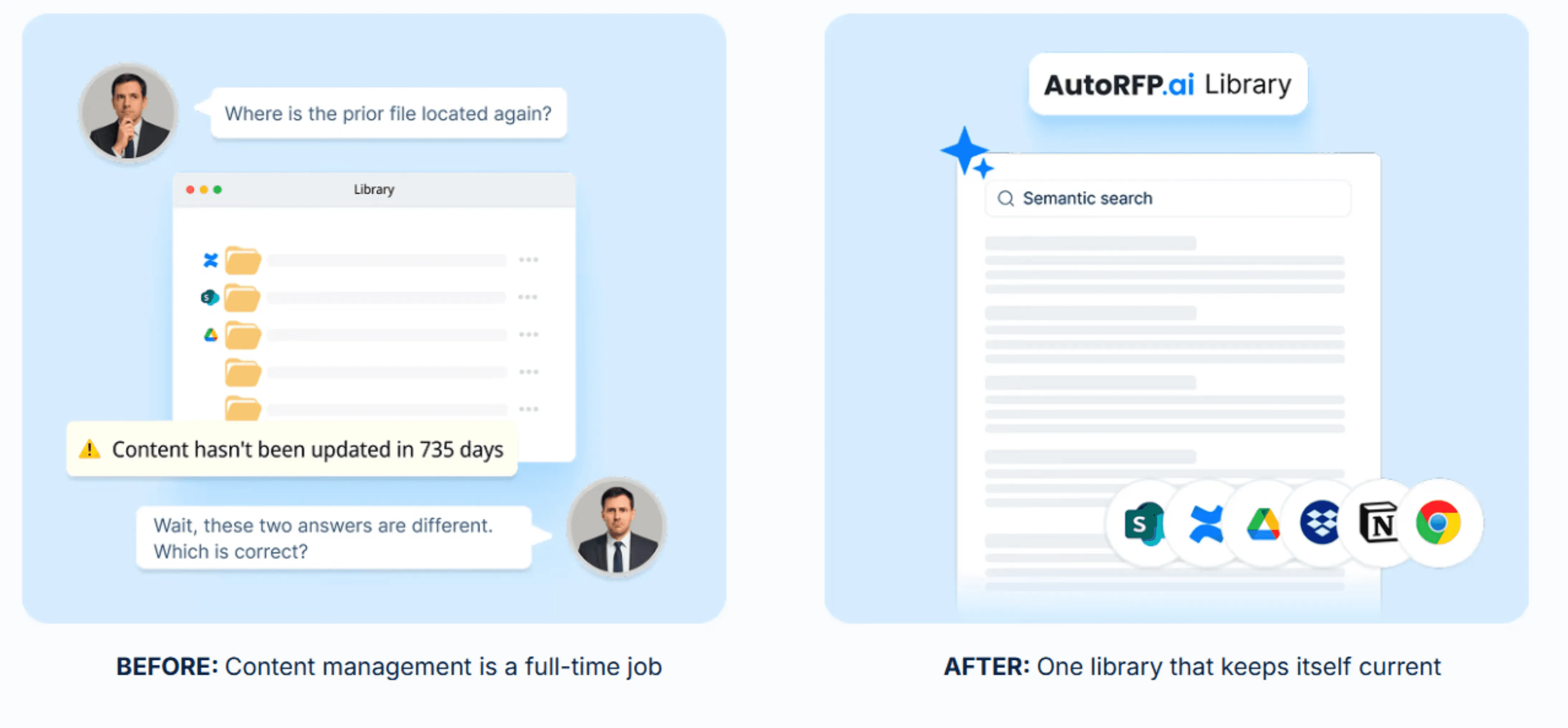
Before AI can help you write faster, you need a governed source of truth. That means your best approved answers, proof points, product facts, policies, case studies, and pricing narratives are collected, cleaned, and clearly labeled.
What to include: Core company boilerplate, service descriptions, security and compliance statements, implementation approach, service-level agreements (SLAs), FAQs, case studies, metrics, and approved pricing language.
Why governance matters: If the library is messy or outdated, AI will confidently draft the wrong thing.
Manual library management often takes weeks because teams have to build taxonomy, folders, and tags, and search quality depends on everyone categorizing content correctly.
A self-updating library (like AutoRFP.ai’s approach) reduces that setup burden by learning from what you approve, so the library stays current without constant manual upkeep.
Step 2: Upload the RFP and Auto-Extract Requirements
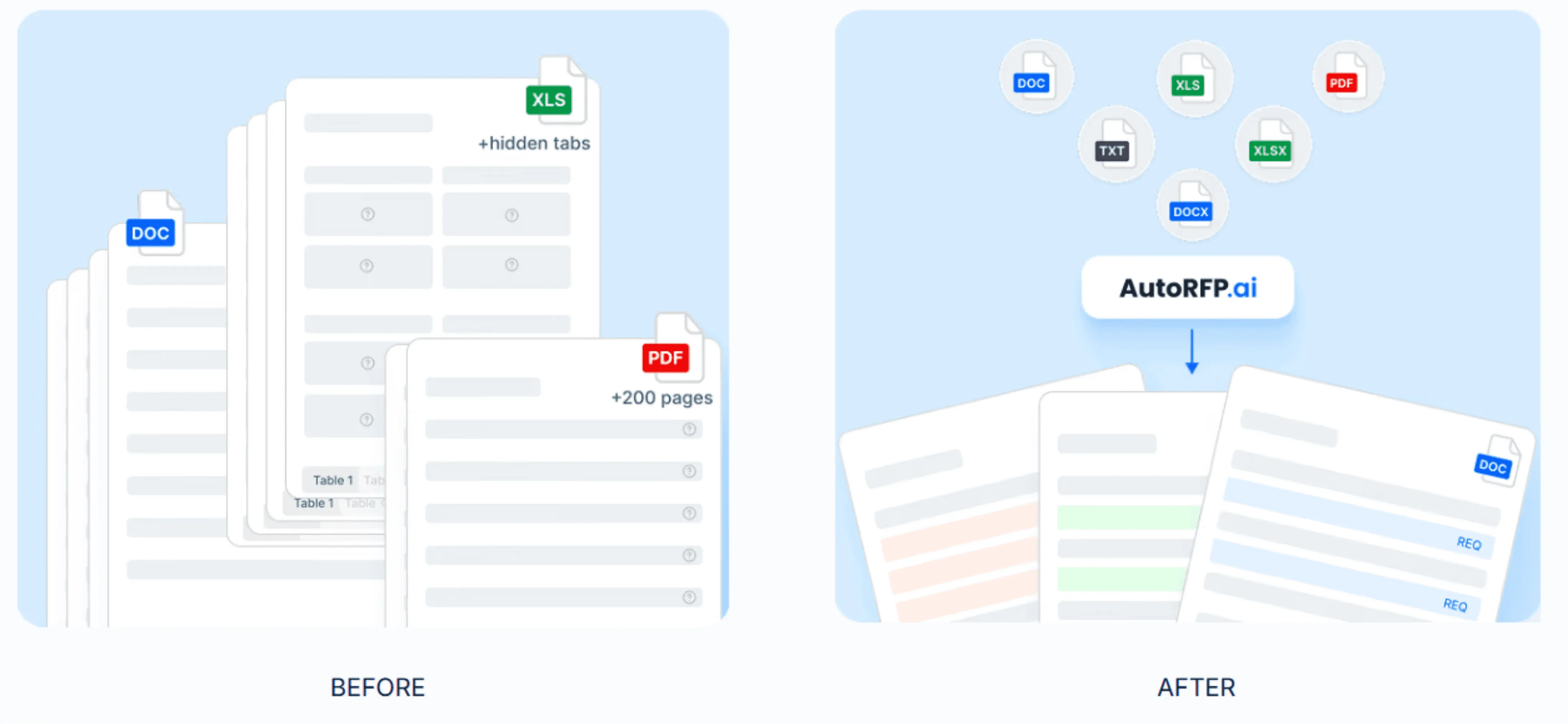
Upload the RFP so AI can turn long documents into a structured checklist. This is where you stop reading line-by-line and start working from a clear set of requirements.
- AI pulls out: Must-have requirements, pass-fail gates, submission rules, response formats, deadlines, and key evaluation criteria.
Pro tip: Choose a tool that can upload RFPs in any format and auto-extract requirements, like AutoRFP.ai.
Step 3: Turn Requirements Into a Compliance Matrix
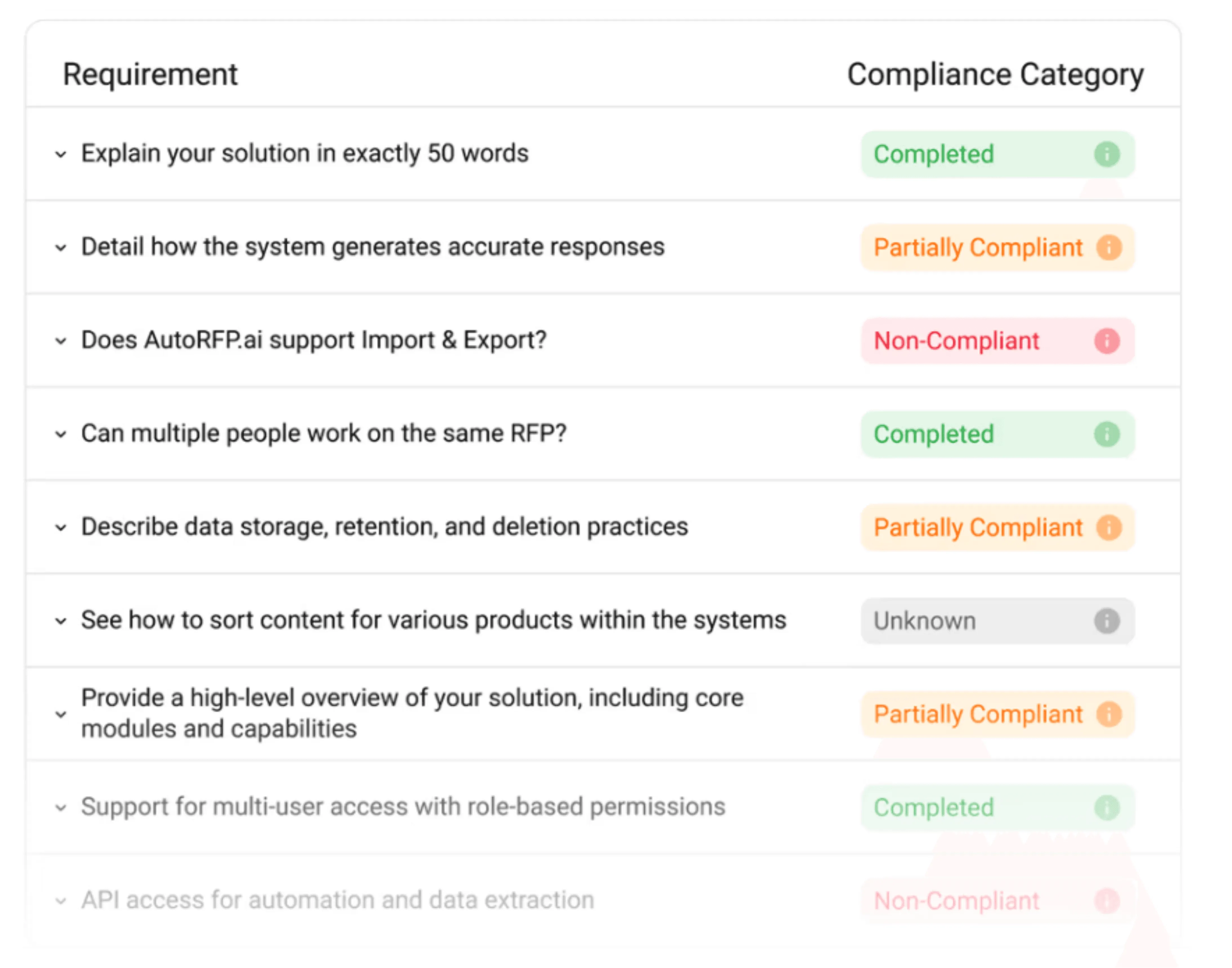
Use AI to turn extracted requirements into a compliance matrix you can assign and track before drafting starts. Include fields like requirement, owner, response location, status, and evidence so nothing gets missed.
Pro tip: See compliance patterns across all RFPs in AutoRFP.ai to track which requirements you consistently fail without digging through old responses or building spreadsheets.
Step 4: Use AI Insights to Shape Your Win Themes
AI can help you see what the buyer is really comparing, but win themes still need human judgment. Use the requirement and scoring view to decide your positioning and priorities.
Use AI to: Summarize evaluator priorities, cluster requirements by theme, and highlight high-weight sections.
Your team decides: Differentiators, proof points, trade-offs, and how to frame value and risk.
Step 5: Draft Answers Faster With AI Response Generation
Now you can draft. AI works best when it is grounded in your approved library, not free-writing from scratch.
- AI helps you: Pull relevant past answers, tailor language to the question, and keep tone and structure consistent across sections.
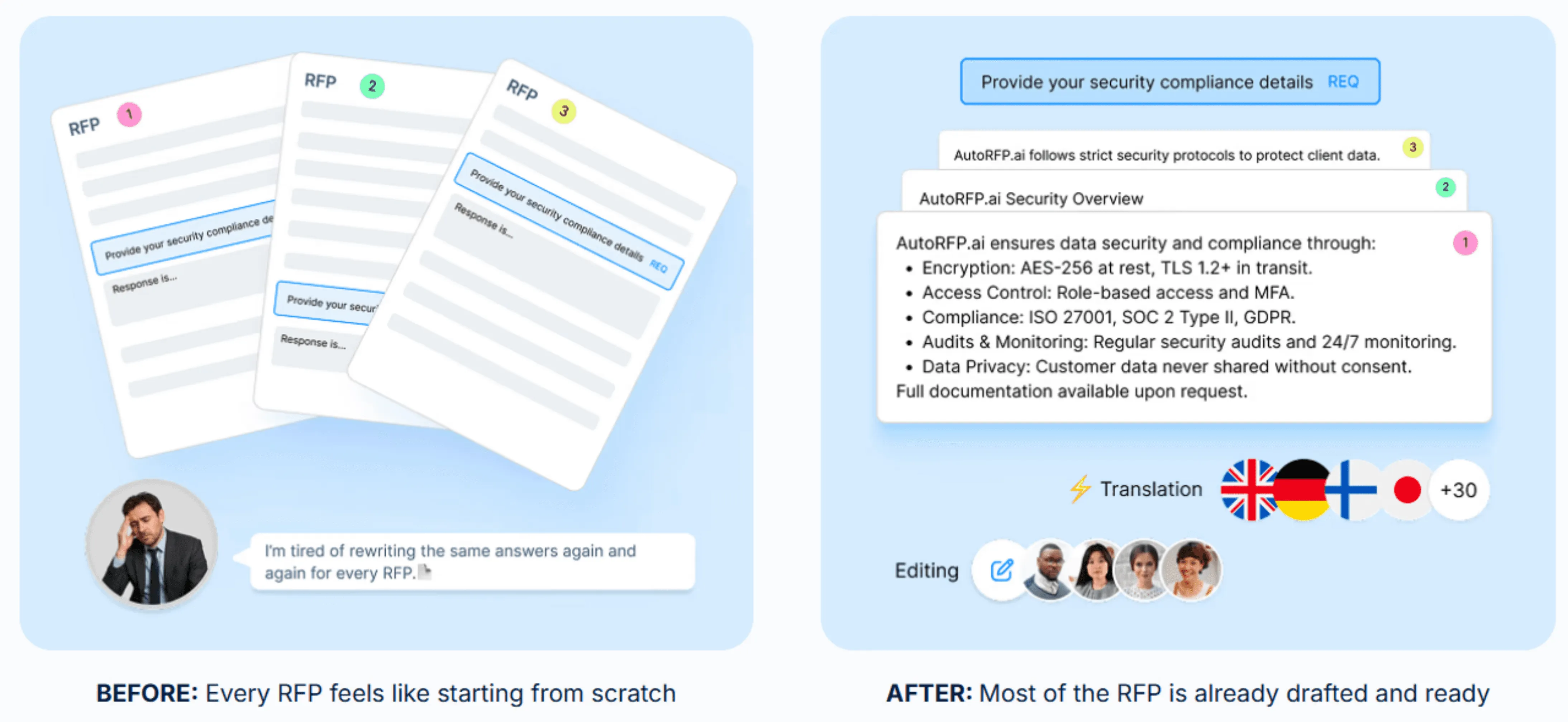
Side note: With AutoRFP.ai, you’re not getting generic AI free-writing; you’re generating on-brand drafts from your approved library using semantic search that understands context, not just keywords.
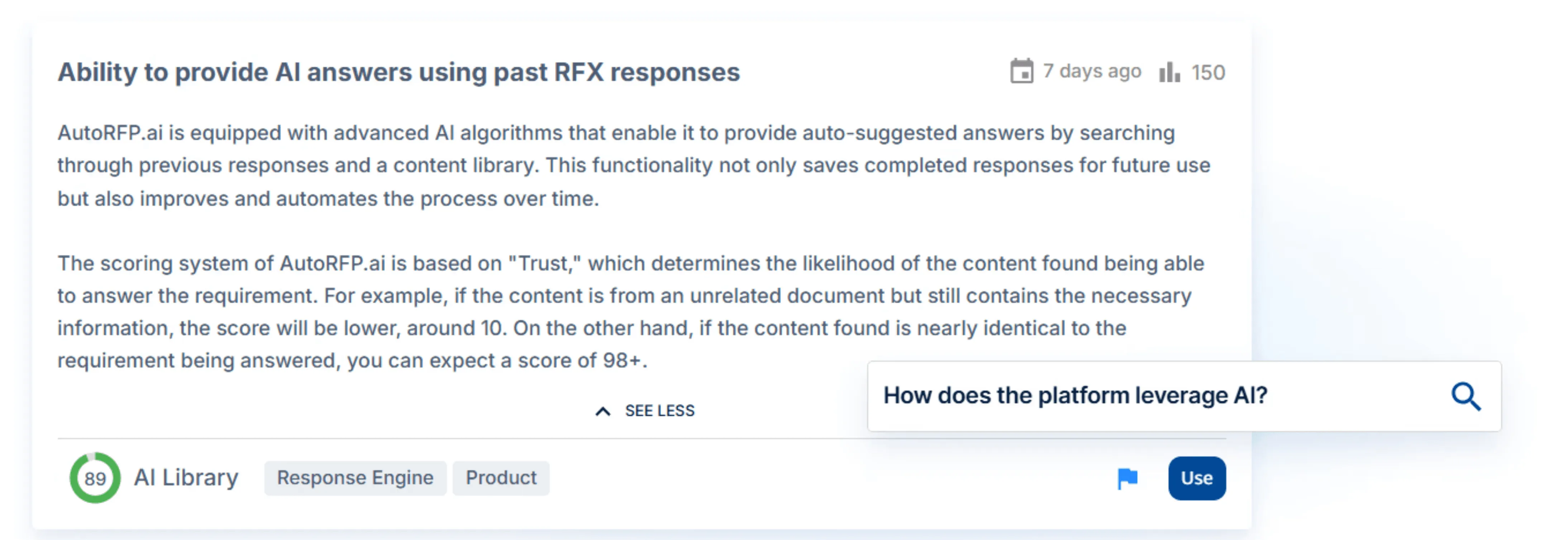
Each answer also shows sources, content age, and a confidence score, so you can see why it chose that content before you submit.
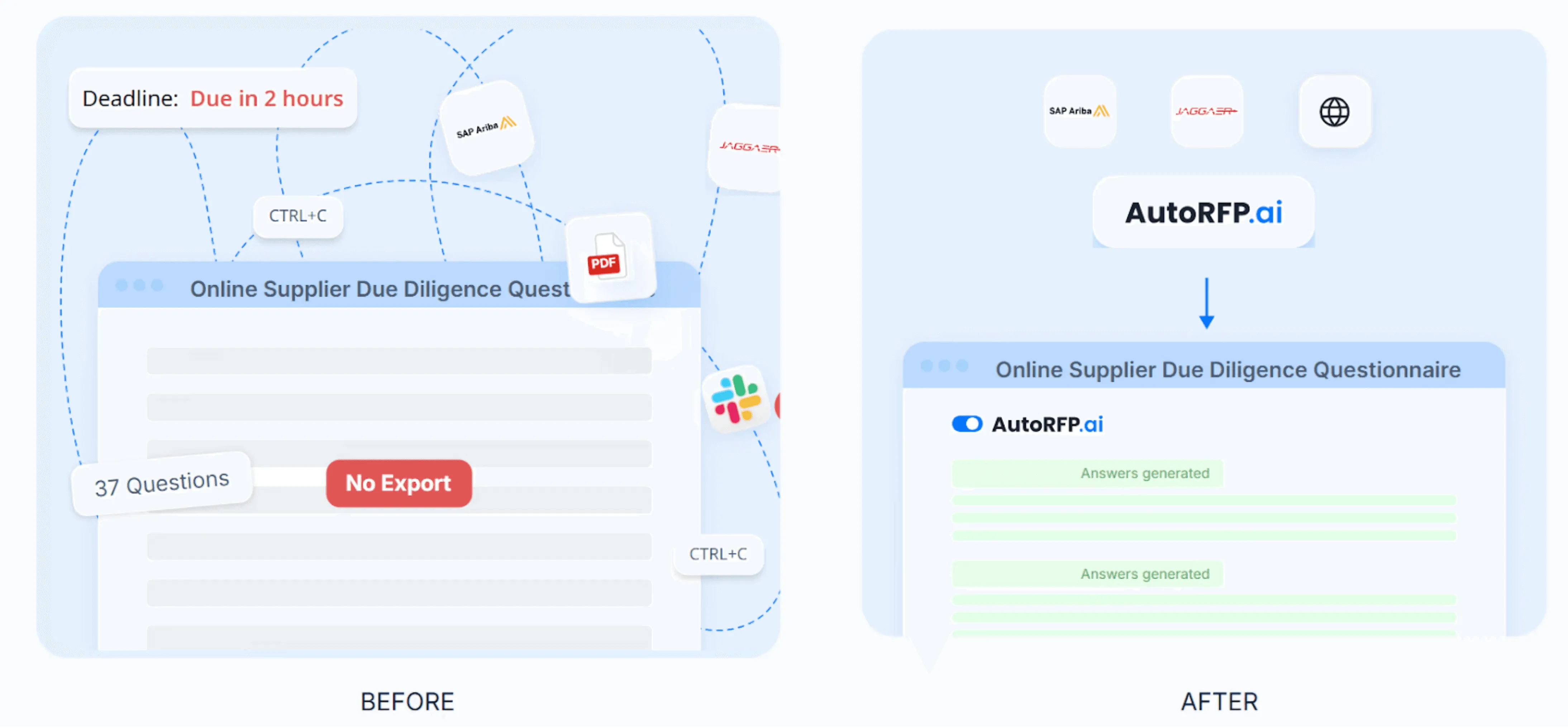
AutoRFP.ai’s Chrome extension pulls portal questions and answers them from your library, so there’s no retyping.
Step 6: Run AI-Assisted Reviews for Accuracy, Pricing, and Compliance
Treat AI as a reviewer and checker, not the final approver. Your goal is to catch errors early and avoid last-minute chaos.
Verify claims, metrics, and capabilities against approved sources.
Align pricing language, terms, assumptions, and exclusions.
Confirm every must-have is answered in the required format.
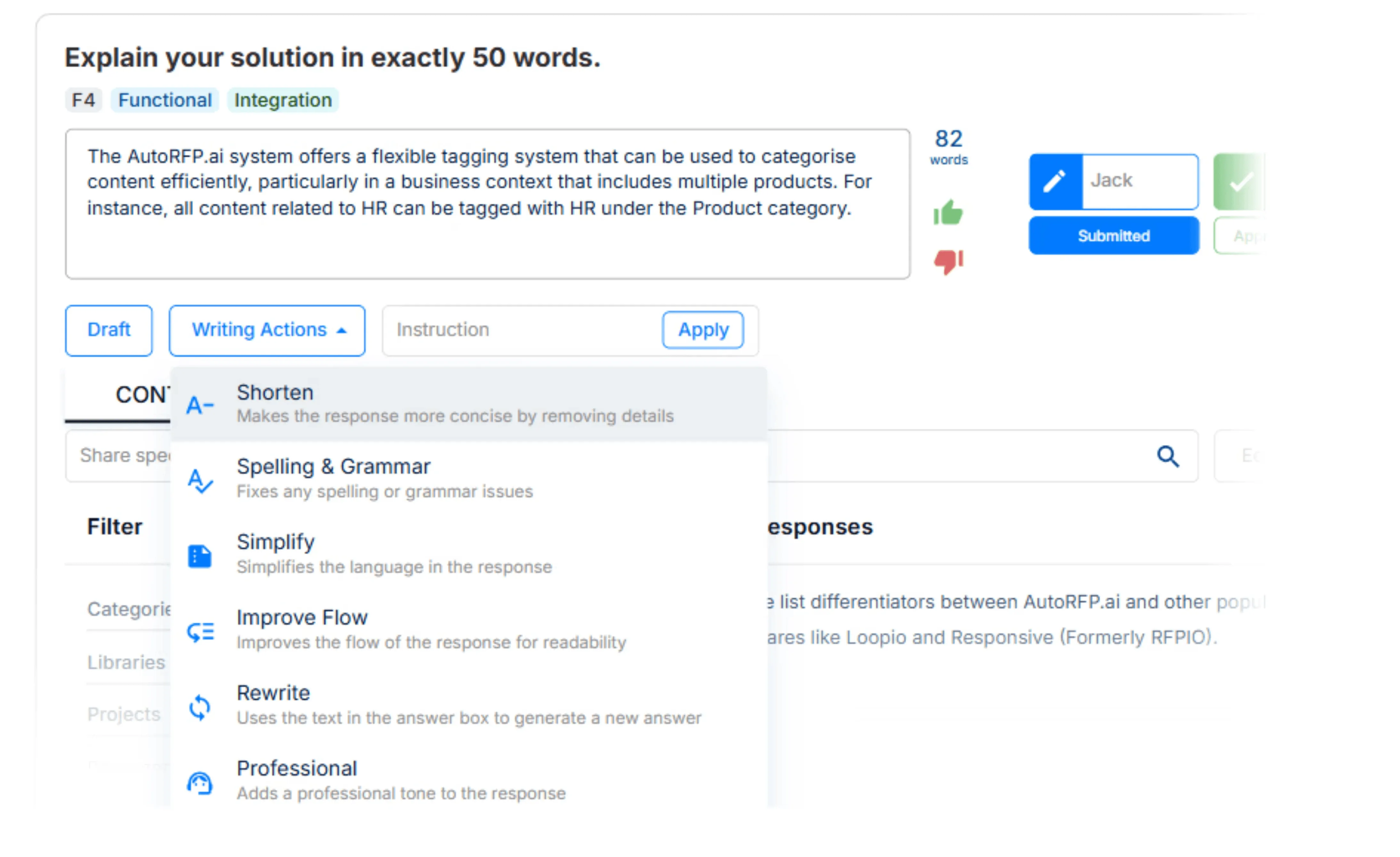
Step 7: Polish, Rewrite, and Translate Without Rework
Once content is correct, use AI to improve readability and buyer fit.
Get AI to refine content for clarity, condense complex sections, streamline lengthy responses, translate when necessary, and standardize terminology.
Step 8: Manage SMEs and Deadlines With an AI Workflow and Reporting Tool
AI-driven tender response tools can reduce the admin load that slows bids down, especially when you depend on busy SMEs.
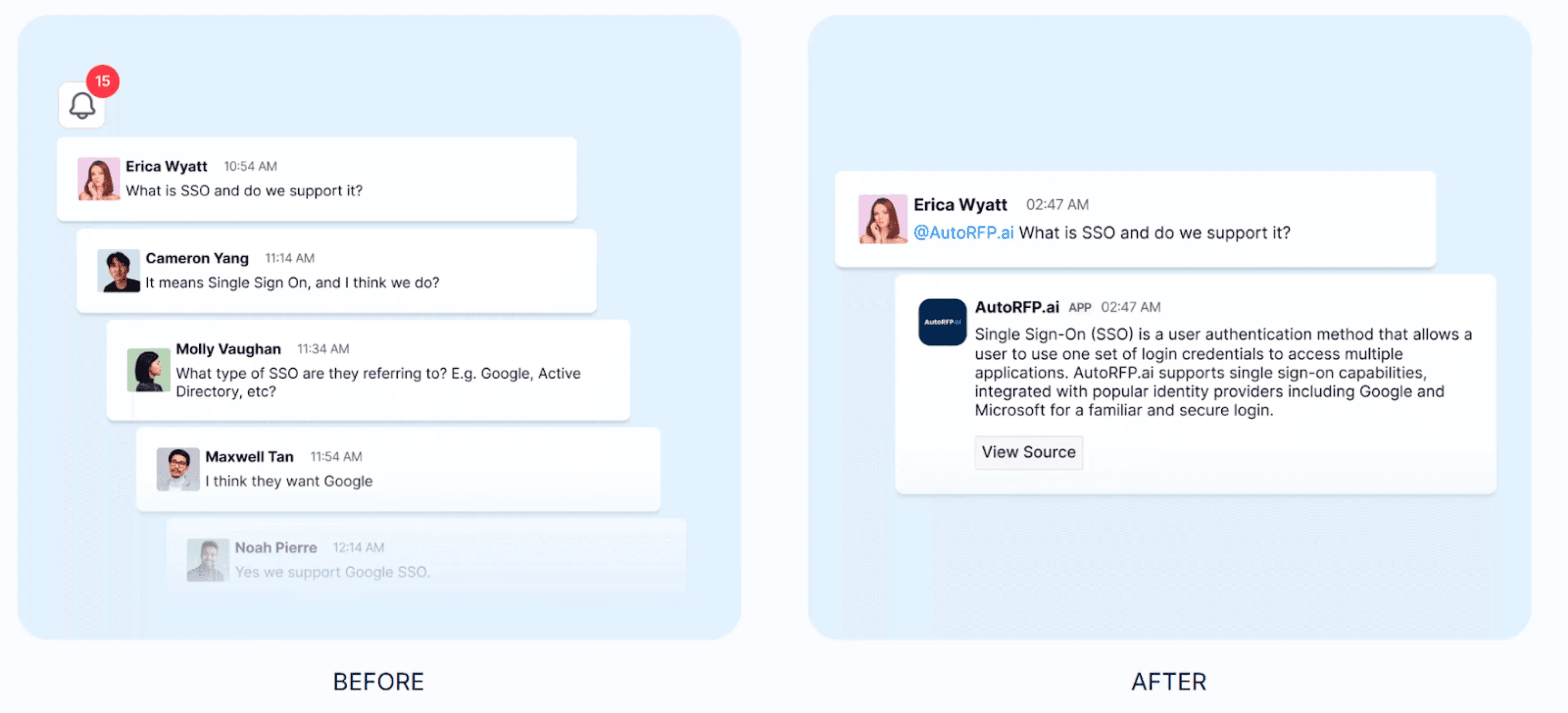
- AI Q&A bots: Get sourced answers from your content library in seconds without leaving the thread.
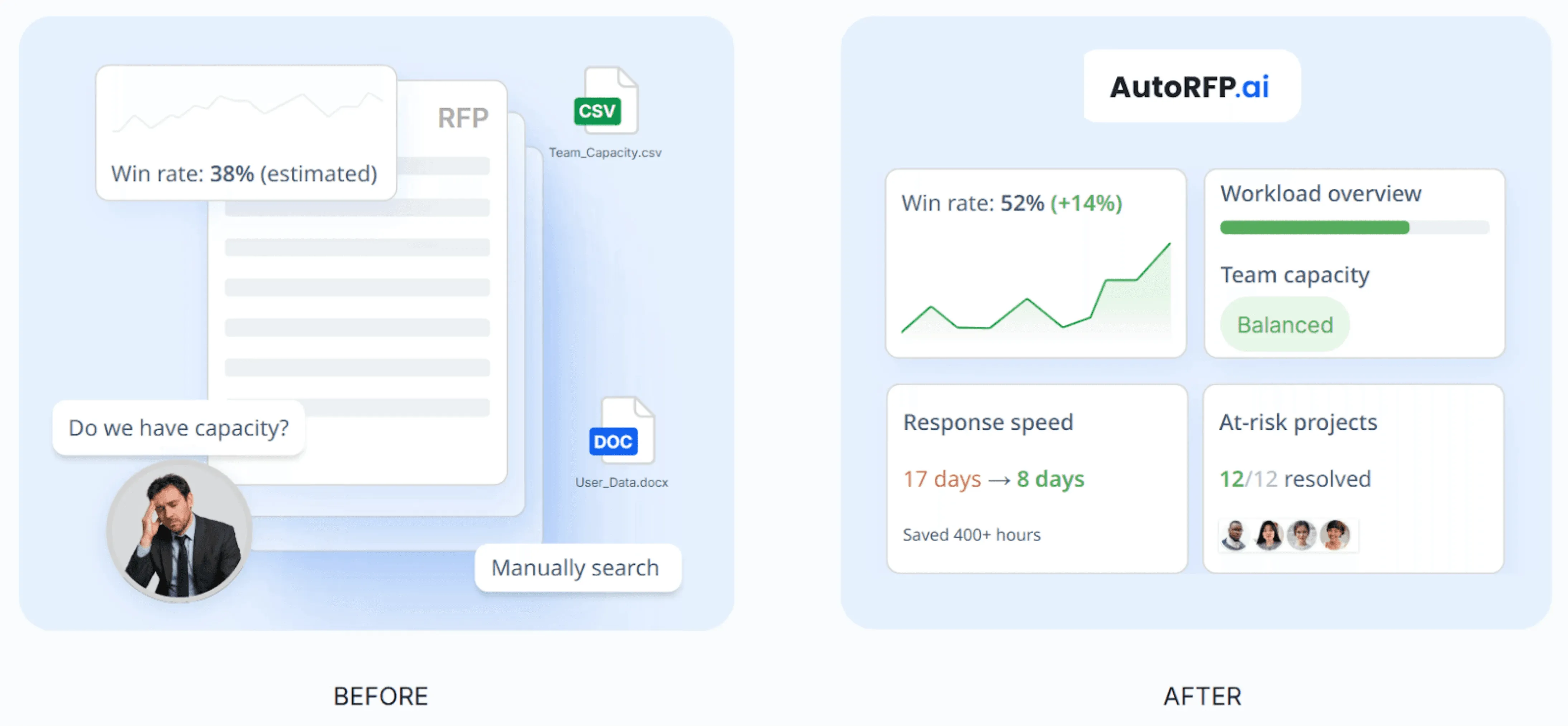
- Capacity reporting: See win rate, team capacity, volume, and velocity in one place.
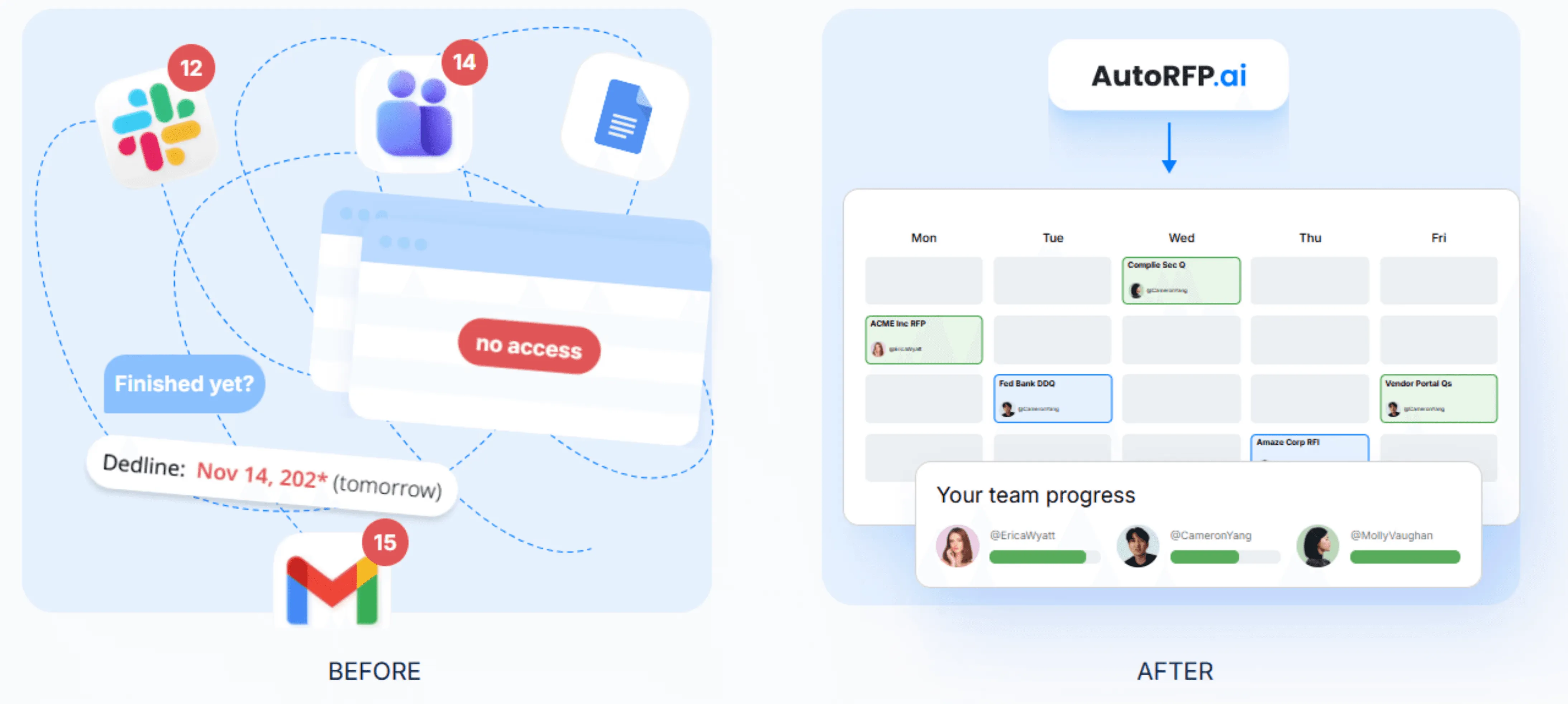
- Status visibility: See who is stuck, send reminders, and keep owners accountable from one dashboard instead of spreadsheets and email chains.
Step 9: Export in the Buyer’s Format and Submit Without Formatting Breaks
Even a strong response can fail if it breaks the buyer’s template or submission rules. Use AI tooling to deliver exactly how the buyer wants it.
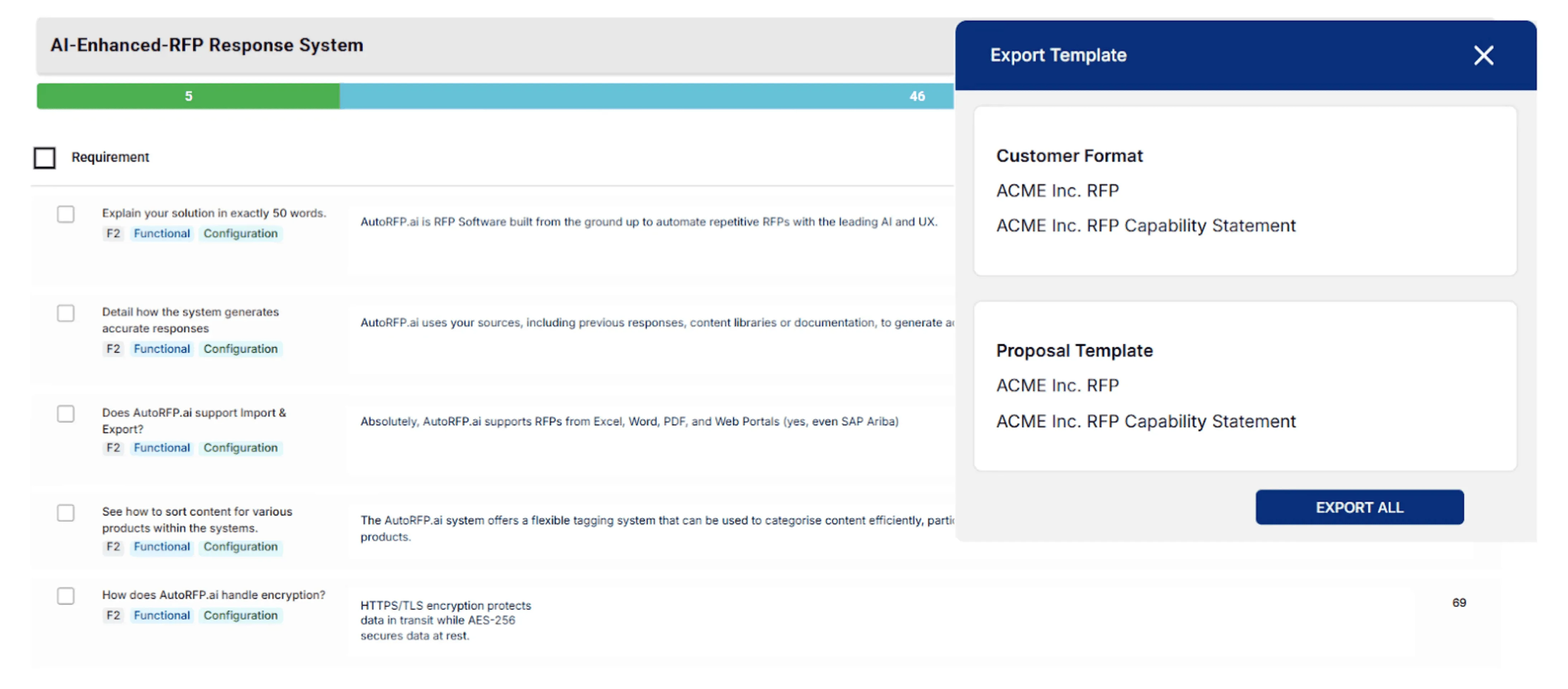
- Export to their Word template, Excel workbook, etc.
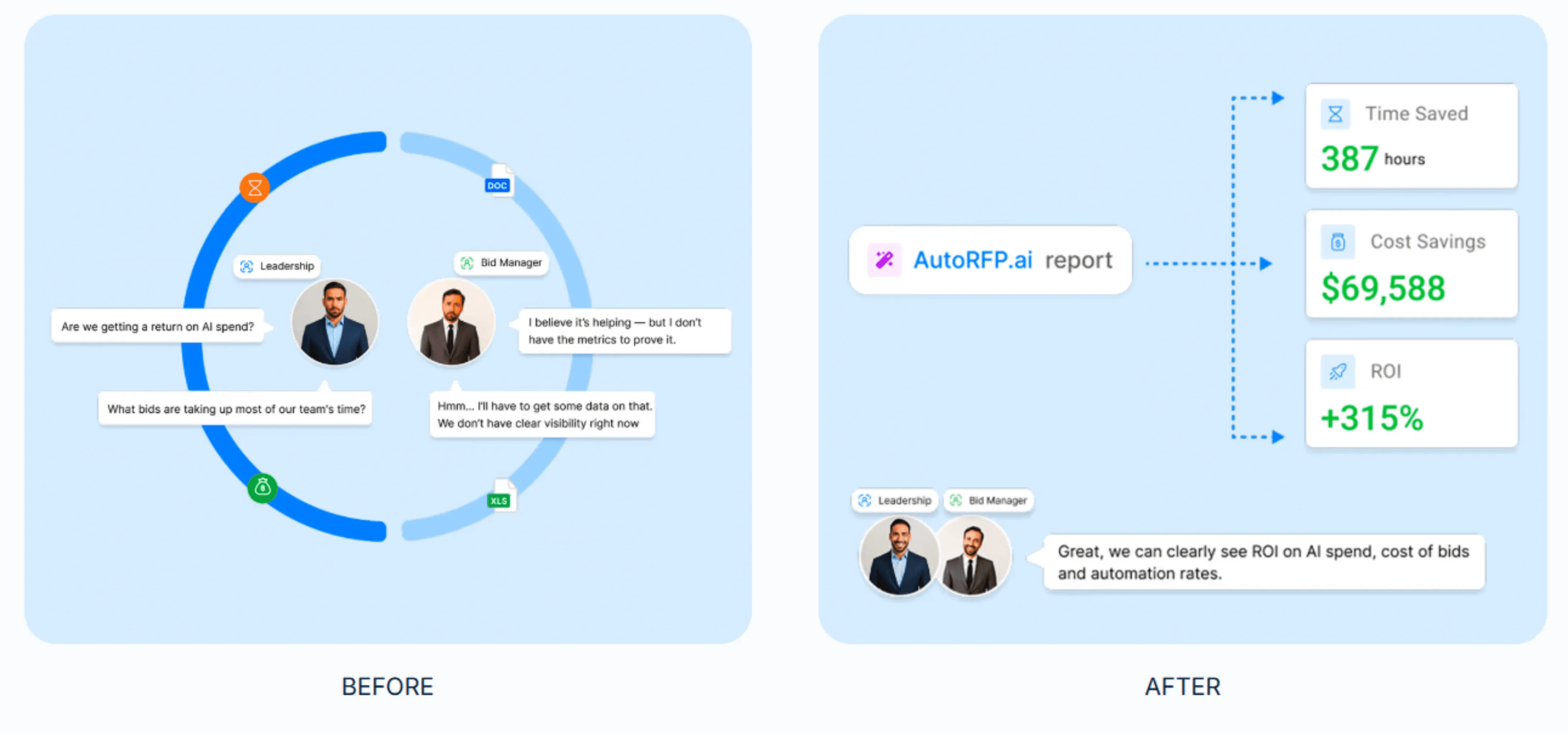
Step 10: Measure ROI and Improve Your Response with Post-Bid Analytics
After submission, use reporting to improve the next bid, not just close the project.
- Track: Time saved, automation rate, reuse rate, common gaps, and sections that caused delays.
Win More Tenders with AutoRFP.ai
The fastest teams don’t rush. They remove friction. AutoRFP.ai helps you qualify the right opportunities, lock compliance early, and draft from a governed content library instead of starting from scratch.
With built-in collaboration, reminders, and final checks, you reduce chaos at the finish line and submit cleaner, proof-driven proposals that evaluators can trust.
